
Softpedia
 

NEWS CATEGORIES:


NEWS ARCHIVE >>
SOFTPEDIA REVIEWS >>
MEET THE EDITORS >>
Home > News > Microsoft > Windows

July 2nd, 2010, 15:41 GMT · By

Microsoft: Windows 8 PCs Will Turn on Fast, Nearly Instant

SHARE:

Adjust text size:


Windows
Enlarge picture
Microsoft’s work focused on optimizing the startup of Windows PCs will continue with Windows 8. At least according to leaked information that made its way into the wild recently. Windows 7 customers are undoubtedly already well aware of the fact that the Redmond company has fine-tuned their operating system to boot and shut down as fast as possible. Obviously, the software giant needs to deliver even better startup and shut down performance with Windows 8.

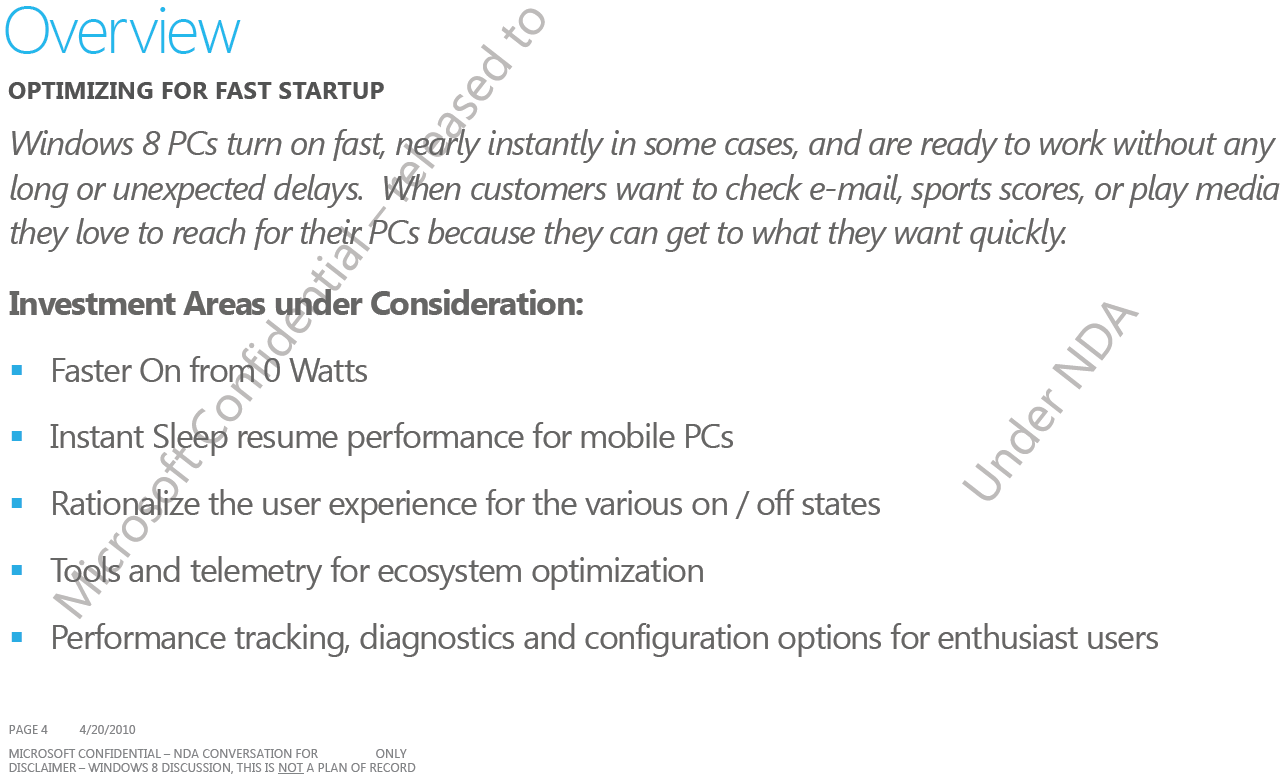
The company notes in one slide deck shared with partners that: “Windows 8 PCs turn on fast, nearly instant in some cases, and are ready to work without any long or unexpected delays. When customers want to check email, sport scores, or play media they love to reach for their PCs because they can get what they want quickly.”

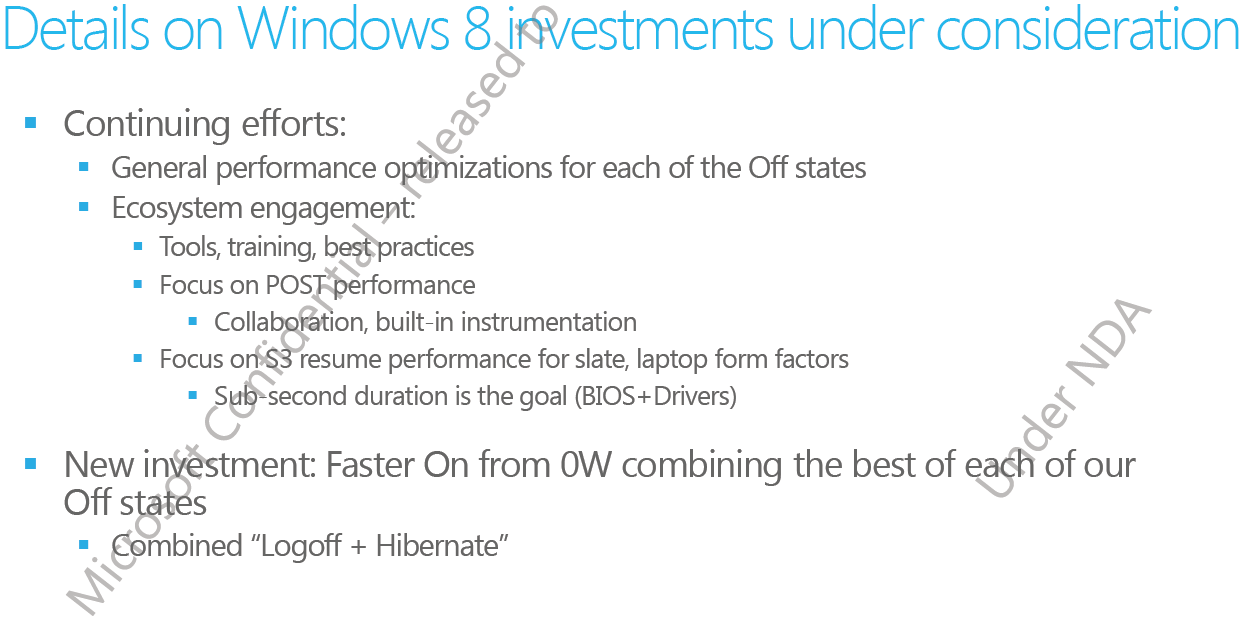
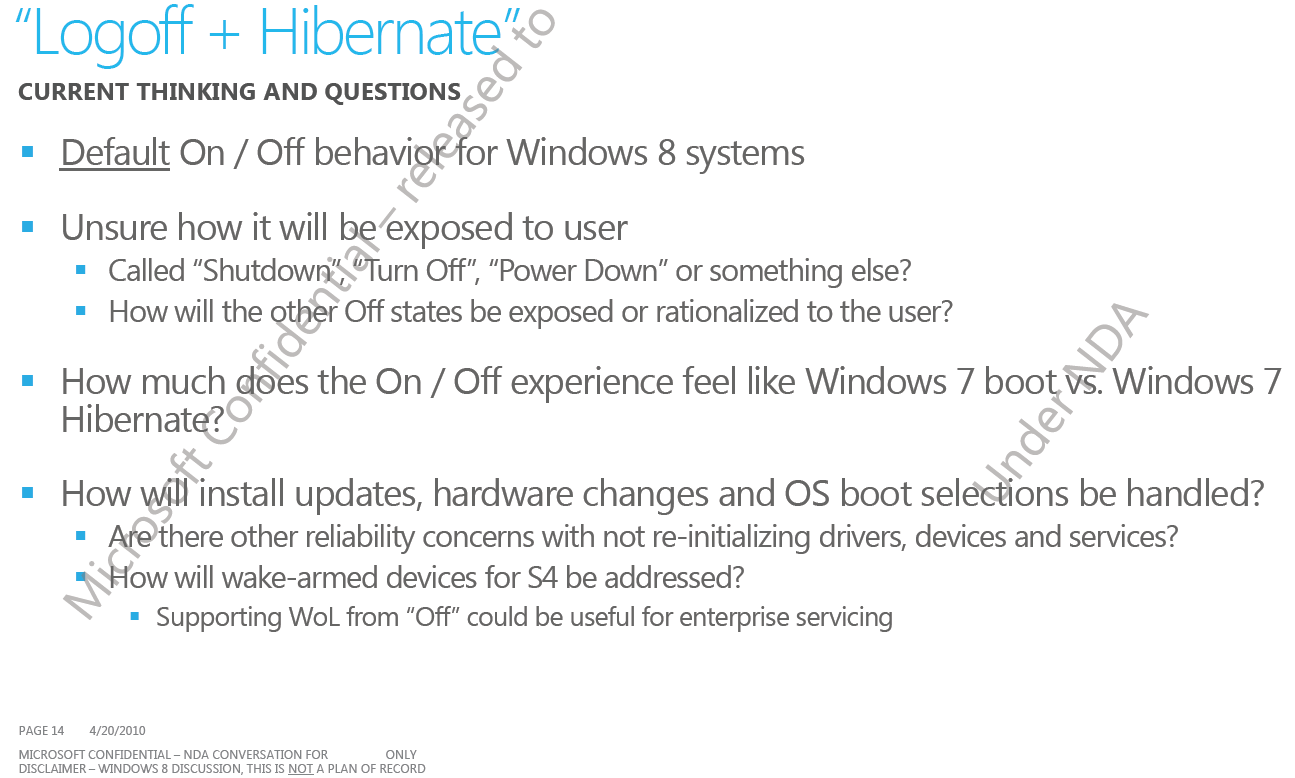
Microsoft also revealed a few areas that are under consideration, including “Faster On from 0 Watts; Instant Sleep resume performance for mobile PCs; rationalize the user experience for the various on / off states; tools and telemetry for ecosystem optimization; performance tracking, diagnostics and configuration options for enthusiast users.”

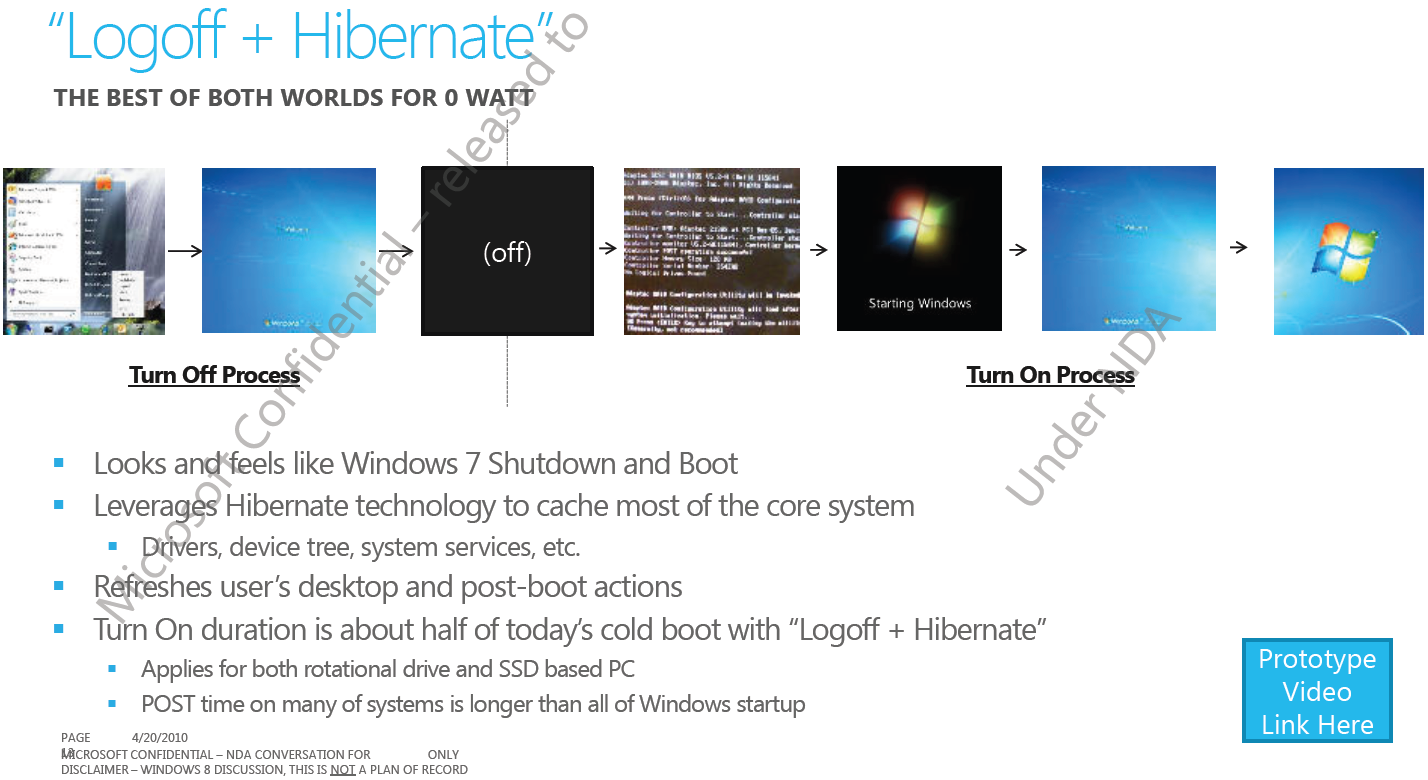
One important new aspect of Windows 8’s evolution will apparently be the combination of Logoff and Hibernate. The software giant is looking to marry the two Off states for Windows 8 to deliver the fastest possible resume time from 0 Watts. In this regard, the Redmond company indicates that Windows 8’s shutdown and boot will be similar to those of Windows 7. Still, all the details of the startup and shutdown processes will be optimized.

Among the enhancements planed for Windows 8 are

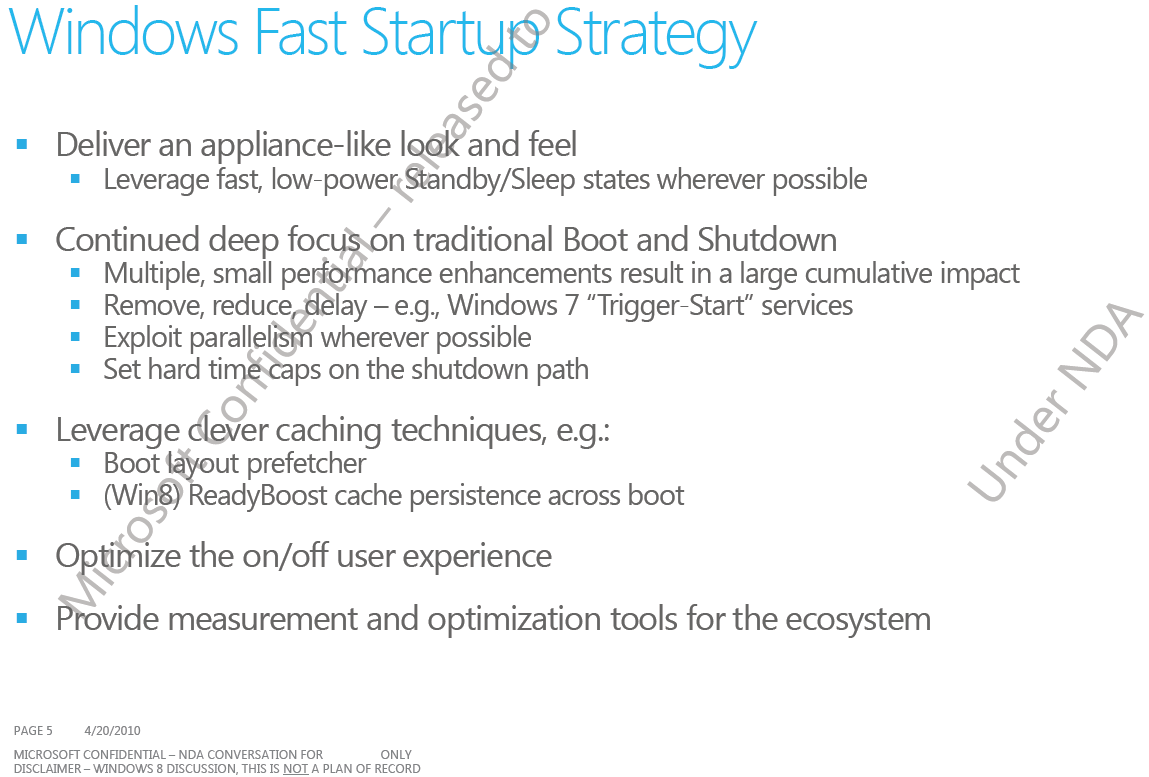
“- multiple, small performance enhancements resulting in a large cumulative impact;
- remove, reduce, delay – e.g., Windows 7 “Trigger-Start” services;
- exploit parallelism whenever possible;
- set hard time caps on the shutdown path;
- boot layout prefetcher;
- (Win8) ReadyBoost cache persistent across boot;
- leverages Hibernate technology to cache most of the core system.”

Make sure to check the slides included below for additional details.

Follow me on Twitter @MariusOiaga.
Windows 8 Startup optimizations
Enlarge picture
Windows 8 Startup optimizations
Enlarge picture
Windows 8 Startup optimizations
Enlarge picture
Windows 8 Startup optimizations
Enlarge picture
Windows 8 Startup optimizations
Enlarge picture
FILED UNDER:

TAGS:

Windows 8 | Windows 7 | boot | startup | shutdown

TELL US WHAT YOU THINK:

7,096 hits · 5 comments · Link to this article · Print article · Send to friend · Subscribe to news

MUST-READ RELATED ARTICLES:


Windows 7 SP1 Beta Release Notes Leaked

Windows 7 Personalization Gallery Revamped

Windows 7 SP1 Beta and Microsoft Security E...

Windows 8 in 2012, Beta as Early as 2011

Windows 7: Over 100,000 Products Now Compat...

READER COMMENTS:


Comment #1 by: Linux_user on 02 Jul 2010, 18:08 GMT reply to this comment

Sorry, but when Windows can be comparable with Ubuntu in boot speed and shut-down speed? Shut-down delay only 3 seconds in Ubuntu, and in Windows is still slow and the OS is free and faster then Windows, that cost much money.


Comment #2 by: Laurentiu on 03 Jul 2010, 09:57 GMT reply to this comment

Windows is for people with money, Linux is for people with too much free time, so, if you don't have money, you will pay with your lifetime, nothing is for free those days!


Comment #3 by: windows_user on 03 Jul 2010, 12:37 GMT reply to this comment

^agreed
you can give a four year old a windows computer and they can use it by themselves
you can't do the same with linux


Comment #4 by: Linux_user on 03 Jul 2010, 22:09 GMT reply to this comment

Hey, it is not about time, linux is instantly ready for use like Windows. And even very old computer can use Linux distros - that example - Under 50Mb RAM or under 128MB RAM - Puppy Linux - of course it grafical and not command line! So linux can be used on computers from 90s years. And they are modern OSs and no needed configuration.


Comment #5 by: Robetinoo on 05 Jul 2010, 08:31 GMT reply to this comment

Hey, compare windows with linux when you will be able to play the latest games on that ubuntu, until then ...that comparation between windows and ubuntu is like comparing the truck with a limousine ....they both have engine, and need a driver, but they have different purposes.

Copyright © 2001-2012 Softpedia. Contact/Tip us at

WindowsGamesDriversMacLinuxScriptsMobileHandheldNews

SUBMIT PROGRAM   |   ADVERTISE   |   GET HELP   |   SEND US FEEDBACK   |   RSS FEEDS   |   UPDATE YOUR SOFTWARE   |   ROMANIAN FORUM