 14 DAY TRIAL //
 What's the point of making collections of images, if you cannot show them to your friends? The Internet is the ideal means for such shared slideshows which can be accessed by any person you have agreed to invite.
The programs that achieve this task are not something new, but the fact that Microsoft has decided to step is quite interesting.
Microsoft's previous attempt in the field of graphics, Acrylic, has not been very well received by the critics, but Max, the program we downloaded and tested for you, is a different story.
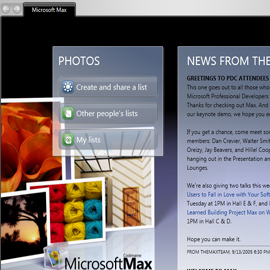
After you install the WinFX support, (Max is the first application that uses the new technology), you will have access to a program that does exactly what it claims and what's more it does it in a very special way. The translucent interface, similar to Windows Vista's AeroGlass, looks very good and the few commands it has are easy to use. With only two clicks, you'll be able to make a list of all the pictures in a certain folder. Even if it contains several subfolders, the images will still be displayed.
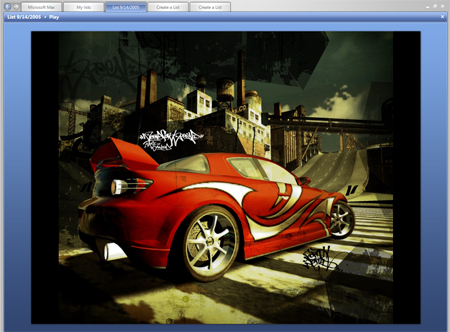
In order to add it to list you'll send to your friends, you have to click on every image (it would have been useful if the application allowed you to select several pictures simultaneously; for now, there is only an Add All Photos buttons). With the help of a slide, you will be able to adjust in real time the thumbnail's size. After you have selected the desired images, the Create List button is the last step. Once the slideshow is played, the images can be displayed as thumbnails, as an album or in a more spectacular way, called Mantle, which is in fact a 3D collage of the images.
To view the album, all you have to do is click the Play button, but unfortunately you cannot adjust the delay time for an image. The sharing function is also very easy to use, Max allowing the creation of a Hotmail or Passport account.
If the PC you are planning to run Max on doesn't have a 3D card, you will still have all the functions, but everything will be take place at a much slower speed.
Some of you might say that the program looks too much like Mac OS X, but let's face it, for Microsoft, this is a big step forward and if WinFX can be used to make such programs, then we are anxiously waiting to see other applications as well.
Microsoft Max is available for downloaded here and it has been certified by Softpedia as being100% CLEAN.
This week, Softpedia takes you for an e-mail client tour. Vote for your favorite e-mail application.