 14 DAY TRIAL //
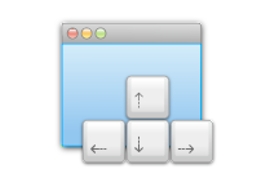
 Helium Foot Software is proud to announce the launch of a public beta for its MercuryMover utility app for Mac. MercuryMover lets you move and resize windows on your Mac using only the keyboard. Download the free trial version now and try it out. It's great!
“MercuryMover reduces the friction you feel when you use your Mac,” says Helium Foot Software. “With MercuryMover, you can move and resize windows on your Mac from the keyboard, positioning them precisely where you want.” According to the company, “by shunning the slow and imprecise mouse, MercuryMover empowers you to work faster and play more.”
Using MercuryMover, you can move and resize virtually any window without even touching the mouse. It's a great feeling to be able to do everything with your elbows stuck to the desk. Developers are sure to love using an app like this one.
As a preference pane app, MercuryMover allows you to tweak settings like move and resize by 1, 10, 100 pixels at a time (or to the edge of the current screen), or set your own shortcuts – 'cause maybe you want to use the shift and arrow buttons (default keyboard shortcut) for something else. The unintrusive heads-up display interface and multi-screen awareness sum up the main features of MercuryMover.
Shortcuts is the flagship feature of the app, says the company. The newly added feature provides a mechanism to assign a single key to a favorite window size and/or position. While using MercuryMover, typing that key will instantly change the window to the specified size and location. By typing the width, height and left/top coordinates into the shortcut editor in MercuryMover’s preference pane, users can create shortcuts by cloning the size and position of an existing window. The updated application also includes a new heads-up display that shows the current window’s width, height and distance from the top left corner of the main screen.
Besides the free 30-day trial version (available here), Helium Foot Software is also offering a 20% discount on sales of the current version (1.1) of MercuryMover. The app costs $19.00. Naturally, MercuryMover 2.0 will be a free upgrade for all those who purchase the app before its 2.0 release.