 14 DAY TRIAL //
 Memoires is your very own journal on the Mac. Sporting nothing but two buttons and a search field, it provides the same entry features as TextEdit, allowing you to embed images and insert multi-page PDF documents. The free app has reached version 1.2.43, adding an iCal-styled look, a default font selection in Preferences and faster startup, among others.
What makes Memoires cool is its simple user interface and just the necessary options and prefs, that let you focus on writing and adding imagery to make your experiences look just as alive years later (just make sure you constantly back-up your hard drive). Once installed, the application offers two buttons, one of which is the all-too-well-known + button. Just choose a date, hit + and make an entry. It's that easy!
Once you get used to the software and start using it on a regular basis, you can browse your journal by day using the calendar, or search for notes using the instant-search feature. There's also the simple and easy-to-use UI, but we'll let you check that out for yourself. The folks at Coding Robots claim that using Memoires will prove to be even easier than keeping your very own paper journal.
The latest version of Memoires includes a default font selection in Preferences, faster startup time, importing from the latest versions of MacJournal and Journler, and updated localizations. Fixes range from searching for license in selected message in Mail on Leopard and warning messages in Console for updater, to memory leaks and corrected mistakes in the English help file.
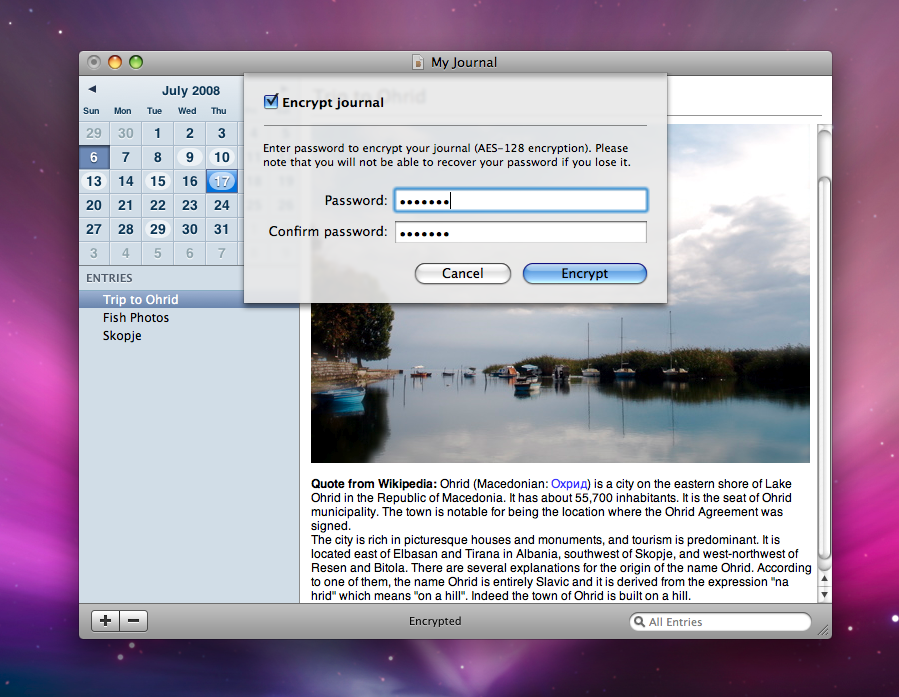
Best of all, version 1.2.43 brings Leopard users an iCal-styled main window (bottom), with the left panel becoming gray when the main window is inactive. An improved journal icon (now full-size 512x512) has also been added.
Memoires works on Mac OS X 10.4 or later, and is a Universal Binary. It is 1.89 MB in size and is available as a free download HERE.
NOTE: Since it's a diary and all, Memoires also lets you encrypt your information. Be careful, though. If you lose or forget your password, you won't be able to recover the data.