
Softpedia
 

NEWS CATEGORIES:


NEWS ARCHIVE >>
SOFTPEDIA REVIEWS >>
MEET THE EDITORS >>
TRENDING TODAY
Home > News > Linux > Linux & Opensource Blog

March 3rd, 2013, 11:43 GMT · By

BLOG

Linux Mint 15 to Feature HTML5 Powered Login Screens

SHARE:

Adjust text size:


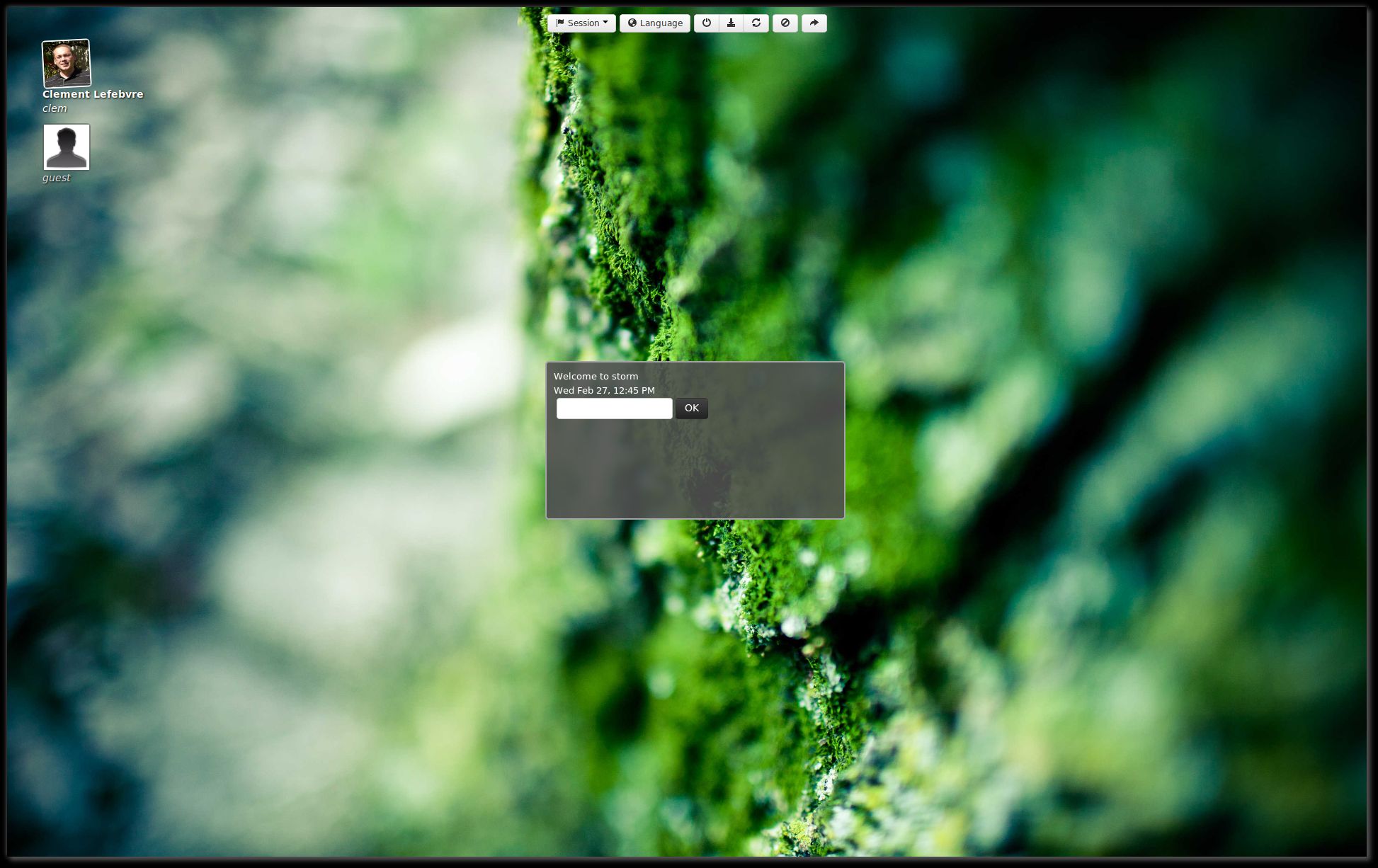
MDM greater Enlarge picture - MDM greater
The well-known Linux Mint distribution has received an important update for MDM (Mint Display Manager) and it’s now accepting HTML5 themes.

According to the developers, the Mint Display Manager is the software responsible for the login screen, it coordinates the authentication and the launching of the desktop sessions.

“MDM 1.2 will be available in Linux Mint 15 and will feature this new Webkit greeter and a selection of HTML themes,” stated the Linux Mint developers in the official announcement.

By including the ability to accept HTML5 themes, MDM will be able to provide a livelier and prettier greeting screen.

This means that en entire game can be implemented in the login screen. The Linux Mint developers have shown this is possible by integrating a full level from the original Mario Bross game, although they also said it’s not the ideal use for MDM.

TELL US WHAT YOU THINK:

5,780 hits · 2 comments · Link to this article · Print article · Send to friend · Subscribe to news

MUST-READ RELATED ARTICLES:


Serious Sam 3: BFE Gets a Huge 80% Discount on Steam for Linux

Classic Sierra-Style Adventure/RPG – Mage's Initiation – Will Arrive on Linux

Steam Is King of the Hill in Top 10 Free Apps on Ubuntu Software Center

Stormcloud Rules Top 10 Paid Apps on Ubuntu Software Center for February 2012

OpenELEC 3.0 RC4 Implements Bugfixes from XBMC Frodo

READER COMMENTS:


Comment #1 by: dave on 23 Mar 2013, 19:22 UTC reply to this comment

I don't CARE what the login screen is like - I want sound working. Using Mint 14 on one machine I only get sound via the browser, on another I have to reset the equalizer every time I boot...

Comment #1.1 by: Anon on 01 Apr 2013, 23:33 GMT

Figure out the command to reset the EQ, write a quick shell script, save it in /etc/init and auto run it at boot.

Copyright © 2001-2013 Softpedia. Contact/Tip us at

WindowsGamesDriversMacLinuxScriptsMobileHandheldNews

SUBMIT PROGRAM   |   ADVERTISE   |   GET HELP   |   SEND US FEEDBACK   |   RSS FEEDS   |   UPDATE YOUR SOFTWARE   |   ROMANIAN FORUM