14 DAY TRIAL //
 Webgate is offering users of Symbian devices a solution to block incoming SMS messages considered spam. SMS Spam Manager stops these messages using six different filters, which greatly improves its efficiency. Furthermore, users have the option to reject all incoming messages or to accept messages only from people listed in their phonebook. It is also possible to block incoming SMS messages from a defined phone number, from a defined prefix number and even messages that contain a certain word or phrase.
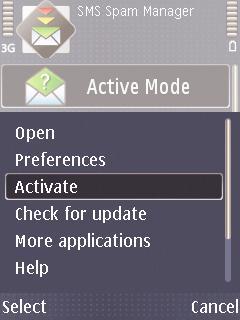
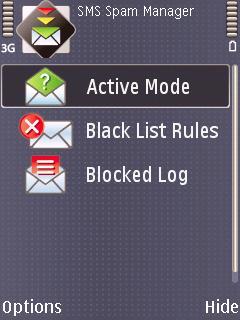
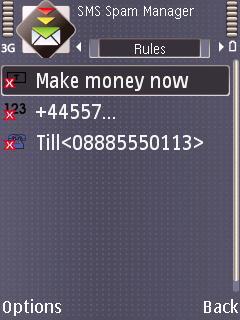
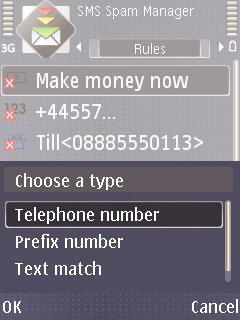
SMS Spam Manager includes 4 available modes that have been predefined by the developer. Active Mode will accept or block all messages. Accept Phonebook Mode enables your phone to accept only messages that are sent from the contacts recorded in the phonebook. Block Particular Contact does exactly what its name says. Users will only need to open Black List Rules from the Options menu, select New, choose the type of rule – Telephone number, and then simply enter the name and the phone number of the contact that needs to be blocked.
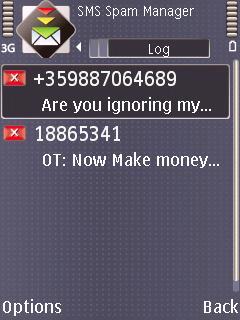
Blocking messages based on the text they're containing is also possible. If you need to block messages that include a certain phrase, just create a new rule, choose the type of rule as – Text match, and under Phrase text simply enter the phrase that needs to be blocked. All messages that are blocked can be visualized by accessing the Blocked Log. To view a particular message simply click on it, but you can also choose to delete it from the Options menu. All the above mentioned options can be set from the Main menu. Other options that the application comes with allow you to filter and block incoming SMS messages in three different ways, by choosing one of the three blacklist rules that have been previously defined: Telephone number – all messages coming from a defined phone number will be blocked; Prefix number – all messages coming from a defined prefix number will be blocked; Text match – all messages that contain a defined text will be blocked. The trial version of the software is limited to 20 incoming SMS messages. After expiration an activation key is needed to unlock the full version of the software. Registering the software will cost about 12.95 USD, which is not that much at all.Note: You can easily follow my daily guides by subscribing to the RSS feed.