 14 DAY TRIAL //
 Following our previous articles, Ubuntu GitHub Lens, Ubuntu Shopping Alternate Lens, Photo Lens, Radio Lens, RuneScape Wikia Lens, German Ubuntu Forum Lens, Web History Lens, Rotten Tomatoes Scope, Clear Dark Sky Lens, DuckDuckGo Lens, News Lens, Pidgin Lens, Bliss Lens, Wikipedia Lens, Bookmarks Lens, ManPages Search Lens, Full Text Search Lens, GMusicBrowser Scope, Launchpad Lens, Dictionary Lens, Stock Quotes Lens, Cooking Lens, Music Search Scopes, Reddit Lens, Tomboy Lens, Ask Ubuntu Lens, Ubuntu Flickr/Shotwell Photos Lens, Ubuntu Spotify Scope, Ubuntu DeviantArt Scope, Ubuntu SSH Lens, Ubuntu Binary Clock Lens, Ubuntu YouTube Lens and Scope, Ubuntu Calendar Lens, Ubuntu Web Sources Lens, Ubuntu Gwibber Lens, Ubuntu Books Lens, Ubuntu Cities Scope, Ubuntu Grooveshark Scope, Ubuntu Calculator Scope and Pirate Bay Torrents Lens for Unity, today we are introducing the Ubuntu Google Play Lens for the Unity interface.
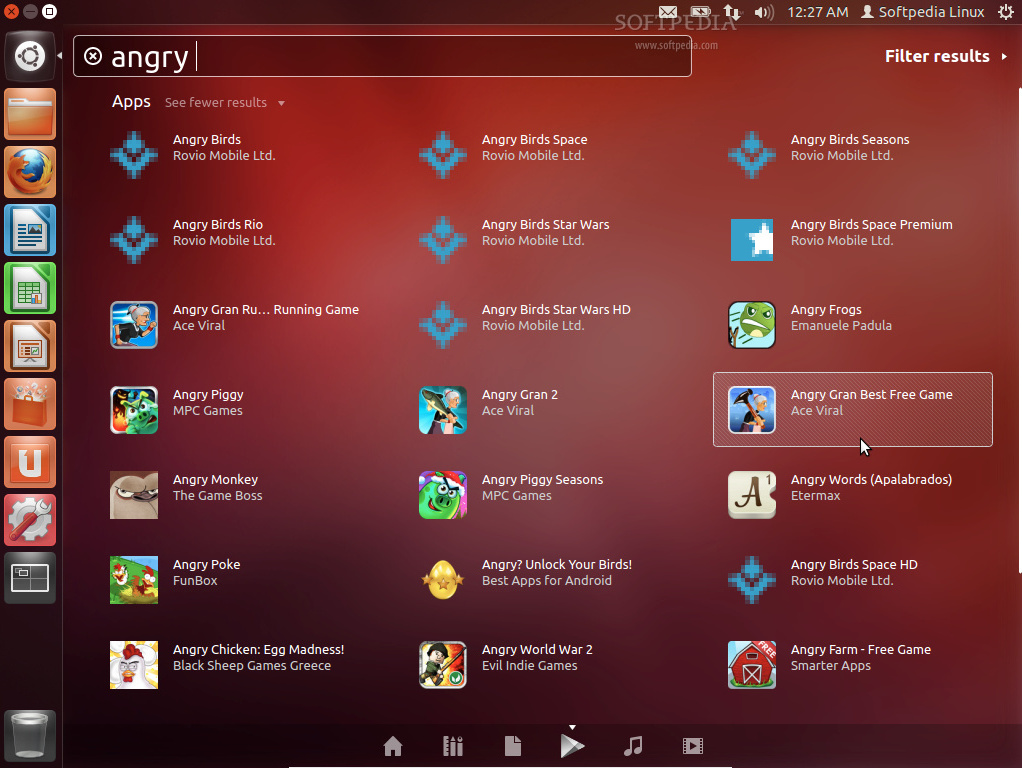
The Ubuntu Google Play Lens is an Unity Lens that allows all Android users to easily search Google Play software straight from the Unity Dash.
To install the Unity Google Play Lens plugin in your Ubuntu operating system, open a terminal window (hit the CTRL+ALT+T key combination) and paste the following commands (one by one, hitting Enter after each one):
sudo apt-add-repository ppa:abhshk-btra/rotatingcanvas sudo apt-get update && sudo apt-get -y install googleplaylens
You will need to restart your session after the installation. This Lens is available only for the Ubuntu 12.04 LTS (Precise Pangolin) operating systems!