
NEWS CATEGORIES:


NEWS ARCHIVE >>
SOFTPEDIA REVIEWS >>
MEET THE EDITORS >>
Home / News / Webmaster / Google News

Google News


Internet Explorer 8 Incompatible with Yahoo Mail And Gmail

The newly released browser has compatibility issues with the two web services

By Bogdan Popa, Security and Search Engines Editor

11th of April 2008, 07:42 GMT

Adjust text size:


Internet Explorer 8 Beta
Enlarge picture
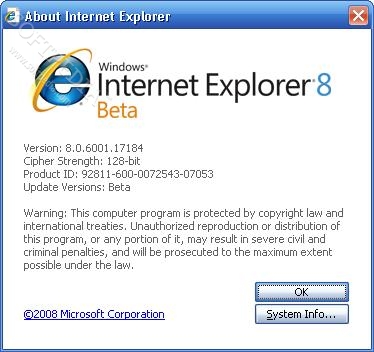
Microsoft recently released a beta version of Internet Explorer 8 and, since we're talking about one of the most popular browsers on the web, lots of people downloaded,
installed and tested it. However, some of them may encounter unexpected problems because IE8 doesn't support several important web services, including Gmail and Yahoo Mail. In fact, you may manage to log in using the "Emulate IE7" function but, the compatibility issues still exist.

Gmail

IE 8 on Gmail without IE7 emulation
Enlarge picture
Gmail, Google's mail service available for free for anyone interested in it, supports multiple browsers as the Mountain View-based company mentions in the Help Center. Gmail works with Firefox 2.0 (Windows, Mac and Linux) and Internet Explorer 7 for Windows but you may also use it with other browsers, although it wouldn't be fully functional, such as IE 5.5+, Safari 1.3+, Netscape 1.4+ and others. Moreover, for IE 4.0+, Netscape 4.07+ and Opera 6.03+, you'll only get the basic HTML view of Gmail.

Now let's see what happens when trying to access Gmail with Internet Explorer 8. First of all, the default version of
IE 8 on Gmail with IE7 emulation
Enlarge picture
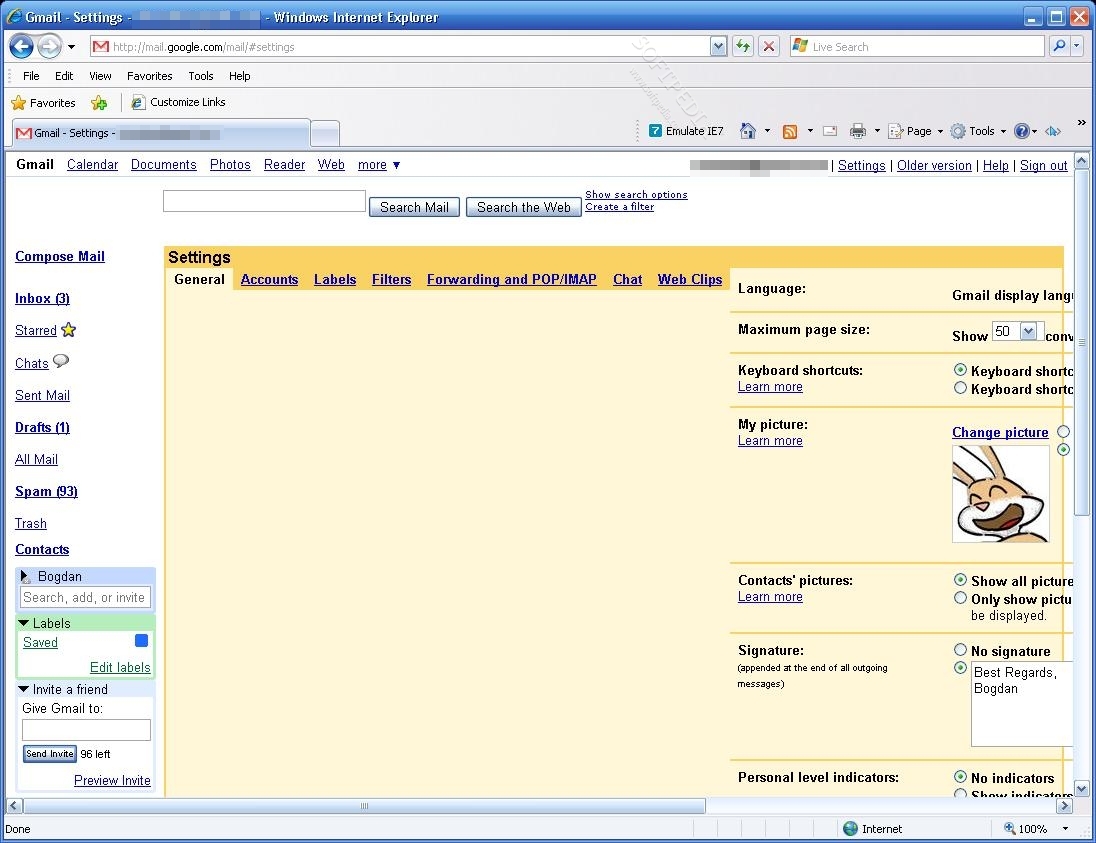
the browser, without the emulation of IE7; as you can see, I managed to log in into my Gmail account but it's all messed up and it looks like... Moreover, clicking on any link inside it, no matter if we're talking about settings or an inbox message, takes approximately 5 seconds until it's opened.

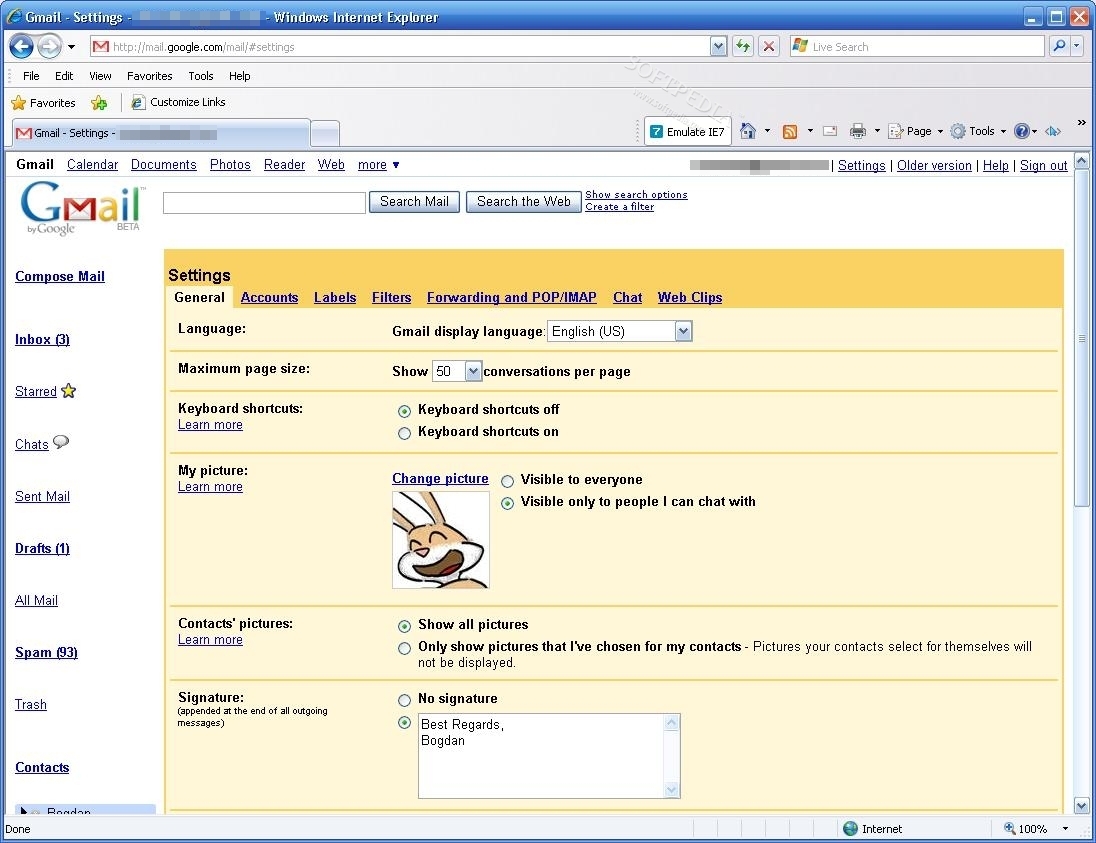
Internet Explorer 8 with IE7 emulation: the service works fine but the left menu which allows you to browse among the Gmail folders looks different and occupies more space on your screen.

Yahoo Mail

Yahoo Mail doesn't support IE8
Enlarge picture
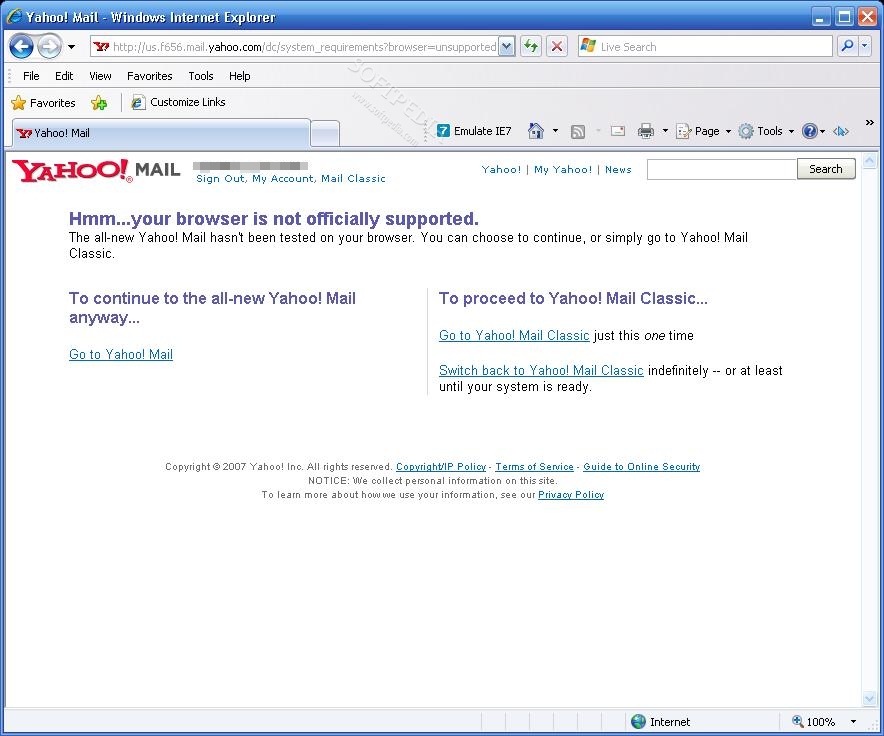
The new Yahoo Mail states that it supports IE 6.0 and newer, Firefox 1.0 and newer and Safari 2.0 and newer, on Windows 200, XP, Vista or later and Mac OSX or later. Since it says that IE 6.0 and newer is supported, this would obviously mean that later releases, including IE 8, are also compatible. Well, they're not. When trying to access Yahoo Mail with Internet Explorer, I got the well-known error: "Hmm... your browser is not officially support. The all-new Yahoo Mail hasn't been tested on your browser. You can choose to continue, or simply go to Yahoo Mail Classic."

I finally managed to get inside Yahoo Mail with the emulation active and it worked pretty fine.

So, in case you're currently considering updating your Internet Explorer browser to version 8, just think twice if you're addicted to Yahoo Mail and Gmail. Or just wait a while until the two companies include support to the newly released browser.
TAGS:

yahoo mail | gmail | internet explorer 8 | ie
Read by 28,897 user(s) | Add comment | Link to this article TWEET THIS


Article rating:
Very Good (4.3/5) 16 vote(s)    

Subscribe to news | Print article | Send to friend

© Copyright 2001-2009 Softpedia
Contact:


SEARCH THE NEWS ARCHIVE :


Today's News
| Yesterday's News | News Archive


MORE RELATED ARTICLES:


The Ultimate Search Engine(s) for Internet Explorer 8

IE7 Grows Up Ahead of IE8 Beta 2, by Default in Vista SP1 and XP SP3

The First Windows Vista SP1 Security Vulnerabilities

Microsoft: We Have Not Committed to a Release Date for IE8

IE8 Beta 1 and IE7 Tips and Tricks

User opinions:


Comment #1 by: dan on 11 Apr 2008, 21:40 GMT reply to this comment

Or just get a better browser, one that lets people use their God-given talents to make it better every day, and that allows far more customization, that reflects that people can think and are not clones. Firefox.

Comment #1.1 by: yujin on 15 Oct 2008, 09:40 GMT

or use emulation mode and obtain all the cool new features


Comment #2 by: Keith on 11 Apr 2008, 23:13 GMT reply to this comment

Well first off look at the about page is says BETA. most Beta programs have glitches. I ave read other places that these proglems you mentioned here are only 2 of about 100 that IE8 has, but MS will (hopefully) fix them before they fully release it.

Besides if you really want a stable browser go here. http://www.firefox.com/


Comment #3 by: Vit on 25 Apr 2008, 12:40 GMT reply to this comment

Opera is more stable and reliable.


Comment #4 by: Gerry on 27 May 2008, 07:51 GMT reply to this comment

When logged on to Gmail try clickin 'older version' link of gmail (open right of page) works OK...enjoy gmail will catch up soon!


Comment #5 by: zimo on 29 May 2008, 19:15 GMT reply to this comment

Even firefox is a total mess. Lots of sites don't work and crashes frequently. Opera is a bit more stable but here too lots of stuff doesn't work.


Comment #6 by: Ben on 28 Jun 2008, 01:58 GMT reply to this comment

I reckon this is a ploy that microsoft has put out there.

1) Microsoft knows people will download it. People are curious on how much better it will be.
2) Microsoft dont like people using Yahoo or Google. Two of microsoft biggest competitors.
3) Its microsoft product, why on heck would they want to support google and yahoo.
4) Microsoft are testing waters thats what I think.
5) BETA. Lame answer, its just an excuse to let people know that this is just some coding error. CRAP. It is not some coding error. If they wanted to avoid this error before the realise they would have done so.


Comment #7 by: Ian on 02 Jul 2008, 20:18 GMT reply to this comment

Have you guys ever stopped to consider that perhaps IE8 is choking on the horrid hacks that make these services work properly on IE6/IE7?


Comment #8 by: Egon on 01 Sep 2008, 06:35 GMT reply to this comment

If Microsoft deliberately made IE8 to not support GMail and Yahoo Mail, then why did they make it so that IE8 does not support Windows Live Hotmail either... I cant't even log in to Live Hotmail. It works on the classical version of hotmail though.


Comment #9 by: Colin on 07 Sep 2008, 01:02 GMT reply to this comment

My Microsoft Internet Explorer cannot view FaceBook anymore due to "incompatible browser" message? Anyone have any clues on fixing this issue???


Comment #10 by: Aidan on 24 Sep 2008, 06:35 GMT reply to this comment

I keep on getting the 'Page Cannot Be Displayed' message coming up while trying to get into my gmail account.I have downloaded IE8 with Windows XP,as IE6 was starting to slow my system down.

Why can't Microsoft get this problem sorted out?


Comment #11 by: loneeagle on 07 Feb 2009, 00:48 GMT reply to this comment

First of all what the heck is a "bot"? I'm 54 years old and I'm not in the mood to take a 2nd grade math test! Now for my main comment, I've had no problems with IE8 and Yahoo/Google mail. My main problem is Yahoo Bookmark button. Everytime I want to bookmark a site. The bookmark box is smaller and the add to folder box is blocked by the bookmark box that first pops up. Yahoo has been unhelpful in this matter. So has Microsoft.


Comment #12 by: Janice on 26 Mar 2009, 15:53 GMT reply to this comment

I received a special button on my yahoo toolbar saying that I could download IE8 . I was very tempted to download this just to keep up with technology. I did some researching on the net and read that IE8 from your yahoo browser is not compatible with either the mail or messenger. I know that Microsoft is a fierce competitor towards Yahoo and Google, so why would anyone want to download IE8 directly from Yahoo? If something already works well on your system, why mess it up. If anyone wants to download the IE8.......go directly to Microsoft or install Foxfire. Foxfire is a great safe browser.....I love it !!!!


Comment #13 by: John on 01 Apr 2009, 03:33 GMT reply to this comment

The latest updates from Microsoft (came out today) fixes the problem with Gmail...


Comment #14 by: mark on 16 Apr 2009, 12:27 GMT reply to this comment

As a workaround you can access the older version of gmail. https://mail.google.com/mail/?ui=1. This works OK with IE8.


Comment #15 by: Anand Matam on 13 Jul 2009, 16:04 GMT reply to this comment

If you have problem with any of your website:

Try this for IE8:

o Go to the website which has problem.
o You will get a compatibility error message…That is normal for IE8.
o Go to Tools from the menu and select Compatibility view

you may be able to use you link as usual.

Hope this helps.


Comment #16 by: Anita on 01 Sep 2009, 15:41 GMT reply to this comment

The problem I have with IE8 is: when I try to log in on myspace using my gmail user, I write myname@gmail.com, but the browser writes ...@mail.com, without the G!
So I have to type TWO "g" keys so the browser types ONE "g" and the mail is "correct"

Microsoft is not making new friends this way...

Share your opinion:

Your Name:
Your Email Address:
(will not be used for commercial purposes)
Solve this to prove you're not a bot: =
Your review/opinion:


Windows tabGames tabDrivers tabMac tabLinux tabScripts tabMobile tabHandheld tabGadgets tabNews tab

SUBMIT PROGRAM   |   ADVERTISE   |   GET HELP   |   SEND US FEEDBACK   |   RSS FEEDS   |   ENTER NEWS SITE   |   ENGLISH BOARD   |   ROMANIAN FORUM