
|
|
|
|
December 5th, 2008, 15:42 GMT · By Marius Nestor
|
|
SHARE:
Adjust text size: 
|
|
Fedora 10, also known as Cambridge, was released on November 25th, 2008, and it brings GNOME 2.24 and KDE 4.1, faster boot experience with Plymouth, better printing, better webcam support, improved wireless network connection sharing, better software maintenance and update (powered by PackageKit and RPM 4.6), and virtualization storage. Plus, it adds a new security tool for IDS (Intrusion Detection System) called SecTool.
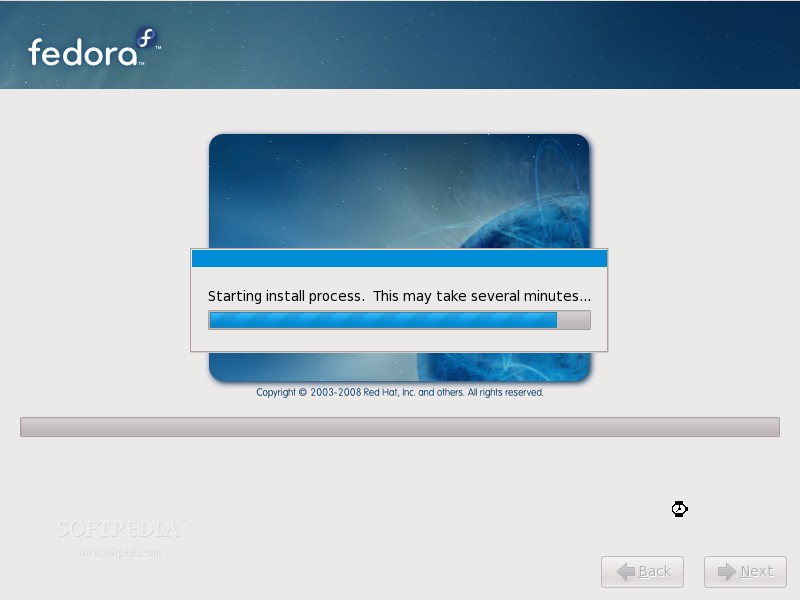
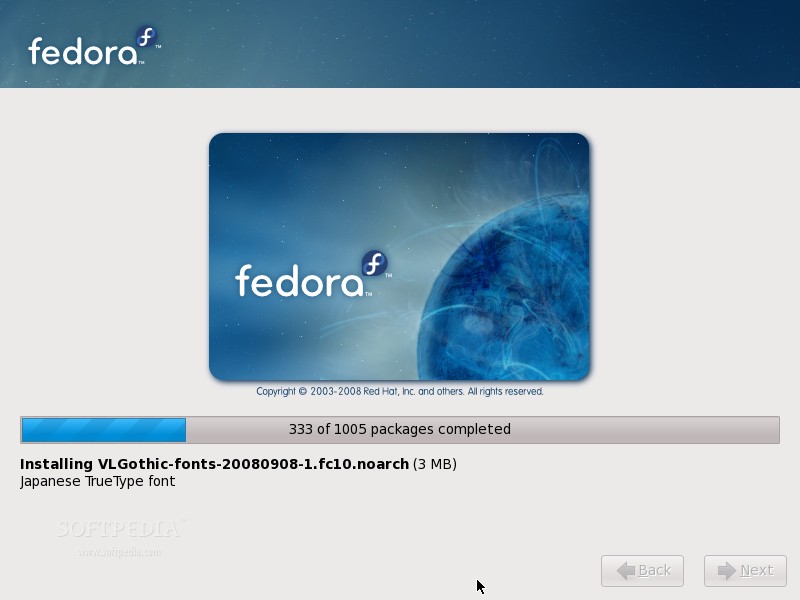
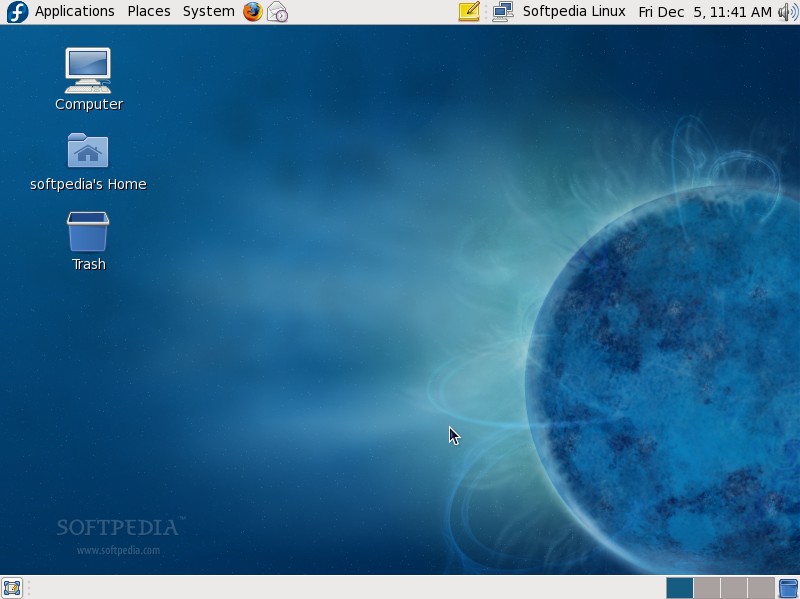
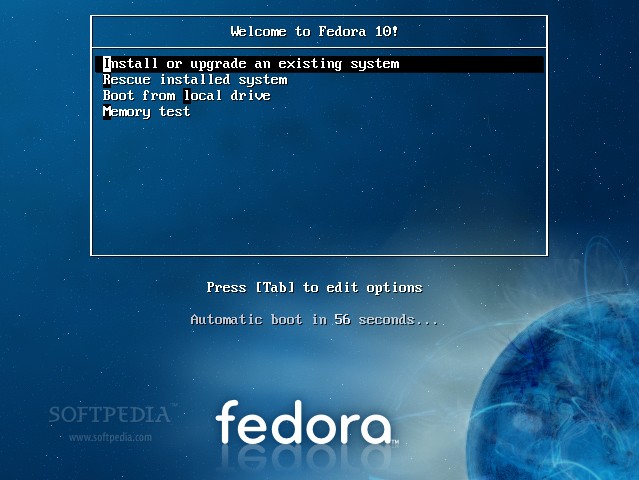
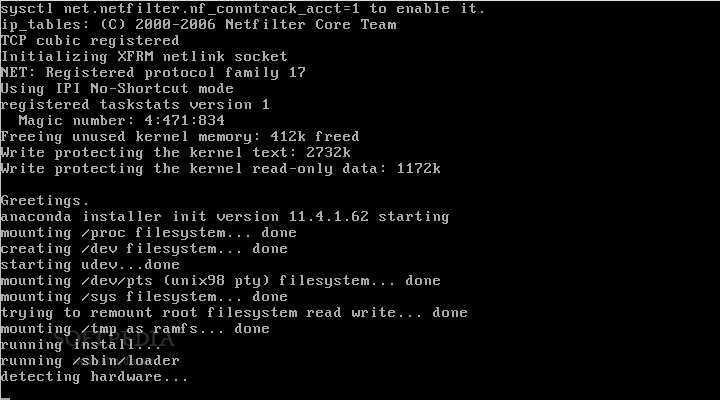
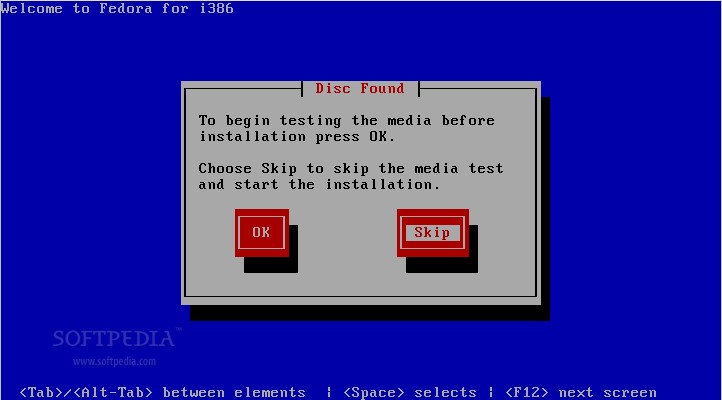
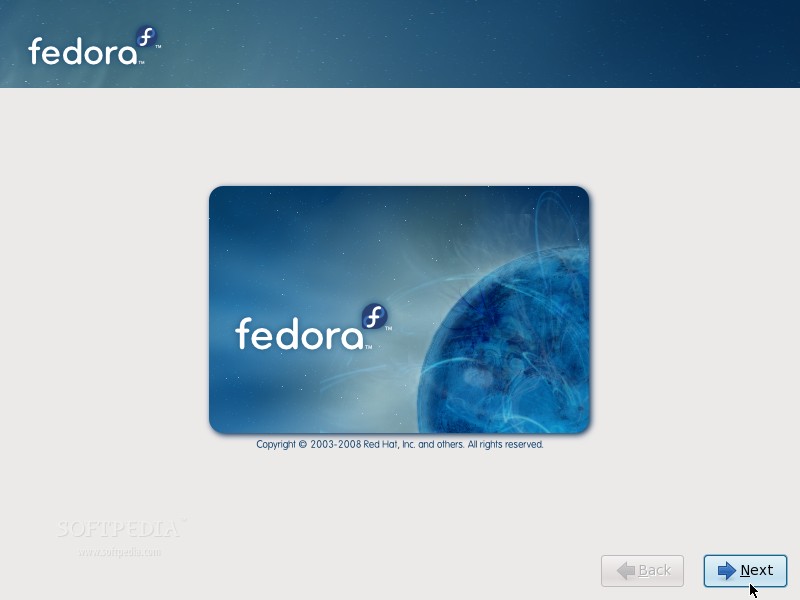
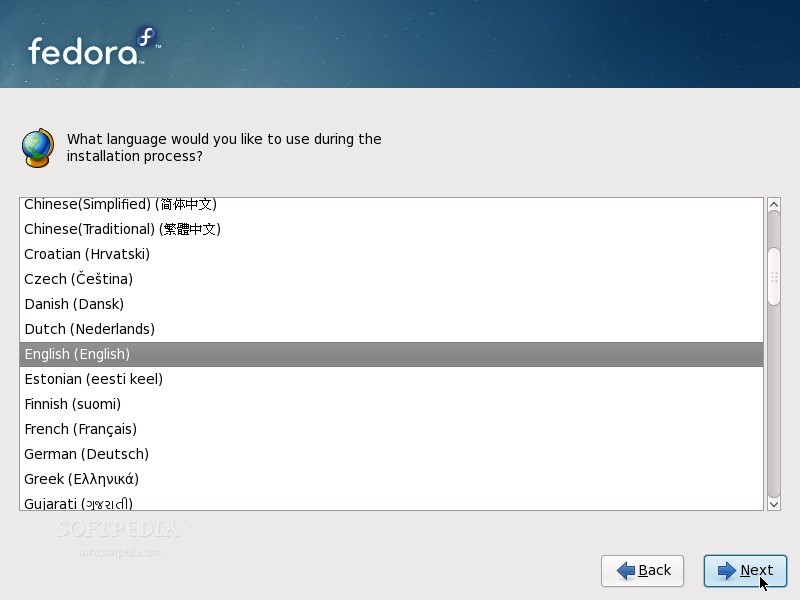
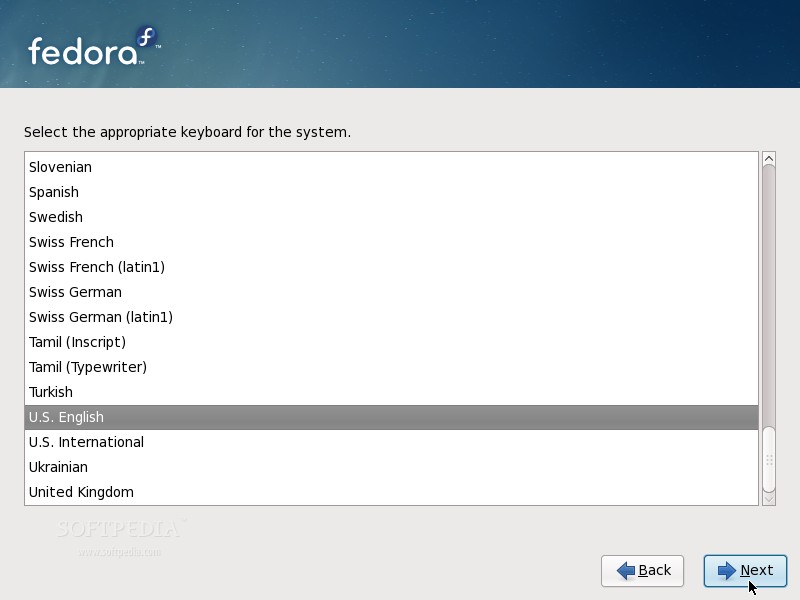
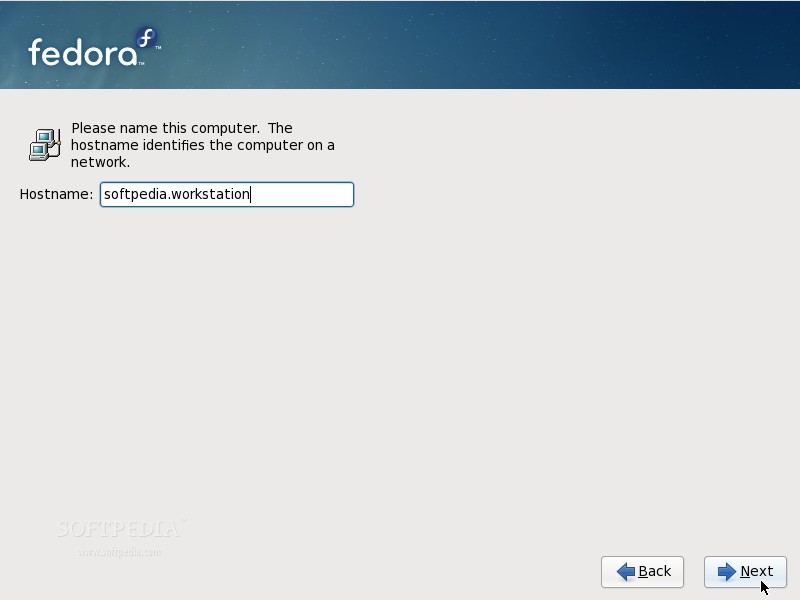
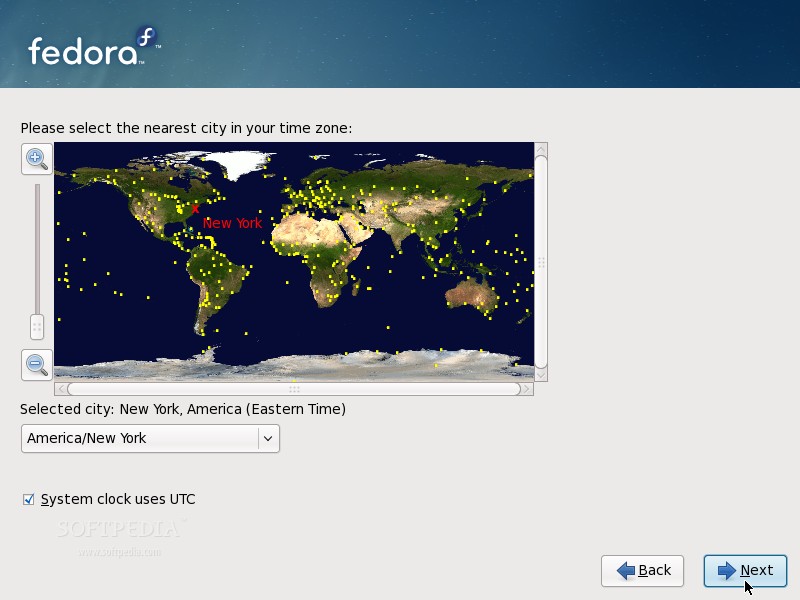
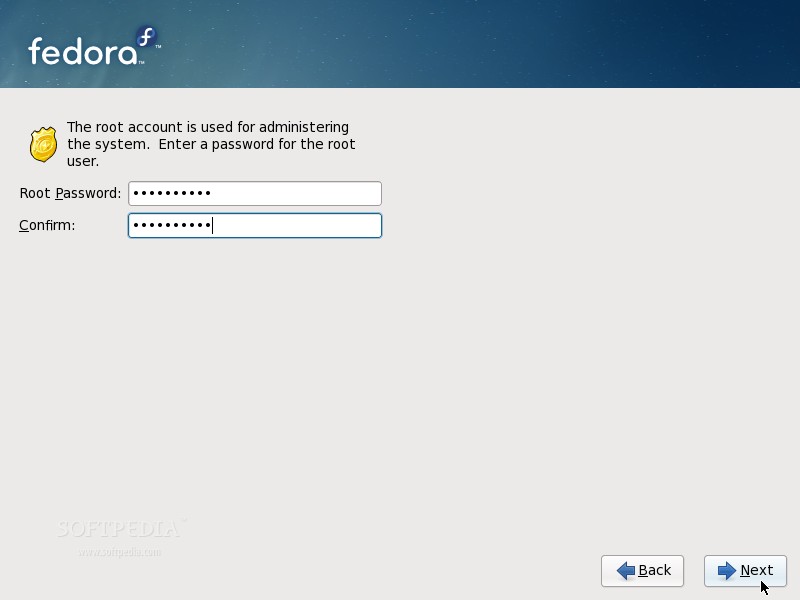
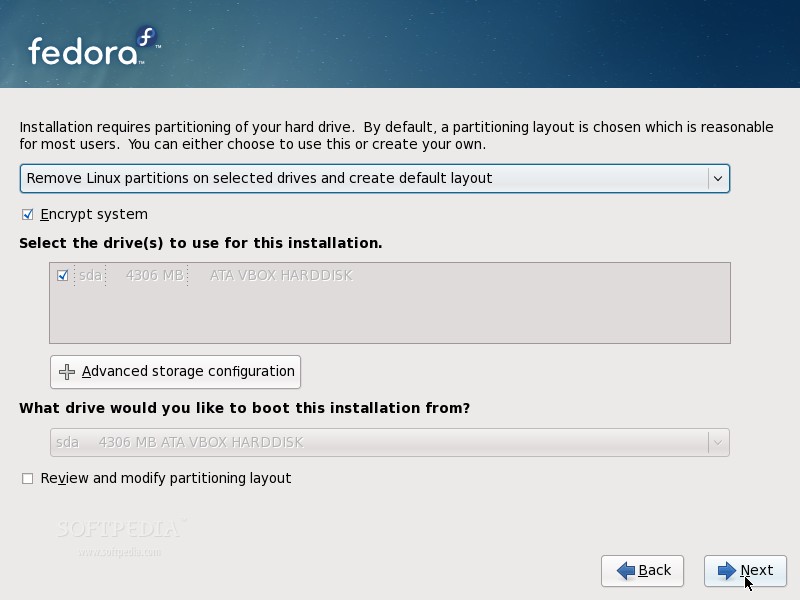
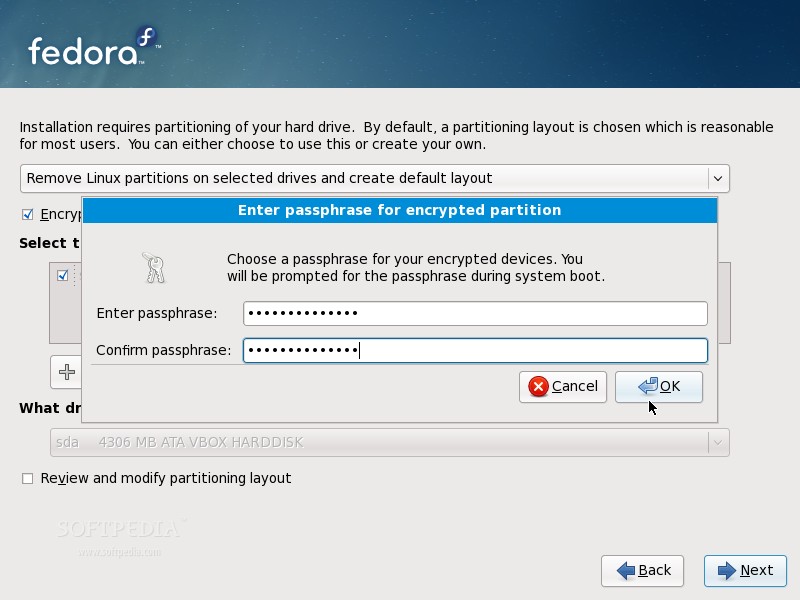
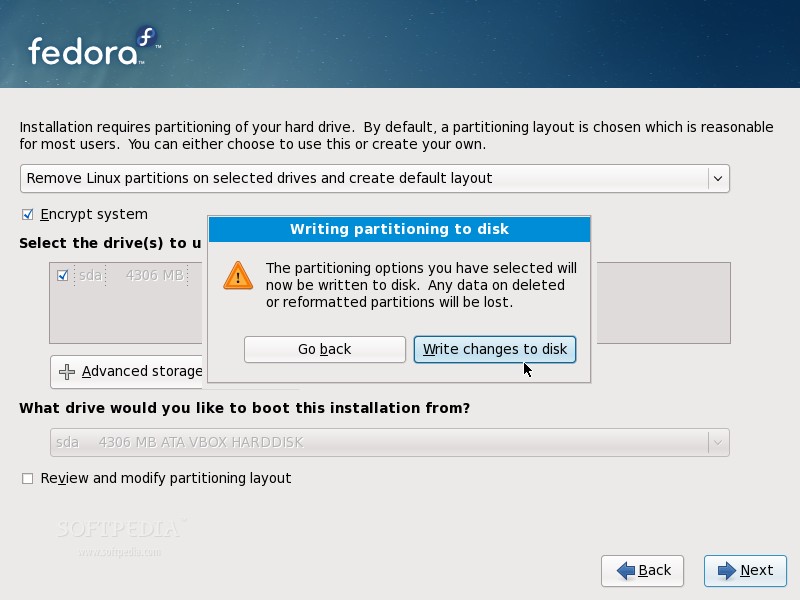
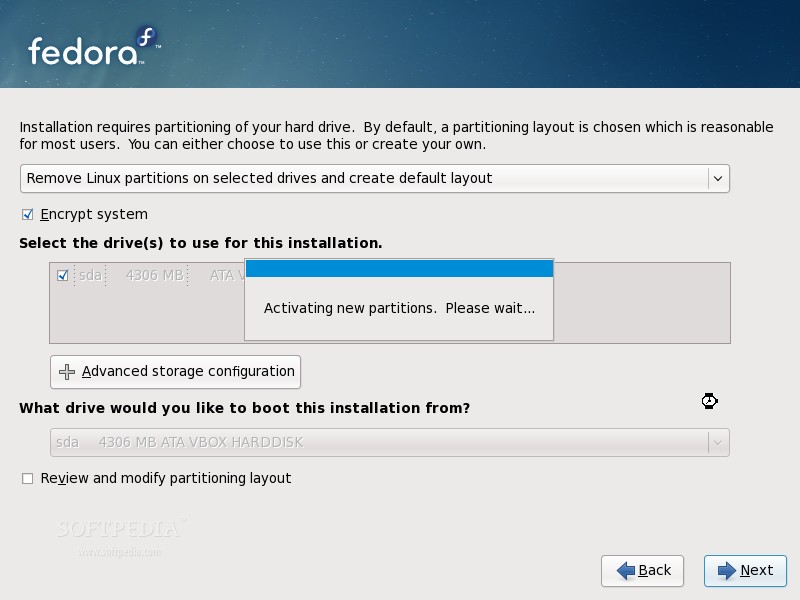
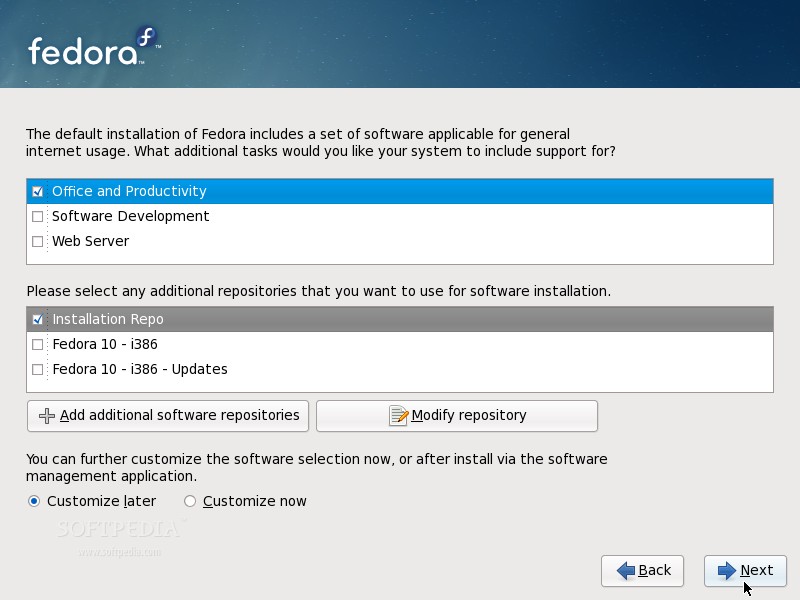
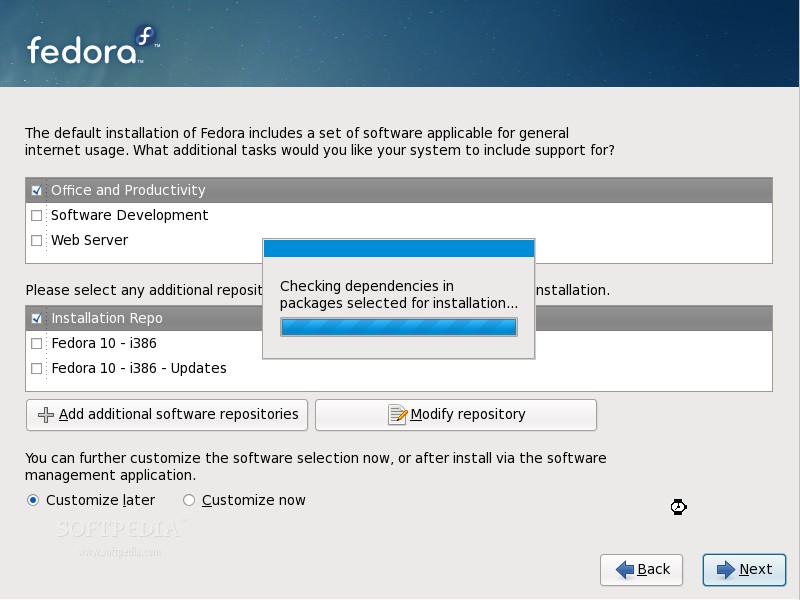
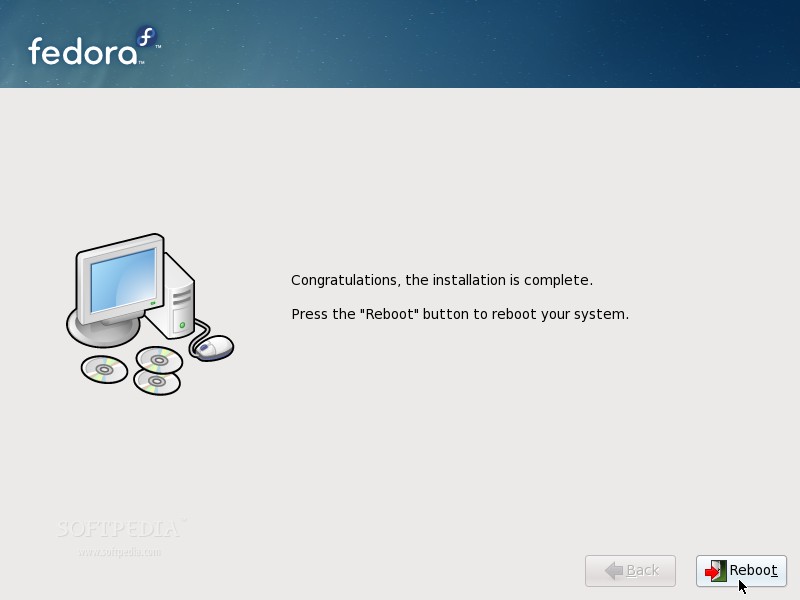
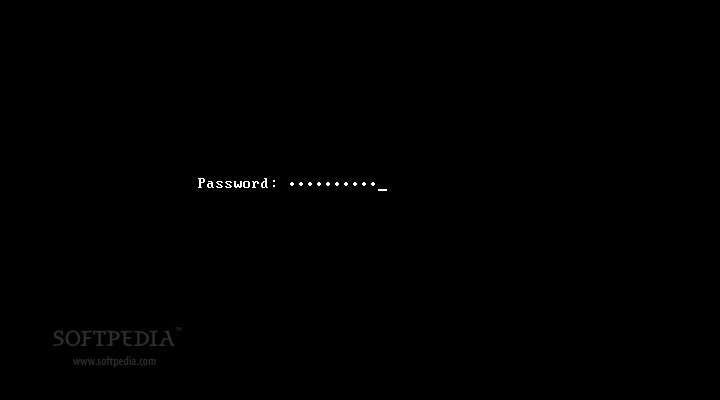
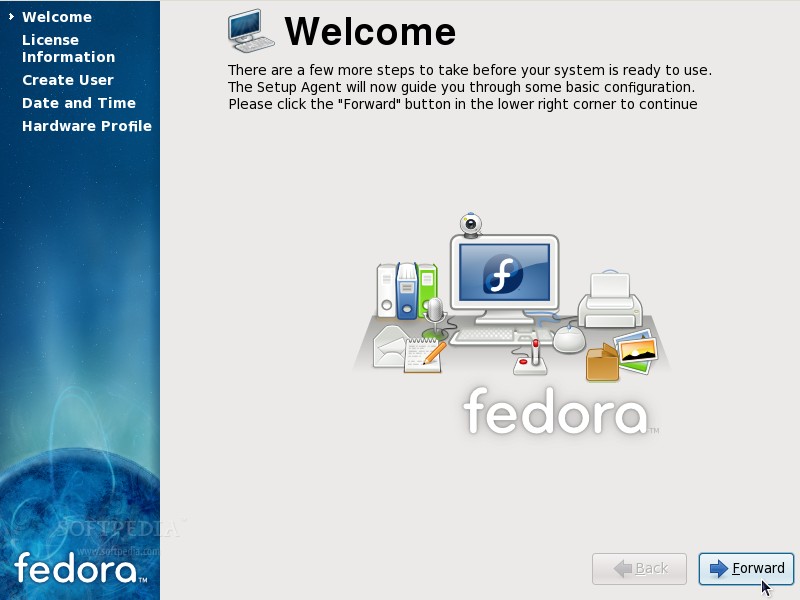
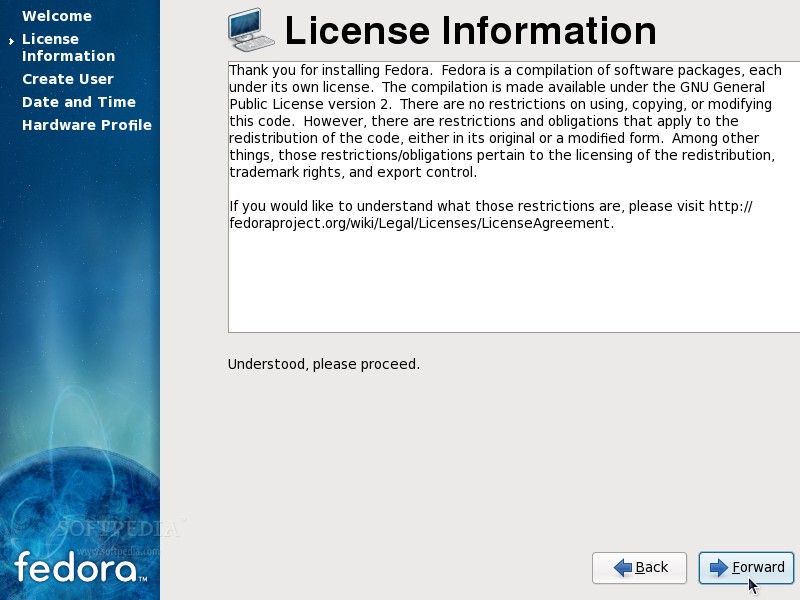
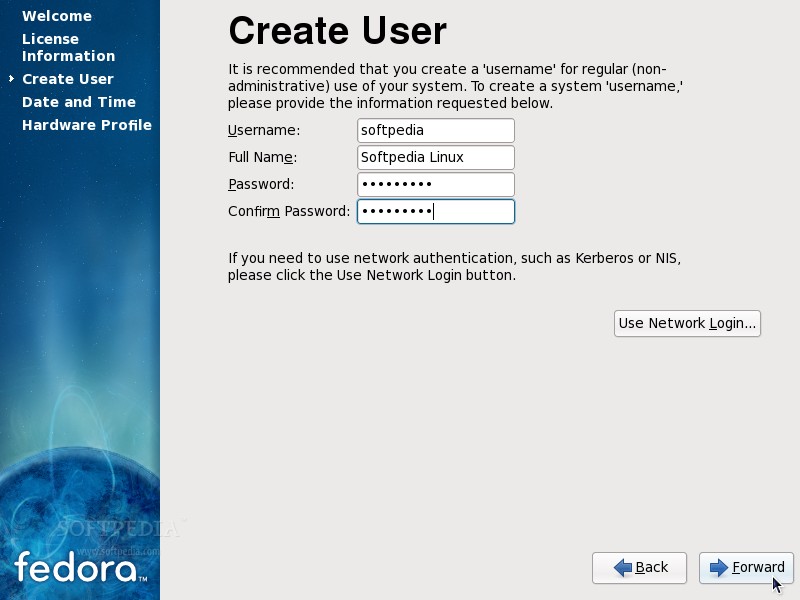
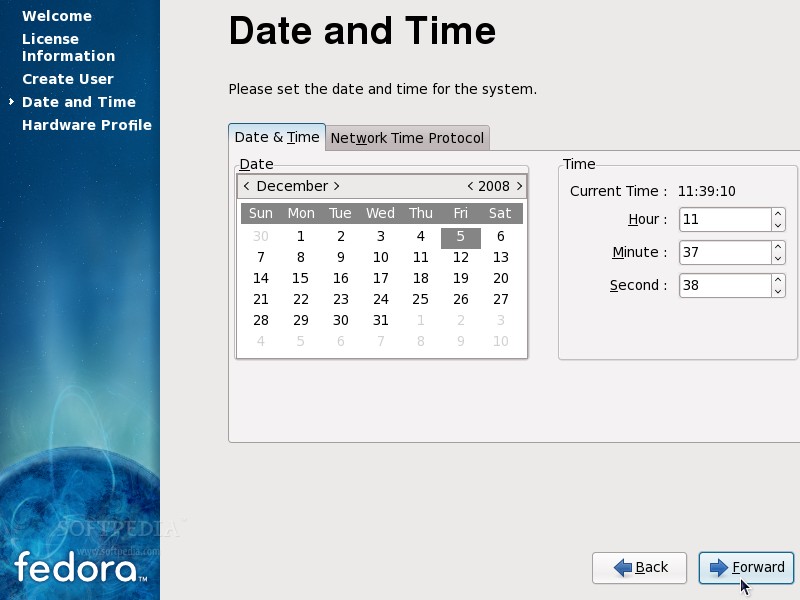
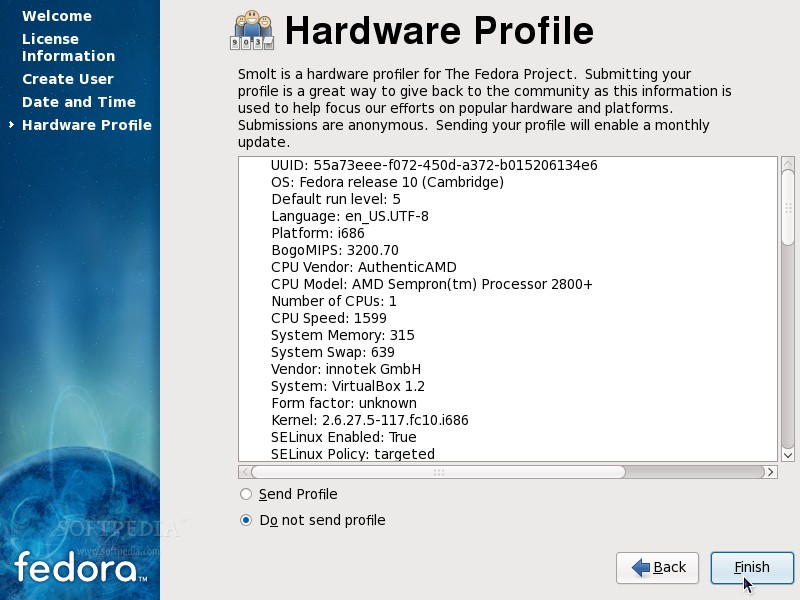
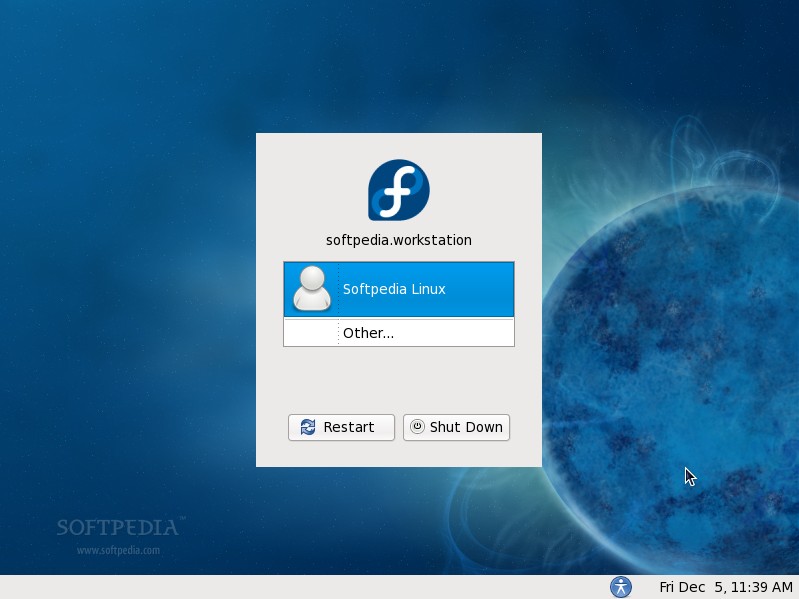
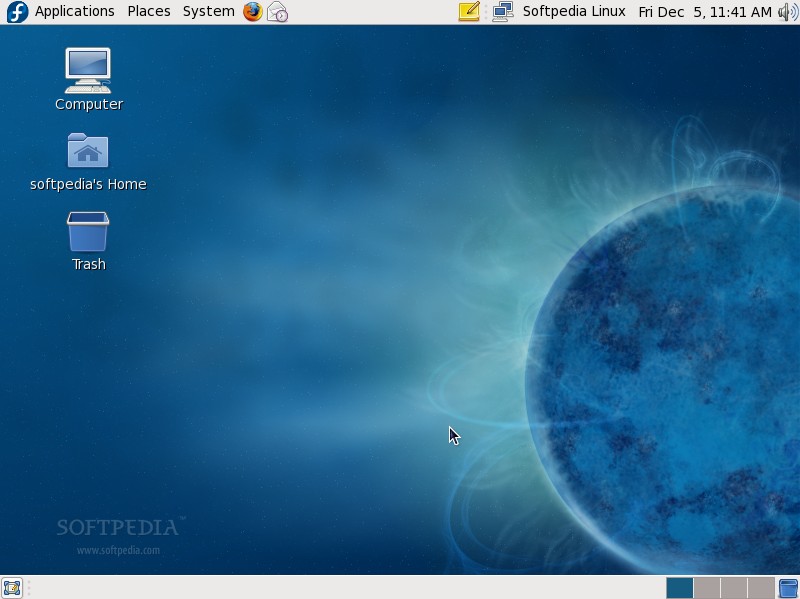
The following tutorial will teach you how to install the DVD edition of the Fedora 10 operating system on your PC. Why the DVD edition? Because we believe it offers most of the applications you'll need. For those of you that don't have a fast Internet connection, we recommend using one of the Live GNOME or KDE4 editions. However, this guide will make things very simple for you, but if you get stuck somewhere in the middle of the installation and you need help, do not hesitate to use our commenting system at the end of the article. What do I need to get started?· You will need the Fedora 10 DVD image that corresponds to your hardware architecture (i386 or amd64), and which can be downloaded from here. When the download is over, burn the ISO image with your favorite CD/DVD burning application (Brasero on Linux or Nero, CDBurnerXP, Roxio on Windows) on a blank DVD at 4x speed. · We, here at the Softpedia Labs, always recommend having an empty hard drive for a Linux installation (that means no other operating system on it, no Windows), and you must have a minimum of 10 GB free space for the Fedora installation. Great, now let's begin. Insert or leave the DVD in your CD/DVD-ROM device, and reboot the computer in order to boot from the DVD. Hit the F8 or F12 key (depending on your BIOS) to select the CD/DVD-ROM as the boot device. You'll be presented with a very nice Fedora artwork GRUB splash and some options... At this stage, we simply suggest you press Enter, and wait for the system to load... Select the "Skip" option when you're asked if you want to check the media before installation, and press "Enter"... Anaconda (the Fedora installer) will load and you'll see the welcome screen. Click "Next"... Choose your language... Choose your keyboard layout... Type a name for the computer. It can be anything you want... Select your location (country/city)... Enter the root (System Administrator) password. The longer, the better (WRITE IT SOMEWHERE)... Here comes the partitioning part! If you have an empty hard drive, all you have to do is click "Next," but make sure the "Remove all partitions on selected drives and create default layout" option is selected. If you don't have an empty hard drive and you still want to install Fedora 10 on your machine, then make sure you select the "Use free space on the selected drives and create default layout" option (10 GB minimum of free space is required). Click "Next"... We also recommend to select the "Encrypt system" option. Enter a password (the longer, the better) for the encrypted partition... Click the "Write changes to disk" button when asked... The hard drive will be formatted and the partitions will be created... Now, you can select the desired packages... Hit the "Next" button and everything will be done automatically from now on, just sit back and watch how the packages are copied to your hard drive, or you can read the latest news while enjoying a cup of coffee. The installation process will take about 8-10 minutes (depending on your computer specs and the selected packages). When the installation is over, you will get a "Congratulations, the installation is complete" screen. Click the "Reboot" button and your computer will automatically restart... Remove the DVD from your optical drive. Your brand new Fedora 10 operating system will boot for the first time... If you've chosen to encrypt your partition, then you'll be prompted for the passphrase... The system will continue to boot and in a few seconds you will see the First Boot Configuration Wizard. Click "Forward" on the Welcome screen... Click "Forward" on the License screen... Create a regular user for the system... Set the date and time... Send your hardware profile to the Fedora Project (optional)... Click "Finish" and you will see the login screen. Enter the password for the regular user you've just created... That's it! Enjoy the ultimate and breathtaking Fedora 10 Linux distribution!
|
|
|
|
|
 |
119,195 hits
· 82 comments
Link to this article
· Print article
· Send to friend
|
MUST-READ RELATED ARTICLES:
READER COMMENTS: |
| Comment #1 by: Skippy on 05 Dec 2008, 18:31 UTC | reply to this comment | Nice article. Fedora 10 installs and runs in SATA and IDE systems. On SCSI systems the live CD will boot and install but the OS will lockup solid when booted from a SCSI hard drive. |
| Comment #2 by: Bogdan on 09 Dec 2008, 14:54 UTC | reply to this comment | i have one question please
how should I burn 4 Gb on a blank CD ?
or do u have to use a DVD for burning the ISO ?
please help me . |
| Comment #4 by: Dustybug on 21 Dec 2008, 17:19 UTC | reply to this comment | Great guide. One question - can you later change the paraphrase you entered during the setup? If so, how? |
| Comment #5 by: parry24 on 21 Dec 2008, 19:52 UTC | reply to this comment | I tried my level best to install fedora10 but the curser of my mouse remains invisible, but with fedora9 there is no such problem, even not with ubuntu. Can anybody help me to solve this problem. |
| Comment #6 by: Kasun Chathuranga on 26 Dec 2008, 21:42 UTC | reply to this comment | @parry24 Probably there is something wrong with Xorg.conf. That is why it goes invisible. |
| Comment #7 by: Janusz Konopka on 28 Dec 2008, 09:06 UTC | reply to this comment | Excellent tips and tricks. Everything work except for wireless mouse (max com), ...though wireless keyboard works OK. Additional fonts would be a good thing.
I changed from Vista to Fedora 10 and feel quite comfortable.
Janusz |
| Comment #8 by: brian on 30 Dec 2008, 16:30 UTC | reply to this comment | I'm having a problem. At the screen where it ask to test media or skip. When I select skip, the Anaconda installer tries to load. Then it will say "x startup failed" and then the installation will go through the text format instead of the gui. After the installation completes Fedora 10 loads with the text format. I want the gui format. What should I do? |
| Comment #9 by: Marius Nestor on 01 Jan 2009, 14:13 UTC | reply to this comment | For brian: That's strange... It appears to be a hardware problem... Can you please tell me what configuration your computer has? (graphics card, memory, processor). |
| Comment #9.1 by: rongyihit on 25 Mar 2010, 07:28 GMT | I have the same problem with brian. My computer's graphic card is NVIDIA Quadro NVS 295, capacity of memory is 2G and CPU is Intel Xeon. It is strange that my collegue's computer is the same as mine, but his installation is graghic mode. |
| Comment #10 by: anon on 03 Jan 2009, 05:41 UTC | reply to this comment | hello, i am trying to burn the Fedora 10 ISO, but my blank CD is not big enough. Is there a way to shrink the size of the ISO or do I just need to buy a bigger CD? |
| Comment #11 by: Marius Nestor on 03 Jan 2009, 12:13 UTC | reply to this comment | For anon: Please use a DVD disc. |
| Comment #12 by: vicky on 04 Jan 2009, 08:17 UTC | reply to this comment | i m currently using windows xp 64-bit, i want to install fedora 10 too.i have already formatted one drive, and i want to install in that drive. so can u help me how can i install in that particular drive.... |
| Comment #13 by: Marius Nestor on 04 Jan 2009, 12:49 UTC | reply to this comment | For vicky: Make sure only that hard drive is selected on the partitioning step... this one -> http://news.softpedia.com/images/extra/LINUX/large/fedora10installguide-large_010.jpg |
| Comment #14 by: hari on 06 Jan 2009, 14:32 UTC | reply to this comment | nice one
thanks for ur support
i am new to linux & im using the live cd version
yaa a lot the same its is
thanks anyways |
| Comment #15 by: bhandarkar on 07 Jan 2009, 09:17 UTC | reply to this comment | I am using Fedora9 on my Celeron machine with GUI.
But with Fedora10, GUI installation fails. I could load only text based version of Fedora10.
Thanks |
| Comment #16 by: mike on 08 Jan 2009, 16:10 UTC | reply to this comment | How do I do a text, not graphics, installation of Fedora 10? It is not an option. For Fedora 9, I had to do a text install, and edit the xorg.conf. I probably have to do the same with Fedora 10. The hardware is an IBM Blade. |
| Comment #16.1 by: A8 on 12 Jan 2009, 06:59 GMT | Press TAB at boot process and write 'text' for kernel parameters.
When you finish install process try Xorg -configure |
| Comment #16.2 by: bhaven on 13 Jan 2009, 13:16 GMT | - Hi,
windows vista is installed in C drive .
I want to install linux in unallocated space in the hard drive .
so while installing when the option for formatting is to be selected, then which option shud i select .. it will show u four options .. 1) remove all partions.................. 2)intall on empty space in selected drive ........... 3)............ 4)... create custom layout ... so which one shud be selected .
thanks,
Bhaven
(+919845701848) |
| Comment #17 by: Marius Nestor on 13 Jan 2009, 13:34 UTC | reply to this comment | For bhaven: The second option (intall on empty space in selected drive). |
| Comment #18 by: srikanth on 18 Jan 2009, 09:47 UTC | reply to this comment | plz provide screenshots tutorial installation using "Use free space on the selected drives and create default layout" |
| Comment #19 by: Ibraheem on 20 Jan 2009, 04:32 UTC | reply to this comment | I formatted my PC (AMD) processor and installed Fedora10 32bit , I want to uninstall it to windows 32bit. (my Hard Drive is SATA2)
what to do? |
| Comment #20 by: Firtz Makossa on 27 Jan 2009, 03:07 UTC | reply to this comment | Can anyone be of help.
I just bought a T5800 windows vista with 3 GB and and 250 hard disk
I have partition the unallocated space on the hard disk to 10 GB but can't
find it when I get to the partition section to choose where to install fedora.
Will be grateful if someone can help.
Thanks. |
| Comment #20.1 by: Marius Nestor on 27 Jan 2009, 07:44 GMT | On the partitioning step, choose "Create custom layout" and you will have access to that partition. Otherwise, you can choose "Use free space on the selected drives and create default layout" to use the free space on the hard drive. |
| Comment #21 by: Niva on 27 Jan 2009, 10:52 UTC | reply to this comment | Fedora 10 failed to load off a live CD on multiple machines for me, never bothered to give the DVD a shot after the utter failure of the live CD. I used to run fedora 8 for quite a while and liked it, oh well. |
| Comment #22 by: Alex on 29 Jan 2009, 18:53 UTC | reply to this comment | I've installed Fedora 10 x64 on a seperate 70Gb partition, on a hard drive where I have Vista Home Premium (32bit) installed too.
My first problem was that it automatically booted into Windows with no option for Fedora. So I played around with "Rescue installed system" and .."upgrade an existing system" to no avail. I ended up reinstalling Fedora a couple times. The second time I looked at the custom partition options and there were 2 more partitions than previously, including a VLM (?). I deleted the VLM and all the extra partitions, and recreated the 70Gb partition on the remaining free space.
Now, on booting it enters a cycle where it just boots and restarts. I have managed to get it into the command line environment, but yum doesn't work (it says it can't find yummain), it can't find xorg.conf or Xorg.conf and I'm at a loose end... I need the computer to work on intensive programs so thought 64 bit Fedora would be best.. I could try 32 bit fedora (x86) but would rather not resort to that.
Any suggestions, please???? |
| Comment #23 by: Tommy on 04 Feb 2009, 14:23 UTC | reply to this comment | I have a Dell 1525 Inspiron with a 4312 wireless card. I have the Broadcom driver for it and the instructions to install it. However, I have to use the 'make' command and it says the command cannot be found. Being extremely new to Linux I have no idea of what to do. Any help for complete installation of the driver for this card would be appreciated and can be sent to vpn1951@yahoo.com .
Thanks. |
| Comment #24 by: chaos on 05 Feb 2009, 06:00 UTC | reply to this comment | I'm having trouble loading the GUI interface for fedora 10. I'm having a similar problem Brian had in comment #8. It will continue to load but only in text format and I also would like the GUI. System info is:
mobo - xfx 750a
cpu - phenom x4 9550
mem - 4gb of patriot
gpu - nvidia 9800gt
Any information or advice would be greatly appreciated. I've tried Ubuntu, gentoo, slackware, and now Fedora (which I really want).
Thanks in advance |
| Comment #25 by: mangesh on 19 Feb 2009, 14:16 UTC | reply to this comment | i install fedora 10 on my computer but there is no authority to paste any thing in OPT directory how i can get authority to paste my application on it.
please help me thank you |
| Comment #26 by: Ronald on 03 Mar 2009, 21:40 UTC | reply to this comment | I installed fedora 10 in text mode but during the setup it asked for a password which i entered and remembered. After rebooting after installation it goes to a screen which asks for login: and password: which i cannot get past. I tried the password that i entered during setup |
| Comment #27 by: Ricki on 04 Mar 2009, 12:27 UTC | reply to this comment | Hi, I'm having the same problem as Brian item#8, then after the install which is the same as Chaos item #24 I get the same problem as Ronald item #26. Any help would be appreciated. |
| Comment #28 by: different brian on 12 Mar 2009, 04:12 UTC | reply to this comment | greetings,
i am having the same problem (fedora 10 wont shunt to graphical; text only) as both brian in # 8 and chaos in # 24.
running an older and slower hp laptop.
debian installed okay
thanks for any advice |
| Comment #29 by: Ken on 16 Mar 2009, 09:52 UTC | reply to this comment | I have been trying to get my monitor screen resopution to 1024 X 768.
The only options I have now are 800 X 600 and lower.
I saw the command somewhere to change this but I forgot where it was.
Can anyone help me?
I am running an Intel Celeron 2.0 Ghz with a Nfren LCD monitor. Everything is pretty much generic. |
| Comment #29.1 by: Marius Nestor on 16 Mar 2009, 10:30 GMT | xrandr -s 1024x768 |
| Comment #29.2 by: devil on 02 Dec 2010, 01:58 GMT | u may check it under the system change... |
| Comment #30 by: Ken on 16 Mar 2009, 21:07 UTC | reply to this comment | Thank you. Now I have to figure out where to put it. |
| Comment #31 by: asifsomy on 21 Mar 2009, 16:13 UTC | reply to this comment | i have a question..my computer sleeps on "waiting for hardware to initialize".. i have even tried text moad but in vain..how can i solve this prob? |
| Comment #32 by: sabari on 27 Mar 2009, 11:20 UTC | reply to this comment | Hi, M new to Linux, I down loaded fedora 10 from the site usig utorrent,
written with iso magig 5 and nero 9 (2 dvds, down loaded twice the hash says that its 100% ok )
My hardware isAMD Athlon(tm) 64 X2 Dual Core Processor 4400+
on ASUS m2a-vm
500 gb sata hdd , with sony dvd drive.
when I try to install
I get an error line saying that
could not find kernal Image: linux
boot:
I tried vmlinuz initrd=initrd.img
but it didnt work,
can some one help me with this plz
sabari |
| Comment #33 by: RAJAN CHOWDHARY on 07 Apr 2009, 09:04 UTC | reply to this comment | how i can install remote desktop in fedora 10 |
| Comment #34 by: tinky on 08 Apr 2009, 14:07 UTC | reply to this comment | I can't seem to find my head drive...only 31mb ata wdc wd10eads - 00l shows up but that's not my western digital 1tb hd...help! |
| Comment #35 by: RageMan on 13 Apr 2009, 22:48 UTC | reply to this comment | Thanks a lot for the tut, but I have a very annoying problem when I try to Install Fedora. The first steps go perfectly but after I reboot and input the password, in the welcome screen with the "Click "Forward" " thing, my mouse pad and my keyboard just stop responding, I even tried with a USB mouse but nothing happens the only thing that works is the screen, what can I do? |
| Comment #36 by: Amit on 16 Apr 2009, 06:47 UTC | reply to this comment | This guide will definitely help to install fedora for the begainers. There is almost everything described here. One can easily install and run fedora with the help of this guide. The screen shots are also make this guide easy to understand. |
| Comment #37 by: dor on 24 Apr 2009, 16:35 UTC | reply to this comment | i want to install fedora on one of free spaces that i have in my hard disc, but when i choose install on free space, it says that there isn't choosen the right partition, and in fact i didn't choose any partiton. When i choose rezie partition ..... and something like hat, after that it gives me the possibility to choose where i want to install fedora, but after that it says no enough space for /boot. The space that i have in my local dick is about 37Gb. What shiuld i do? Can someone help me pease, i need to install fedora today. Please, thank you in advanced. |
| Comment #38 by: Dillip on 29 Apr 2009, 11:56 UTC | reply to this comment | I have query. I installed Fedora 10 in my laptop. I could not able to see any source files( .c, .h) in any specific path.
Kindly help me... Thanks in ADVANCE!!!! |
| Comment #39 by: Mohsin Kamal on 15 May 2009, 04:59 UTC | reply to this comment | I have downloaded fedora 10 i386. i dont have dvd writer to burn it on dvd. its copied with me on my usb flash drive. my computer doesnot support "boot from usb" either. so can i install fedora 10 using my usb or by coping it on my hard drive? |
| Comment #40 by: Pankaj Pai on 30 May 2009, 19:37 UTC | reply to this comment | I'm having a problem. At the screen where it ask to test media or skip. When I select skip, the Anaconda installer tries to load. Then it will say "x startup failed" and then the installation will go through the text format instead of the gui. After the installation completes Fedora 10 loads with the text format. I want the gui format. What should I do?
My system configuration is given below
Processor - AMD Phenom8650 64 bit Tri Core
Motherboard - ASUS
Would appreciate if someone could help me out with getting the GUI working |
| Comment #41 by: Inert01 on 15 Jun 2009, 05:53 UTC | reply to this comment | I just wanted to say I am glad that you have taken the time to construct an invaluable tutorial. I am not necessarily a noob but enough of one to desire images with my descriptions. You have lessened the anxiety of the whole partition, install bit. I have been scouring the net for the past few days trying to find relevant and useful info that I can actually apply. So anyway this is getting long-winded. Thank you for taking the time to share with the ever growing Linux community. |
| Comment #42 by: Vijay on 01 Jul 2009, 05:52 UTC | reply to this comment | I am having fedora 10 i386 dvd which i got from my friend. My system config are Intel P4 3GHz, 512RAM, 945 motherboard. When i try to install it checks disk 100% after that my monitor automatically turn off but cpu is running, I am waiting for long time but it cannot install. I tried many time but the same result. can you pls tell me what the problem is? Pls mail me what i do and how can i install. |
| Comment #43 by: veeru on 07 Jul 2009, 01:26 UTC | reply to this comment | hi,
I'm not new with linux but i never tried a dual boot before i either install windows or linux in one drive. My question is, is there any tutorial out there on how to install Fedora 10 or 11 in a laptop with a windows xp on it? i've read the article above but i'm still cautious about installing fedora. Are there any alternative method? |
| Comment #44 by: andy on 28 Aug 2009, 21:43 UTC | reply to this comment | i love your program, but i forgot my password and cant log on how do i get on to change my password please help |
| Comment #45 by: ankit on 29 Aug 2009, 09:59 UTC | reply to this comment | i am a little new to linux. after skiping the test local file screen,i get an error saying that "x startup failed" then it goes into txt mode and my installation is completed. but after that when i reboot it asks me for login and password which i never entered during installation as it never asked to enter.
i have
samsung syncmaster 920nw monitor(19 inches)
nvidia geforce 7050/nforce 610i graphics card
intel core2duo @2.40ghz
2gb of ram
please help me
thanks in advance |
| Comment #45.1 by: Doru Barbu on 07 Sep 2009, 12:58 GMT | You can try to reset the password this way: when your computer starts up, it should present you at one point with a screen that is similar to the one in the first screenshot, except that it might have a plain black wallpaper. Press the "e" key to edit the boot entry, then highlight the "kernel [...]" like and press "e" again. Go to the end of the line, add a space then type "single". Confirm with enter, then press the "b" key to boot.
This should let you enter a text console, where you will have super-user powers. Type "passwd" and it will ask you to enter and confirm a password. Then type "reboot" to restart the system. When it starts, you just have to enter the username root and the password you have chosen.
When you are in the graphical environment, please go to "System -> Administration - > Users and groups" and create a new non-root user for yourself, since using the root account for everyday tasks is unsecure.
Good luck! |
| Comment #46 by: sagar on 31 Aug 2009, 01:12 UTC | reply to this comment | hi can anyone help me plz...
i have formatted my I drive...
how to select this i drive in partition phase of installation.. |
| Comment #47 by: Elena on 15 Oct 2009, 11:17 UTC | reply to this comment | Nice tutorial! Except one little thing: during installation, after i setup the partitions [boot, swap, root] it asks me where to install the boot loader and he proposes /dev/sda. I already accept it's option once, installed and after the reboot he asked again the system disc instead of loading Fedora 10... What am I doing wrong pls? I already installed Fedora like this few times and everything was ok.
Thank you. |
| Comment #47.1 by: Doru Barbu on 15 Oct 2009, 12:16 GMT | Did the CD boot or was it the installed system that requested for you to insert the installation CD. Try to do all the steps again, and eventually format/create new partitions for installation, so that you don't have any leftovers from another operating system. |
| Comment #48 by: Charlie on 17 Oct 2009, 06:14 UTC | reply to this comment | I hava a problem installing FC 10 into my AMD system. If I select ex3 for "/boot" and "/", the installation freezes when it fomats the hard-drive. If I select "ex2" instead, the installation goes through the fromatting but then freezes anywhere when it is copying files to the hard-drive. My system is AMD Phenom 9600 Any sugguestion to resolve this problem is greatly appreciated. |
| Comment #49 by: Doru Barbu on 19 Oct 2009, 13:30 UTC | reply to this comment | The problems might be triggered by a variety of causes, ranging from CD errors to faulty hardware. After a failed installation, try to boot a live CD and mount the "/" partition. In the "/root" folder there should be a few files, among which you should find install.log and install.log.syslog. These files contain all messages and errors that are produced during the installation. Try to look in them for obvious problems (read/write errors, logged program crashes).
Good luck! |
| Comment #50 by: dkuta on 28 Oct 2009, 07:13 UTC | reply to this comment | thank you for the tutorial, my question is, after i'm finish install, my fedora cannot boot, it say grub error 17 |
| Comment #50.1 by: Doru Barbu on 28 Oct 2009, 08:16 GMT | GRUB Error 17 usually appears when the hard drive is accessed in a mode that isn't correct for that particular implementation. In your computer's BIOS, check that the hard drive where Ubuntu is installed has its MODE set to AUTO (it might be set as LBA, large, normal or some other variant of those). |
| Comment #52 by: zahra on 08 Dec 2009, 21:44 UTC | reply to this comment | hi. i want to install fedora 10 in my laptop that is hp1330 model.
but i have 2 problem with that:
1.when it start to installation, give the message that "x startup failed" and it will go in text format.
2, if i continue with text format, inthe part of partitioning this say that you don't have enough space for partitioning while, i have 40 G free space on my hard dive.
i will be thankful if you can help me |
| Comment #53 by: balu on 09 Dec 2009, 08:07 UTC | reply to this comment | i have completed My Installation on my Pc....now i have to logon to Root(#) user..how can i logon plz telme. |
| Comment #53.1 by: pitweb on 28 Dec 2009, 13:42 GMT | Logon as normal user and change in a terminal to root with the command:
su
You will be prompted for the root password.
To make it possible to logon as root with the grafical logon screen do then the following:
In the terminal where you became root:
cd /etc/pam.d
nano gdm
There you will find a line:
auth.... root quiet
Just uncomment this line with a #
#auth.... root quiet
Save this file and open in the same directory /etc/pam.d the file gdm-password:
nano gdm-password
There you will find the same line and uncomment it.
Now you are all set to login as root at the login screen when you choose 'other'
you'll be prompted for the user |
| Comment #54 by: abhi on 25 Dec 2009, 17:57 UTC | reply to this comment | i had windows xp sp2 in my system but i want to install fedora10 in my system .can u tell me how to install fedora10 in my system? |
| Comment #55 by: sakthipadma on 08 Jan 2010, 10:49 UTC | reply to this comment | hai i got some problem during the installation of fedora.My problem is partition memory not enough for Fedora even if 25 gb of memory available.please help me? |
| Comment #56 by: Anirudh on 25 Jan 2010, 08:30 UTC | reply to this comment | I have a computer with windows vista pre-installed.
The disk has following partitions
sda1, sda2, sda3, sda4 and one allocated partition.
I tried to use unallocated partition to install fedora 10 but the message was dispalyed that it is not a primary partition
So Itried to use sda4 which was originnaly a NTFS partition.
By going through "use custom layout" step I formatted this partition to be used for linux.
In the next step the installer asks whether to use /dev/sda for boot record. If I select it then I have two options sda2 and sda 4 . sda 2 has windows installed. sda 4 is the newly formateed one.
Alternatively I can deselect /dev/sda.
I am not sure which one I should use. Also, Once the installation is complete whch one will be the default OS to boot. |
| Comment #57 by: Roshan on 20 Mar 2010, 17:57 UTC | reply to this comment | Hey,
Stuck on a weird problem
Got a ADM box with XP already on it.
I pushed in the bootable Fedora 10 CD .. and it's done with "
Anaconda (the Fedora installer) will load .."
And then I see the nice fedora wall paper with NO "Next" button on it !! Is it something odd with my monitor ?
Please help me out
Regards,
-Roshan |
| Comment #58 by: Mahesh on 09 May 2010, 04:40 UTC | reply to this comment | I have 2 partitions on my drive.One has windows 7,i wanted to remove this and put fedora. so how do i select the partition option while installing the Fedora. i use fedora 6
Thanks
Mahesh |
| Comment #59 by: sunil on 22 May 2010, 14:15 UTC | reply to this comment | I have give the passphrase password at the time of installation of fedora 10, and now it is asking for password at the time of booting and take more time then earlier. I want to remove this password ask at the time of booting. Is their a way to remove it with out formatting the system. As I doesn't to format now.
please help me
with regards,
sunil |
| Comment #60 by: Shri on 12 Jul 2010, 05:41 UTC | reply to this comment | I want how to install federo on pen drive usb flash drive |
| Comment #62 by: ajeet kumar on 12 Aug 2010, 03:18 UTC | reply to this comment | very very thanx 4 this user guide this is very useful... |
| Comment #66 by: cutiyar on 06 Mar 2011, 20:26 UTC | reply to this comment | how to test without installing like ubuntu option? |
| Comment #67 by: Jooby on 10 Mar 2011, 06:38 UTC | reply to this comment | Hi..I am new to Linux,this is my problem.
During the installation part of the hard drive,there are 4options appearing
1)Remove all partitions on selected drives and create default layout.
2)Removelinux partitions on selected drives and create default layout.
3)Resize existing partition and create default layout in free space.
4)Use free space on selected drives and ceate default layout.
5)Create custom layout.
One drive on my PC( H Drive) is empty..kept it aside for this installation.How do i select H drive...I mean it does not give me the options where the drives are displayed and I can directly click on H drive.
I tried the 2 and 4 th option but both the times Error partioning box was displayed.
What do I do?
Kindly Help me. |
| Comment #68 by: drty on 27 Mar 2011, 11:17 UTC | reply to this comment | its very useful with clear screen shots...thanks |
| Comment #70 by: Somesh on 10 Feb 2012, 15:29 UTC | reply to this comment | Thank you softpedia, from this site my project got completed. |
| Comment #71 by: ranjith on 21 Feb 2012, 04:02 UTC | reply to this comment | can any body help me out how to install network simulation softwares in fedora.. | |
Copyright © 2001-2013 Softpedia. Contact/Tip us at 
|
|