
NEWS CATEGORIES:


NEWS ARCHIVE >>
SOFTPEDIA REVIEWS >>
MEET THE EDITORS >>
Home / News / Linux / Ubuntu Tips and Tricks

Ubuntu Tips and Tricks


Install Photoshop CS2 on Your Ubuntu PC

No hacking required!

By Marius Nestor, Linux Editor

26th of January 2008, 01:58 GMT

Adjust text size:


Photoshop CS2
Enlarge picture
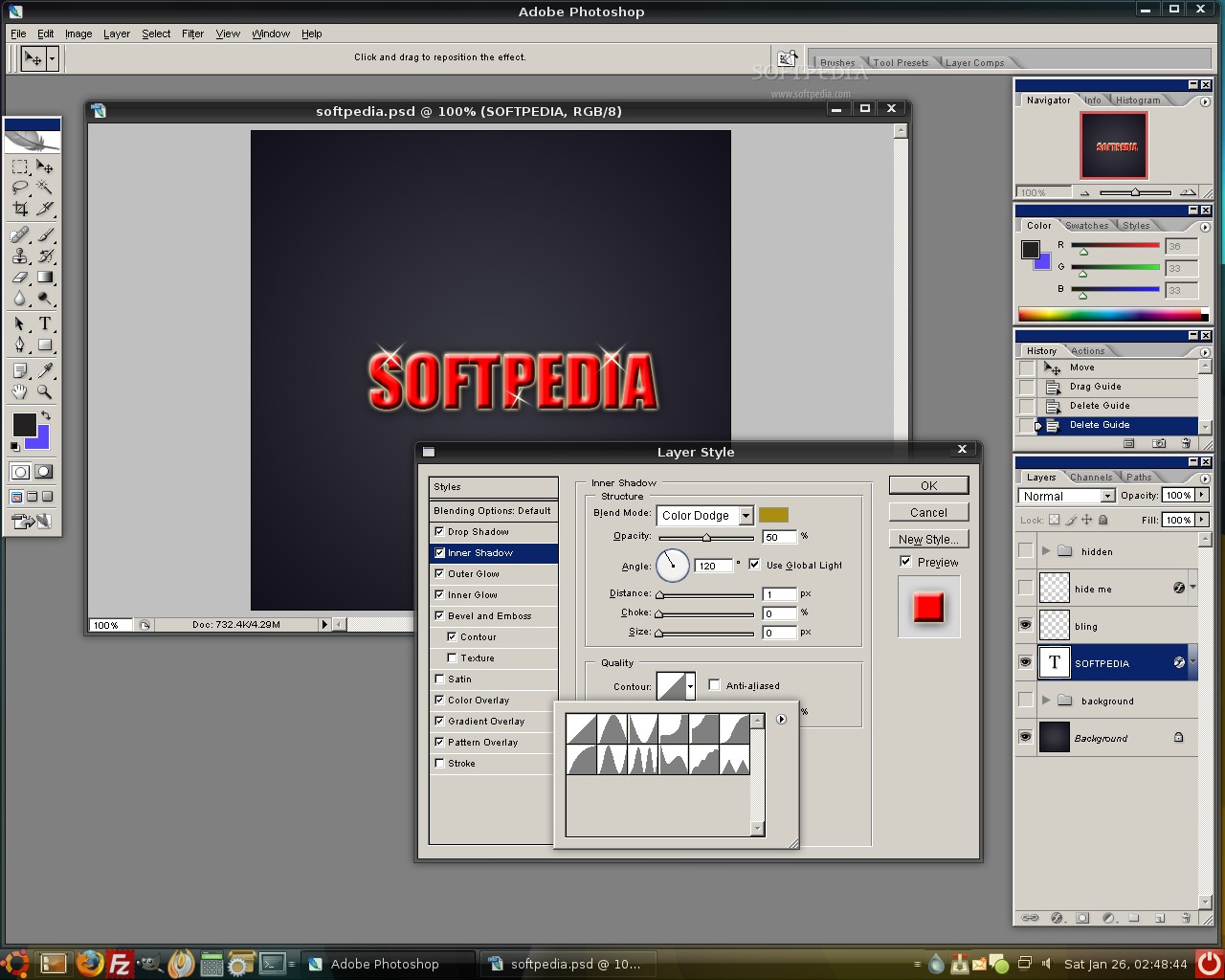
Starting from last night, Photoshop CS2 can now be installed easily by using Wine... on any Linux distribution! "Photoshop CS/CS2 should
now work, please help us testing it"
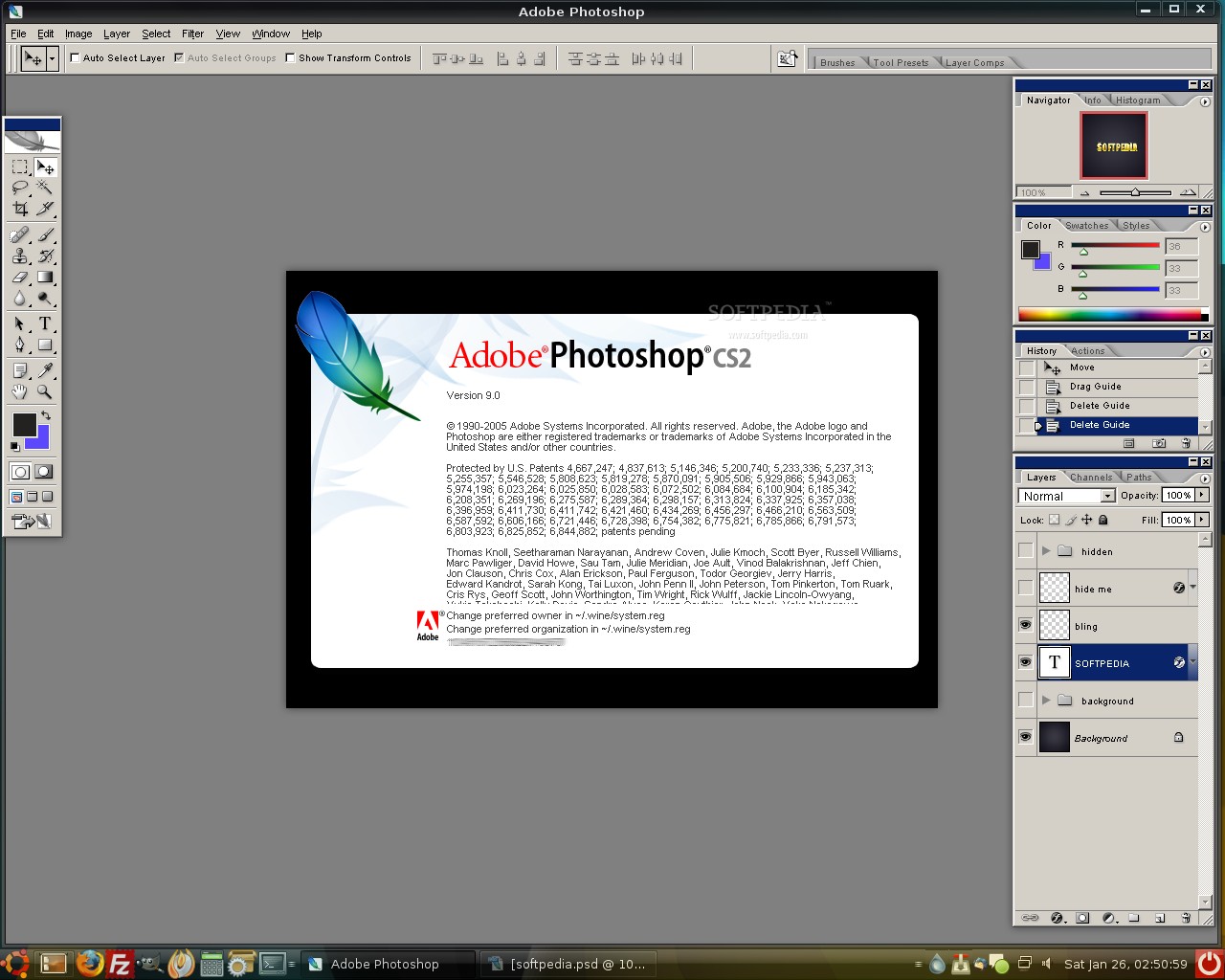
- said the wonderful people behind the Wine project. Therefore, I've updated my Ubuntu 7.10 operating system to the latest version of Wine (version 0.9.54 - released on January 25, 2008) and grabbed my "dusted" Photoshop CS2 (a.k.a. version 9.0) CD. I've inserted the CD in the optical drive of my computer and installed Photoshop CS2 just like I was on a Windows PC. And guess what? It really works folks! Amazing! No hacks, no need to copy installation files from a Windows PC or any other "magic" tricks you probably saw on the Internet. The Wine team did a fantastic job with this last release. Thank you guys!

So... are you eager to see this miracle on your own Ubuntu PC? No problem! Read below our step-by-step tutorial on how to install Photoshop CS2 on Ubuntu Gutsy.

Things you need:

Wine 0.9.54
• An Original Photoshop CS2 CD

Step 1: Install and configure Wine

If you don't have Wine installed, here's how to get the latest version:

1. Open a terminal (Applications -> Accessories -> Terminal) and paste the following commands (one by one - hit ENTER after each one):

wget -q http://wine.budgetdedicated.com/apt/387EE263.gpg -O- | sudo apt-key add -

sudo wget http://wine.budgetdedicated.com/apt/sources.list.d/gutsy.list -O /etc/apt/sources.list.d/winehq.list

sudo apt-get update
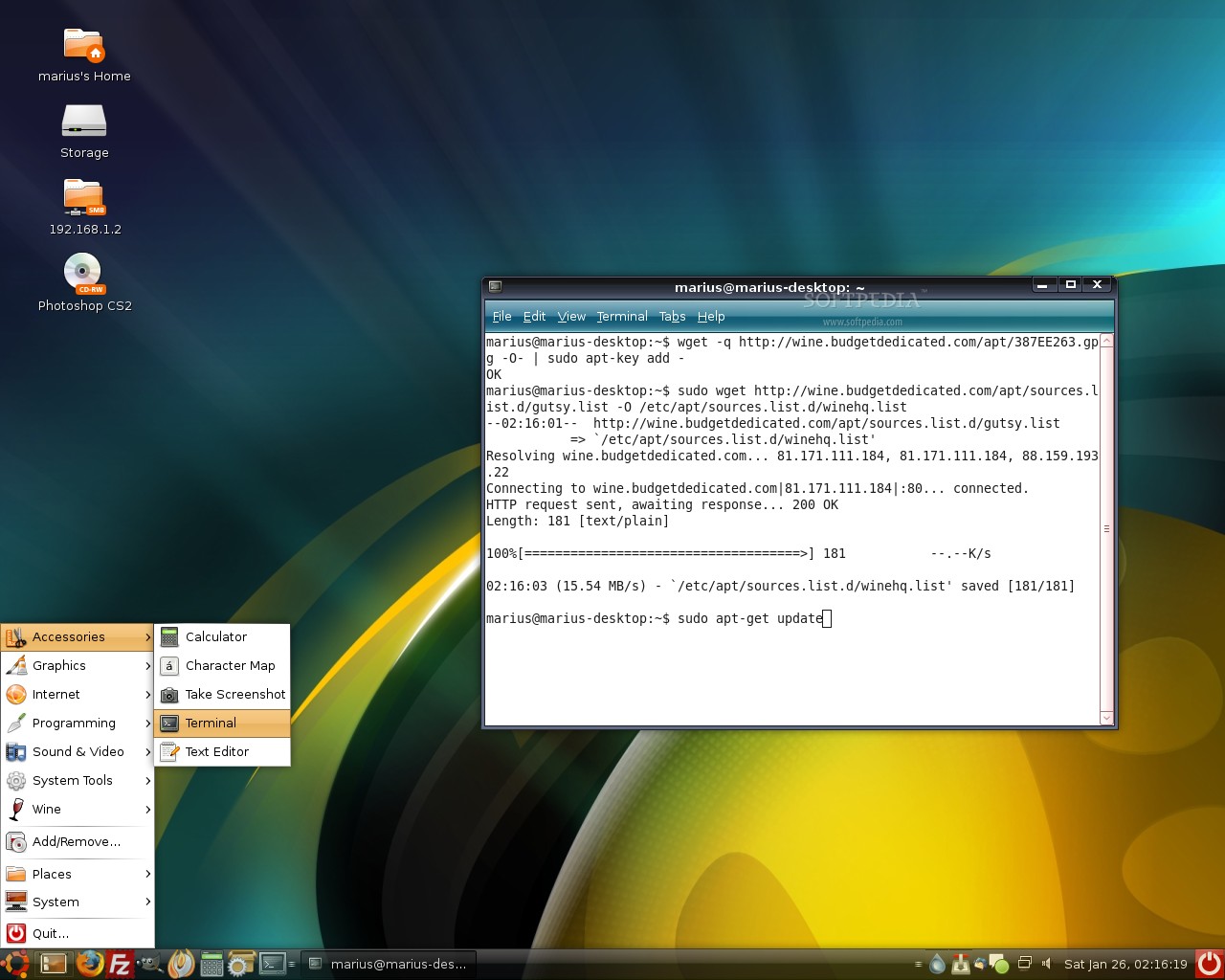
Review image


Then close the terminal window.

2. Go to Applications -> Add/Remove, make sure you select the "All available applications" option in the upper-right side of the window, search for wine and install it. When it's done, close the window.
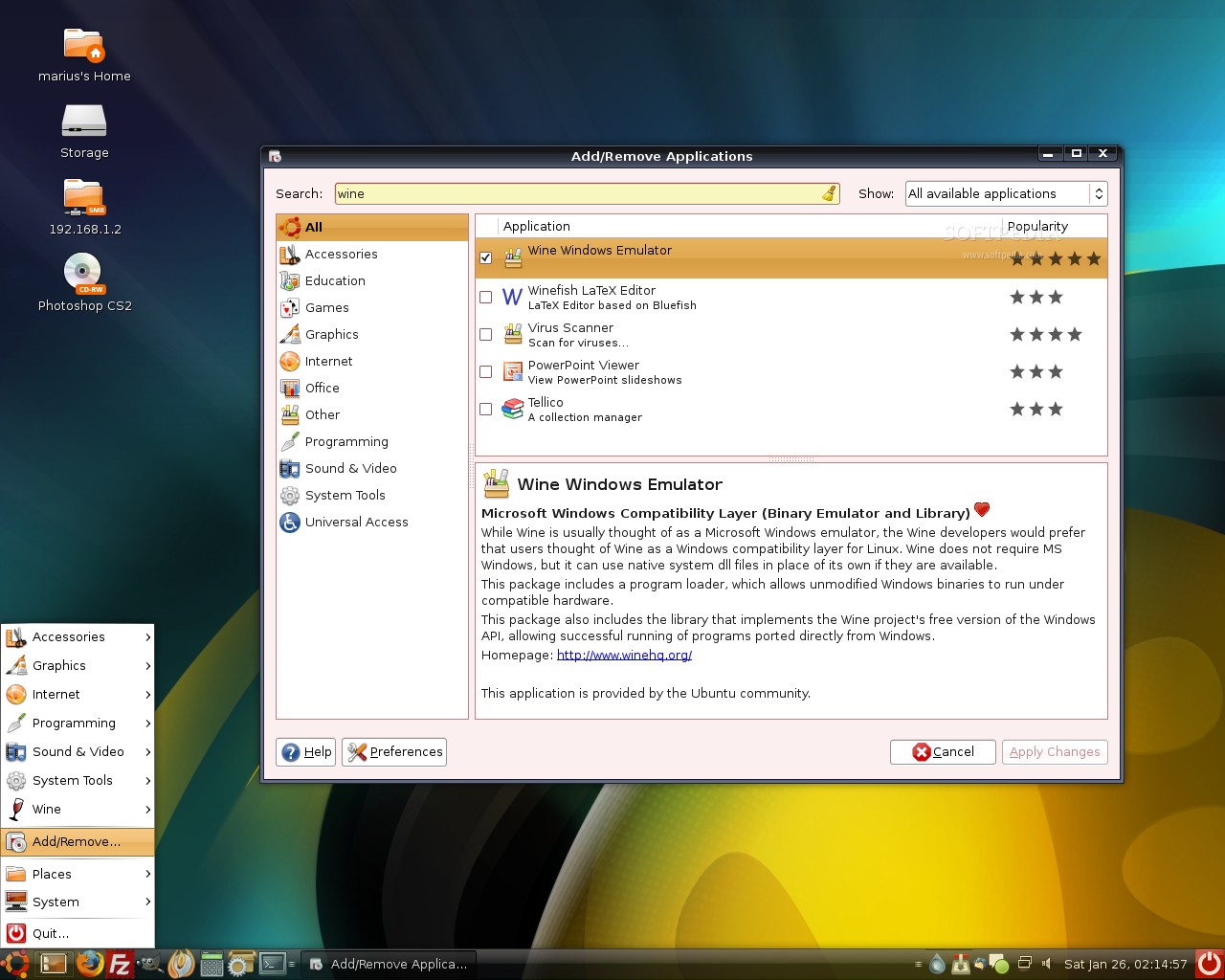
Review image


3. Hit ALT+F2 and paste in the following command:

wine iexplore http://appdb.winehq.com/

Click 'Install' when prompted and when you'll see the "Wine Internet Explorer" window and WineHQ website, then you can close it.
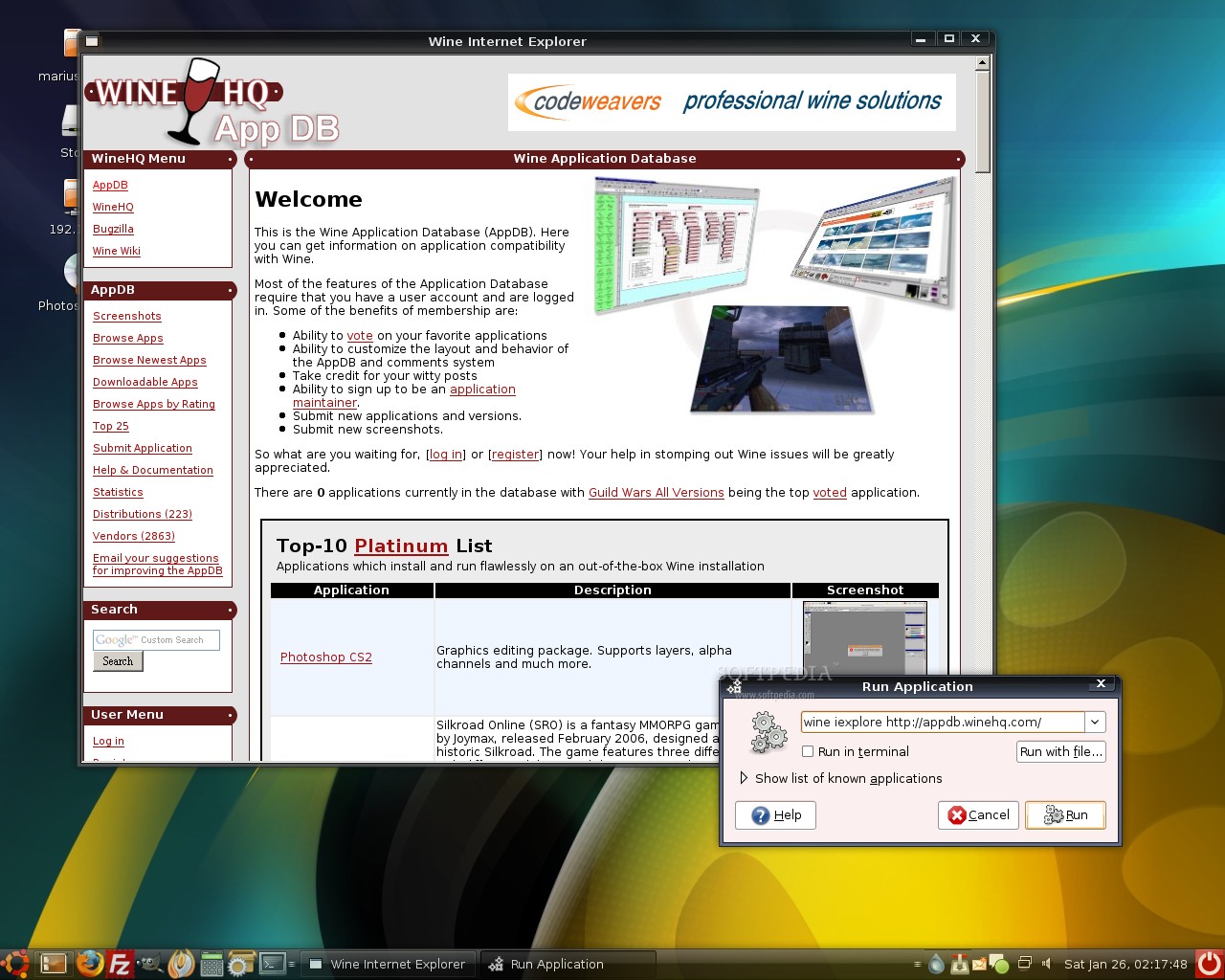
Review image


4. Search on Google for the Tahoma font with the following string:

tahoma filetype:ttf

Save it on your desktop, then move it to the Wine fonts folder (full path -> /home/yourusername/.wine/drive_c/windows/fonts).

Tip: To see the .wine folder, go to View -> Show Hidden Files option in your home directory.

Step 2: Install Photoshop CS2

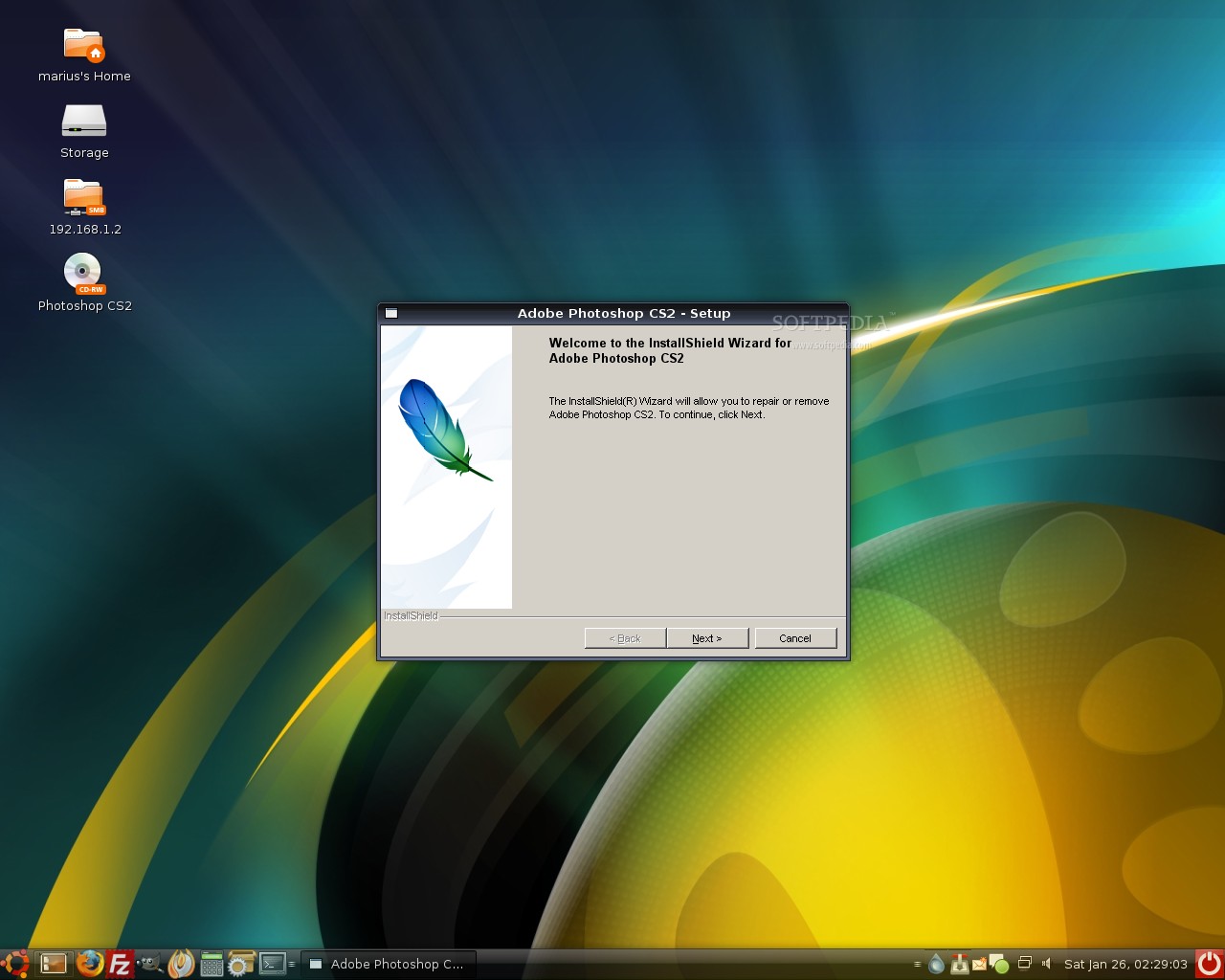
Insert your Photoshop CS2 CD in the optical drive and a folder should appear after a few seconds. Go to the "Adobe Photoshop CS2" directory, right click on the setup.exe file and choose the Open with "Wine Windows Emulator" option. The Photoshop installer will pop-up and I guess you know what to do now.


Review image


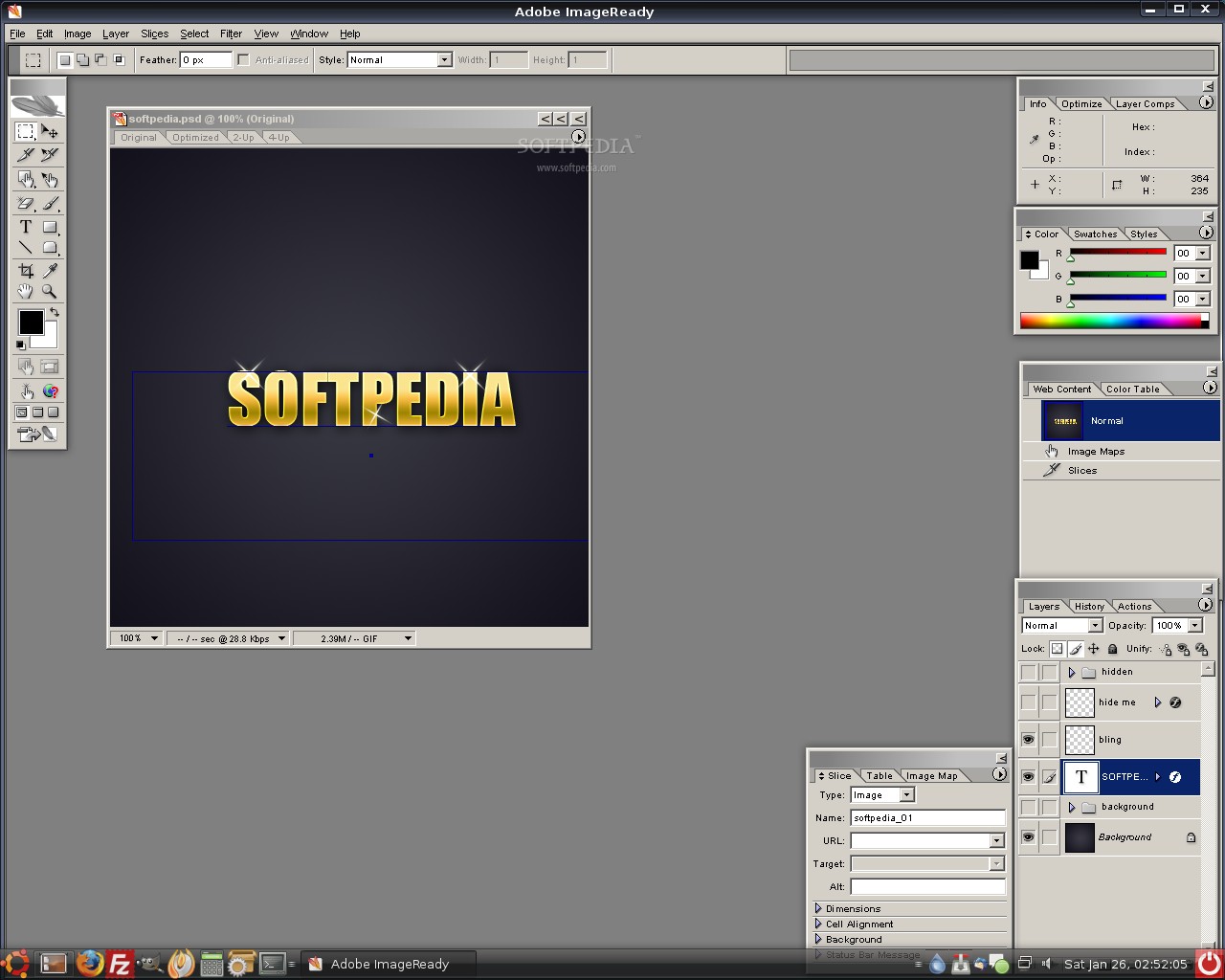
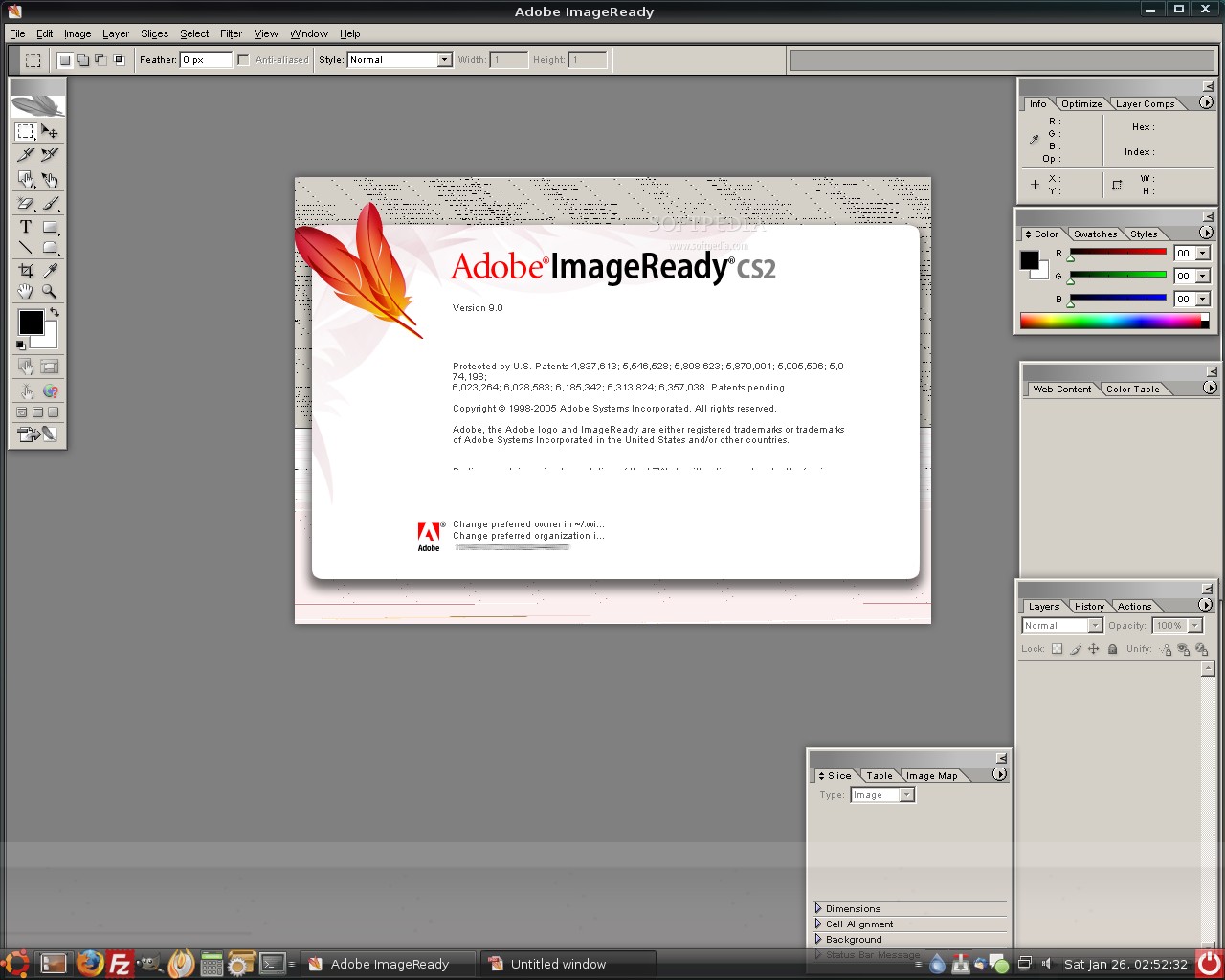
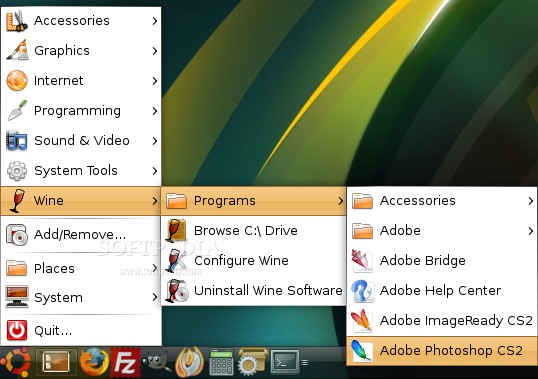
When the installation is over, you will find the Adobe Photoshop CS2 and Adobe ImageReady CS2 shortcuts under the Wine entry in your Start Menu.
Review image


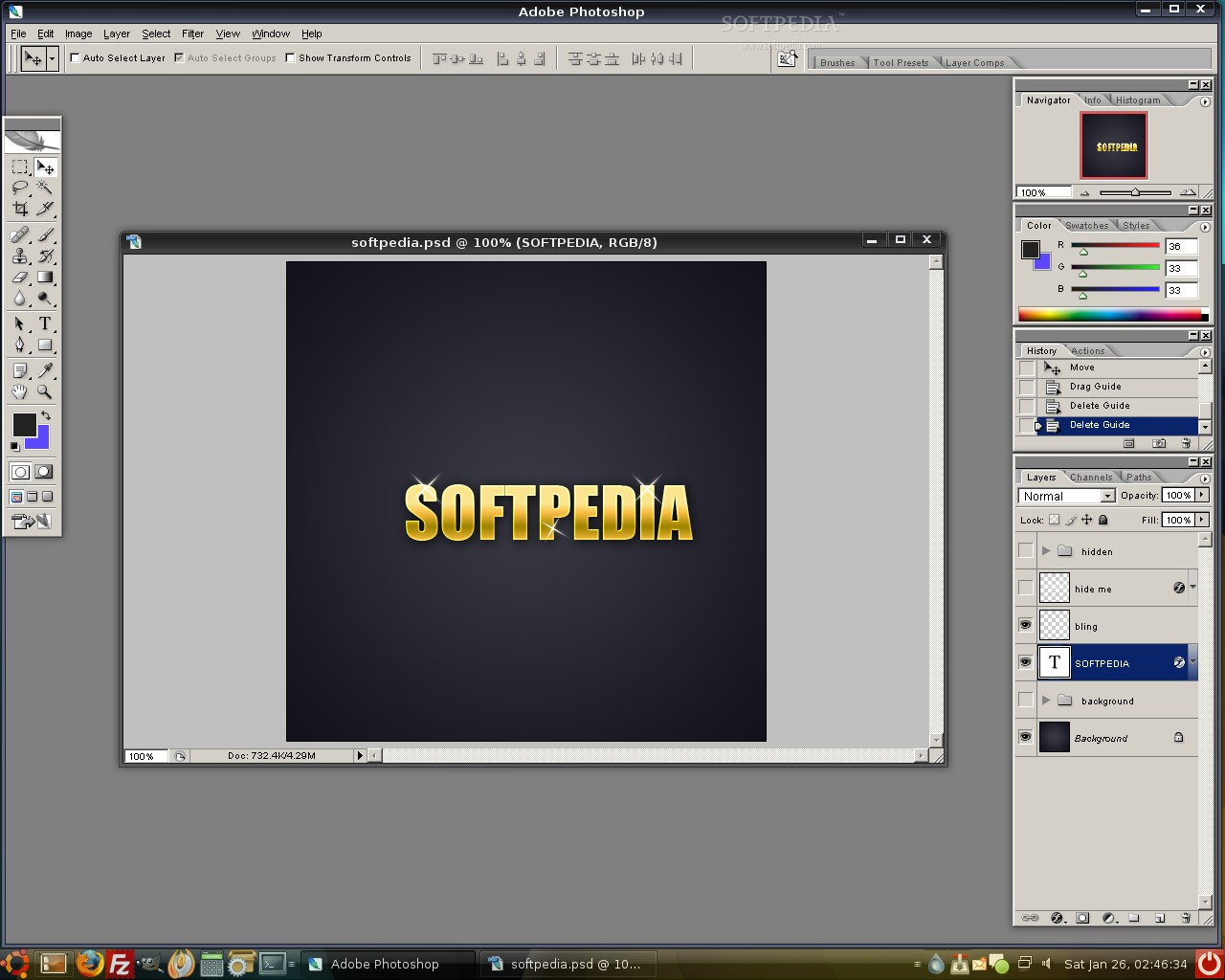
And here it is.... Adobe Photoshop CS2 running on Ubuntu 7.10. Enjoy!
Review image

Review image

Review image

Review image

Review image

TAGS:

Install Photoshop | Photoshop on Linux | Photoshop on Ubuntu | Photoshop CS2
Read by 103,094 user(s) | Add comment | Link to this article TWEET THIS


Article rating:
Very Good (4.4/5) 24 vote(s)    

Subscribe to news | Print article | Send to friend

© Copyright 2001-2009 Softpedia
Contact:


SEARCH THE NEWS ARCHIVE :


Today's News
| Yesterday's News | News Archive


MORE RELATED ARTICLES:


Ubuntu 7.10 on PS3

Become An Ubuntu 'Jedi Master'

Pre-built Ubuntu Virtual Machines from OpenVZ and Ubuntu

CES 2008: Carnegie Mellon Driverless Car Uses Ubuntu

Order Ubuntu 7.10 Now!

Ubuntu 7.10 on Dell's XPS M1330 Laptop

Ubuntu Weekly Report: 13th - 19th January

Alternative Installation Methods for Gutsy

User opinions:


Comment #1 by: nknwd on 27 Jan 2008, 19:07 GMT reply to this comment

Multzam, aaa.. i mean, thank you Mr Marius! ;-) Really needed this and saved me from a google search.


Comment #2 by: Sebastian on 27 Jan 2008, 22:35 GMT reply to this comment

What kind of version of Ubuntu is that ? i really like the theme.

Thanks in advance.

Comment #2.1 by: marius.nestor on 28 Jan 2008, 06:50 GMT

It's Ubuntu 7.10 with the Moomex theme (you can download it from Softpedia).


Comment #3 by: z-itou16 on 28 Jan 2008, 18:19 GMT reply to this comment

Amazing. i really love to read softpedia because all you guys effort to make thing more simple. i love this tutorial and many others. reviews are wonderful.

thank all you guys for this amazing url.


Comment #4 by: CitricAcid on 31 Jan 2008, 18:05 GMT reply to this comment

Is it possible to make it run on Ubuntu 7.04 Feisty Fawn? I tried this tutorial but there are unresolved dependencies :(

Comment #4.1 by: marius.nestor on 31 Jan 2008, 18:25 GMT

I think it's possible...

Paste the following line in the terminal window:

sudo wget http://wine.budgetdedicated.com/apt/sources.list.d/feisty.list -O /etc/apt/sources.list.d/winehq.list

Then:

sudo apt-get update
sudo apt-get install wine

Comment #4.2 by: citricacid on 31 Jan 2008, 21:06 GMT

Thanks. Works fine! Now I will have to make my Wacom tablet work with Photoshop.
It functions well with GIMP.


Comment #5 by: Vlada on 06 Feb 2008, 15:43 GMT reply to this comment

I install CS2 and i can start and use PS only one. Next time wneh i start PS its say System Error. Crap :(


Comment #6 by: lordson francois on 07 Feb 2008, 01:43 GMT reply to this comment

tha t s very good


Comment #7 by: tonio on 08 Feb 2008, 01:20 GMT reply to this comment

my Photoshop CS2 in ubuntu has an error in my first installation its working but i try to open it at the second time it say i have an hardware error... i thought it will help me with this...


Comment #8 by: ultra on 16 Feb 2008, 11:02 GMT reply to this comment

How could you make the panel transparent with the Moomex theme?

Comment #8.1 by: marius.nestor on 16 Feb 2008, 14:26 GMT

You need to have the desktop effects enabled, the hold ALT and with your mouse over the panel... scroll the wheel to set the transparency level.


Comment #9 by: saeldhaine on 22 Feb 2008, 11:15 GMT reply to this comment

OK, and what about Adobe CS3? I try and I cannot install it on Wine :/

Comment #9.1 by: marius.nestor on 22 Feb 2008, 11:19 GMT

CS3 doesn't work! Only CS2!

Maybe CS3 will work someday.... and when that day will come, I will make another tutorial :)


Comment #10 by: İsmail ALTUNTA& on 04 Mar 2008, 15:02 GMT reply to this comment

Thanks....


Comment #11 by: o.sarma on 07 Mar 2008, 12:06 GMT reply to this comment

thaking you sir


Comment #12 by: michael on 13 Mar 2008, 06:27 GMT reply to this comment

Hi ya. great idea, but i don't even get to the install.

i just get the following errors (verbatum) upon the "open with wine" stage :

.AUTOPLAYmain.ini
MAIN_FILE_VERSION
PRODUCT_REGISTRY_PARENT
PRODUCT_REGISTRY_KEY

That's it. it's all rather criptic

any solutions would be helpful

P.S. running latest version of Ubuntu 7.10, and Wine, as of 12 march 08

cheers
m.

Comment #12.1 by: Sean Cunningham on 16 Mar 2008, 18:36 GMT

Just open up a terminal session, browse to the CD drive, and run "wine Setup.exe" -- I have no idea why, but I got the same errors you did when trying to run through the GUI. If you run it through the command line it works fine.

Comment #12.2 by: Marius Nestor on 16 Mar 2008, 19:33 GMT

Not that Setup.exe guys.... the one from the "Adobe Photoshop CS2" folder...

Photoshop CS2 CD -> Adobe Photoshop CS2 folder -> wine setup.exe


Comment #13 by: deuts on 03 Apr 2008, 05:00 GMT reply to this comment

My installer is a packaged Creative Suite 2. Will it be able to run under this set-up?


Comment #14 by: Ben on 21 Apr 2008, 20:10 GMT reply to this comment

Sounds like great news, but does this work with the rest of the Creative Suite 2? I also need to run Illustrator and InDesign.


Comment #15 by: zac on 24 Apr 2008, 08:56 GMT reply to this comment

fnx dude it really helped me with this, blss xxx


Comment #16 by: mohan on 16 May 2008, 14:44 GMT reply to this comment

hi

i installed wine but internet explorer is not working and iam not able install photo shop.

.AUTOPLAYmain.ini
MAIN_FILE_VERSION
PRODUCT_REGISTRY_PARENT
PRODUCT_REGISTRY_KEY


Comment #17 by: mohan on 16 May 2008, 16:20 GMT reply to this comment

hi

i follwed ur instructions but the internet explorer says html rendering is temporarily disabled.and trying install photoshop it say a error accured .like stop all applications running,or empty your temp folder


Comment #18 by: Marius Nestor on 16 May 2008, 19:38 GMT reply to this comment

Hi,

you need to run the setup.exe file from the Adobe Photoshop CS2 folder.... Go into that folder and run the setup.exe from there!!!


Comment #19 by: JimmyI on 27 May 2008, 11:51 GMT reply to this comment

Thanks, I get the 4 errors people are getting without navigating through navigator. Then when I try install I get as far as selecting my language then the adobe logo comes and disapears, thats it! Any help here?

Comment #19.1 by: JimmyI on 27 May 2008, 12:38 GMT

Hi,

Just wanted to say I've got it working now. HUGE thank you to softpedia and Wine! Photoshop was the one and only reason I booted windows up!

For those who are interested when I did the install I didn't have any other program open this time. Especially firefox, I have a feeling that firefox was the reason my install didn't work properly.


Comment #20 by: lucaswsy@usa.com on 29 May 2008, 14:53 GMT reply to this comment

Ok, it works great, but the clone tool, it does not work, because it will be?


Comment #21 by: sajok on 05 Jul 2008, 12:53 GMT reply to this comment

I have Ubuntu 8.04, after install i got errors but fix them through the link: http://wiki.winehq.org/PreloaderPageZeroProblem

It works great, but "Save for web" doesn't work for me!
any idea on how to fix it?!


Comment #22 by: D.Money on 04 Aug 2008, 15:48 GMT reply to this comment

Running ubuntu ultimate 1.8 Gamers edition based on hardy haron 8.04 release. Needless to say the install worked perfect under wine and I have in fact successfully completed the updates which seemed to install fine... I have also tested that my save for web feature was working and it is.

Image Ready, and Bridge also updated, tested and functioning correctly.

Best of Luck to all !

.D$


Comment #23 by: Crix on 16 Aug 2008, 14:32 GMT reply to this comment

Hi, I was able to install Photoshop CS2 properly. But when I try to run the program, I can't seem to get the shortcut keys to work. Even the CTRL functions, like CTRL- , CTRL-R, etc.

Does the same thing happen to you guys?

Regards,
Cricket


Comment #24 by: bog on 23 Aug 2008, 14:53 GMT reply to this comment

hi, i tried to install cs2 on my ubuntu but i got this error after running photoshop:

Unable to continue because of a hardware or system error. Sorry but this error is unrecoverable.


can you help me? :)


Comment #25 by: Ber-Ber on 22 Oct 2008, 08:18 GMT reply to this comment

Unable to continue because of a hardware or system error. Sorry but this error is unrecoverable.

I got the same error
who knows what to do?


Comment #26 by: Vedran on 23 Oct 2008, 16:54 GMT reply to this comment

I can't even start the setup. Once I go to Photoshop dir and start the installation, I get nothing, as if I didn't do anything...


Comment #27 by: Jeff Carpenter on 03 Nov 2008, 04:10 GMT reply to this comment

You also need to install the Times32 font from http://heanet.dl.sourceforge.net/sourceforge/corefonts/times32.exe . It is required to run Photoshop correctly. If you don't install the font you will get a error message each time you run Photoshop, and it will abort.


Comment #28 by: Sierra-d on 08 Nov 2008, 23:27 GMT reply to this comment

Afterdownloading that Times32 font, Photoshop CS2 now opens without the harware error. However, I do have some program errors left over from my CS2 installation that I have tried to fix using both remove and repair options, entering via the Wine "Remove Programs" utility, but the Adobe remove/repair program quits in the middle without removing.

Any suggestions on how to remove CS2 entirely now, and start all over again, now that I know how to do it cleanly?

Thanks


Comment #29 by: rfarmer on 19 Nov 2008, 18:48 GMT reply to this comment

Just wanted to give a big thank you, I am running 8.10 Intrepid and already had wine 1.0.1 installed. I just copied all the .ttf fonts from my windows partition and everything works great. I had been running Photoshop 7.0 because I thought that was the latest version supported. Is really nice to have CS2 running.


Comment #30 by: rontonimo bey on 07 Dec 2008, 11:00 GMT reply to this comment

This is the ONLY thing that will make or break my Linux switch.
I want to get rid of windows but I photoshop is my lively hood.

I am not a programmer and there's a lot of risk, time and patience involved in this by the looks of the comments. If these people get their issues with this install resolved, I'm sold. I'll be back to check for updates!


Comment #31 by: Chris on 02 Jan 2009, 00:48 GMT reply to this comment

I got it working on the newest stable version of Ubuntu (Intrepid)! I had to copy all of my fonts over from windows, plus that times32 font thing to get it to work right.

I STILL HAVE A CLONE TOOL / HEALING BRUSH ISSUE. They bring up an error saying I didn't define the area. This seems to be the last remaining glitch in the Ubuntu Photoshop front.


Comment #32 by: jsf_genesis07 on 11 Feb 2009, 09:37 GMT reply to this comment

Hi, I have the same error. It did run on my first atempt, but after, this error appeared.

"Unable to continue because of a hardware or system error. Sorry but this error is unrecoverable."

Please help..

Comment #32.1 by: Ron on 25 Apr 2009, 13:03 GMT

I have the same issue, no reply fix?

Comment #32.2 by: Bunty on 04 Jul 2009, 10:57 GMT

Hi i got the same error , but first time when i install photoshop cs2 it got started. but next time same error

Regads


Comment #33 by: Ron Saldanha on 04 May 2009, 22:34 GMT reply to this comment

I had the same issue, it went away after i installed photoshop 7. Weird but seems like i have to have both versions isntalled. Try it, my wacom bamboo fun worked out of the box on ubuntu 9.04 too! well the pressure and eraser part, thats all i care about at the moment!

Comment #33.1 by: v1nsai on 21 Jun 2009, 20:21 GMT

Actually, I just went into my windows install and copied all the fonts in c:windowsfonts over to the wine fonts folder and everything is running smooth now


Comment #34 by: v1nsai on 21 Jun 2009, 16:23 GMT reply to this comment

Got it to work, thanks a bunch! I'm having trouble reading a lot of the menu items though, looks like some fonts need troubleshooting. I'm on Ubuntu 9.04, gonna try installing photoshop 7 I'll report my results.

And you guys getting the "Unable to continue because of a hardware or system error" people, I was getting the same one until I googled 'tahoma filetype:ttf' as instructed in the tutorial and the times32.exe font family someone posted above. See if that works


Comment #35 by: Arend on 03 Aug 2009, 10:25 GMT reply to this comment

I have installed photoshop cs2 on ubuntu 9.04 and the first time it was ok but than it said " error in system not .....

Comment #35.1 by: Sunny on 10 Sep 2009, 19:42 GMT

Just copy fonts of your window font folder in to wine fonts folder :) ...


Comment #36 by: dranik on 04 Sep 2009, 11:04 GMT reply to this comment

Can instal in ubuntu 9.04 another adobe programs like Indesign cs3 or cs4?
If can, how?


Comment #37 by: berxx on 10 Nov 2009, 05:51 GMT reply to this comment

Hi, this is great news, going to try the install. Is it necessary to copy the entire windoz fonts copy required or just those two fonts, Tahoma and Times32?

Running Ubuntu 9.04 Jaunty on a Dell Precision 380.

Comment #37.1 by: Marius Nestor on 10 Nov 2009, 08:06 GMT

Hi,

Just those two... :)

Share your opinion:

Your Name:
Your Email Address:
(will not be used for commercial purposes)
Solve this to prove you're not a bot: =
Your review/opinion:


Windows tabGames tabDrivers tabMac tabLinux tabScripts tabMobile tabHandheld tabGadgets tabNews tab

SUBMIT PROGRAM   |   ADVERTISE   |   GET HELP   |   SEND US FEEDBACK   |   RSS FEEDS   |   ENTER NEWS SITE   |   ENGLISH BOARD   |   ROMANIAN FORUM