 14 DAY TRIAL //
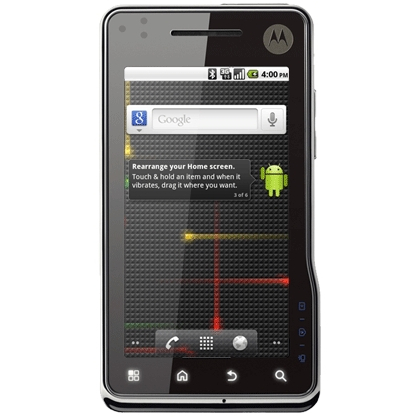
 Although Motorola decided against pushing any major software updates for the Milestone XT720, it appears that Cincinnati Bell will offer its customers a non-Motorola certified Android 2.2 Froyo update.
It is unusual for a carrier to deploy an unapproved software update, but Cincinnati Bell considered that an important amount of customers bought the Milestone XT720, so it decided to go against the tide and make the update available through its own channels.
Given the fact that this is not a Motorola OEM certified upgrade, all warranty exchanges will need to be completed through Cincinnati Bell and not through Motorola, so if you are not comfortable with this do not make the update to Android 2.2 Froyo.
Because the update is developed and deployed by Cincinnati Bell, the procedure is unusual, so those who wish to attempt it should follow this guide.
Basically, you will need to root the Milestone XT720, backup your data using Titanium Backup, and flash the Android 2.2 Froyo update.
Then you will need to root the device again, restore the data and then unroot it. The whole procedure is explained in the movie below.
In addition, you will need to download the necessary files for the upgrade and save them somewhere on your computer where you can easily locate them.
Make sure you have enough space on your hard drive as the files are approx. 324MB in size.
Also, after downloading the files be sure to open the file named “README.txt” and check the Customer Name and Key that you will be asked to enter during the upgrade.
Have the battery fully charged and close any applications before proceeding with the upgrade.
Even if you backup your data, you will only be able to download the applications purchased or downloaded from the Android Market by accessing “My Apps” in the Android Market.
The Android 2.2 Froyo update will take a bit more than 30 minutes, so make sure you have enough time to complete all steps.
If you think you are not capable of upgrading your Motorola Milestone XT720 by yourself, even after watching the explanatory movie you should go to the nearest Cincinnati Bell retail store and have one of the Wireless Specialists do it for you.
Motrola Milestone XT720 - Android 2.2 Upgrade from Cincinnati Bell on Vimeo.