 14 DAY TRIAL //
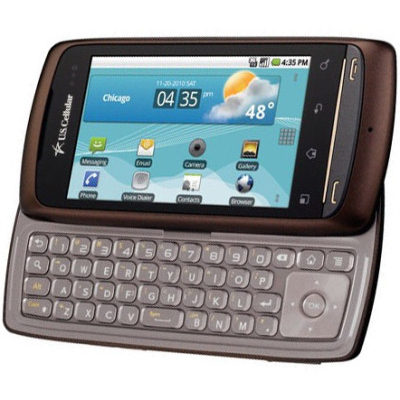
 U.S. Cellular has recently announced that the Android 2.2 Froyo update is now available for download for customers with LG Apex smartphones.
It appears that the carrier decided to let users update their Apex phones manually, thus the procedure requires a few additional third-party apps and a bit more time.
Before anything, make sure your phone's battery is fully charged and back up your contacts by going to Contacts / Menu Key / Export. All contacts will be transferred to the memory card.
The next step requires LG Apex owners to enable the USB Debugging mode, by going to Settings / Application / Development.
Do not connect the phone to the PC yet, instead point your browser to LG's official support and download LG Mobile Support Tool.
Install the utility tool and click 'Install USB Driver.' Make sure you select U.S. Cellular from the Carrier slot and then double-click LGUS740 to install the Apex's driver.
As soon as the USB driver is correctly installed, you can connect the phone to the PC via the USB cable. The tool will detect your phone's connection with the PC. After it successfully finishes, the tool will analyze the phone's software.
Click on the Start Updating option to download the update and do not disconnect the phone. If the phone's free user memory is less than 23 MB, the upgrade will stop, so make sure your have more than that to be able to continue with the update.
If you have enough space, the upgrade will begin and it will take between 10 and 15 minutes to complete.
After the upgrade process finishes, you can import the contacts back from the memory card, by going through the same procedure: Contacts / Menu key / Import.
Android 2.2 Froyo for LG Apex contains the following changes and improvements:
1. Exchange support with: - Improved security; - Remote wipe (used when device is lost or stolen); - Exchange Calendars are now supported in the Calendar application; - Auto-discovery; - Global Address Lists lookup is now available in the Email application.
2. New Home screen tips widget assists new users on how to configure the Home screen with shortcuts and widgets and how to make use of multiple home screens.
3. Performance Improvement: - Faster webpage loading; - Smooth navigation between applications due to memory optimization.
4. Portable Wi-Fi Hotspot shares the device’s 3G Internet connection with other devices such as mobile phones, laptops, etc.
5. Applications can now be installed on the shared external storage (such as a microSD card).
Modifications: - Widgets in home screens; - Default settings changes under Menu > Settings; - LG Socialite application is removed; Now, Twitter and Facebook are updated with the latest version; - Your Navigator Deluxe and Amazon MP3 applications are updated.
However, even after the upgrade, LG Apex will NOT support Flash and GIF.