 14 DAY TRIAL //
 Remember the times when a 40 GB of HDD was enough for a laptop computer? These days are long gone and people tend to shrug when it comes to notebooks with less than 160 GB of storage space. Older laptops came with low-capacity drives that need to be changed in order to take advantage of the home theater capabilities: high definition television, lossless audio files and so on.
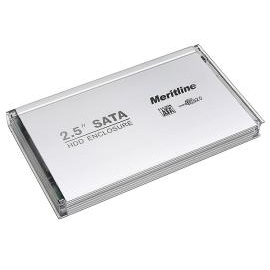
If you have already considered upgrading the hard-disk drive, you now have a spare, low-capacity disk that you could send back into production. Just plug it inside an external 2.5-inch HDD enclosure and you're ready to go. I know this would squeeze some extra money, but there is an extremely cheap and rugged offering from Meritline. The producer is giving away their aluminum SATA to USB external enclosure for as much as $11.
The device is compatible with all 2.5-inch IDE and SATA drives and comes with both IDE and SATA external interfaces. Meritline is bundling everything you would need during its assembly (apart from the HDD, of course). Inside the package you will find a carrying case, the USB cable and a little screwdriver that makes the removing of the enclosure's protective casing really easy. Since the drive is powered through the USB cable directly from the computer's USB port, there is no need for an external AC adapter.
The enclosure is just a little larger than the notebook drive itself, and the lack of a brick-like power adapter makes it extremely portable. All you have to do is remove the USB cable from the computer and the HDD enclosure, then put the latter into a pocket. It goes without saying that the Meritline enclosure does not come with any kind of data protection or encryption technology, so you'd better watch out your drive should you have stored important data on it.