 14 DAY TRIAL //
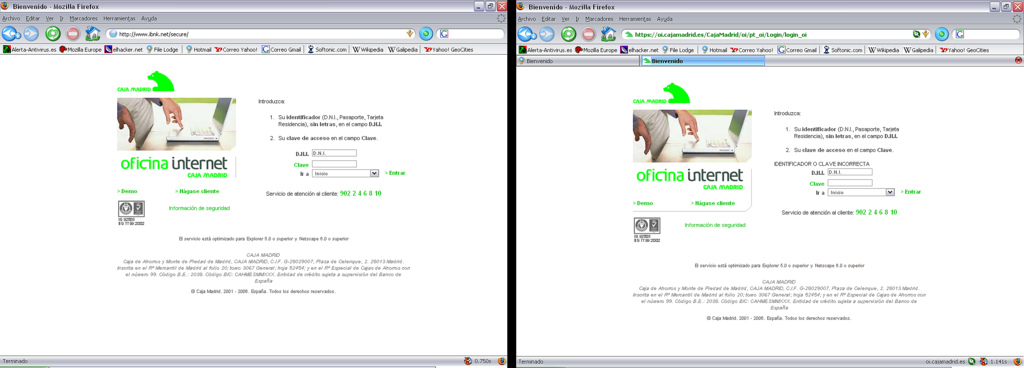
 Unlike phishing scams where the victim is tricked into opening a link or a web form where he is required to provide financial or personal information, pharming schemes rely on webpages that almost perfectly replicate legitimate sites to which the user is taken without his knowledge.
In pharming operations, the cybercriminals actually set up redirects that make sure the URL typed by the internaut in the browser's address bar automatically changes and forwards to a malicious domain.
These malevolent redirects take place as a result of DNS poisoning or with the help of a carefully placed malware on the victim's device, SCAMwatch reports.
Whichever the case, there are certain methods that can protect users against such fake sites.
First of all, pharming scams will often require information such as credit card number, account number and even ATM PIN, data not requested by legitimate websites.
Genuine banking sites will only require a username and a password since they already have the customer's financial details. Claims about database errors as a result of which information was deleted usually hide some cybercriminal operation.
Secondly, even if the site looks exactly the same as the genuine one, the name of the site displayed in the browser's address bar can always give away its true identity. The domain might look legit, but a closer look will in most cases reveal that a few letters are not exactly in their place.
The digital certificate that validates a site is also a good way to tell if the location is phony or not. There are some situations where certificates are stolen and used in fraudulent plots, but in a majority of cases fake domains don't display the padlock icon or the https identification.
Since DNS poisonings are not that common, in most situations a local piece of malware is responsible for malicious redirects. This is why users are advised to install an antivirus solution and make sure its database is always up to date.