 14 DAY TRIAL //
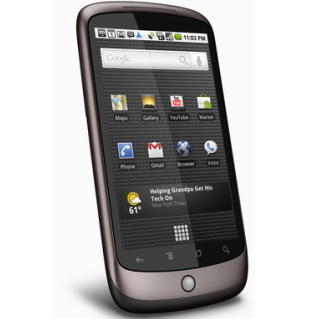
 The venerable Nexus One handset is about to get the latest Android 2.3.6 update far ahead other modern smartphones
In fact, Nexus One is the second smartphone to receive this update, after Google pushed Android 2.3.6 to all Nexus S devices about three weeks ago.
Unfortunately, Nexus S owners who updated to Android 2.3.6 reported several issues with the phone's Wi-Fi and USB tethering capabilities.
It is also worth mentioning that Sprint already delivered the Android 2.3.7 update to Nexus S 4G devices, last week.
Even though we strongly recommend Nexus One users to wait for the update to be pushed OTA (over the air), those who do not want wait until Google decides to deploy Android 2.3.6 upgrade can install the update manually following a simple step by step procedure.
First, make sure you have a microSD memory card that you can use in order to update the Google Nexus One smartphone.
Android 2.3.6 update is available for download from here (d323ca384aaa.signed-passion-GRK39F-from-GRJ22.d323ca38.zip).
After you download the file on the PC, simply rename it to update.zip and copy the file onto the microSD card.
You will need to power off the Nexus One, and turn it on again by holding down the trackball and pressing the power button.
As soon as a white screen appears on the display, you will be able to select the “Bootloader” option. Choose “Recovery” on the next screen and the Nexus One will reboot.
Make sure you press the power button and volume up button at the same time. Then you will be able to select the “Apply sdcard:update.zip” option using the trackball.
It will take about 5 minutes to apply the update, after which the phone will reboot itself and you will be able to use it again.
Although Google has yet to issue the update's change log, it appears that Android 2.3.6 for Nexus One brings important bug fixes and security patches.