
Softpedia
 

NEWS CATEGORIES:


NEWS ARCHIVE >>
SOFTPEDIA REVIEWS >>
MEET THE EDITORS >>
TRENDING TODAY
Home > News > Telecoms > Help guides, tweaks and facts

December 14th, 2012, 19:51 GMT · By

How to Make the BlackBerry App World Icon Appear After Update

SHARE:

Adjust text size:

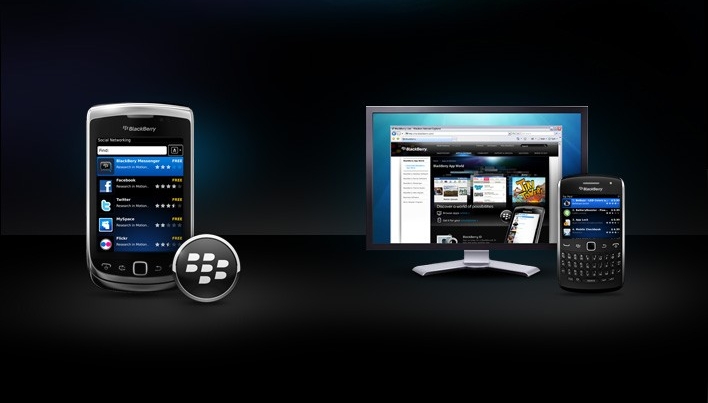
BlackBerry App World
Enlarge picture
One of the common issues that BlackBerry users encounter on their devices is the missing BlackBerry App World icon from the screen after an update.

Apparently, the issue appears with more than one native application from Research In Motion, yet there are a few ways to resolve it.

Users who have had a beta flavor of the application installed on their devices are often told to delete the older app when upgrading to an official flavor, so as to avoid issues like these.

Those who haven’t, however, are more likely to experience these problems, yet no specific info on what caused them has been provided by RIM.

Yet, it all appears to emerge when the newer flavor of the app is installed on top of the older release without deleting it first.

On devices running under BlackBerry OS 6 prior to 6.0.0.706, where the icon does not appear, users should try deleting the BlackBerry App World installed on their phones, and reinstall the BlackBerry App World 4.0.0.55 instead, RIM suggests.

For that, they should fire up the BlackBerry Browser on their smartphone, go to http://mobileapps.blackberry.com/devicesoftware/entry.do?code=appworld3, download the file and restart the handset when prompted.

On BlackBerry 6 OS versions 6.0.0.706 and higher, users are advised to download and install the latest version of BlackBerry App World (currently 4.0.0.65), provided that the icon does not appear on the homescreen.

There is also the possibility that the icon does not appear if the device was not restarted after the BlackBerry App World was installed. In this case, users should turn the device off, remove the battery, place it back inside the phone, and power it on.

Another possible explanation for the missing icon is the fact that it is hidden. To solve this issue, press the BlackBerry menu button on the homescreen, select “Show all” and make sure that the screen is in the “All” panel homescreen.

Users should do the same for each folder, provided that the icon still does not appear. If they find it in a folder, select it, press the BlackBerry menu button, and click “Hide,” as this will deselect the hide setting.

If these steps do not work, users can also try another solution. They should delete the BlackBerry App World from their smartphones by going to Device > Application Management > BlackBerry App World. Hit the BB key when and select Delete.

According to blackberryos, users should also clear the pushed content from their BlackBerry's browser. Launch the browser, click the BB key and go to Options, then go to "Clear Browsing Data." Select Pushed Content and hit "Clear Now."

As soon as this has been done, restart the phone and reinstall the BlackBerry App World as for the first time. The app can be downloaded either through the browser or over-the-air from RIM’s official portal, via this link.

The application won’t ask for a reboot when the installation has been completed, and the BlackBerry App Icon should show on the homescreen.

Apparently, the same can be done for some other native apps from RIM that exhibit similar behavior, including Twitter for BlackBerry and Facebook for BlackBerry.


51,258 hits · 27 comments
Link to this article · Print article · Send to friend

MUST-READ RELATED ARTICLES:


LinkedIn for Blackberry Updated to 2.1.0.34

Foursquare for Blackberry 5.5.8 Now Available for Download

New BlackBerry 10 L-Series Video Emerges

RIM Plans Deep Evernote Integration in BlackBerry 10

BlackBerry 10 L-Series Handset Smiles for the Camera Again

READER COMMENTS:


Comment #1 by: Honkies on 18 Dec 2012, 13:31 UTC reply to this comment

thanks very much it works for other ppl if they dont see the icon, they must delete old version then follow ur guidance they can install new one it really helps.Thanks once more

Comment #1.1 by: Charis on 19 Dec 2012, 07:32 GMT

Hey! Thanks for posting this! It really works. I just updated my bbm thru bb app world. Thanks again.

Comment #1.2 by: manvinder on 27 Dec 2012, 08:29 GMT

I followed the process but did not see the icon on the main menu.

Comment #1.3 by: Kj on 01 Jan 2013, 10:12 GMT

I have tried all the suggestions on this page and nothing has worked! Most frustrating.

Comment #1.4 by: RJB on 12 Jan 2013, 05:12 GMT

thx you it is work for me

Comment #1.5 by: vecca on 17 Jan 2013, 12:13 GMT

it works for me too! thanks

Comment #1.6 by: Vix on 23 Jan 2013, 12:38 GMT

IT WORKED!!! YAY!!!

Comment #1.7 by: deedee on 31 Jan 2013, 07:39 GMT

yeyyyyyy works on mine too!!! tq...been searching the way to configure it for past 4 months..finally!

Comment #1.8 by: Rahul on 24 Feb 2013, 15:34 GMT

Thanks!!! a lot.... It really worked....


Comment #2 by: neeho on 05 Jan 2013, 18:44 UTC reply to this comment

i've done what u said .. but still it didnt appear i even resotred the mobile settings and still didnt appear.. what should i do now ?? thanks


Comment #3 by: Kate on 05 Jan 2013, 21:19 UTC reply to this comment

I too have tried all of these and its still not working

Comment #3.1 by: khaye11 on 11 Apr 2013, 10:15 GMT

it works off your CP remove battery and tern it on again.


Comment #4 by: Sades on 06 Jan 2013, 02:19 UTC reply to this comment

This did not work for me either, i am so frustrated.


Comment #5 by: Comment # 5 on 08 Jan 2013, 13:45 UTC reply to this comment

It worked on my phone. Thanks alot for this.


Comment #6 by: RIMtastic on 10 Jan 2013, 02:25 UTC reply to this comment

I have tried all of these steps multiple times, still doesn't work. It is no wonder RIM is going out of business.


Comment #7 by: chiepi on 11 Jan 2013, 07:47 UTC reply to this comment

Finally mine is working perfectly now.. thank you so much for this useful info, I've been chatted with RIM support but they cant even resolve it.. you really did a great job. I even followed you on twitter..


Comment #8 by: Charya shnide on 13 Jan 2013, 19:41 UTC reply to this comment

Yes it worked for me....simply delete old app world, install new app world from given link ^....after that it should work


Comment #9 by: sy on 14 Jan 2013, 18:36 UTC reply to this comment

THANK YOU VERY MUCH!!
it was very helpful!!i followed the steps and now everything is back to normal!!
thx man!! ;)


Comment #10 by: df on 15 Jan 2013, 08:12 UTC reply to this comment

its not working


Comment #11 by: Jannie on 19 Jan 2013, 03:06 UTC reply to this comment

Tnx but it did not work for me after d second trial. What do I do?


Comment #12 by: Teesider on 26 Jan 2013, 22:01 UTC reply to this comment

this worked for me thanks a lot !


Comment #13 by: xan on 30 Jan 2013, 11:15 UTC reply to this comment

i have tried all that and the problem still persists


Comment #14 by: wiccamitch on 05 Feb 2013, 05:28 UTC reply to this comment

still not working... :(( its frustrating!!!!


Comment #15 by: Nietsche on 14 Feb 2013, 22:06 UTC reply to this comment

No, there is no god. It is all *


Comment #16 by: pindi on 21 Feb 2013, 14:00 UTC reply to this comment

thanks.... works like magic


Comment #17 by: phemmy on 26 Feb 2013, 08:12 UTC reply to this comment

It works like Magic kudos


Comment #18 by: daisy on 27 Feb 2013, 17:13 UTC reply to this comment

thanks u so much.... you dont know how much i have tried to get my app world back

Copyright © 2001-2013 Softpedia. Contact/Tip us at

WindowsGamesDriversMacLinuxScriptsMobileHandheldNews

SUBMIT PROGRAM   |   ADVERTISE   |   GET HELP   |   SEND US FEEDBACK   |   RSS FEEDS   |   UPDATE YOUR SOFTWARE   |   ROMANIAN FORUM