
 14 DAY TRIAL //
 Those who’ve made a clean install of Mac OS X v10.6 Snow Leopard may have noticed that Apple’s new OS replaces the old QuickTime with QuickTime X. Admittedly, the new player offers a clean and uncluttered interface, easy media sharing, and flexible recording capabilities, yet some users have been heavily relying on the features specific to the old version of QuickTime.
QuickTime Player 7, as fans of the media player should know, can be used to play back formats such as QTVR, interactive QuickTime Movies, and MIDI files, and it supports QuickTime 7 Pro registration codes for access to the QuickTime Pro functionality (saving movies from the web, and more).
Should you need it, a Snow Leopard-compatible version of QuickTime Player 7 is available for use with older media or with existing AppleScript-based workflows. But where to find it?
Where else, if not on the Mac OS X v10.6 Snow Leopard install DVD? To install the QuickTime Player 7 alongside QuickTime X in Snow Leopard...
1. Insert your Mac OS X 10.6 Snow Leopard Install DVD.
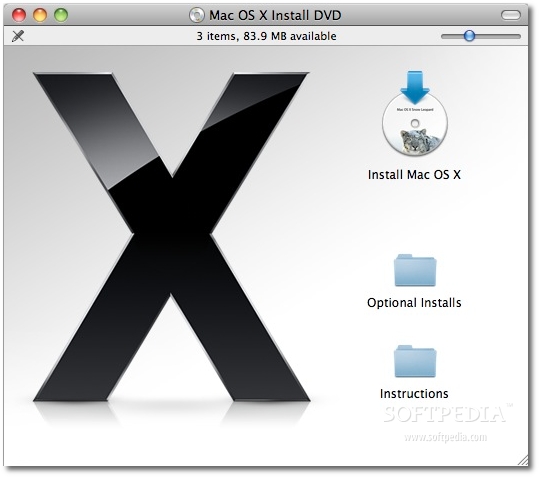
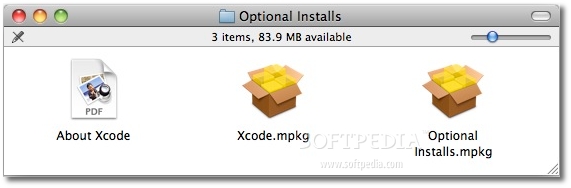
2.Open the Optional Installs folder and double-click "Optional Installs.mpkg."
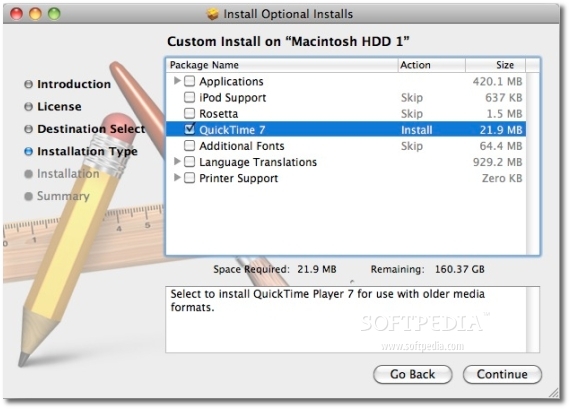
3.Select the QuickTime 7 option and click Continue.
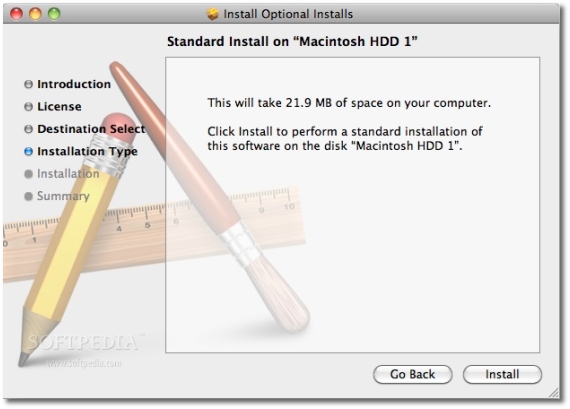
4.QuickTime Player 7 will be installed in your Utilities folder.
This is the best way to ensure you get everything from both worlds, but there’s yet another way to get your hands on a Snow Leopard-compatible version of the player - Apple Downloads. If you double-click any media that can only be played with QuickTime Player 7 and it is not already installed, you will be asked if you want to download it from Apple.
Now, some information for QuickTime Pro users.
According to Apple, those who have a QuickTime 7 Pro registration code on their computer will have QuickTime Player 7 automatically installed in their Utilities folder as they upgrade to Snow Leopard. The player checks to see if it can find a valid registration code and enables the QuickTime Pro functionality. No worries, no fuss. It’s as simple as that!
However, if you don’t have QuickTime Pro installed at the time of the Snow Leopard upgrade, you can manually enter your QuickTime 7 Pro registration code by launching QuickTime Player 7. In the menubar, click the QuickTime Player 7 menu and choose Registration. Enter your QuickTime 7 Pro registration code and you’re good to go. As you should know, Snow Leopard’s QuickTime X does not use QuickTime Pro registration codes. Therefore, you should check and see what the new player offers, just so you don’t waste money on functionality that’s already available in Mac OS X 10.6, out-of-the-box.