
Softpedia
 

NEWS CATEGORIES:


NEWS ARCHIVE >>
SOFTPEDIA REVIEWS >>
MEET THE EDITORS >>
TRENDING TODAY
Home > News > Linux > Ubuntu Tips and Tricks

September 30th, 2011, 10:13 GMT · By

How to Install Firefox 7 in Ubuntu 10.04 and 10.10

SHARE:

Adjust text size:

Mozilla Firefox 7 on Ubuntu
Enlarge picture
The following tutorial will teach every Ubuntu 10.10 and Ubuntu 10.04 LTS user how to install the current stable version of the popular Mozilla Firefox 7 web browser.

At the request of many of our readers, we've created the following tutorial to guide them with the installation of the popular Mozilla Firefox 7 web browser in the Ubuntu Lucid Lynx 10.04 LTS and Ubuntu Maverick Meerkat 10.10.

The Mozilla Firefox 7.0.1 packages are now available for the following Ubuntu distributions:

· Ubuntu 10.10 (Maverick Meerkat)
· Ubuntu 10.04 LTS (Lucid Lynx)

To install Mozilla Firefox 7 on your system follow the next step-by-step (with screenshots) tutorial.

Step 1 - Add the Firefox 7 repository

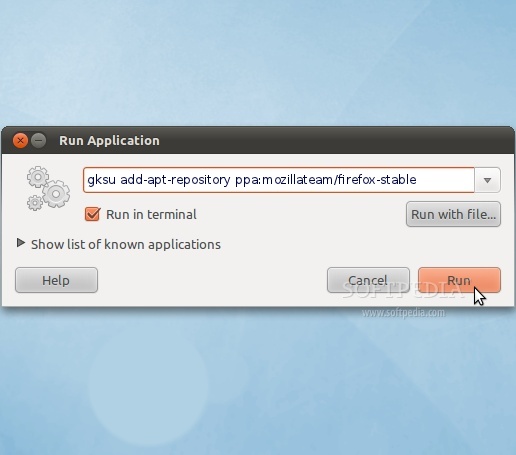
No matter what operating system you are running (Ubuntu 10.10 or Ubuntu 10.04 LTS), hit the ALT+F2 key combination on your keyboard, check the "Run in terminal" option and paste the following command in the "Run Application" dialog:

gksu add-apt-repository ppa:mozillateam/firefox-stable
Review image

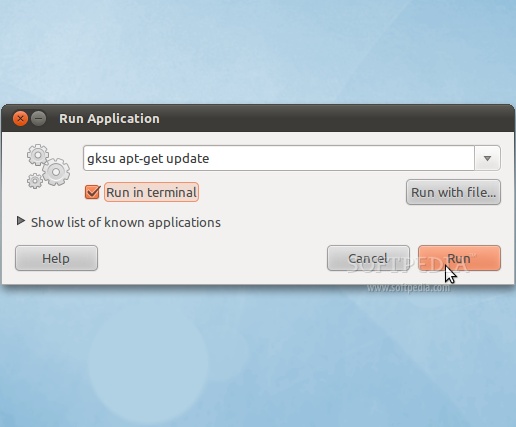
Enter your password when asked and hit the OK button. A terminal window will appear for a few seconds, and it will automatically close. Hit the ALT+F2 key combination again, check the "Run in terminal" option and paste the following command in the "Run Application" dialog:

gksu apt-get update

Review image

Enter your password when asked and hit the OK button. A terminal window will appear for a few seconds, and it will automatically close.

Step 2 - Install Firefox 7

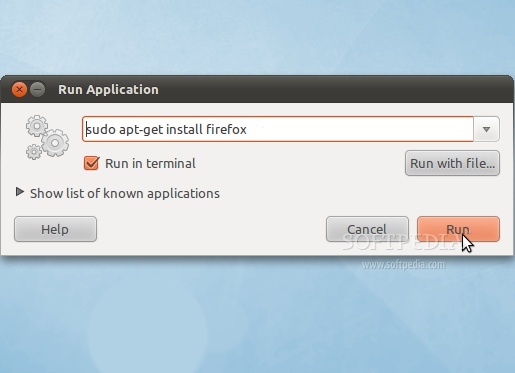
Hit the ALT+F2 key combination on your keyboard, check the "Run in terminal" option and paste the following command in the "Run Application" dialog:

sudo apt-get install firefox
Review image

A terminal window will appear. Enter your password when asked. When you will be asked if you want to install the Firefox 7 packages, type Y and hit Enter. Wait for the installation to finish.

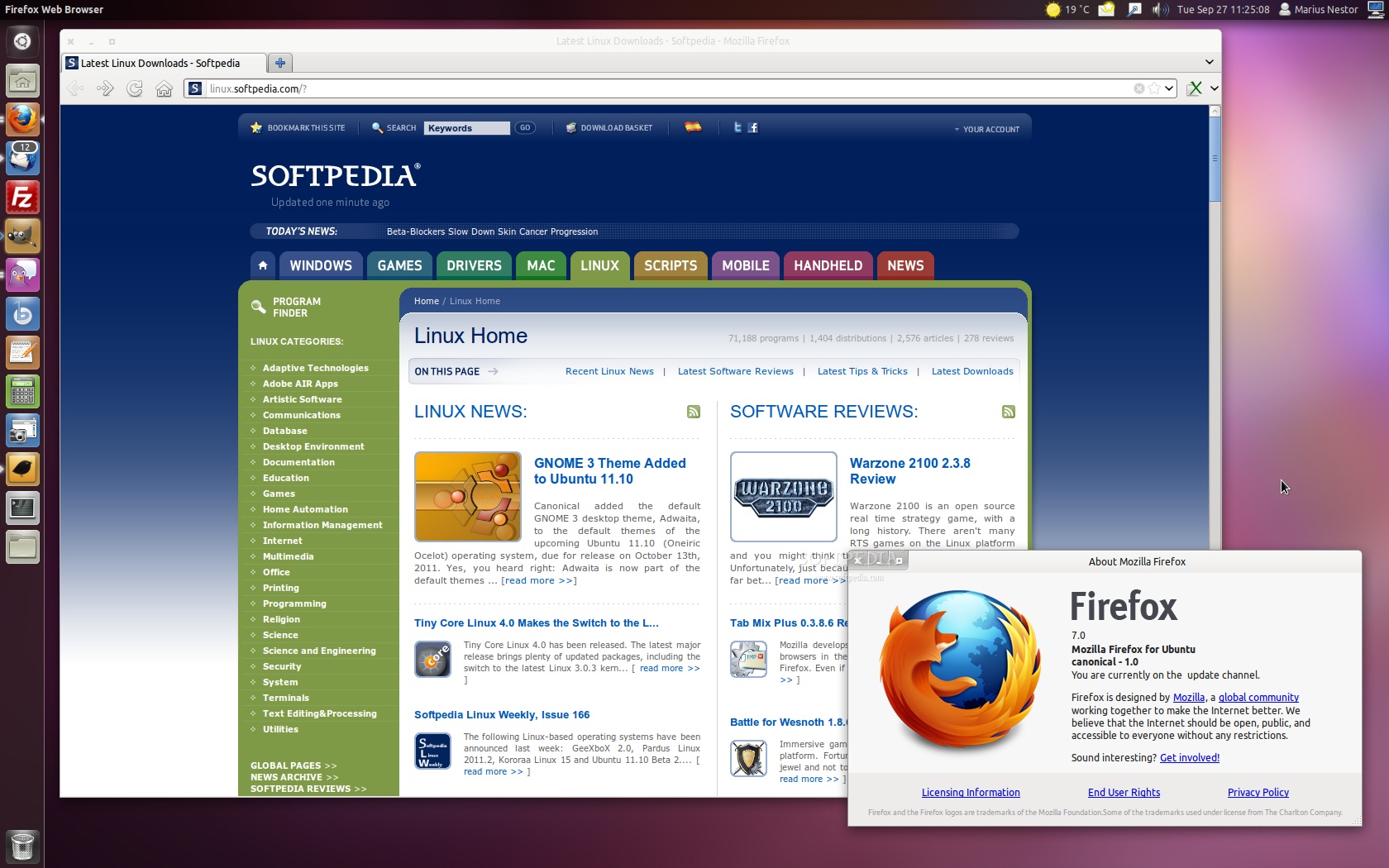
That's it! Firefox 7 is now completely installed in your Ubuntu machine. You can start it from the Applications -> Internet menu. In time, Mozilla Firefox 7 will automatically update to newer versions, so make sure you update your system regularly.
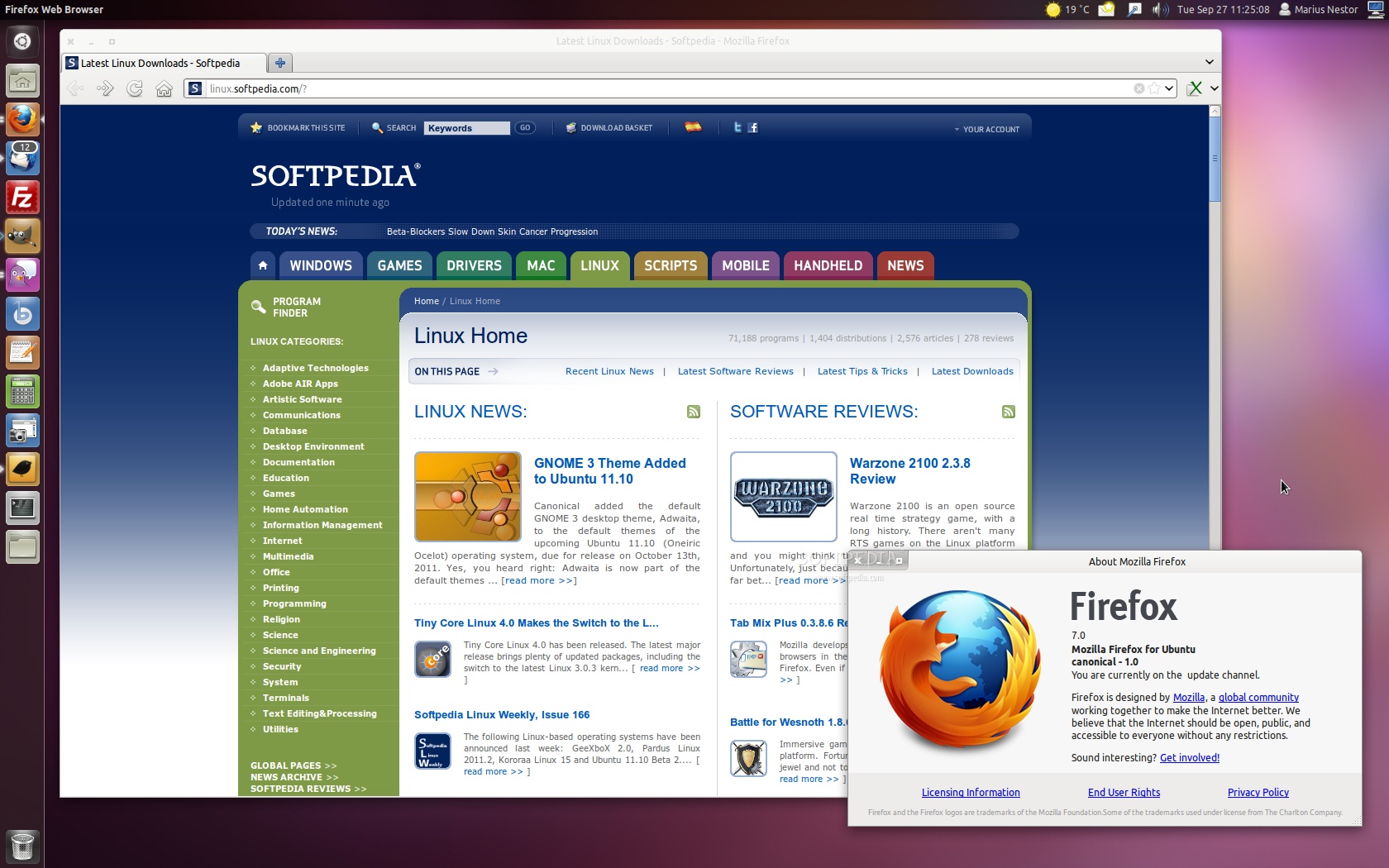
Review image
Firefox 7 on Ubuntu 11.10 (Oneiric Ocelot)

If you have problems with the tutorial, do not hesitate to comment below!


30,809 hits · 24 comments
Link to this article · Print article · Send to friend

MUST-READ RELATED ARTICLES:


Easily Turn Off LCDs With a Shortcut Key in Ubuntu

GNOME 3.2 Officially Released

Download Official Firefox 7 and Thunderbird 7 for Linux

GNOME 3 Theme Added to Ubuntu 11.10

Softpedia Linux Weekly, Issue 166

READER COMMENTS:


Comment #1 by: french on 30 Sep 2011, 19:53 UTC reply to this comment

Might also specify to install the language pack in Synaptic Package Management firefox-locale-your language e.g. en, de, es


Comment #2 by: zealot on 01 Oct 2011, 04:52 UTC reply to this comment

great...

Comment #2.1 by: DannyMING on 01 Nov 2011, 15:16 GMT

Really great guide!!! thanks a lot


Comment #3 by: cy on 01 Oct 2011, 07:00 UTC reply to this comment

easier when using ubuntu tweak.


Comment #4 by: Gotit on 01 Oct 2011, 14:44 UTC reply to this comment

Does it matter if you are running 32 or 64 bit OS?

Comment #4.1 by: Marius Nestor on 01 Oct 2011, 22:19 GMT

No, it doesn't matter!


Comment #5 by: Yonian on 01 Oct 2011, 22:16 UTC reply to this comment

I have Ubuntu 10.04 LTS on a PowerBook G4 A1046.
Started with apt-get remove firefox, then followed your install guide.
Mozilla FireFox 3.6.23 Canonical was reinstalled.
How do I disable Canonical as the repository (and later reenable it)?


Comment #6 by: yonian on 01 Oct 2011, 22:50 UTC reply to this comment

Mozilla FireFox 7 does not work with pre-Intel Macs as of 1 Oct 2011.


Comment #7 by: Wai KIt on 02 Oct 2011, 08:14 UTC reply to this comment

Thank you so much for giving me these constructive tips! They worked smoothly.


Comment #8 by: Jeff on 10 Oct 2011, 17:04 UTC reply to this comment

Thanks so much for posting complete instructions. They worked perfect!


Comment #9 by: Carrie.Kanidra on 12 Oct 2011, 07:14 UTC reply to this comment

Worked perfectly! Love easy articles like this. :)


Comment #10 by: Ir-One on 13 Oct 2011, 06:19 UTC reply to this comment

Nice share, it's work. Thanks


Comment #11 by: chiems on 13 Oct 2011, 23:01 UTC reply to this comment

thanks.... it help really help....


Comment #12 by: Gonz on 15 Oct 2011, 13:17 UTC reply to this comment

Do I have to uninstall Firefox 3.6.23 first in the Ubuntu Lucid Lynx 10.04 LTS ? Thanks in advance


Comment #13 by: EmpTorts on 23 Oct 2011, 14:43 UTC reply to this comment

Excellent work -- very clear and worked perfectly for me. Well Done!


Comment #14 by: rimad on 24 Oct 2011, 21:02 UTC reply to this comment

excelent article


Comment #15 by: Segofam on 28 Oct 2011, 10:25 UTC reply to this comment

Thank you so much, I have been trying for a few days to do this in command line...I have much to learn :)


Comment #16 by: Cole on 28 Oct 2011, 10:48 UTC reply to this comment

do i have to memorize the codes? how to do this manually?


Comment #17 by: GK on 05 Nov 2011, 15:35 UTC reply to this comment

I am very happy after downloading this ...thanks


Comment #18 by: jajalica on 07 Nov 2011, 03:00 UTC reply to this comment

It Works!!!
Thank you!


Comment #19 by: Irie on 08 Nov 2011, 09:27 UTC reply to this comment

Worked well for me after performing "apt-get remove firefox" on Maverick! Thx!


Comment #20 by: gnome on 22 Nov 2011, 23:46 UTC reply to this comment

x-c-lent! :)


Comment #21 by: jithin on 29 Nov 2011, 11:05 UTC reply to this comment

superb, Really nice dude. thnx very much.
jithin


Comment #22 by: Peter on 07 Dec 2011, 14:42 UTC reply to this comment

superb. Thanks

Copyright © 2001-2013 Softpedia. Contact/Tip us at

WindowsGamesDriversMacLinuxScriptsMobileHandheldNews

SUBMIT PROGRAM   |   ADVERTISE   |   GET HELP   |   SEND US FEEDBACK   |   RSS FEEDS   |   UPDATE YOUR SOFTWARE   |   ROMANIAN FORUM