
Softpedia
 

NEWS CATEGORIES:


NEWS ARCHIVE >>
SOFTPEDIA REVIEWS >>
MEET THE EDITORS >>
Home > News > Webmaster > Yahoo News

November 26th, 2011, 15:51 GMT · By

How to Go Back to the Old Yahoo Mail

SHARE:

Adjust text size:


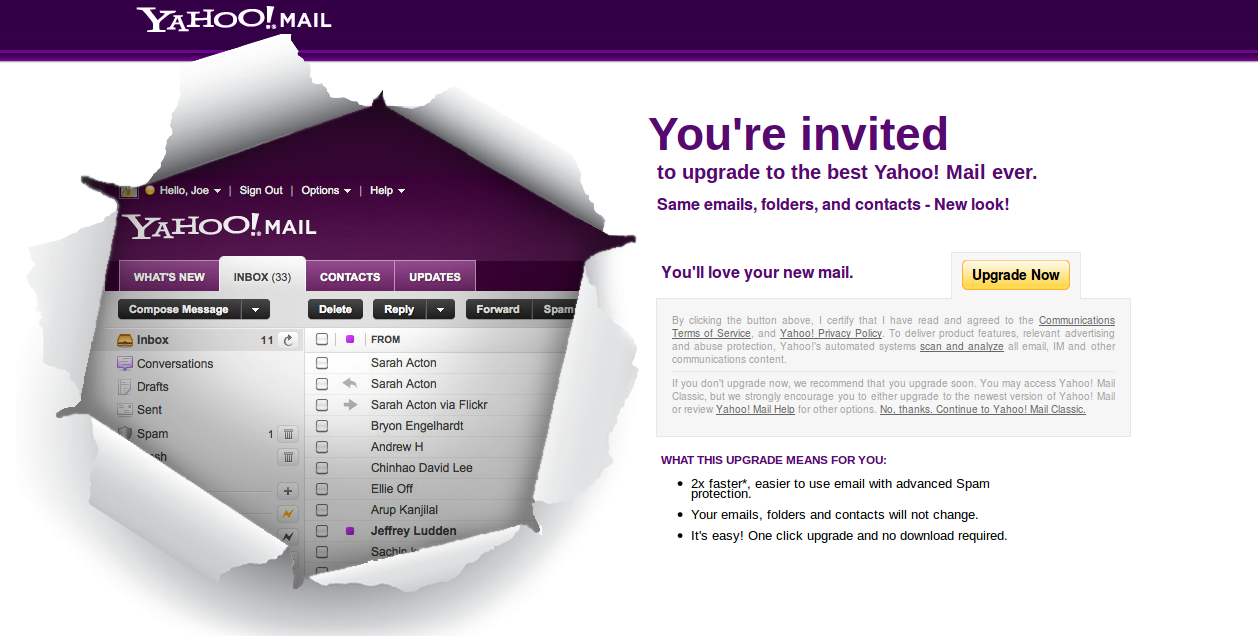
Users are being pestered with ugrade notifications
Enlarge picture
Several months ago, Yahoo introduced the brand new Yahoo Mail. It boasted several improvements and new features, plus some performance enhancements.

But not everyone was impressed, in fact, quite a lot of people liked their old Yahoo Mail. Yet Yahoo kept on pestering them to upgrade to the newest version.

When they did, and realized they hated it, they wanted to go back to the Yahoo Mail they had grown accustomed to. Unfortunately, Yahoo doesn't offer this option, so a lot of people were stuck. But there is a solution.

It's not overly complicated or technical, but you need to be a bit careful.

The solution to the issue comes from the fact that the new Yahoo Mail is designed for screens with a resolution of at least 1024 x 600. Anything lower than that and you get a notification that the new Yahoo Mail won't work properly. Here's what you need to do.

1. Log out of Yahoo Mail and close your browser, to be on the safe side.

2. Change your desktop's resolution to 800 x 600. The way to do this depends on the operating system you're using.

    Windows XP
    a. right click the desktop and choose Properties;
    b. in Display Properties, click on Settings;
    c. set the screen resolution to 800 x 600.

    Windows Vista and 7
    a. right click on the desktop and pick Screen resolution;
    b. set the screen resolution to 800 x 600.

    Mac OS
    a. choose System Preferences from the Apple menu;
    b. in the Hardware section, click on Displays;
    c. in the Display tab, set Resolutions to 800 x 600.

    In Linux the method varies a lot, but there should be a Display or similarly named tool in your system settings.

3. Open your browser and go to Yahoo Mail. When you log in, you'll be notified that the screen resolution is too low.

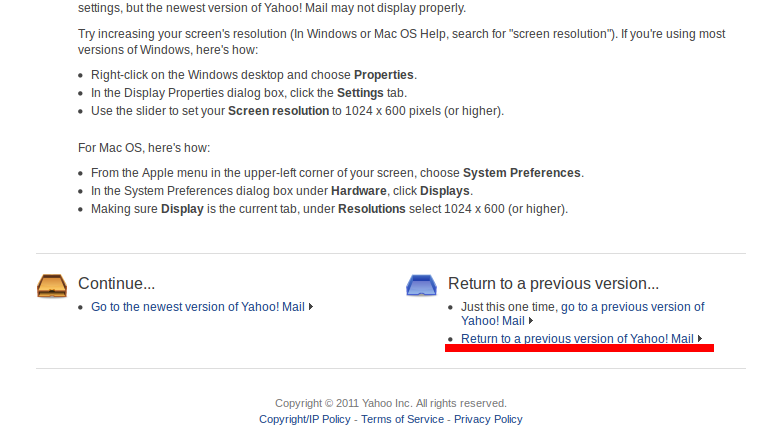
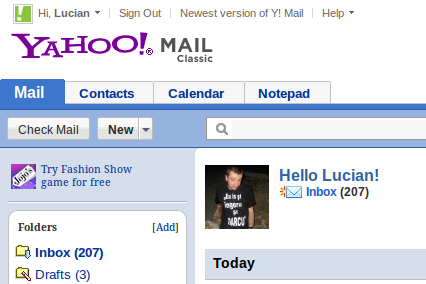
4. Go to the bottom of the page and you'll notice a link titled "Return to a previous version of Yahoo Mail." Click on it and you'll be returned to Yahoo Mail Classic.

5. Change the screen resolution back.
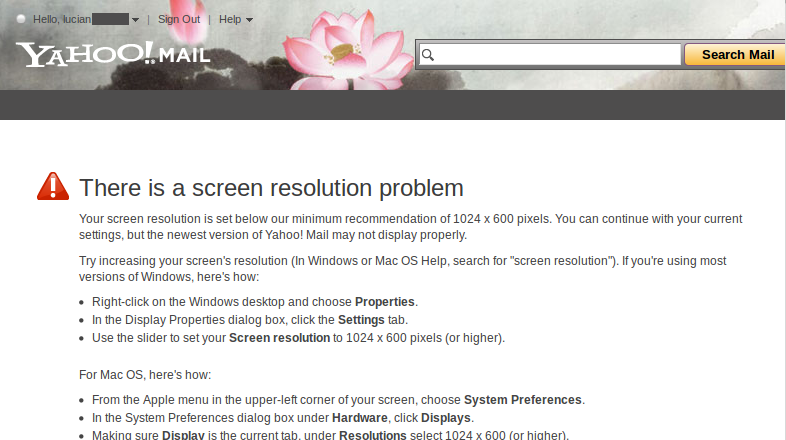
With the screen resolution set to 800 x 600, the new Yahoo Mail won't work
Enlarge picture
There is a link to go back to the old Yahoo Mail
Enlarge picture
Good old Yahoo Mail Classic
Enlarge picture


TELL US WHAT YOU THINK:

6,106 hits · 7 comments · Link to this article · Print article · Send to friend · Subscribe to news

MUST-READ RELATED ARTICLES:


Yahoo Mail Beta Gets Themes and Multiple Attachment Uploads

New Yahoo Mail Already Has 50 Million Users

Yahoo! Mail Outage Supposedly Caused by Server Upgrade

New Yahoo Mail Has 100 Million Users, Needs Your Input

Add Custom Background Images to Emails with Yahoo Mail Beta

READER COMMENTS:


Comment #1 by: joonkey on 27 Nov 2011, 04:13 UTC reply to this comment

This was a clever and creative piece of advice - I tried it and it worked perfectly. Thanks a lot for taking the time to share this with everyone.

Comment #1.1 by: Alex on 30 Nov 2011, 21:16 GMT

While you're at it, here's a nice trick to go back to Windows 95. Boot up your Windows 95 old cd and proceed with normal installation. Don't forget to format your C: to FAT16 to get the maximum retro effect. Say goodbye to facebook and hello to mIRC and happy browsing on your old pal - Netscape Navigator.


Comment #2 by: courtney3115 on 01 Dec 2011, 02:59 UTC reply to this comment

thanks this helped alot


Comment #3 by: Gr8Mom63 on 05 Dec 2011, 01:33 UTC reply to this comment

I don't get a message that my resolution is too low and I do not get the link you are referring to?


Comment #4 by: Jack on 23 Jan 2012, 06:41 UTC reply to this comment

You saved my sanity. I made the mistake of upgrading on yahoo mail and it stunk. Slow, stoggy, inefficent. I am really happy to have my old version back. Thank you


Comment #5 by: Jack on 23 Jan 2012, 06:43 UTC reply to this comment

Upgraded version of Yahoo mail STUNK. Thanks for showing me how to go to the old version again, it is far superior.


Comment #6 by: Sirish on 02 Feb 2012, 08:27 UTC reply to this comment

Hi Dude,
i changed to 800x600 but no result. please help me in other way to go back to old ver.

Copyright © 2001-2012 Softpedia. Contact/Tip us at

WindowsGamesDriversMacLinuxScriptsMobileHandheldNews

SUBMIT PROGRAM   |   ADVERTISE   |   GET HELP   |   SEND US FEEDBACK   |   RSS FEEDS   |   UPDATE YOUR SOFTWARE   |   ROMANIAN FORUM