
Softpedia
 

NEWS CATEGORIES:


NEWS ARCHIVE >>
SOFTPEDIA REVIEWS >>
MEET THE EDITORS >>
TRENDING TODAY
Home > News > Games > Games Blog

December 6th, 2012, 15:26 GMT · By

BLOG

How to Get Rid of Lag in Call of Duty: Black Ops 2 on PS3 or Xbox 360

SHARE:

Adjust text size:


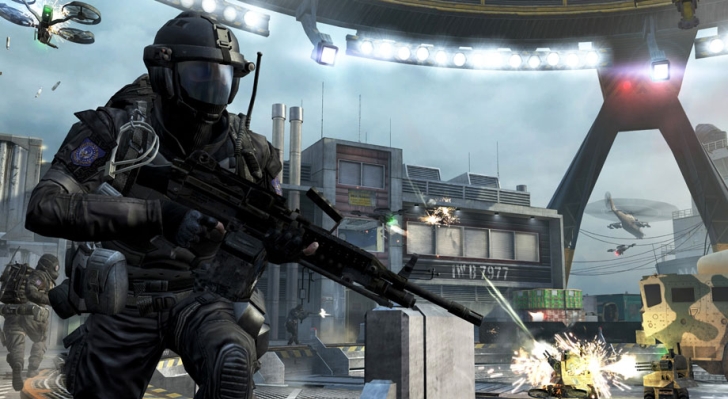
Get rid of lag in Black Ops 2's online matches Enlarge picture - Get rid of lag in Black Ops 2's online matches
A special guide that shows Call of Duty: Black Ops 2 players on the PlayStation 3 and Xbox 360 consoles how to get rid of lag has just been released by Activision itself, helping those who can't seem to get rid of their high latency during online matches.

Call of Duty: Black Ops 2 came out last month and, while its release once again meant extreme profits for publisher Activision, actual players encountered different issues, from buggy online games to problems with their connection or the ever-present lag.

In order to make things easier, Activision has now posted a thorough guide of getting rid of lag in Call of Duty: Black Ops 2's multiplayer mode.

The guide, which is available right here, covers a wide range of solutions, from forwarding ports on your router, to going with a wired connection instead of a wireless one for your PlayStation 3 or Xbox 360 consoles.

Check out the guide and see if your lag in Black Ops II continues.

TELL US WHAT YOU THINK:

10,569 hits · 7 comments · Link to this article · Print article · Send to friend · Subscribe to news

MUST-READ RELATED ARTICLES:


Call of Duty: Black Ops 2 Diary – Near Future Isn't That Far Away

Call of Duty: Black Ops 2 Isn't Selling That Well, Analysts Say

Call of Duty: Black Ops 2 Developer Wants Feedback on Hardcore Playlists

Call of Duty: Black Ops 2 Offers Behind the Scenes Look at Surprise Trailer

Call of Duty: Black Ops 2 Gets Leaderboard Multiplayer Fix

READER COMMENTS:


Comment #1 by: Tim on 06 Dec 2012, 18:50 UTC reply to this comment

Doesn't work. I still constantly notice shots that should count not even getting a hitmarker. Even when the enemy player isn't even moving. I've even had to swing the knife repeatedly to kill someone just sitting there. This is the worst implementation of lag compensation I've ever seen. Treyarch could take a lesson from DICE.

Comment #1.1 by: ratchevy on 23 Jan 2013, 20:58 GMT

I agree I have tried everything they said and it still plays horrible and I have high speed internet!!!!!


Comment #2 by: this game sucks on 09 Dec 2012, 08:44 UTC reply to this comment

Im plugged in to the modem with NAT type 1. The lag is worse. Im tired of unloading a clip in someone and have them turn around and stab me with a spoon and kill me.

Comment #2.1 by: laghatter1 on 27 Jan 2013, 06:16 GMT

WTF the lag will not stop its horrible i wil shoot one hole clip of a hamr and it will not kill them whats wrong i cant fix it why is internet so stupid


Comment #3 by: Al on 05 Feb 2013, 22:11 UTC reply to this comment

I already was doing all the points in Activisions article and it makes no difference. The game is still laggy and unbalanced.


Comment #4 by: leon on 07 Feb 2013, 21:46 UTC reply to this comment

it dont work it just * post something that realy works


Comment #5 by: ToneCapone on 27 Feb 2013, 21:11 UTC reply to this comment

exactly why i didnt buy it, i learned my lesson from bo1

Copyright © 2001-2013 Softpedia. Contact/Tip us at

WindowsGamesDriversMacLinuxScriptsMobileHandheldNews

SUBMIT PROGRAM   |   ADVERTISE   |   GET HELP   |   SEND US FEEDBACK   |   RSS FEEDS   |   UPDATE YOUR SOFTWARE   |   ROMANIAN FORUM