
|
|
|
|
January 11th, 2009, 12:41 GMT · By Marius Nestor
How to Enable Video Playback in Yellow Dog Linux 6.1 |
|
|
|
|
SHARE:
Adjust text size: 
|
|
|
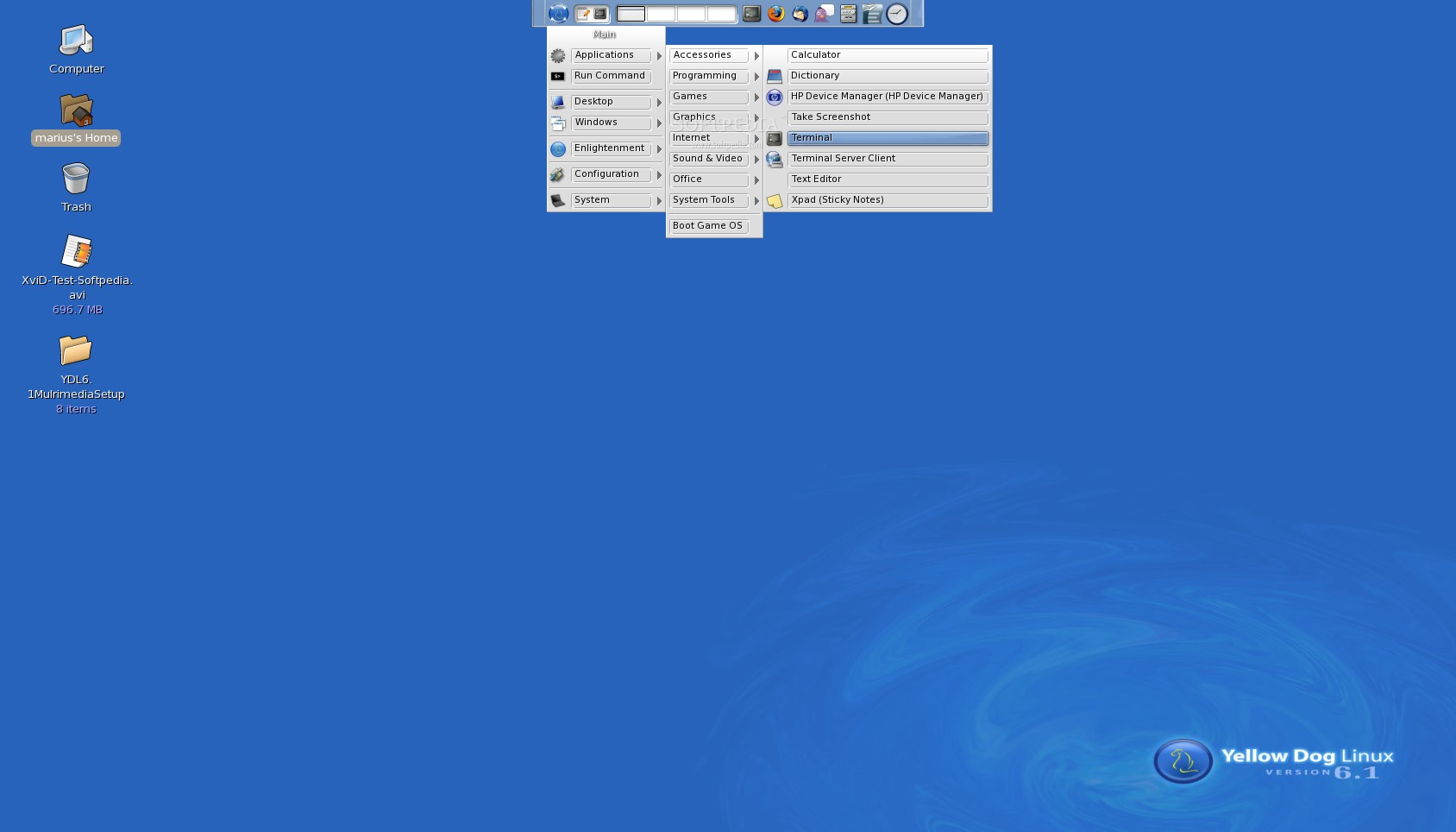
This tutorial is here for PlayStation 3 users who have Yellow Dog Linux 6.1 installed and want to play various video files on it. I guess that it's already a known fact that Yellow Dog Linux does not include any multimedia codecs which allow you to play most of today's video and audio formats, and trust me that installing them is quite a pain in the neck, but I've figured out a way to install VLC (VideoLAN Client) media player and the necessary codecs for playing AVI, DivX, XviD and other video files. On the other hand, not only that Fixstars did not set their software repositories properly, but they also offer outdated information about the YDL 6.1 repos, on the official website. Therefore, the first step of the tutorial will help you to properly configure the software repositories and add the required 3rd-party ones so you can keep your system up-to-date and install various applications. Step 1 – Setting up the 3rd-party Software Repositories.First of all, we need to fix the existing Yellow Dog repos for YDL 6.1 and then we can add the 3rd-party software repositories. Go to Menu -> Applications -> Accessories -> Terminal... Log in as root by typing... su -Hit the Enter key and you will be asked to input the password for the root (System Administrator) account. Editor's note: If you are not familiar with the Linux command-line, you should know that you must hit Enter after each command you see in this tutorial. Also, if you're lazy or in a hurry (or whatever), you can always copy/paste the commands below.What next? We need to go to the software repositories directory, therefore you should type... cd /etc/yum.repos.dNow, follow the instructions in the next two subsections to modify the Yellow Dog Linux 6.1 repositories and add the new ones. Part 1 - Setting up the YDL 6.1 Repositories.The YDL 6.1 Base RepositoryType the following command to modify the YDL Base repository... gedit yellowdog-base.repoA text file will open. Replace the existing text in that file with the following lines... #generated by system-config-ydlnet [base] name=Yellow Dog Linux 6.1 Base #baseurl=http://ftp.yellowdoglinux.com/pub/yellowdog/yum/6.1/base/ mirrorlist=http://www.terrasoftsolutions.com/resources/yd61-base-mlist enabled=1 gpgcheck=0 gpgkey=file:///etc/pki/rpm-gpg/RPM-GPG-KEY
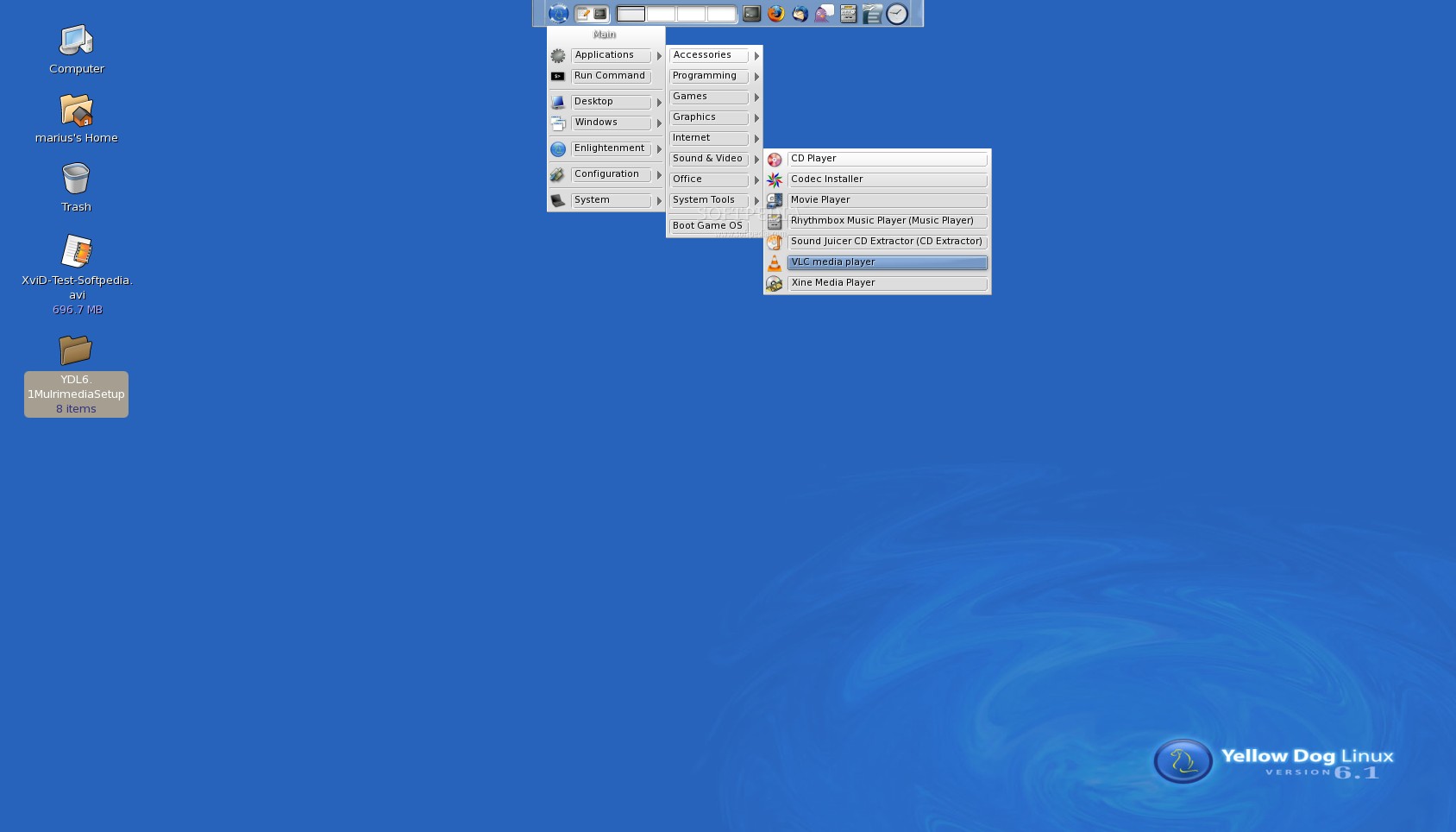
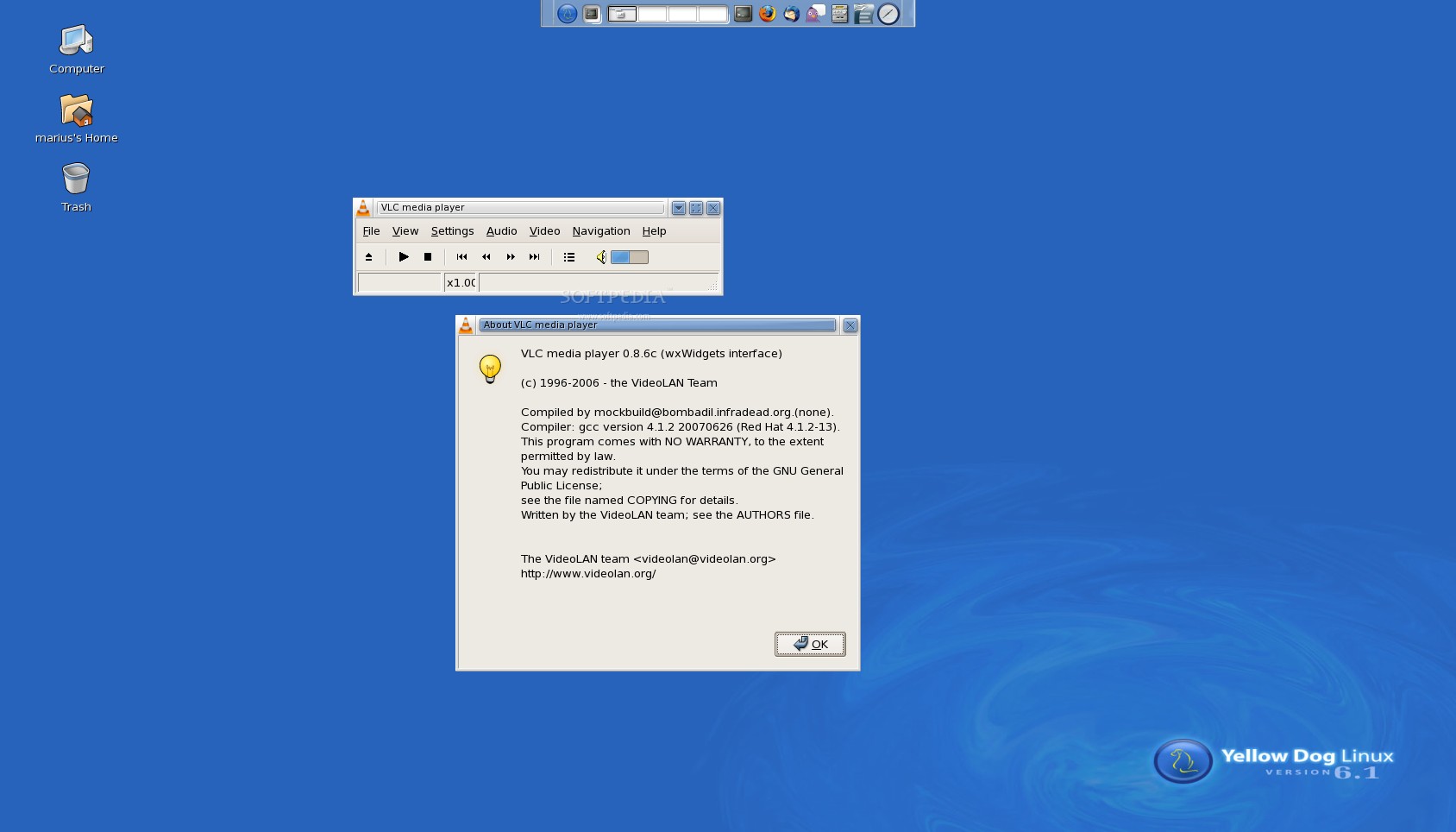
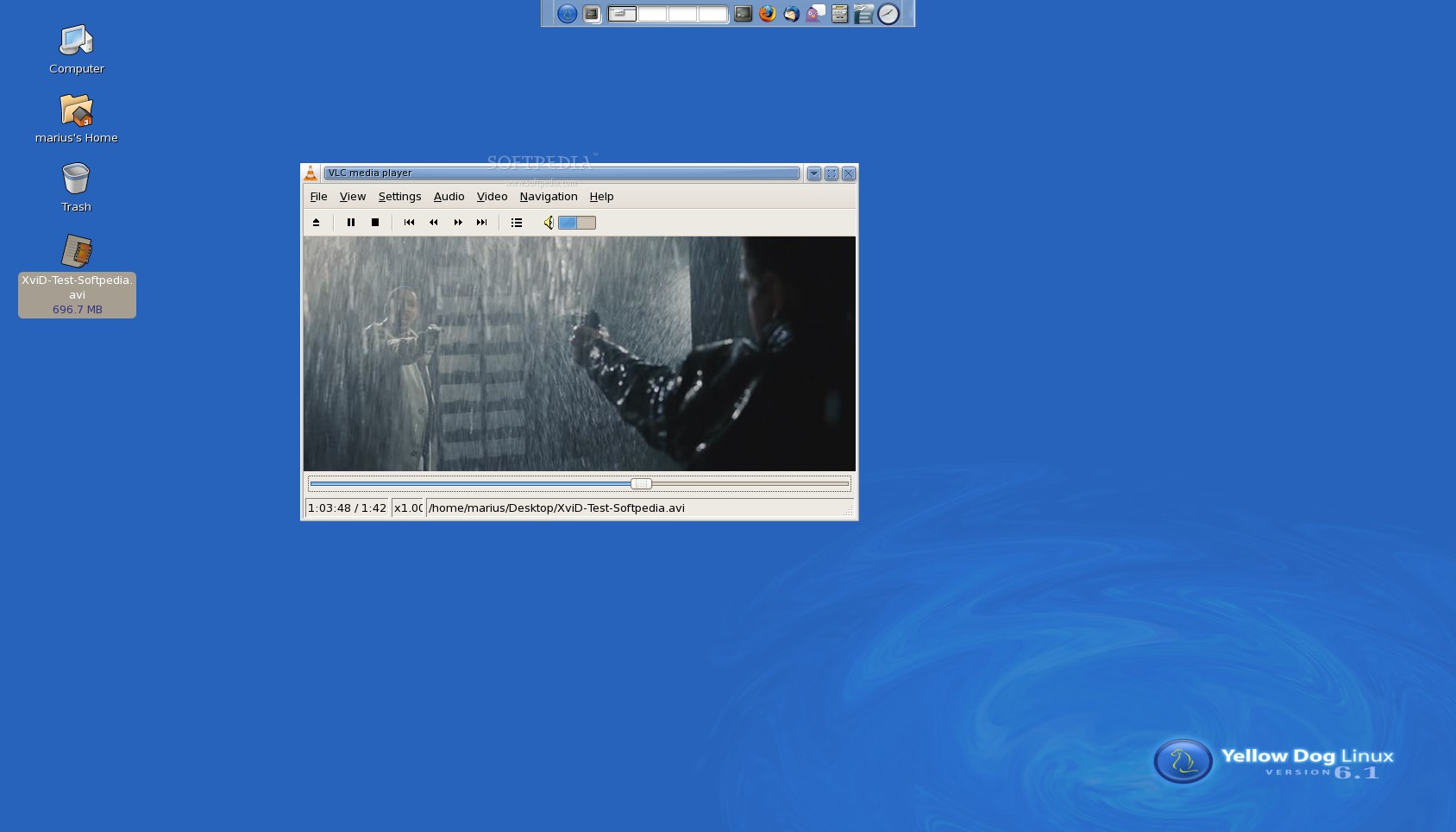
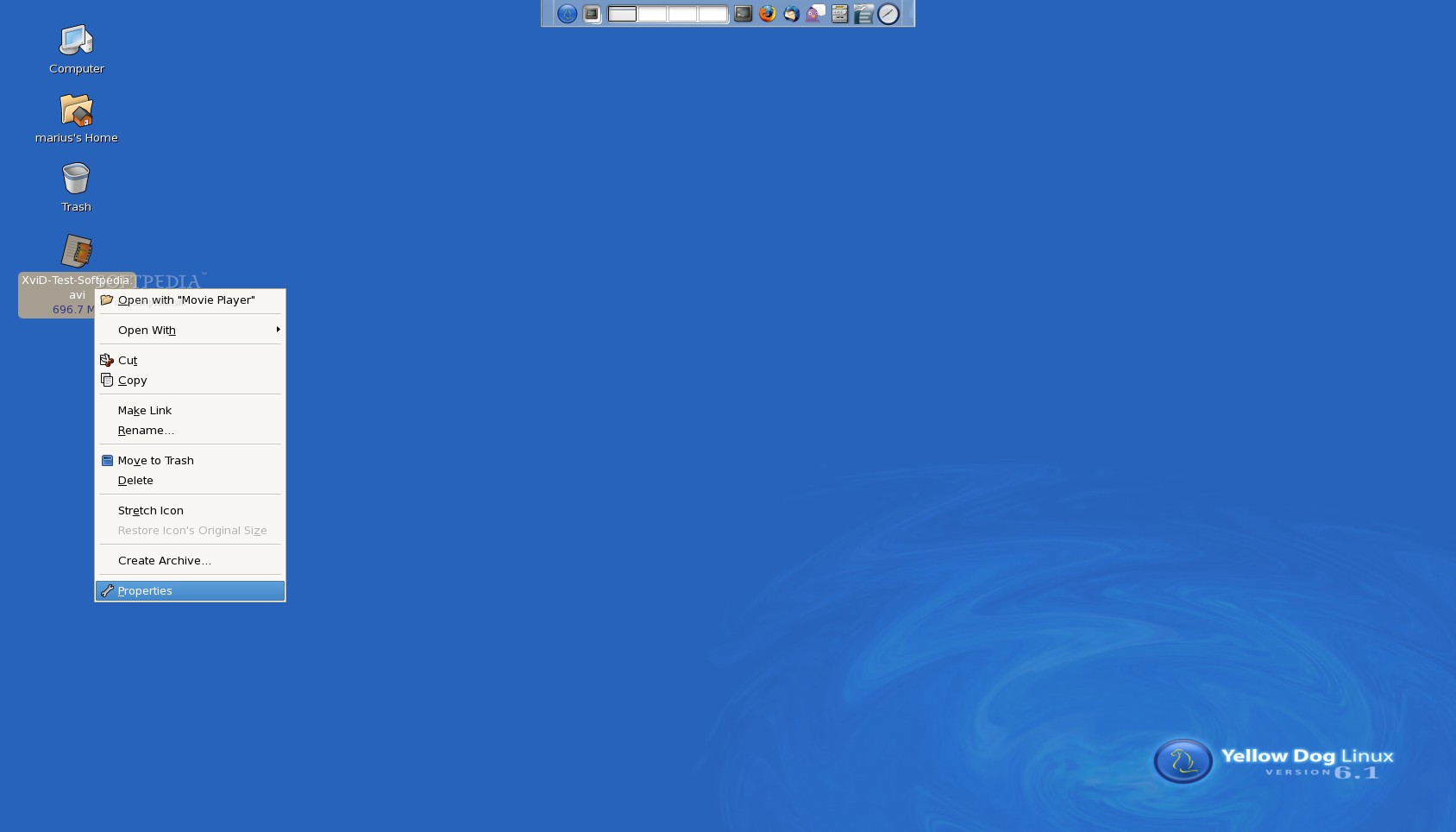
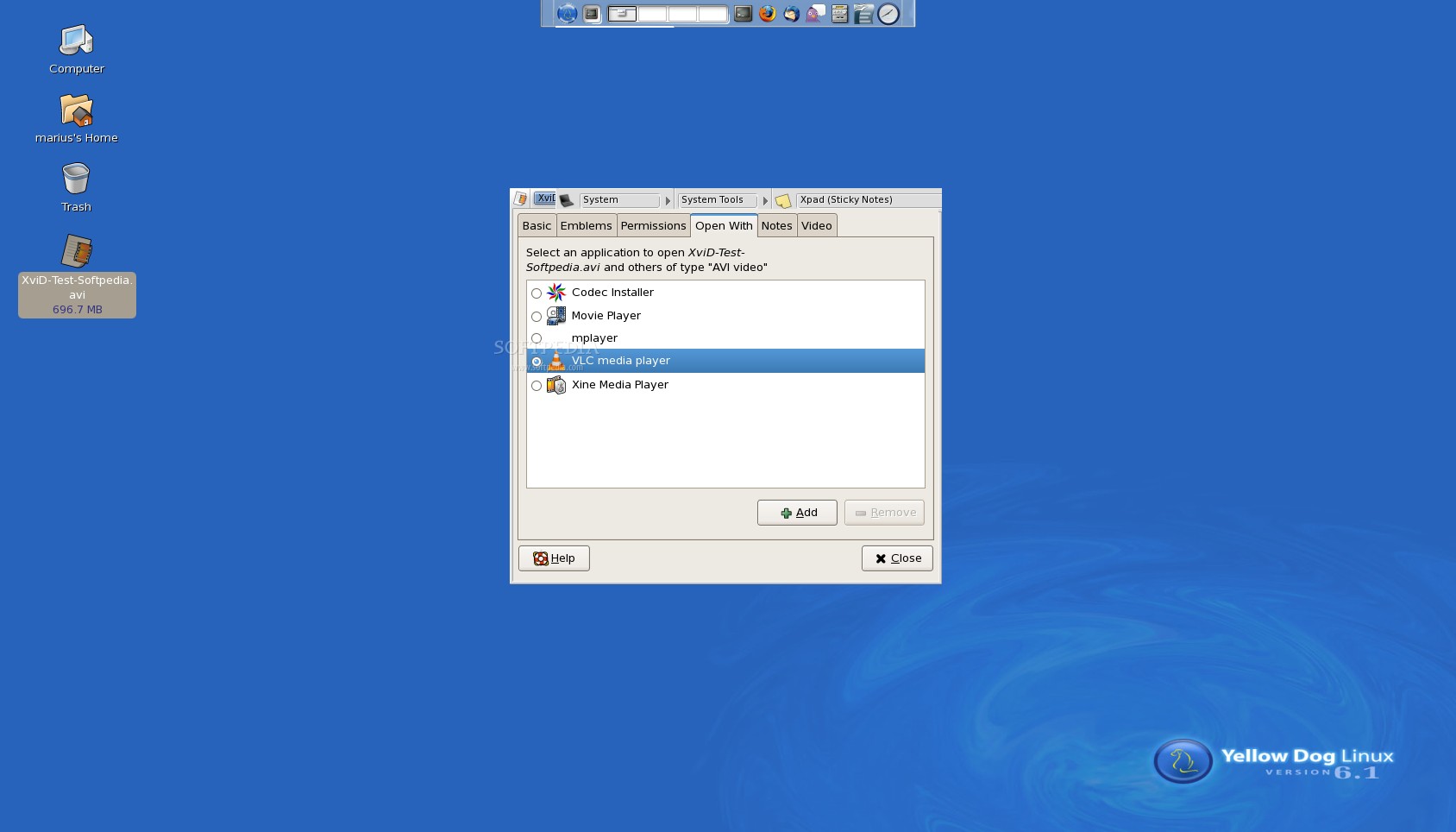
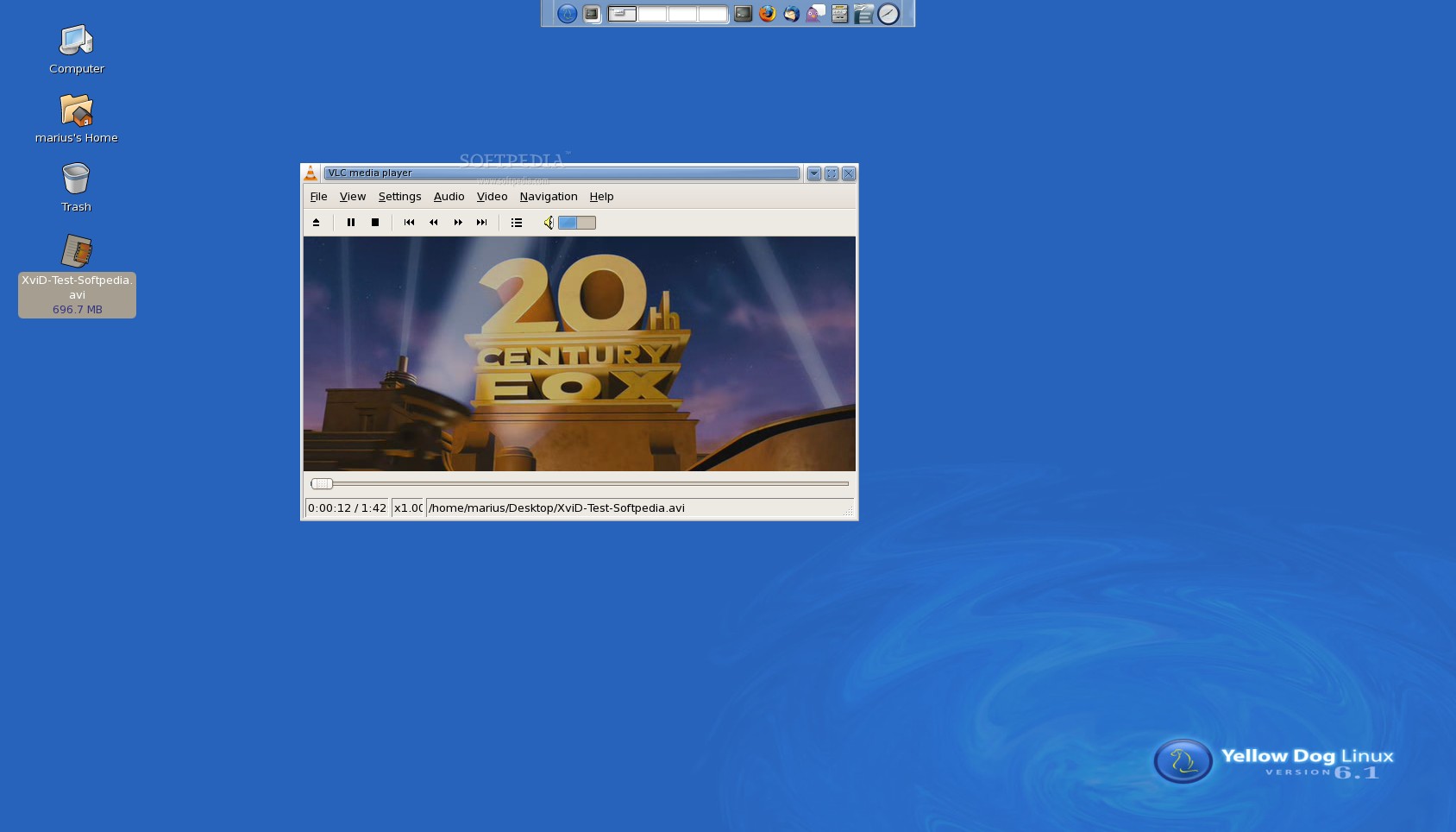
Click "Save" and close the editor. The YDL 6.1 Extras RepositoryType the following command to modify the YDL Extras repository... gedit yellowdog-extras.repoA text file will open. Replace the existing text in that file with the following lines... #generated by system-config-ydlnet [extras] name=Yellow Dog Linux 6.1 Extras #baseurl=http://ftp.yellowdoglinux.com/pub/yellowdog/yum/6.1/extras/ mirrorlist=http://www.terrasoftsolutions.com/resources/yd61-extras-mlist enabled=1 gpgcheck=0 gpgkey=file:///etc/pki/rpm-gpg/RPM-GPG-KEYClick "Save" and close the editor. The YDL 6.1 Updates RepositoryType the following command to modify the YDL Updates repository... gedit yellowdog-updates.repoA text file will open. Replace the existing text in that file with the following lines... #generated by system-config-ydlnet [updates] name=Yellow Dog Linux 6.1 Updates #baseurl=http://ftp.yellowdoglinux.com/pub/yellowdog/yum/6.1/updates/ mirrorlist=http://www.terrasoftsolutions.com/resources/yd61-updates-mlist enabled=1 gpgcheck=0 gpgkey=file:///etc/pki/rpm-gpg/RPM-GPG-KEYClick "Save" and close the editor. Part 2 – Create 3rd-party Software Repositories.And now, let's create the repositories: The Fedora RepositoryType the following command to add the Fedora 6 Extras PPC repository... gedit fedora-extras.repoAn empty text file will open. Paste the following lines in that text file... [fedora-extras] name=Fedora Extras baseurl=http://archives.fedoraproject.org/pub/archive/fedora/linux/extras/6/ppc/ enabled=1 gpgcheck=0Click "Save" and close the editor. The Livna RepositoryType the following command to add the Livna Stable PPC software repository... gedit livna-stable.repoAn empty text file will open. Paste the following lines in that text file... [livna-stable] name=Livna.org Fedora Compatible Packages (stable) baseurl=http://rpm.livna.org/fedora/6/ppc enabled=1 gpgcheck=0Click "Save" and close the editor. The Dribble RepositoryType the following command to add the Dribble PPC software repository... gedit dribble.repoAn empty text file will open. Paste the following lines in that text file... [dribble] name=Dribble for Fedora 7 - ppc baseurl=http://dribble.org.uk/repo/7/ppc enabled=1 gpgcheck=0Click "Save" and close the editor. Part 3 – Protecting the YDL Repositories.We will now install a Yum plugin called ProtectBase in order to protect the files from the Yellow Dog Linux repositories from being overwritten by the ones from the 3rd-party software repositories. Type the following command... yum install yum-protectbaseWait for it to be installed. When it's done, copy/paste the following lines (one by one)... echo 'protect=1' >> /etc/yum.repos.d/yellowdog-base.repoecho 'protect=1' >> /etc/yum.repos.d/yellowdog-updates.repoThat's it. We've set up the software repositories, so it's now time to proceed to the next steps of the tutorial and install VLC and the multimedia codecs. Step 2 – Installing the Multimedia Codecs.Still in the terminal... still logged-in as root, type the following commands to install the multimedia codecs. Download the codecs... wget http://www.mplayerhq.hu/MPlayer/releases/codecs/all-20071007.tar.bz2Extract the codecs... tar -xvf all-20071007.tar.bz2Create the codec folders (type one command at a time)... mkdir /usr/local/lib/codecsmkdir /usr/lib/codecsmkdir /usr/local/lib/win32mkdir /usr/lib/win32Copy the codecs from the extracted archive to the newly created folders... cp all-20071007/* /usr/local/lib/codecs/Make the files available for other users... chmod 755 /usr/local/lib/codecs/*Link the files to the other directories... ln -s /usr/local/lib/codecs/* /usr/lib/win32ln -s /usr/local/lib/codecs/* /usr/local/lib/win32ln -s /usr/local/lib/codecs/* /usr/lib/codecsThat's it. The multimedia codecs are now installed and ready to be used by almost any video player application. Proceed with the next step to install VLC. Step 3 – Installing VLC (VideoLAN Client).This is the last step of our tutorial. After this, you will be able to play most of today's multimedia files on your Yellow Dog Linux 6.1 operating system for the PlayStation 3 gaming console. Still as root, type the following command in the terminal window... yum install vlcWait a couple of minutes for Yum to gather the necessary information and dependencies for VLC and you will see a list of the packages that need to be installed. Type " y" when asked to install the packages and wait for Yum to download and install them. It will take about 10 minutes to complete this task! After this, you can close the terminal and fire up VLC from Menu -> Applications -> Sound & Video -> VLC media playerOptional Step – Automatically Open Video Files with VLCI thought it would be a good idea to teach you guys how to configure your system to open the video files (when you double click on them) with VLC. The next example is for an .avi file, but it can be applied to other video formats. Right click on the file and go to Properties... In the Properties window, go to the "Open With" tab and select the "VLC media player" from the list... Close the window. Double click the file to play it with VLC... Enjoy! Oh, and if you need help installing other applications or you encounter any issues with the tutorial, do not hesitate to use our commenting system below or the forums. Update 18-05-09: We've replaced the broken Fedora repository. Thanks to Bill Blake.
|
|
|
|
TELL US WHAT YOU THINK:
|
65,174 hits
· 104 comments
· Link to this article
· Print article
· Send to friend
· Subscribe to news
|
MUST-READ RELATED ARTICLES:
READER COMMENTS: |
| Comment #1 by: Sam on 13 Jan 2009, 00:44 UTC | reply to this comment | Great tutorial! It works like a charm!
One thing though, when I try and go to full screen it never actually gets there. The sound will keep playing but the video completely dissapears. I can maximize the window fully and it works fine! I've tried a ton of video programs and this one is by far the best if it would work all the way!
Any help is appreciated. |
| Comment #1.1 by: TheMaxDaddy on 25 Mar 2009, 20:45 GMT | You are my new hero. thank you so much. |
| Comment #1.2 by: Chris on 24 Sep 2009, 21:13 GMT | Newb here having an issue with installing protectbase keeps
coming up [errno 14] http error 404: not found
error: cannot open/read repomd.XML file for repository: base
any help would be much appreciated |
| Comment #2 by: Marius Nestor on 13 Jan 2009, 08:15 UTC | reply to this comment | For Sam: Thanks :) The full screen worked very well here... no issues. However, we've encountered an issue when exiting the full screen mode :) the screen was black.... we had to reboot the console. But this is a problem with the PS3 console, I think. After some time, if you don't press anything, it enters on some kind of sleep mode and everything is moving very very slow (mouse, etc). |
| Comment #2.1 by: paul on 19 Jul 2009, 13:01 GMT | I have the same problem instaled ok took 4 times to get all the files and runs ok but on full screen some times goes blank and some times just frezzes when i try to close full screen. Sometimes if you give it time it seems to sort itself out still great tutorial. |
| Comment #3 by: malexpe on 14 Jan 2009, 04:38 UTC | reply to this comment | Things work great! I see there is an up date for the vlc player. Can I update if so I am not sure how? |
| Comment #3.1 by: Marius Nestor on 15 Jan 2009, 11:07 GMT | Unfortunately, you can't update... I'll work on that and I will let you know if it is possible. |
| Comment #4 by: not so smart on 15 Jan 2009, 17:23 UTC | reply to this comment | Hi i installed this and i works perfect :) , but i need a vlc pluging for mozilla to browse my webxtv on my dreambox can u help me???Any tips is it posible? |
| Comment #5 by: martijn on 16 Jan 2009, 16:01 UTC | reply to this comment | seems to be working thanks! one issue I found is when linking the directories, the last line gave an error, saying the directory was invalid. I added local to it and it seemed to work but i don't think it did anything s the direcories where the same. |
| Comment #6 by: Oscar on 18 Jan 2009, 05:46 UTC | reply to this comment | thi is the best tutorial I've seen for ydl for ps3 :p Thands so much.
can you meke another one based on emulatores like snesx
and i got a question, I could pair the sixsaxis to the linux but I could not do the same whit the dualshock 3, you know why? |
| Comment #7 by: centik on 19 Jan 2009, 10:44 UTC | reply to this comment | Hi. I have problems with VCL installation:
yum:
--> Finished Dependency Resolution
Error: Missing Dependency: libGLU.so.1 is needed by package vlc
Error: Missing Dependency: libfribidi.so.0 is needed by package vlc
Error: Missing Dependency: libartsc.so.0 is needed by package vlc
Error: Missing Dependency: libgif.so.4 is needed by package imlib2
Error: Missing Dependency: libGLU.so.1 is needed by package freeglut
How can i resolve this? |
| Comment #7.1 by: Marius Nestor on 20 Jan 2009, 12:54 GMT | Hi centik. That's very strange.... please check the software repositories again. Look in every file and make sure they are correct (like in this guide). |
| Comment #8 by: Jordi on 21 Jan 2009, 19:02 UTC | reply to this comment | When i do the cmd to install vlc all i get is this:
Loading "installonlyn" plugin
Setting up Install Process
Parsing package install arguments
Nothing to do
Any ideas? |
| Comment #8.1 by: Marius Nestor on 21 Jan 2009, 21:28 GMT | Execute the following command first:
yum update
Then try the vlc command:
yum install vlc
Also, please make sure you really have the software repository files installed correctly (see my comment above). |
| Comment #8.2 by: Steve on 22 Jan 2009, 04:17 GMT | there is an error in the installation the section where you link the directories, a directory is missed out when creating them, so you need to make sure you put mkdir /usr/libs/codecs as the only one that was made was mkdir /usr/local/libs/codecs just make sure you add the first one as well as later in the installation you have to link to that directory. |
| Comment #9 by: Fewrin on 23 Jan 2009, 02:24 UTC | reply to this comment | at the of the vlc install this error message appeared.....Error Downloading Packages:
mpeg2dec - 0.4.1-2.lvn6.ppc: failure: mpeg2dec-0.4.1-2.lvn6.ppc.rpm from livna-stable: [Errno 256] No more mirrors to try.
xosd - 2.2.14-9.fc6.ppc: failure: xosd-2.2.14-9.fc6.ppc.rpm from fedora-extras: [Errno 256] No more mirrors to try.
lirc - 0.8.1-1.fc6.ppc: failure: lirc-0.8.1-1.fc6.ppc.rpm from fedora-extras: [Errno 256] No more mirrors to try.
x264 - 0-0.8.20061028.lvn6.ppc: failure: x264-0-0.8.20061028.lvn6.ppc.rpm from livna-stable: [Errno 256] No more mirrors to try.
wxGTK - 2.6.3-2.6.3.2.3.fc6.ppc: failure: wxGTK-2.6.3-2.6.3.2.3.fc6.ppc.rpm from fedora-extras: [Errno 256] No more mirrors to try.
.........is this a problem that should be addressed or is it supposed to do this |
| Comment #9.1 by: Marius Nestor on 23 Jan 2009, 08:07 GMT | I'll check the mirrors today to see if they are still functional. It's not supposed to do that! |
| Comment #9.2 by: Marius Nestor on 23 Jan 2009, 08:14 GMT | I think it was temporary problem with the repository.... As far as I can see, the packages are there...
http://download.fedora.redhat.com/pub/fedora/linux/extras/6/ppc/wxGTK-2.6.3-2.6.3.2.3.fc6.ppc.rpm
http://download.fedora.redhat.com/pub/fedora/linux/extras/6/ppc/xosd-2.2.14-9.fc6.ppc.rpm
http://download.fedora.redhat.com/pub/fedora/linux/extras/6/ppc/lirc-0.8.1-1.fc6.ppc.rpm
http://download.fedora.redhat.com/pub/fedora/linux/extras/6/ppc/xosd-2.2.14-9.fc6.ppc.rpm
http://livna-dl.reloumirrors.net/fedora/6/ppc/mpeg2dec-0.4.1-2.lvn6.ppc.rpm
http://livna-dl.reloumirrors.net/fedora/6/ppc/x264-0-0.8.20061028.lvn6.ppc.rpm |
| Comment #9.3 by: Seigneur Yamzaki on 27 Jun 2009, 16:34 GMT | Hi,
I wnat to run compiz-fusion on my PS3. I installed YDL 6.1.
I can see on that comment :
"Comment #9.2 by: Marius Nestor on 23 Jan 2009, 08:14 GMT"
that fedora repositories can be used on YDL 6.1 for PS3.
Does anyone tried to install compiz on his PS3 ? Is there any tuto ?
And how can I watch videos on youtube or dailymotion with YDL ? I tried that way but it did not work for me ...
http://www.youtube.com/watch?v=XCnlAxlfVN8&feature=channel_page
Purhaps it's because I only created administrator acount ?
Thanks in advance. |
| Comment #9.4 by: Marius Nestor on 29 Jun 2009, 07:54 GMT | Compiz Fusion or any other desktop effects will not work on the PS3, because there are no Linux PPC64 video drivers for it. Moreover, there is no PPC64 flash plugin from Adobe, and I don't think it will ever be.... but maybe if you install some 32-bit libraries, like on Ubuntu, it will work. |
| Comment #10 by: Ferwin on 24 Jan 2009, 19:55 UTC | reply to this comment | just updating comment #9
i have reinstalled with command yum install vlc and it has installed correctly and completely....thank you! |
| Comment #10.1 by: jose on 30 Jan 2009, 02:43 GMT | I'm having the same problem as comment #9 and desperately want to resolve this. This is the message i get:
Error Downloading Packages:
vlc - 0.8.6c-4.lvn6.ppc: failure: vlc-0.8.6c-4.lvn6.ppc.rpm from livna-stable: [Errno 256] No more mirrors to try.
Please Help! I'm not sure what's going wrong. Please email me. |
| Comment #10.2 by: Collin on 20 Jun 2009, 06:12 GMT | I was wondering if you could give me instructions on how to get youtube working on YDL 6.1, it would be appreciated |
| Comment #10.3 by: Marius Nestor on 24 Jun 2009, 10:20 GMT | Youtube means Flash... and Adobe doesn't have a flash plugin for the PPC64 architecture |
| Comment #11 by: matt guiden on 25 Jan 2009, 17:56 UTC | reply to this comment | I'm installing vlc onto my PS3 and I did the above.
I get an error after it downloads all the libraries:
warning: rpmts_HdrFromFdno: Header V3 DSA signature: NOKEY, key ID e42d547b
Public key for faad2-2.5-2.fc6.ppc.rpm is not installed
Is this something I have to change on my system, or is faad2-2.5-2.fc6.ppc.rpm on the server and needs to be reconfigured there for a public key. |
| Comment #12 by: Nikolaus on 26 Jan 2009, 04:03 UTC | reply to this comment | Tutorial was easy to follow and very clear. Thanks! I'd like to test VLC but need to download videos to do this. How do I get Bittorrent installed?? I tried "yum install bittorrent" and the installer ran, but it seems not to be all there and working because when in FireFox I try to download and then run a torrent, YDL doesn't know what to do with it, nor is Bittorrent listed as an available program. I have tried to find a tutorial for this, but no luck so far. Any help please? Thanks! |
| Comment #12.1 by: Marius Nestor on 26 Jan 2009, 07:25 GMT | You don't need BitTorrent.... use your computer for that...put the files on a portable HDD or make a share on your PC and access them on the Yellow Dog Linux.
Anyway, there is now a BitTorrent extension for Firefox.... get it from here -> http://linux.softpedia.com/get/Internet/Firefox-Extensions/FireTorrent-43908.shtml |
| Comment #12.2 by: Nikolaus on 26 Jan 2009, 15:53 GMT | Yes I do need Bittorrent because I like to treat the PS3 like a DVR in the respect that it records (downloads) and plays back my selections. I did get Bittorrent installed under Add/Remove and then searching for Bittorrent. |
| Comment #13 by: Nikolaus on 26 Jan 2009, 06:03 UTC | reply to this comment | Please disregard my previous question about Bittorrent.
I also have the "full screen" issue using VLC. When I hit Full Screen the image actually goes away and I am left with the VLC dialog blank. I can hear the audio, and the only way to resolve this is to logout and back in again. Bummer.... |
| Comment #14 by: toylimited on 27 Jan 2009, 04:08 UTC | reply to this comment | Hey I have followed the tut. and believe I got everything to spec. but When I run the yum install vlc it just does nothing, throws some kind of erro like http error 404 or something I'm not sure. and it said something to do with the lavina url... Sorry for the inconsistance with the error. I did not write down what exactly the error was. from reading other reviews there must be something wrong with some of the files I had to create. I hand typed all the files so it is possible I made a type-o but I went back and checked them and they all check out. I'm not sure what else to do other than redo the whole tut. Any advise would be appreciated |
| Comment #14.1 by: Marius Nestor on 27 Jan 2009, 07:39 GMT | Hello, the best to check if a software repository works is to paste its URL into Firefox...
http://rpm.livna.org/fedora/6/ppc
And you will that the repository is fine :)
Therefore, you will need to re-create the repo file for livna. |
| Comment #15 by: michael on 27 Jan 2009, 22:37 UTC | reply to this comment | at this point I get this:
[root@localhost ~]# yum install yum-protectbase
Loading "installonlyn" plugin
Setting up Install Process
Parsing package install arguments
http://rpm.livna.org/6/ppc/repodata/repomd.xml: [Errno 14] HTTP Error 404: Not Found
Trying other mirror.
Error: Cannot open/read repomd.xml file for repository: livna-stable
I have copy and paste everything asked of me to do. What is the matter with this? |
| Comment #15.1 by: Marius Nestor on 28 Jan 2009, 07:40 GMT | Please replaced the baseurl of the livna.repo with:
http://livna-dl.reloumirrors.net/fedora/6/ppc/ |
| Comment #15.2 by: jay on 16 Apr 2009, 01:30 GMT | i get this when trying to install protectbase:
loading 'installonlyn/ plugin
setting up install process
parsing package install arguments
http://rpm.livna.org/fedora/6/ppc/repdata/repomd.xml: [Errno 4] IOError:
try other mirror.
Error: cannot open/read repomd.xml file for repository: livna-stable
PLEASE HELP! |
| Comment #16 by: xmarius on 28 Jan 2009, 14:05 UTC | reply to this comment | hello marius!
i have followed your excellent tutorial step by step.
i even updated yum
when I try to install vlc though, I get this output:
----------------------
[root@localhost yum.repos.d]# yum install vlc
Loading "protectbase" plugin
Loading "installonlyn" plugin
Setting up Install Process
Parsing package install arguments
extras 100% |=========================| 951 B 00:00
fedora-extras 100% |=========================| 1.1 kB 00:00
updates 100% |=========================| 951 B 00:00
base 100% |=========================| 1.1 kB 00:00
dribble 100% |=========================| 951 B 00:00
115 packages excluded due to repository protections
Nothing to do
--------------------------------
is there any magical solution?
thank you
marius |
| Comment #16.1 by: xmarius on 29 Jan 2009, 16:19 GMT | I have to ask you to ignore my previous comment. I have made a mistake when i created the repos. everything is working fine now. Just to add a request: would it be possible for you to post a tutorial about nautillus and another one about mplayer? |
| Comment #16.2 by: Marius Nestor on 29 Jan 2009, 20:12 GMT | MPlayer can't be installed.... sorry. The initial idea was to make a guide about how to install MPlayer.... but after hours of testings I've realized that it can't be installed because some dependencies are missing.
What about Nautilus? Please be more explicit in your request :) |
| Comment #17 by: Justin on 02 Feb 2009, 21:10 UTC | reply to this comment | When using the yum install yum-protectbase command I get this response: "Loading "installonlyn" plugin
Setting up Install Process
Parsing package install arguments
Nothing to do"
What should I do? I updated yum and have double checked my repos. Thx! |
| Comment #18 by: Shawn on 05 Feb 2009, 01:54 UTC | reply to this comment | I Installed vlc on my ydl without a single problem. Great tutorial!!! One thing i cant figure out is how to play .mki video files. I downloaded a codec for my PC and now they work on my pc but i cant figure out how to download that codec for ydl. Any suggestions? |
| Comment #19 by: donnell0927 on 11 Feb 2009, 09:10 UTC | reply to this comment | i go a error downloading Package
vcdimager - 0.7.23-3.lvn6.ppc; failure: vcdimager-07.23-3.lvn6.ppc.rpm from livna-stable : [Errno 256] No more mirrors to try.
what does this mean, what did i do wrong. help |
| Comment #19.1 by: Marius Nestor on 11 Feb 2009, 10:33 GMT | Please try again until the package is downloaded... |
| Comment #20 by: billb on 20 Feb 2009, 17:21 UTC | reply to this comment | Hi -- rpm.linva.org is currently inaccessible. To deal with this, add mirrors to your livna-stable.repo. I've updated my original guide to include this info here:
http://www.yellowdog-board.com/viewtopic.php?f=19&t=3017 |
| Comment #21 by: joe on 26 Feb 2009, 05:49 UTC | reply to this comment | i tried that linva repo didnt work and i could not go any farther now because of that step i cant get my linux into package manager and updates in the first place is there anyone here that can help me figure this out i dont know how to delete the flags and i dont know how to make it work i tried to delete linva but its just a empty text document please help i see about the mirrors but i dont want to try that until i get help here to go with it |
| Comment #22 by: s* on 02 Mar 2009, 03:39 UTC | reply to this comment | Great tutorial! I managed to get VLC running but, I also have the same issue as Sam and Nikolaus. The video plays fine until you try to go full screen. Then just a blank VLC window with the sound still playing. Is there a fix for this?
Thanks, |
| Comment #23 by: Gabe on 07 Mar 2009, 18:43 UTC | reply to this comment | Same full screen problem.....hmmm anyone? |
| Comment #24 by: C*C*C*C* on 08 Mar 2009, 03:39 UTC | reply to this comment | SIMPLE AND EASY TUTORIAL
Those who got this error
[root@localhost yum.repos.d]# yum install vlc
Loading "protectbase" plugin
Loading "installonlyn" plugin
Setting up Install Process
Parsing package install arguments
extras 100% |=========================| 951 B 00:00
fedora-extras 100% |=========================| 1.1 kB 00:00
updates 100% |=========================| 951 B 00:00
base 100% |=========================| 1.1 kB 00:00
dribble 100% |=========================| 951 B 00:00
115 packages excluded due to repository protections
Nothing to do
ALL I DID WAS RESTARTED FROM TOP TO BOTTOM OF THIS TUTORIAL AGAIN AND IT WORKED
THANKYOU TO THE AUTHOR |
| Comment #25 by: The B# on 12 Mar 2009, 06:11 UTC | reply to this comment | Ok, I may very well be an idiot, but i'm going to ask. I'm very very new to this
anyway, I get stuck at the very beginning
I login as root
so I do
su
then I login
so
[PS3@localhost ~]$
becomes
[root@localhost ~]#
the next step seems to be a simple dir change, however, it does not work for the life of me
cd/etc/yum.repose.d
it will not work. infact no effort to change directories within the terminal works at all for me
why? |
| Comment #25.1 by: Marius Nestor on 12 Mar 2009, 07:43 GMT | Put a space after the command. Like this:
cd /etc/yum.repose.d |
| Comment #25.2 by: ozmac on 07 Jul 2009, 12:14 GMT | Hi. Just installed YDL on my ps3 using your very helpful instructions on separate link. I'm now trying to do this part to enable video playback on YDL. However, i'm stuck with my root passwod. YDL doesn't seem to recognize the System password i used during the install. And i am quite confident that i can't forget my password as it is my own name. Is there a solution to this?
Thanks in advance for all the help. |
| Comment #26 by: The B# on 12 Mar 2009, 09:14 UTC | reply to this comment | Thanks, I figured it out about 10 minutes after making the post (facepalm)
I'm still having an issue, though. Nothing's playing. It seems as if it installed correctly. The player shows up in the right places, I changed the properties to have VLC player play AVIs, etc. The player will open, but nothing will play |
| Comment #27 by: mikeshea on 13 Mar 2009, 07:01 UTC | reply to this comment | Thank you for the great tutorial, I followed your steps but whenever Im faced with 'yum'
i get the follow error:
ile contains no section headers.
file: file://///etc/yum.repos.d/fedora-extras.repo, line: 1
'fedora-extras]
'
hopefully its an easy fix.
thanks! |
| Comment #27.1 by: Marius Nestor on 13 Mar 2009, 11:08 GMT | It is :) Just recreate the fedora.repo Make sure you paste the code correctly this time. |
| Comment #28 by: Sanket on 15 Mar 2009, 05:37 UTC | reply to this comment | Truly a one-shot do-it-all tutorial. Your efforts are highly appreciated. Thank you for the wonderful guide.
I have a 46" LCD and YDL was not able to adjust to fit complete screen. I had to resort to making changes in the LCD settings as YDL does not present me with any options to fiddle around with resolution.
The full-screen problem persists. Do update in case you can find a workaround.
Thanks! |
| Comment #29 by: Andrew on 17 Mar 2009, 01:13 UTC | reply to this comment | Marius,
A quick note to say thank you very much all followed and installed, I will never fail to be impressed with the things that you guys can write / hack / overcome; your brain must surely be too large for a normal human skull :) I too am having the full screen issue, a reasonable solution is to drag out the screen with your mouse but you still get the taskbar etc which is a pain, I will keep an eye on this thread in case you or another brainbox comes up with a solution.
Thanks again |
| Comment #30 by: jay on 16 Apr 2009, 01:27 UTC | reply to this comment | i have followed every step of this tutorial TWICE and i keep getting stuck at the same place.. which is step 3 installing protectbase. after i type in 'yum install yum-protectbase'... i get this :
loading 'installonlyn/ plugin
setting up install process
parsing package install arguments
http://rpm.livna.org/fedora/6/ppc/repdata/repomd.xml: [Errno 4] IOError:
try other mirror.
Error: cannot open/read repomd.xml file for repository: livna-stable
PLEASE HELP! it took me forever to get to this point and i still cant get past it. anything would be greatly appreciated. |
| Comment #30.1 by: Marius Nestor on 16 Apr 2009, 06:39 GMT | Hi, you have two options:
1. Try again, maybe it's just a temporary issue;
2. Erase and recreate the livna repo |
| Comment #31 by: newbie on 19 Apr 2009, 22:48 UTC | reply to this comment | Help!! When I put in cd /etc/yum.repos.d it says that there is no such file or directory. How can I fix this? Thanks. |
| Comment #31.1 by: Marius Nestor on 22 Apr 2009, 06:39 GMT | Try to type:
cd /etc
than type:
ls
And paste here the contents... or at least look if there is a yum.repos.d folder |
| Comment #32 by: ROB on 22 Apr 2009, 15:24 UTC | reply to this comment | i am also having the same problem with the screen resolution can you please tell me if anyone has found out a cure for this yet thanks rob |
| Comment #33 by: Neo Knox on 02 May 2009, 01:59 UTC | reply to this comment | i'm getting stuck right at the end with yum install vlc....
here's my error:
Loading "installonlyn" plugin
Setting up Install Process
Parsing package install arguments
http://download.fedora.redhat.com/pub/fedora/linux/extras/6/ppc/repodata/repomd.xml: [Errno 4] IOError:
Trying other mirror.
Error: Cannot open/read repomd.xml file for repository: fedora-extras
what have i done?? |
| Comment #33.1 by: McArthur on 06 May 2009, 20:00 GMT | I got the same problem, with the fedora-extras file... So lost... |
| Comment #33.2 by: QUINLO on 16 May 2009, 19:16 GMT | YO!
when you type in "gedit fedora-extras.repo" and the text editor pops up...
put in this code as opposed to the code that THIS page provides:
[fedora-extras]
name=Fedora Extras
baseurl=http://archives.fedoraproject.org/pub/archive/fedora/linux/extras/6/ppc/
enabled=1
gpgcheck=0 |
| Comment #34 by: Nro Knoc on 05 May 2009, 03:24 UTC | reply to this comment | ah....it works now...
Great page, great help, thanks!
Hey, how about a cd ripper? |
| Comment #35 by: McArthur on 06 May 2009, 19:58 UTC | reply to this comment | to the author of this (brilliant) instruction guide
I have a rather serious problem. I followed all your instructions and have installed vlc plus mplayer succesfully, yet I cannot watch vidz on youtube, says I m missing decoder (f://0). I am quite certain that I need to install something called totem totem-mozplugin.. However, when I write the command >yum install totem totem-mozplugin< the following happens in the terminal:
[root@localhost ~]# yum install totem totem-mozplugin
Loading "protectbase" plugin
Loading "installonlyn" plugin
Setting up Install Process
Parsing package install arguments
http://download.fedora.redhat.com/pub/fedora/linux/extras/6/ppc/repodata/repomd.xml: [Errno 14] HTTP Error 403: Forbidden
Trying other mirror.
Error: Cannot open/read repomd.xml file for repository: fedora-extras
[root@localhost ~]#
Can you help me with this? what is the problem with the fedora-extras?? |
| Comment #36 by: jonathan on 09 May 2009, 22:57 UTC | reply to this comment | when i try the to install vlc i get this message "Loading "installonlyn" plugin
Setting up Install Process
Parsing package install arguments
Nothing to do" someone please help! |
| Comment #37 by: Gnat on 13 May 2009, 11:09 UTC | reply to this comment | McArthur:
Unfortunately adobe do not provide a ppc version of flash, which is necessary for ps3 YDL. Only Gnash is avaliable as an Adobe flash substitute. (as far as I know).. ...but it's pretty much useless.
There is a way around it but it's pretty tedious!
The full screen issues... apparantly you can solve them by disabling wallpaper support or by using one of the other desktop environments in the repos. I haven't tried to do this yet, I found myself here as a result of googling the problem in the hope of finding some more info.
If I get a result or find anything usefull i'll report back. |
| Comment #38 by: Vinny on 14 May 2009, 17:04 UTC | reply to this comment | Please help me that password does not work, for the root account. it says its incorrect please help!
thanks |
| Comment #38.1 by: Gnat on 15 May 2009, 08:30 GMT | The password you need is the one you gave when installing.
Not your login password. However, maybe it's possible you've not identified the difference and your root password is same as your login?
Have you tried it? |
| Comment #39 by: QUINLO on 16 May 2009, 19:12 UTC | reply to this comment | So.... the only thing holding me up was the fedora-extras repository not working... after some research I found another repo locale...
So for all of you stuck on this too.... just change your baseurl to http://archives.fedoraproject.org/pub/archive/fedora/linux/extras/6/ppc/
in the fedora-extras.repo
:) |
| Comment #39.1 by: Marius Nestor on 18 May 2009, 08:46 GMT | It's also changed in the guide, as of today May 18th. |
| Comment #40 by: Gogeden on 26 May 2009, 04:06 UTC | reply to this comment | Hi, I get an error when I try to install Protectbase:
Loading "installonlyn" plugin
Setting up Install Process
Parsing package install arguments
Could not retrieve mirrorlist http://www.terrasoftsolutions.com/resources/yd61-updates-mlist error was
[Errno 4] IOError:
Error: Cannot open/read repomd.xml file for repository: updates
Anyone know how to resolve this problem? Thanks! |
| Comment #41 by: erik on 31 May 2009, 17:00 UTC | reply to this comment | hi I have successfully in Installed the Multimedia Codecs. But It never shows up in the video and audio. All i have is the vlc. I have tried installing it a few time over again can someone help. |
| Comment #42 by: mikfrak on 05 Jun 2009, 14:37 UTC | reply to this comment | I cannot enter the password for the root! When I enter the terminal and I am asked for the password I get this [root@unknown-00-1d-0d-01-21-1b ~]# . At first I thought I had made a mistake but when I go into users and groups and I am asked for my root password the same word works perfectly! Has YDL 6.1, the so-called official version of Linux for the PS3 managed to balls up the terminal application as well? No wonder Sony seems to keep it at arms length. Simply installing VLC, a program I was able to install with two mouse clicks on the maligned Windows XP operating system, takes nearly three pages of A4 instructions under Linux, apparently because YDL 6.1 has made such a cock-up of the repositories. I would like to congratulate the people responsible for these guides, they are the only ones I have ever found in the Linux community that are well written and clearly laid out, but really they are flogging a dead horse ... Linux is a complete and utter mess. |
| Comment #42.1 by: Marius Nestor on 05 Jun 2009, 17:47 GMT | Hey mikfrak,
If you see [root@unknown-00-1d-0d-01-21-1b ~]#... than you are root, no password needed :) Just execute the commands in the guide. |
| Comment #43 by: Rav on 06 Jun 2009, 17:26 UTC | reply to this comment | Absolutely awesome. worked first time. Thanks a lot mate!! |
| Comment #44 by: erik on 15 Jun 2009, 00:00 UTC | reply to this comment | can someone please maybe give me a suggestion on how to get the Multimedia Codecs to work. please help! |
| Comment #45 by: malc2485 on 20 Jun 2009, 15:39 UTC | reply to this comment | when i try the to install vlc i get this message "Loading "installonlyn" plugin
Setting up Install Process
Parsing package install arguments
Nothing to do
i get this can any1 plz help thank you |
| Comment #45.1 by: Marius Nestor on 24 Jun 2009, 10:11 GMT | That means that the repositories are not correctly setup.... |
| Comment #46 by: Ragflan on 06 Jul 2009, 07:26 UTC | reply to this comment | There's a major problem with both Yellow Dog and VLC on the PS3. It's not just me but tons of other people are complaining about extremely slow playback and response time. Even with removing all the unnecessary services, I cannot seem to make it playback any quicker. Sometimes even webpages take ages to render if they're Flash intensive.
I'm really surprised to learn that the PS3 only has 512mb of RAM. That's ridiculously considering that most netbooks now have a minimum of 1GB. |
| Comment #46.1 by: Marius Nestor on 06 Jul 2009, 09:34 GMT | Actually, it has only 256 MB of RAM
http://playstation.about.com/od/ps3/a/PS3SpecsDetails_3.htm |
| Comment #47 by: leocapri on 19 Jul 2009, 18:06 UTC | reply to this comment | [root@localhost yum.repos.d]# yum install vlc
Loading "installonlyn" plugin
Config Error: File contains no section headers.
file: file://///etc/yum.repos.d/yellowdog-base.repo, line: 1
'generated by system-config-ydlnet
' |
| Comment #48 by: WonS on 31 Jul 2009, 09:35 UTC | reply to this comment | it works fine but when i go to full screen it goes black and have to restart do you know any solution please help ??? :) |
| Comment #49 by: WADE13x on 06 Aug 2009, 19:25 UTC | reply to this comment | i can't download vlc it say no more mirrors to try plzzz email me and help me wadeps3@yahoo.com |
| Comment #50 by: Veronica on 27 Aug 2009, 20:26 UTC | reply to this comment | I checked to make sure I typed everything to a T. Everything matches. once I get to "make files available for other users" I type 'chmod 755/usr/local/lib/codecs/*" It tells me that chmod is an unknown command. I've tried different combinations adding spaces taking away spaces. I think this is why it won't let me yum install vlc. Please help this is a nightmare. |
| Comment #51 by: Chris on 02 Sep 2009, 14:19 UTC | reply to this comment | Hello i have installed VLC but when i want to open an video nothing happens.
And when i want to join vlc in Application also nothing happens. Does anyone know a solution?
Thanks |
| Comment #52 by: Jim on 06 Sep 2009, 15:42 UTC | reply to this comment | Hi, Have you got a modified guide for YDL 6.2?
Thanks! |
| Comment #53 by: Anders on 20 Sep 2009, 16:53 UTC | reply to this comment | Im getting this error while trying to open a dvd using the open Disc function.
Does this mean anything to you. From what i can tell there seams to be an issue with the data not being read properly bye vlc player.
libdvdnav: Using dvdnav version 4.1.3
libdvdread: Encrypted DVD support unavailable.
libdvdnav: DVD Title: SinCity
libdvdnav: DVD Serial Number: bf2f8a22
libdvdnav: DVD Title (Alternative): SinCity
libdvdnav: Unable to find map file '/root/.dvdnav/SinCity.map'
libdvdnav: vm: ifoRead_FP_PGC failed
[00000305] vcd access error: no movie tracks found
ioctl(): Medium ikke funnet
[00000305] vcdx access error: error reading Info sector (150)
[00000305] access_file access error: file /dev/scd0 is empty, aborting
[00000306] main private error: cannot pre fill buffer
[00000309] cdda access error: could not read block 0 from disc
[00000309] cdda access error: cannot read sector 0
[00000309] cdda access error: could not read block 1 from disc
[00000309] cdda access error: cannot read sector 1
[00000309] cdda access error: could not read block 2 from disc
[00000309] cdda access error: cannot read sector 2
[00000309] cdda access error: could not read block 3 from disc
[00000309] cdda access error: cannot read sector 3
[00000309] cdda access error: could not read block 4 from disc
[00000309] cdda access error: cannot read sector 4
[00000309] cdda access error: could not read block 5 from disc
[00000309] cdda access error: cannot read sector 5
etc... |
| Comment #54 by: PS3 Paps on 26 Sep 2009, 12:00 UTC | reply to this comment | Thanks for instructions. How should I install VLC on YDL 6.2? I have been googling all over, but all the instructions I found were for older YDL revisions. I am a total newbie to this rpm and yum stuff, so step-by-step instructions would be greatly appreciated. ;-) |
| Comment #55 by: thebsharp on 02 Oct 2009, 17:32 UTC | reply to this comment | got to almost the end, and then I got this
[root@localhost yum.repos.d]# yum install vic
Loading "installonlyn" plugin
Loading "protectbase" plugin
Setting up Install Process
Parsing package install arguments
197 packages excluded due to repository protections
Nothing to do
suggestions? |
| Comment #56 by: dave on 09 Oct 2009, 18:40 UTC | reply to this comment | this had to be the easiest to follow and understand how to. I'm new to linux (installed yesterday) let alone doing it using my ps3 and having my lap for the desk top. I was a little intimidated by it at first but am happy i took the chance. I did make a few errors along the way but found the yellow dog is kind lol. I want to thank you for this very helpful how to and hope to read more as I venture in to ydl |
| Comment #57 by: Incrediman on 15 Oct 2009, 23:12 UTC | reply to this comment | Thanks alot for this very informative tutorial... I got it working in one go and all is fine. Would I have to go back to Uni to know this much about Linux? I am sparkly new to it and have only used windows all my life, so I feel pretty dumbed down when I have to do anything in Linux. |
| Comment #58 by: jb_37091 on 02 Nov 2009, 02:50 UTC | reply to this comment | i keep getting this help
Error Downloading Packages:
vlc - 0.8.6c-4.lvn6.ppc: failure: vlc-0.8.6c-4.lvn6.ppc.rpm from livna-stable: [Errno 256] No more mirrors to try. |
| Comment #59 by: Manu_bud on 10 Dec 2009, 00:26 UTC | reply to this comment | Hi jb_37091 (or anyone else who can be of any help);
any fix to the errno 256 messages?
I have the following error lines:
arts - 8:1.5.4-1.ppc: failure: rpms/arts-1.5.4.1.ppc.rpm from base: [Errno 256] No more mirrors to try.
libmatroska - 0.8.0-4.fc6.ppc: failure: libmatroska-0.8.0-4.fc6.ppc.rpm from fedora-extras: [Errno 256] No more mirrors to try.
If anyone could help it'd be awesome!! thx in advance! |
| Comment #60 by: Vijay on 12 Dec 2009, 10:25 UTC | reply to this comment | I have read *many* tutorials and written quite a few in my 20 years. Yours ranks high among the flawless.
Did everything, works fine; have not tested the fullscreen etc. But playing a few movies in fullscreen right now, no problem. Pls continue your good style. Thanks.
Vijay
PS3 80GB/CECHK01
DNS-323
Hitachi 1TBx2 on RAID 1
Samsung DLP 50" |
| Comment #61 by: Zartav on 30 Dec 2009, 07:57 UTC | reply to this comment | I am having the same problem as this guy. I checked the links and retyped them out, and all where well. I basically redid all steps after the original downloading there halfway down, and still same error. So far this has been the best guid I've read, but PLEASE HELP. |
| Comment #62 by: werdna87 on 06 Jan 2010, 12:12 UTC | reply to this comment | this is all good if your using ydl 6.1. I have just put on ydl 6.2 and there is no information anywhere on how to play mp3's, avi's ect or even install any programs or flash player, any help would be much appreciated.
cheers |
| Comment #63 by: sanjay on 06 Jan 2010, 15:20 UTC | reply to this comment | plz help me
while i install vlc these 4 error has occured
Error: Missing Dependency: libQtCore.so.4 is needed by package vlc
Error: Missing Dependency: libcucul.so.0 is needed by package vlc
Error: Missing Dependency: libQtGui.so.4 is needed by package vlc
Error: Missing Dependency: libdvdread.so.3 is needed by package vlc |
| Comment #64 by: AngeLDeviL on 30 Jan 2010, 14:47 UTC | reply to this comment | This guide is great but i do too have the YDL 6.2 version installed on my PS3. Do the repos on 6.2 need fixing too or shall i bypass that part and continue just with the VLC procedures? Thanks in advance. |
| Comment #64.1 by: Marius Nestor on 01 Feb 2010, 10:46 GMT | They need to be fixed! |
| Comment #65 by: Manoj on 06 Apr 2010, 13:08 UTC | reply to this comment | well i recently installed YDL 6.2 and tried to get vlc player, at the end of the installation I got a Transaction Error..well what could that possibly be? Is the VLC installation procedure given here suitable for 6.2?
I had repos for 6.2 done through the instructions in a different forum called Ps3bodega and was looking for a site where the tutorial for movie playback was available. |
| Comment #66 by: manoj on 06 Apr 2010, 13:47 UTC | reply to this comment | As to my previous comment on the transaction error I received the following
Transaction Summary
=============================================================================
Install 49 Package(s)
Update 0 Package(s)
Remove 0 Package(s)
Total download size: 35 M
Is this ok [y/N]: y
Downloading Packages:
Running Transaction Test
Finished Transaction Test
Transaction Check Error:
file /usr/lib/libfaad.so.0.0.0 conflicts between attempted installs of faad2-libs-2.6.1-1.ydl62.bdg and faad2-2.0-19.20050131.lvn6 |
| Comment #67 by: manoj on 07 Apr 2010, 11:17 UTC | reply to this comment | Well I finally managed to install vlc and gnome player as well on my YDL 6.2. From what I observed there's some fix required/.Here in 6.2 the third party repos of PS3bodega(forget the fedora,livna,dribble,extras) and default repos are all that is required before proceeding to install the VLC or other codecs...all videos and mp3 playing fine, the HD videos aren't as smooth...
any way i need to keep updating the codecs for improved playback... |
| Comment #68 by: billygene on 30 Jun 2010, 17:12 UTC | reply to this comment | When I try to install the yum plugin,protectbase, it comes up as an error and it cant read/open the file.Do you know why this might be happening to me?? |
| Comment #69 by: Brandon on 27 Jul 2010, 02:44 UTC | reply to this comment | I kept getting an error message when entering yum install yum-protectbase.....it said trying other window but after that error please help | |
Copyright © 2001-2012 Softpedia. Contact/Tip us at 
|
|