 14 DAY TRIAL //
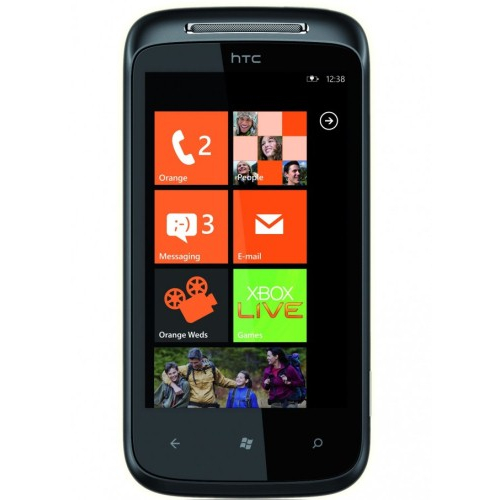
 Good news for Microsoft fans, as their Windows Phone 7 smartphones will now support the USB storage mode.
One of the downsides of WP7 devices is the fact that they do not support the USB storage mode and most of them do not even feature a microSD card slot.
However, courtesy to XDA Developers user MarcHoover, anyone owning a WP7 device will be able to use their phone as an USB stick.
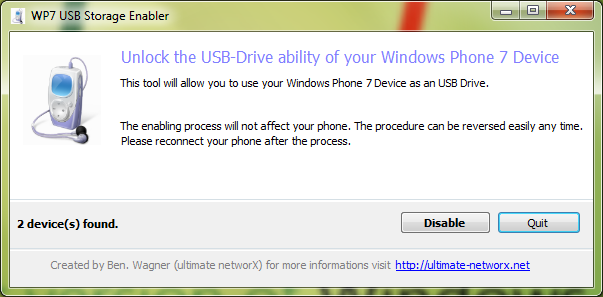
Several tools are needed for this to be applicable, such as a third party application called USB Storage Enabler, Zune software, as well as .NET 2.0.
After installing Zune sync software make sure you have connected you WP7 smartphone at least once.
Download and install USB Storage Enabler and enter the USB Storage mode. Make sure you close Zune before entering USB Storage and run the application as an administrator so it can work correctly.
It appears that this tool enables the storage mode by tweaking the phone's registry. As the developer suggested, the tweak is completely reversible, which means that you can enable / disable this feature whenever you feel like it.
Once you enable or disable the storage mode, the phone needs to be disconnected and then plugged back in.
You will notice in My Computer your phone's model in the drives listed and you will be able to add any files to your phone using the drag and drop procedure.
However, some users may have an issue known as 'invisible folder' where the phone is listed under the My Computer list of drives, but when clicked the folder seems to be empty.
If that's the case, try the following: disable the USB Mass Storage, disconnect the phone, reconnect the device, enable USB Mass Storage, disconnect the phone, restart the phone, reconnect the phone, and finally close Zune software.