 14 DAY TRIAL //
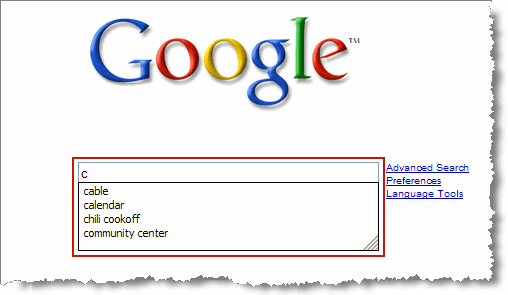
 Google is a search technology used by all of you and I bet you admit it. But if you're a real Google fan you conducted thousands of searches on Google and your browser, no matter it is Internet Explorer, Firefox or any other application, remembers them all. If you want to test this, just go over to Google, click inside the search box and press the "A" key to write a word. If you ever searched Google for a word beginning with the "A" letter, then a drop-down list should appear showing your past queries made on Google. Because this list can become huge and provide numerous words and phrases, some of you might want to delete it but you don't know how to do that. Well, this is what you should do in order to remove the past searches depending on your browser:
Internet Explorer 6 - Go to Tools / Internet Options / Content. Open the 'Personal Information' window and click on the 'Clear Forms' button located in the 'AutoComplete' area. Click OK and that's all.
For Internet Explorer 7 go over to Tools / Internet Options and in the 'General' tab, press the 'Delete' button. Then, push the 'Delete forms...' button and hit Close.
If you're a Firefox fan you must go to Tools / Options / Privacy / Saved Form Information and press the 'Clear' button. Please keep in mind that selecting multiple options will delete all of them such as 'Browsing History' or 'Download History'.
For Safari all you need to do is go to 'Preferences' and hit 'Autofill'. Click on the 'Edit' button from the 'Other forms' line, select Google.com and then hit 'Remove'. That should be all.
In addition, you can download a separate application that is able to remove all the information stored on your computer and concerning the Google search engine.