
NEWS CATEGORIES:


NEWS ARCHIVE >>
SOFTPEDIA REVIEWS >>
MEET THE EDITORS >>
Home / News / Microsoft / Tips & Tricks

Tips & Tricks


How to Add an Application to Startup Using the Registry

Better than the Startup folder

By Dragos Jijau, Software News Editor

3rd of January 2007, 14:47 GMT

Adjust text size:


Have you noticed that lately many Windows applications add themselves to startup and when Windows boots up they pop up?

Some startups are useful, some are very annoying and can be deleted from the startup folder (Start - > Programs-> Startup) or going to msconfig (Start -> Run-> Msconfig-> Startup and uncheck the unwanted item).


But what happens when you voluntarily want an application to start when Windows loads?


There is always the option to drag it into the Startup folder, but that is vulnerable to the intervention of other users. Anyone can easily remove that item from startup. Moreover, this technique works only for the logged user. Once you logged off or switched user, it won't start anymore.

The solution is to add the desired application into the registry telling it to start when Windows loads. To do that you need to create a registry entry, which is very simple. Open the notepad and create a new text document adding this into it:

[HKEY_LOCAL_MACHINESOFTWAREMicrosoftWindowsCurrentVersionRun] "Name of the application"="/"C:Program FilesApplication FolderApplication.exe""

This is just the pattern of the task. You just need to substitute the generic names with desired ones.

Personal example:

My job consists in working on my computer every day. Computer work means Internet access, Internet access involves mail addictiveness, therefore I must check my email as soon as I get to work. So I want to make my email client start right after I turn on my computer. Because Windows comes with Outlook Express I will use it as an example:

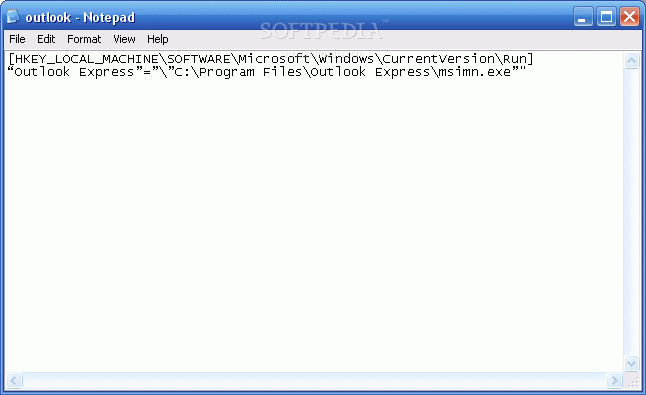
[HKEY_LOCAL_MACHINESOFTWAREMicrosoftWindowsCurrentVersionRun] "Outlook Express"="/"C:Program FilesOutlook Expressmsimn.exe""

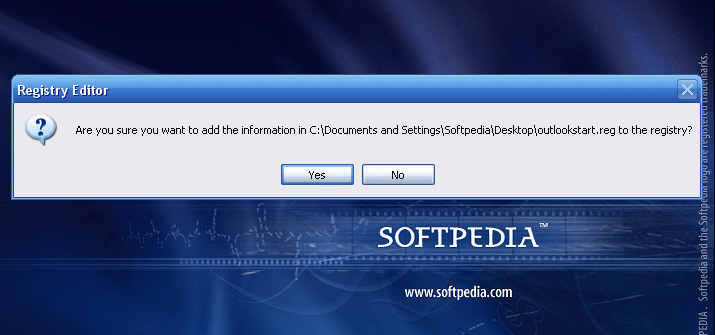
Next step is to save the created document but not as .txt document. The file should be saved in .reg format. I will save it as outlookstart.reg. After that, double click on the created document to get the confirmation that will be added to the registry. Now you can restart Windows for the changes to take effect.
Review imageReview imageReview image


For applications with no automatic startup option, this method can be a trustful and comfortable solution.
Read by 22,231 user(s) | Add comment | Link to this article TWEET THIS


Article rating:
Very Good (4.0/5) 18 vote(s)    

Subscribe to news | Print article | Send to friend

© Copyright 2001-2009 Softpedia
Contact:


SEARCH THE NEWS ARCHIVE :


Today's News
| Yesterday's News | News Archive


MORE RELATED ARTICLES:


Time Saving Windows Shortcuts

10 Tweaks to Make Windows More Comfortable

Shell Related Windows Tricks

Windows "AT" Command

Microsoft Office Keyboard Shortcut Keys

User opinions:


Comment #1 by: Nick on 29 Aug 2008, 17:01 GMT reply to this comment

Great instructions, quite easy. One thing, make sure to add "Windows Registry Editor Version 5.00" (minus the quotes) before everything or you'll get an error saying "The specified file is not a registry script. You can only import binary registry file form within the registry editor". Hope this helps!


Comment #2 by: Lara on 04 Feb 2009, 18:19 GMT reply to this comment

Thanks guys. It worked.


Comment #3 by: xuevana on 28 Jun 2009, 14:27 GMT reply to this comment

Thank you for the guide, I have a doubt to ask you. I wanna add Dictionary to the registry, and is it have to be .exe? coz I dun see any .exe file in the folder? Please help. Thanks

Share your opinion:

Your Name:
Your Email Address:
(will not be used for commercial purposes)
Solve this to prove you're not a bot: =
Your review/opinion:


Windows tabGames tabDrivers tabMac tabLinux tabScripts tabMobile tabHandheld tabGadgets tabNews tab

SUBMIT PROGRAM   |   ADVERTISE   |   GET HELP   |   SEND US FEEDBACK   |   RSS FEEDS   |   ENTER NEWS SITE   |   ENGLISH BOARD   |   ROMANIAN FORUM