 14 DAY TRIAL //
 Let's say that you've got a lot of files to work with on a daily basis and you need a lot of extra-desktop space (actually, a secondary desktop altogether). A second monitor would be the perfect solution to your problems, but, sometimes, installing such a device can prove to be pretty tricky, especially when your video card doesn't really have too many outputs. But how about something much simpler, something that uses the versatility of the Universal Serial Bus (USB)?
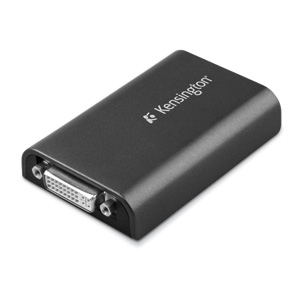
Well, that's exactly where Kensington's new Dual Monitor Adapter comes into play. Thus, this very tiny device works with any DVI or VGA regular or widescreen monitor and helps users connect up to six additional monitors to a single PC (by using multiple adapters, of course). The adapter supports widescreen monitors up to 1440 x 900 pixels and standard monitors up to 1280 x 1024 pixels in 32 bit-color. Furthermore, users can choose from several display modes, including mirrored desktop, extended desktop and primary display.
The USB Graphics Adapter (or UGA) from Kensington is based on DisplayLink's hardware and software, is powered by the notebook PC and slips easily into a briefcase or carrying bag, for anytime/anywhere connection to projectors, docking stations or desktop displays. So, it's no wonder that Dennis Crespo, DisplayLink executive vice president of marketing and business development, had only good things to say about the new product: "A USB graphics adapter (UGA) is the most affordable way to experience the plug and display simplicity of DisplayLink technology. Once people try the instant usability benefits of using multiple displays, they get hooked."
"With DisplayLink's unique hardware and software, a second display is just a single USB connection away", added Frederic Frappereau, Global Product Marketing Manager at Kensington. "For $119.99, both Mac and PC users can enjoy easier multitasking, increased productivity and a more pleasing visual environment without having to install complex video cards."
We are just a few, but there are many of you, Softpedia users, out there. That's why we thought it would be a good idea to create an email address for you to help us a little in finding gadgets we missed. Interesting links are bound to be posted with recognition going mainly to those who submit. The address is  .
.