 14 DAY TRIAL //
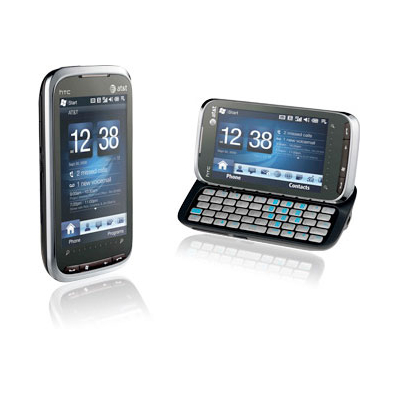
 Taiwanese mobile phone maker HTC has recently delivered new improvements for some of its devices, including the Windows Mobile-based HTC Tilt2 and HTC Pure, both of which are available for purchase in the US via wireless carrier AT&T. The new enhancements come in the form of hotfixes that are aimed to resolve issues the two handsets had with the Caller ID function and the SMS application.
Here's what HTC says on the hotfix for inconsistent Caller ID function on the two phones: This Hotfix when installed prevents inconsistent behavior of the Caller ID function on the device. As for the issue with Tilt2 and Pure freezing in SMS application, HTC says the following: This Hotfix when installed prevents the device from becoming sluggish and/or freezing in the SMS application on the device.
According to the company, the new hotfixes do not come as ROM update, which means that users won't lose data when applying the update. Moreover, the mobile phone maker also notes that these hotfixes have been designed so as to withstand hard resets of the device, meaning that one only needs to install them once to solve the problems.
The new hotfixes are available for download from the company's US website, here for the HTC Tilt2 and here for the HTC Pure. Also on HTC's support page, users will be able to find detailed instructions on how to apply the hotfixes to their devices. The update can be done via a computer, through connecting the handset via a USB cable.
As many of you might already know, one needs to use the ActiveSync software or the Windows Mobile Device Center to connect the device to a personal computer that runs under Windows XP or Windows Vista, respectively. Once the hotfix has been downloaded, the process is quite simple, with on screen instructions that need to be followed. As soon as the installation process is completed, the handset will reboot and will be ready to use.