 14 DAY TRIAL //
 Google has been actively notifying customers whose accounts are suspected of being taken over by unauthorized individuals, but now they’ve stepped up their game.
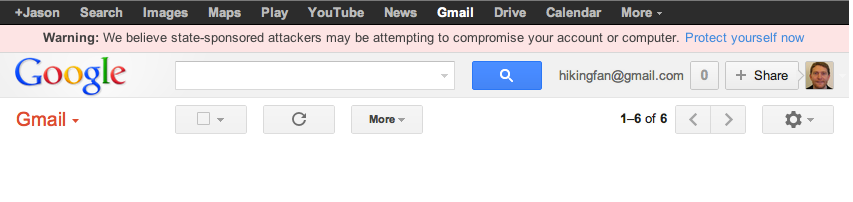
Users who may be targeted by phishing or malware are presented with the following message: We believe state-sponsored attackers may be attempting to compromise your account or computer.
While Google representatives fail to explain the methods that allow them to determine that state-sponsored cybercriminals are behind the malicious attempts, they do offer some advice for customers who are presented with the warning.
The first and most important step an internaut can take to ensure that his/her account is protected is to set a strong, unique password. They recommend a combination of lowercase and capital letters, punctuation marks and even numbers.
Another mechanism that can be leveraged to secure Gmail accounts is the second-step verification. This additional protection measure can, in many cases, make the difference between a safe and a hijacked account.
As we’ve highlighted on numerous occasions, updates are of the upmost importance. Web browsers, the operating system, plugins and other pieces of software such as Java, Adobe Reader, Adobe Flash, Adobe Acrobat and Microsoft Office must always be up-to-date since malware is usually served via security holes that have long been patched by the vendor.
Internauts should beware of fake login pages sent in suspicious-looking notifications. If a link that points to a so-called login webpage leads to anything else but a legitimate Google domain that’s protected by a valid digital certificate, you’re probably dealing with a phishing campaign that’s designed to steal your username and its associated password.
Always remember to look for the “https” string in front of the site’s address and the padlock icon, both of which indicate the presence of a secure connection.