 14 DAY TRIAL //
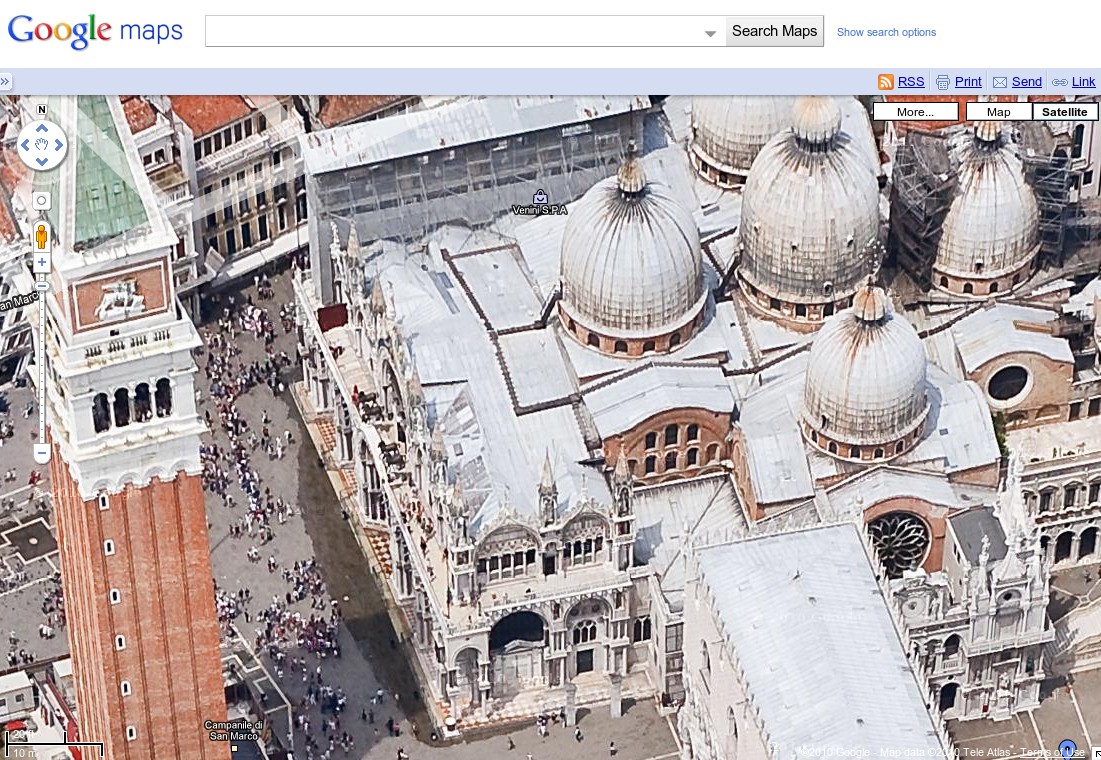
 There are a lot of ways of viewing a location in Google Maps, the plain map view, the satellite view, Street View and so on, and now you can add another to the list, aerial view. Google calls it 45 degree imagery, and it’s easy to see why, believe it or not, the perspective is at 45 degrees. The new layer is only available in a few cities for now, but it allows you to get a much better point of view on a particular area or building in a city.
“Today, we’re excited to announce the release of 45° imagery for of select cities in the U.S. and worldwide to all users of Google Maps. As you may have guessed from the name, 45° imagery is imagery depicting a location from a 45° angle rather than from the top,” Randy Wilson, from the Google Imagery Team, announced.
“This type of imagery allows you to explore the sides of buildings and other locations -- you can even rotate around a particular point of interest using the compass ring to view it from four different perspectives,” he explained.
In the few locations where it’s available, switching to the 45 degrees view is done automatically as soon as you zoom in close enough. When you reach the maximum zoom level available in Satellite View, Google Maps starts displaying the aerial imagery. That sounds like a smart way of going about things, on paper, but fails miserably in practice.
The point at which the perspective changes is way too low. If you want to check out just one building it works, provided it’s not a particularly large building, but if you want to see an entire bloc or a region of the city, you’re out of luck. The frustrating thing is that you know the images are there, you just can’t access them. It just seems like lazy user experience design. Bing handles this feature a lot better. It not only has aerial imagery for much of the cities of the world, the UI is better as well.
