 14 DAY TRIAL //
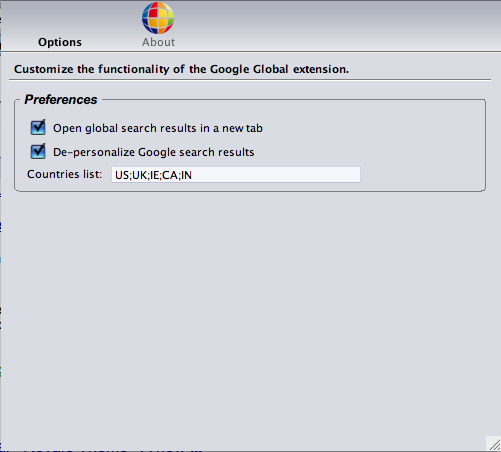
 The results offered by the best search engine on the Internet Google, depends from country to country, from account to account, from query to query. That's why you may not be able to find some results that can be useful for you but these problems are almost gone. Using the recently-released Google Global Firefox extension, you're able to search on numerous versions of Google in the same time, increasing the chances to find exactly what you were looking for.
"Google Global is an unobtrusive Firefox extension that allows you to see what the Google search results that you are viewing look like from different geographical locations. This is very useful if you want to compare organic search results in different countries or if you want to see how your AdWords PPC campaigns appear in different regions," it is mentioned in the description of the browser add-on.
The extension requires Firefox 1.5 - 2.0.0 and can be installed just like any other Mozilla browser add-on. However, it seems like some of the users encounter problems with other plug-ins compatible with Firefox and based on the new tab function. Although it's not quite clear what happens if there's a conflict between the extensions, it's very likely to crash your browser.
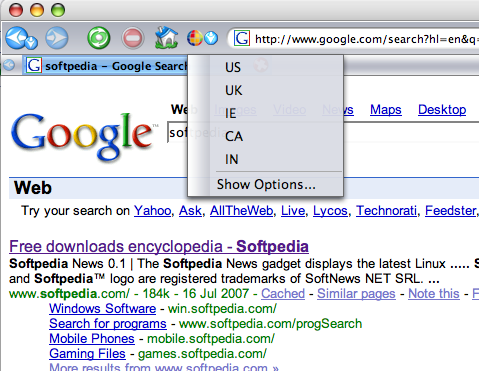
"The easiest way to use Google Global is to simply do a search for something on Google. Google Global Firefox Extension supports all Google search properties. When you do your search, simply right click anywhere on the search results page, select "Search Google Global" and select what country you would like to see the results from. It is as simple as that," the official page of the extension describes the use of the add-on.
As you can see, there are two ways of using the extension on Google Search: right click on the SERP and choose the version you want or add a Google Global button on the Firefox bar and click on it after you search Google.