 14 DAY TRIAL //
 If you're an avid Google Docs (Drive) user, you may have noticed already: the document editor has gotten a few tweaks for the "Compact Mode," maximizing the space used by the editor and minimizing UI elements.
The Compact Mode view has been available for a long time, but Google is now making it more obvious and more useful.
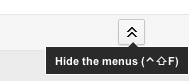
For one, there's a new button to minimize/maximize the UI, i.e. hide or reveal menu buttons. Until now, users could go to the View menu and select "Compact control" or use the shortcut Ctrl+F.
While in compact mode, the only way to leave it was to press Ctrl+F again. The new toolbar button should make it more visible to users who may not know it exists and make it possible to leave compact mode without using the keyboard shortcut.
"Ever wanted more room to get stuff done in Google documents? Click the new button in the upper right corner of your screen to enter Compact Mode, and everything above the formatting menu will collapse and give you another inch or so to work with," Google explained.
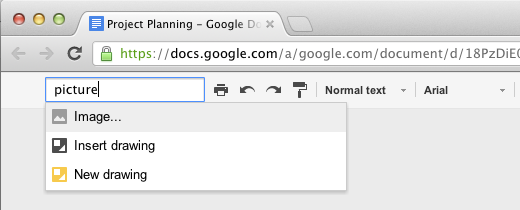
But that's just half the story, compact view has also gotten a way to search through the menus.
This option makes it possible to both access the menus without leaving the compact mode and, more importantly, it actually makes it easier to find options available through menus, you just have to search for them.
"You can also now quickly take menu actions by typing in the new search box. For example, if you type in 'Picture,' you’ll see different options for adding graphics to your document," Google explained.
The idea of searching through configuration pages is not new, not even to Google, it works the same in Google Chrome. Similarly, the idea of using "Alt" to search through the menu items rather than navigate them with the mouse should be familiar to Ubuntu users that have the Unity HUD.