14 DAY TRIAL //
 The Mountain View company has established a strong foothold in the Windows operating system with Google Desktop and is not going down without a fight. Still the evolution of Windows Vista can deliver sufficient leverage and incentive for users to ostracize Google from the desktop.
Make no mistake about it, Windows Vista and your Windows Vista desktop is a battleground, and both Microsoft and Google are hard at work expanding and protecting their territory. Do you have to take sides? Which one will you choose: the default configuration of Windows Vista, or enhancing the operating system with the Google desktop? Can you have the best of the two worlds?
Halt! What is your purpose here?
Google is synonymous with search. While being the loyal adept of an ad-centric business strategy Google is Search. The fact of the matter is that since the "Google" term was adopted as an English linguistic standard there is little disputing this status-quo.
And it shouldn't come as a surprise that Google has used search as a trajectory to infiltrate the Windows desktop. The Mountain View company made the promise that searching a computer will be just as streamlined as searching the web with Google. Essentially Google Desktop, and I am not attempting an alternative definition, is a bundle between a desktop search application, the Gadgets and the Sidebar.
In turn the Windows Vista desktop is one of the areas of the operating system where the evolution of the Windows platform is palpable. And this is of course thanks to the efforts of the Microsoft User Experience team. Greatly talented people such as Tjeerd Hoek, Design Director of Windows User Experience (UX), Hillel Cooperman ex Microsoft Design Director that started the Jackson Fish Market, where he was joined by Jenny Lam also Microsoft User Experience Designer have contributed to enhancing the end-user's experience to unprecedented levels for Windows.
There is no comparison between the Windows Vista desktop and the Google Desktop. The desktop in Vista is the first level of a complex graphical user interface powered by a revamped graphical architecture. It stretches for tiers and tiers into every nook and cranny of the operating system. And it is without a doubt the best UI that Microsoft has ever generated. Google Desktop is only a fraction of what the Vista desktop has to offer. There is however a comparison among the distinct elements that are common to both the Windows Vista and the Google desktop.
Google Style vs. Windows Vista Design
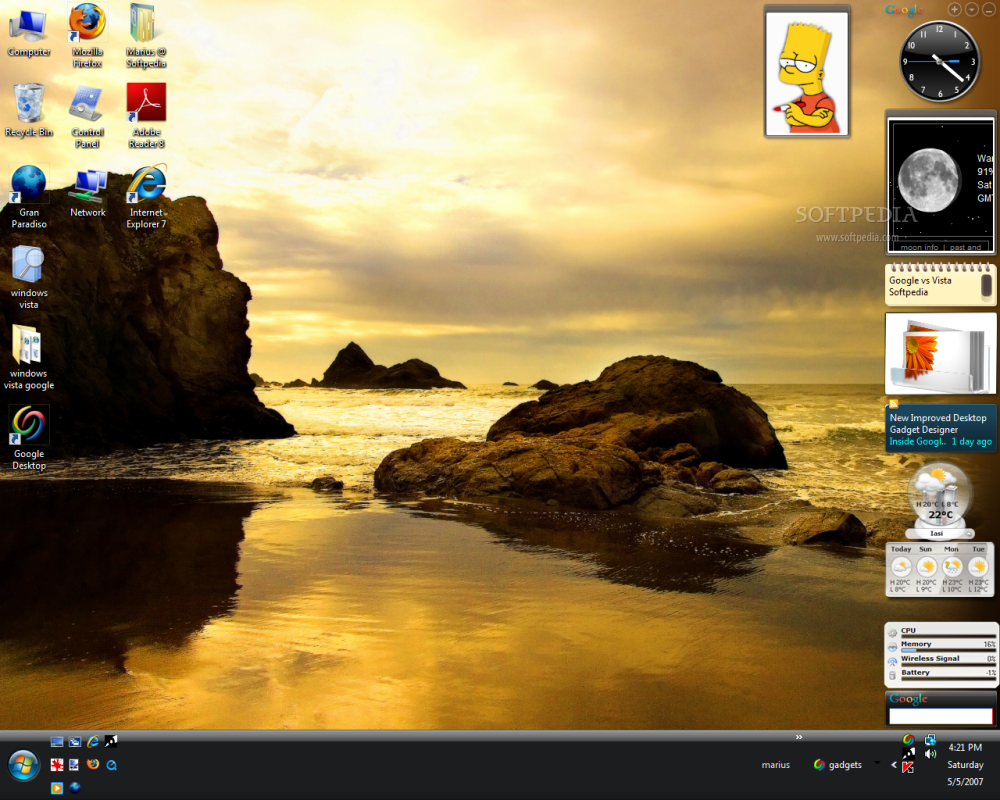
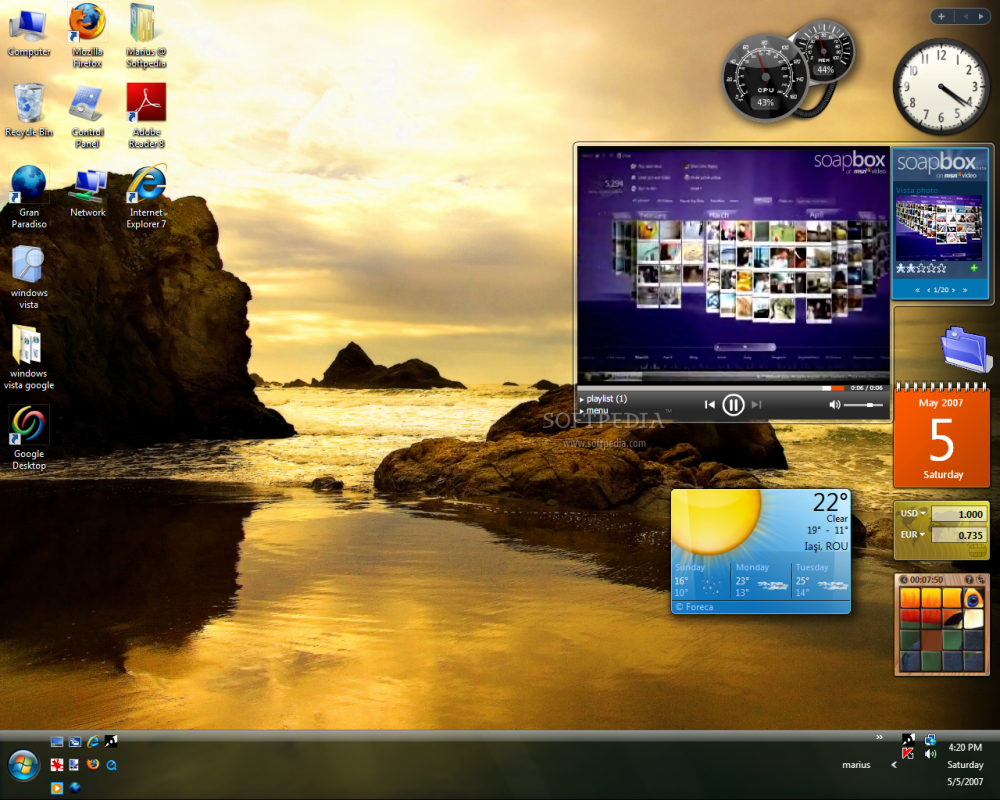
Google Desktop is in a sense a product of the general style that is associated with the Google brand, Google-centric so to speak. The Mountain View-based search engine's logo manages to find its way both in the search and Sidebar areas. And the Google Desktop's own logo, a reinterpretation of the second "O" in the company's name is unconvincing and primitive in comparison with the other visuals that ship with Windows Vista. By comparison, the design element associated with the Windows Sidebar tailor fits the new style of the operating system and provides another clue as to the user experience focus.
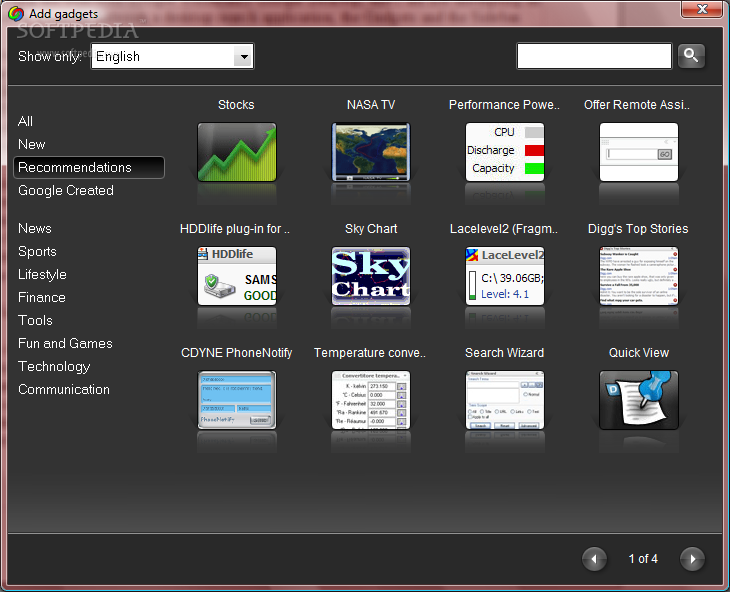
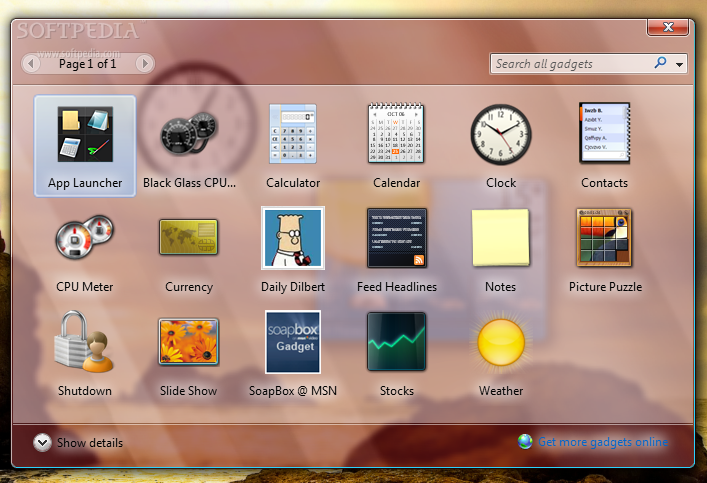
But when it comes to the Add Gadget dialog boxes, neither Google nor Microsoft comes on top. The two Gadget Galleries, in terms of style, deliver a distinct look, the same cannot be said about the functionality. The only extra point that can go to Microsoft is for taking full advantage of the capabilities of the Aero interface, offering a completely transparent Gadget Gallery window, while Google made do with a more classic approach. The bottom line is that this is a matter that will only be resolved by the user's taste, and as such I will let you decide which Gadget Gallery features the best design.
Won't You Please Side with My Sidebar...
Both Windows Vista and Google Sidebar come with their own Sidebars. And both Sidebars are designed to act as placeholders for a luxuriant collection of Gadgets. An actual comparison of the Gadgets offered by Microsoft, Google, and third parties is unnecessary as users can opt to have the best of two worlds, but I will be getting to that a little later down the road.
For the most part the Sidebars offer similar functionality allowing users to add, remove, navigate, dock and undock gadgets. In terms of gadget management the Windows Sidebar is superior. Microsoft has prepared for users that will add gadgets to the sidebar outside of the maximum content capabilities. This is why the Windows Sidebar will simply create more "pages" of gadgets and let the users easily browse through them via the "left" and "right" buttons at the top. The Google Desktop Sidebar will, by comparison, cram and squeeze gadgets until they reach hilarious and unusable proportions. The size reduction is also not proportional across gadgets. While some will be reduced drastically others will remain at their original size.
In terms of actual Sidebar options, Google Desktop delivers a little more. The tools can be laced on the Vista desktop in Sidebar mode, replacing the Windows Sidebar and in Deskbar and Floating Deskbar modes. Both Sidebars can be placed according to the preferences of the users either on the left hand side or on the right hand side of the desktop.
The Google Desktop even centralizes all the preferences into a configuration menu that opens via the default browser. Users can select the Local Indexing settings, Google Account Features, Display Modes as well as control the Advanced Features and Safe Browsing. The fact that Google Desktop makes use of the browsers installed on the computer instead of providing a separate configuration console is not a laudable feature of the product, but users can make due with this modest solution.
By comparison, the options for the Windows Sidebar are more simplistic, but in all fairness they do refer only to the sidebar. Google Desktop centralizes all the options available in a single location, but all the aspects of the product are covered.
One thing that I want to mention at this point is that as far as the default offerings of the Gadget Galleries are concerned, Google has the upper hand. Microsoft's gallery functions more like a console for the management of installed gadgets. Looking for additional gadgets means that users have to go online. The same is not valid for Google, as users can choose gadgets from an extensive collection that stretches over 40 pages, in addition to the resources available online, a more comprehensive approach than that of Microsoft's.
In terms of design the visual styles are similar, and the sole difference between the Windows Sidebar and the one in Google Desktop is that Microsoft also enables user to alter the transparency level of gadgets while Google items can be collapsed in order to occupy less space.
The Search is Strong with These Ones
The best thing about Google Desktop is that it brings Search to the level of the Windows Vista desktop, an area where Microsoft has seen its fare share of criticism because of the way it has chosen to integrate Search under the Start menu.
Google Desktop will index all the local hard drives available, keeping track of the web history, emails, chats, media files, Word, Excel, PowerPoint, ODF and other files, Calendar, Tasks, Notes, Journal, archives and contacts, and also allowing users to backup and view previous versions of documents. Google Desktop also features the "Password-protected Office documents (Word, Excel)" and "Secure pages (HTTPS) in web history" options and users can choose to install additional plugins to extend the area of the search.
When it comes to searching, users of Google Desktop can add and exclude both online and local locations for the indexing process. And with security being a top concern Google can encrypt the index and data files, while trading off performance. The indexing options also extend to the Gmail account, provided that users have one, and to all the computers across a network.
One item that must be mentioned at all costs is Quick Find. Users can set the default search type for search boxes, customize Quick Find to display a maximum of 10 results and choose between the Search by Default and Launch Programs/Files by Default options. One of the only downsides is the fact that in order to access additional results above the 10 items limit, Google desktop turns again to the browser. The fact that Google Desktop makes such an extensive use of the default browser has serious security implications. The results displayed in the browser for a common query are simplistic, the thumbnails look disastrous at times, but not only thumbnail quality is an issue, as the relevance and the sorting settings also leave something to be desired.
And while Quick Find integrated in the Sidebar or in the Deskbar, and even the Quick Search Box that can be accessed by pressing Ctrl fast twice, are all excellent ideas, the Floating Deskbar is not. It easily gets lost among the other content on the desktop and users will fast lose track of it and find it difficult to locate the box.
But Google Desktop delivers when it comes down to performance and speed. Once it has indexed a location on the hard drive it will display results instantaneously! And the volume of results is not an issue. Google Desktop's Quick Find is not impacted the amount of possible results. A search for a single unique item takes just as much as for 500 files with the same name.
Google Desktop delivers superb Search for the Windows Vista desktop, superior to the experience of the default Windows Vista search. Vista struggles when it comes to displaying the results to an entry such as "Control Panel" and the operating system takes its due time.
In Vista, results to queries entered into the Search Box in the Start Menu are limited to the space of the menu. The Search bar integrated into Windows Explorer is an alternative, but Windows Vista crawls when searching, even in previously indexed drives or folders. Otherwise the operating system, with its default Search will offer similar capabilities as Google Desktop, from the files it will index to the flexibility of the search operators.
But Guess Who Else Is a Resource Hog
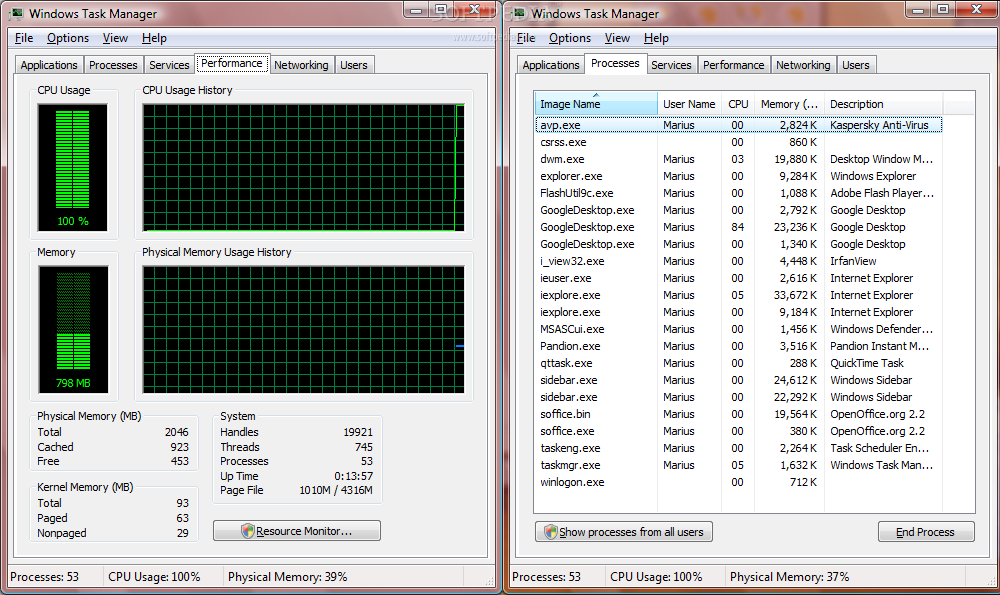
That's right, Google Desktop is just as much a resource hog as Windows Vista, but only impacts the processor. I have integrated screenshots of the resource consumption of Google Desktop and you are welcomed to click on the adjacent image in order to get an idea of what I am talking about. Just because of all the gadgets running in the background.
But when it comes to indexing, Google Desktop is even worse. Google has restricted the indexing process to the periods of time when the computer is idle. Indexing will debut after 30 seconds of idle time, and it will bring all other process to a screeching halt. God forbid that your screensaver will kick in while you are away and indexing is on, because regaining the usual Vista functionality will not be an easy task.
Google Desktop drains horsepower and is insatiable, keeping the processor at 100% for prolonged periods of time, but rarely dropping under 50%. If your machine van barely run Windows Vista because of the system configuration than Google Desktop is a solution that you should avoid consistently. In fact I wouldn't come near it with a 12 meter pole!
By comparison, the Windows Sidebar integrates seamlessly in the Windows Vista background and you will not even fill it. CPU consumption will barely be impacted by the gadgets running in the Windows Sidebar.
Make Desktop Love Not War
Desktop power together! Earlier I mentioned that you can get the best out of both worlds. By default Google Desktop running in sidebar mode and the Windows Sidebar exclude each other. Users can only have only one Sidebar on their desktops at any given time.
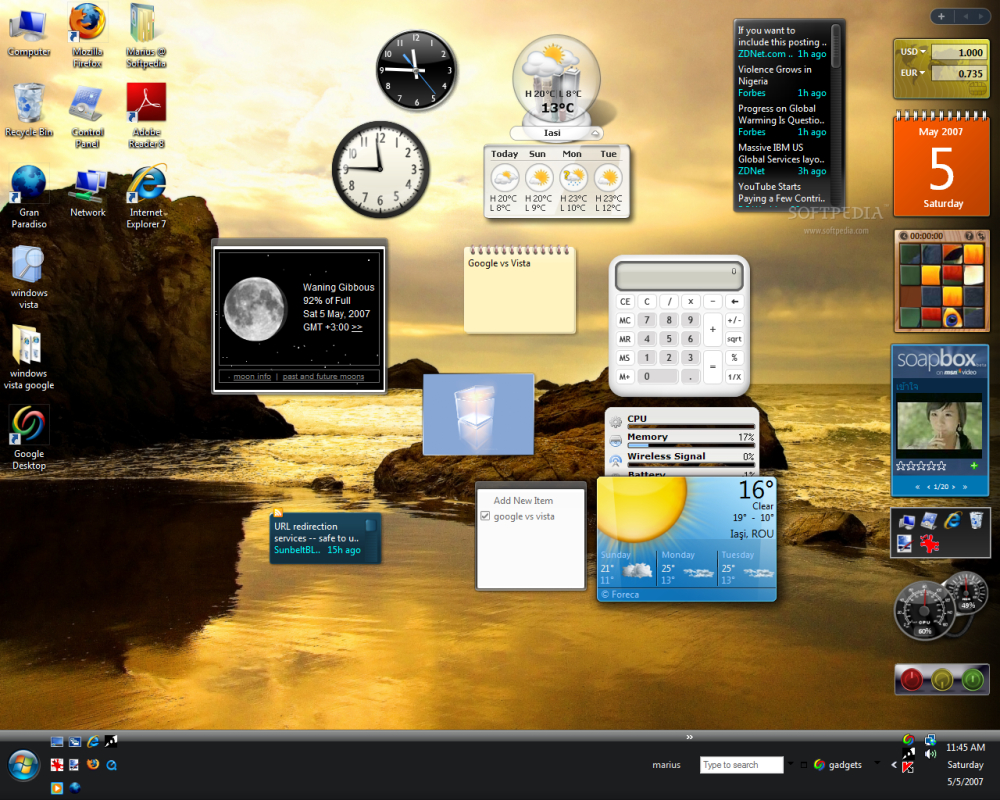
But this does not mean that interoperability is not an option. Welcome to the co-existence heaven! For this it is necessary that you run Windows Sidebar and Google Desktop in Deskbar mode. Simply undock all the Google gadgets from the Sidebar and place them on your desktop. You will still be able to view and access them all even in the context of the Windows Sidebar.
But Boy Do They Crash!
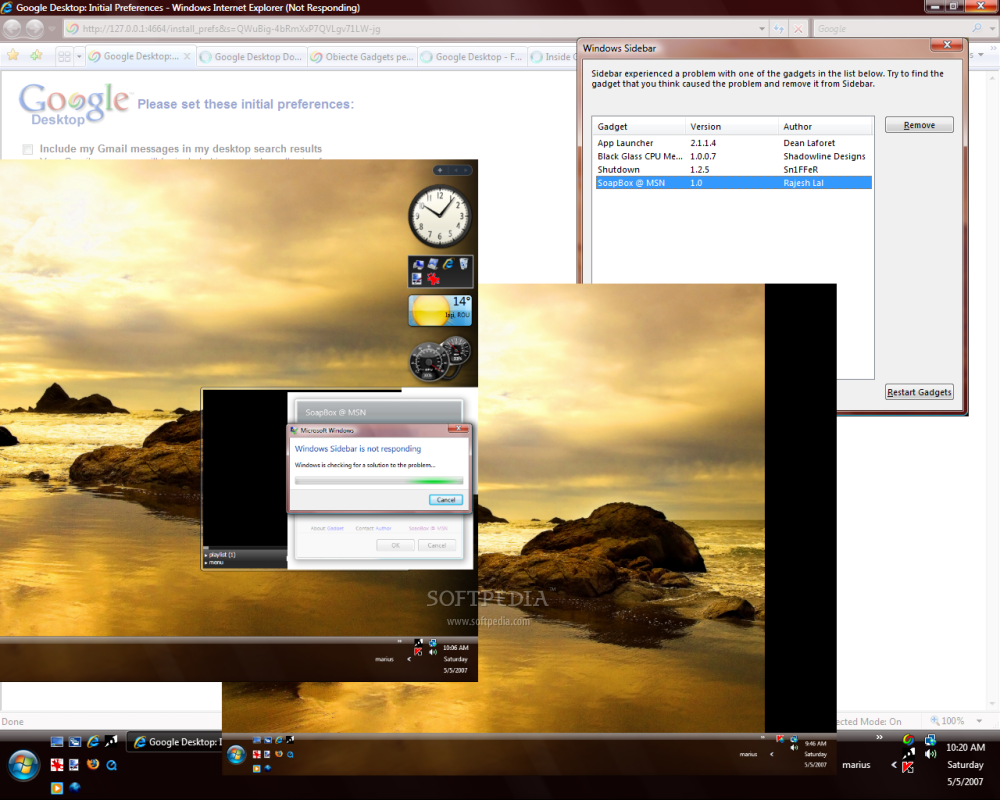
And in the end I thought I would exemplify a few problems. While both programs are quite stable, I did manage to generate a few crashes and I even have the screenshots to prove it. Click on the thumbnails on the left to access larger resolution images and get an idea of what I'm talking about.
I would like to mention one last thing. The Windows Sidebar crashes seemed to be closely connected to the gadgets that were running at the time. With the Google Desktop I came across problems with the Windows Vista's User Account Control and with Internet Explorer 7 running in Protect Mode. But nothing major.