 14 DAY TRIAL //
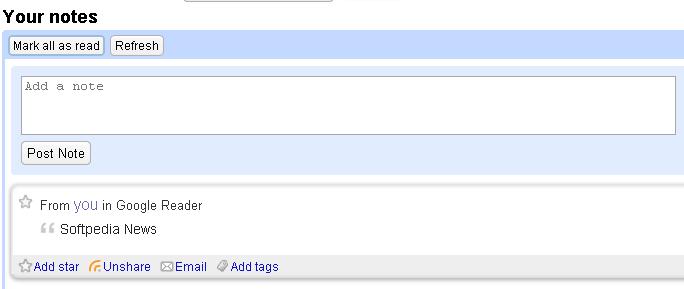
 Google Reader, Google's web aggregator, which lets users read RSS feeds for free, received another social function that allows consumers to share posts easier than anytime before. The share function has already been available for some time now but, using the new "Share with notes" feature, you can even attach a comment that could help you and your contacts manage the feeds. Besides this, Google Reader has also introduced a bookmarklet option which can be placed anywhere in your browser toolbar in order to access the function faster and to post notes in a matter of seconds.
How important is it to post notes? Well, in case you're one of the folks who like to share with their contacts the important feeds they found, such a function could prove to be quite useful because you can always include your own comments and thoughts regarding the articles. Moreover, you can store your own notes, without sharing them with the contacts, by simply clicking on the "Unshare" button placed below the RSS entries.
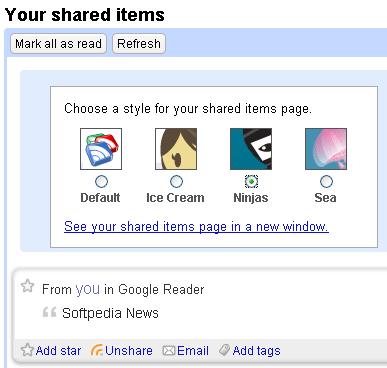
Besides all these features, Google Reader also implemented multiple share page skins, obviously intended to change the appearance of your share website. This means that the page that includes all your shared items can be customized with multiple themes including ice cream, ninjas and sea.
"You can share any content from any web page, even if the site doesn't have a feed. For even more control over what gets shared, select some text from the page before clicking the 'Note in Reader' bookmarklet and your selection will appear as the item's body," Jenna Bilotta of Google Reader said as means of introduction for the new features.
"There's also a space for you to add an editorial note when you need to let your friends know why you are sharing something. You can always uncheck "Add to shared items" if you want to add something to Reader without also adding it to your shared items."