
NEWS CATEGORIES:


NEWS ARCHIVE >>
SOFTPEDIA REVIEWS >>
MEET THE EDITORS >>
Home / News / Games

Games


GTA: San Andreas system requirements

And the site's release

By

2nd of May 2005, 15:39 GMT

Adjust text size:


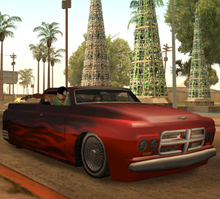
A little more than a month remains before gamers will be able to play GTA: San Andreas on the PC and Rockstar is already preparations for the launching.

The game already has a presentation on the Rockstar site , where fans can also
find some screenshots and a trailer.

But Rockstar has posted a much more important piece of information: the computer requirements for GTA: San Andreas.

The operating system has to be Windows 2000 or Windows XP with DirectX 9.0 installed.

If you want be able to run GTA: San Andreas, the game has to find on your PC the following: 1 GHz CPU, 256 MB of RAM, graphics card with 64 MB RAM and 3.6 GB of free space on the hard disk. These are the minimum requirements.

For a smooth gaming experience, Rockstar recommends a Pentium 4 or AMD Athlon XP, 384 MB RAM and a 128 MB graphics card. An Audigy2 soundblaster and a gamepad are also recommended.

The full version of the game will require 4.7 GB of free space.

Considering the PC version of the game will come on a DVD, the PC must also have a DVD-ROM device, 16x being the recommended speed.

If your system lacks one of the above, you have until June 10 to buy the components.
Read by 266,939 user(s) | Add comment | Link to this article TWEET THIS


Article rating:
Good (3.5/5) 248 vote(s)    

Subscribe to news | Print article | Send to friend

© Copyright 2001-2009 Softpedia
Contact:


SEARCH THE NEWS ARCHIVE :


Today's News
| Yesterday's News | News Archive


MORE RELATED ARTICLES:


A release date for PC Version of GTA: San Andreas

GTA: San Andreas-PC DVD-ROM

GTA 3 can be played over LAN and Internet

187: Ride Or Die - a Grand Theft Auto competitor?

User opinions:


Comment #1 by: r sundar on 06 May 2005, 14:03 GMT reply to this comment

Yo man....i got it atlast.....The Gta San Andreas .......Yuhhh....its really great
The graphics were really mind blowing......
you must have a brilliant system to enjoy the smooth and realistic game play....
My System information......

2.4ghz
1gb Ram
Geforce Fx 256 Mb
buffering Ram 32 chipset
soundcard..7.1 channel split Creative


Comment #2 by: Canthar on 23 Jul 2005, 22:00 GMT reply to this comment

The graphics are terrible thanks to the conversion. Stupid console. Stupid PS2 graphics. The textures are terrible.


Comment #3 by: Joseph Roland on 05 Sep 2005, 06:32 GMT reply to this comment

Will this work on win 98 se???


Comment #4 by: shave on 09 Feb 2007, 12:53 GMT reply to this comment

thank you


Comment #5 by: nbc_sevik on 09 Oct 2007, 13:56 GMT reply to this comment

i got 3.20ghz 1mb l2 cache 800 mhz fsb 90nm 512 mb 400mhz ddr sdram memory 160gb 7200rpm serial ata hard drive ati radeon x300se pci-express graphics with tv-out port and 128mb ddr video memory lightscribe double layer 16x dvd r/rw drive high definition 7.1 audio dolby digital surround sound ready

my computer brand is a hp pavilion t860a

some reason i install this game and after a while it restarts my pc whats wrong can some one tell me i love this game but i cant play it so please help me some one.

Comment #5.1 by: DeeCodeUh on 07 Dec 2007, 20:19 GMT

All of your hardware looks fine.
I would first check out if you have the nwewst drivers installed for your hardware, then I would try doing a re-install of windows and gta 3.
That would be the easiest solution.


Comment #6 by: Apurv on 17 Jan 2008, 04:13 GMT reply to this comment

Yo man! This game rocks. Actually if u have the latest Nvidia drivers, this game crashes. So i had to rollback to an old driver. Graphics are not fantastic, but the game is kick-ass terrific. There will be no other game like this!!!! Mark my words


Comment #7 by: adnan on 26 Jan 2008, 09:25 GMT reply to this comment

play gta san andreas very good game


Comment #8 by: Mr. Brightside on 04 Feb 2008, 19:19 GMT reply to this comment

Will the game run in:

Processor: Genuine Intel(R) CPU T2130 @ 1.86GHz 1.87GHz
Memory(RAM): 765
System: Windows Vista Home Premium 32bits

Will it run on my sister`s crappy labtop?


Comment #9 by: sams on 11 Feb 2008, 17:22 GMT reply to this comment

gta san andreas cant run on pci express why i try on ATI X1600 whit 256 mb and Nvidia Geforce 7200 whit 512 mb , i cant play yet


Comment #10 by: josh on 18 Feb 2008, 07:39 GMT reply to this comment

my laptop is AMD Turion 64x2 (1.9Ghz), 2gb ram, 160gb hdd and 256mb nvidia 8400m GS graphics and vista home premium.

will vista suck too much memory to work? or is it fine?

my ps2 broke and my parents wont let me have a 360/ps3 cos its my final yr of school and exams are important :(


Comment #11 by: Diego on 12 Mar 2008, 20:05 GMT reply to this comment

Nope, the hardware it's fine, but the game will not run in windows vista. Only for Windows XP or 2000.


Comment #12 by: DelMembrane on 29 Apr 2008, 07:33 GMT reply to this comment

awesome my info

AMD Phantom 64x4 3.2 Ghz
ATI Radeon HD3450 512MB
1 TB Hard disk
8GB Ram
Windows Wolf Edition
Blue Ray HD DVD Writer


Comment #13 by: eric on 13 May 2008, 00:29 GMT reply to this comment

my system is an intel Celeron with 256 RAM can it handle GTA san andreas or halo 2


Comment #14 by: RedGuard on 19 May 2008, 20:10 GMT reply to this comment

do u think it would run on a system with 800 Mhz, 512 RAM and 256 Graphics? would it be laggy or would the excess RAM and video card compensate for the CPU?


Comment #15 by: Shivam on 25 May 2008, 16:17 GMT reply to this comment

I have 512 mb RAM,1.53ghz processing speed,directx 9.0c,ge force 9,AMD Athlon 1800 ,Windows XP installed on my computer,can this game run on my pc perfectly?


Comment #16 by: Salman on 10 Jun 2008, 06:51 GMT reply to this comment

But the game did not run very smoothly on mine.My system info:
Intel Core 2 duo E6750 2.66Ghz
2 GB of RAM
60 GB free space
512MB NVidia GeForce 7300GT

Any Ides???


Comment #17 by: BIBI on 13 Jun 2008, 16:07 GMT reply to this comment

I have problems, when I install it on my PC it says it has problems when installing audio components... what should I do HELP PLEASE!!!!!!!!!!


Comment #18 by: Jordan on 16 Jun 2008, 16:53 GMT reply to this comment

that happened with my game called toca 2 race driver what type of graphics card do you have is it intergrated


Comment #19 by: UKIMK on 04 Jul 2008, 18:49 GMT reply to this comment

Would It Run On These Specs?

2GB Ram
Intel Dual Core 1.8 ghz
ATI Radeon 128mb
110 GB HD
Windows XP/Vista (Dual Boot)


Comment #20 by: Zain on 18 Jul 2008, 04:11 GMT reply to this comment

I have intel core 2 quad 2.4 GHz
3 GB ram
Nvidia Geforce 7350 LE 128mb
640 GD HD


Comment #21 by: Juan Sebastian on 30 Jul 2008, 16:01 GMT reply to this comment

My Sistem Information:

2.8ghz
2GB Ram
Diamond Viper HD2400 PRO 512MB
buffering ram 32 chipset
sound card:Creative Sound Blaster X-Fi XtremeGamer Fatal1ty Pro Series Sound Card

Installed with Windows Vista Home Primium


Comment #22 by: Joe on 06 Aug 2008, 13:13 GMT reply to this comment

People.... it ran on my VIA C7 (1.5ghz) with a geforce fx5500 (256mb) since upgraded to an ati radeon HD 2600 (256mb) and 1GB of ram. I can be very sure that it'l run on your system (single core, dual core, or 5,982 cores). 'Course it only ran at 1024x768 (didn't try any higher since that was my systems resolution) at medium graphics settings.


Comment #23 by: J$ on 01 Sep 2008, 07:35 GMT reply to this comment

could it work with these
* Fujitsu Siemens AMILO
* Intel® Pentium® Dual-Core –processor
* 4 Gt ram
* 250 Gt hardrive

* ATI –videocard 256Mt

* 15,4” WXGA (1280x800)
* Windows Vista Home Premium


Comment #24 by: faseeh on 04 Sep 2008, 15:17 GMT reply to this comment

my system is intel celeron d my ram is 256 is share with cards is 20gb harddisk


Comment #25 by: MichaelMurder on 17 Sep 2008, 23:42 GMT reply to this comment

When I install this on my laptop the game will start but while i'm playing it theres all kinds of numbers and stuff on the screen. Please help, by replying to this or email me dead_vampire@ploxed.com
Thanks!


Comment #26 by: sam on 12 Oct 2008, 17:08 GMT reply to this comment

Sure It will
but graphics card should be atleast 128 MB


Comment #27 by: GG on 23 Oct 2008, 03:07 GMT reply to this comment

Hi
will GTA run on my cappy old laptop....

it has 636 Mb Ram, Intel shared graphics card with 32 Mb 82852/82855 GM/GME chipset ...... Windows XP Pntium M processor...... 1.6 Ghz....


Comment #28 by: Clifford on 25 Oct 2008, 18:22 GMT reply to this comment

Will GTA: SA work ?
My specs

ADM Sempron(tm) Processor 3200+ 1.80GHz
1.5GB ram
NVIDIA Geforce 8400 GS 512mb Graphicscard
Realtek AC'97 Audio Sound
Windows Vista Ultimate Service pack 1


Comment #29 by: Saim on 05 Dec 2008, 11:37 GMT reply to this comment

Will the game run in:

System Manufacturer: VIA Technologies, Inc.
System Model: P4M266-8237
Processor: Intel(R) Celeron(R) CPU 2.53GHz
Memory(RAM): 512
Operating System: Windows XP Professional (5.1, Build 2600) Service Pack 2 (2600.xpsp_sp2_rtm.040803-2158)


Comment #30 by: saquib on 15 Dec 2008, 11:58 GMT reply to this comment

i have 1 ghz of processor and 356 ram and 32mb vedio card direct x 9 but no 3d card can i still play gt san andres


Comment #31 by: sam on 28 Dec 2008, 08:47 GMT reply to this comment

i have intel pentium 4 cpu 3.06 ghz 3.07 ghz and 736 mb of ram then also san andreas not running what should i need more


Comment #32 by: Just Me on 02 Feb 2009, 15:06 GMT reply to this comment

I have the same. The game will not run at maximum settings. But u can run it in 800x600 whit frames limiter off and maybe antialiasing 2x :) thats pretty fine :)


Comment #33 by: MS on 13 Mar 2009, 17:17 GMT reply to this comment

Well San Andreas runs on my laptop (Windows Vista), but graphic sucks and it is terrible - it's blinking and I am getting real headache after 5 - 10 minute playing. :S haha. But on XP it is perfect. Cool progress on this game.


Comment #34 by: Salman on 02 Apr 2009, 11:25 GMT reply to this comment

I have Dual Core 2.66 + 2.67 Ghz Processor 512 MB RAM 80 GB space And 32 AGP so it's run ?


Comment #35 by: Fluxcion on 07 Apr 2009, 08:14 GMT reply to this comment

Hey everyone GTA San Andreas is very great since the Gameplay was so Terrible because it has such mini games..... it also great in graphics since my specs are:
Intel Core 2 Quad (3.4 GHz), 4 GB DDR3 RAM, 1 GB nvidia GeForce GTX 295, 320 GB SATA II Hard Disk Drive, with a OS of: Windows Vista Ultimate (64-Bit)..... I'm even playing now GTA 4 because it is the latest game that Rockstar Released...... Thanks!


Comment #36 by: [SU]BP13 on 31 May 2009, 05:05 GMT reply to this comment

this runs slow on 900Mhz Processor. wonder why. THIS COMPUTER SUCKS


Comment #37 by: JeremyEr10 on 18 Jun 2009, 02:55 GMT reply to this comment

My computer is Pentium 4. Will it run smoothly on my computer or will it just be SLIGHTLY... laggy?


Comment #38 by: bla on 03 Jul 2009, 11:37 GMT reply to this comment

will it work with ati radeon 1250 xpress?


Comment #39 by: BA])$KULL on 06 Jul 2009, 14:03 GMT reply to this comment

plzzz any one could tell me i have 512 mb ram it would work or not please


Comment #40 by: frghrakjhjdfh on 09 Jul 2009, 20:54 GMT reply to this comment

meh...san andreas is lame.getting a new computer and buying GTA IV :)ftw


Comment #41 by: gtalove on 10 Jul 2009, 12:35 GMT reply to this comment

hii. i have 192 mb ram and 800mhz pentium 3 processor and i just tried to run san andreas and its working very good .... i dont have a graphic card also.. i have 60gb hard drive


Comment #42 by: kiancee on 12 Jul 2009, 08:59 GMT reply to this comment

my sys is Celeron(R) CPU 2.40Ghz, 786MB of ram, my video card is its built in,, intel (R)82865graphics controller w/96mb memory size, will i be able to play smoothly with this system? the game GTA san adreas.. answer guys! ^_^ tnx..


Comment #43 by: naaman saif on 18 Sep 2009, 18:17 GMT reply to this comment

i have a problem with this game i have :
pentium(R)4
2.00 GHz
256 mb ram

but when i start the game the game stops at the time when menu is going to come and it returns back to desktop.what should i do.

Share your opinion:

Your Name:
Your Email Address:
(will not be used for commercial purposes)
Solve this to prove you're not a bot: =
Your review/opinion:


Windows tabGames tabDrivers tabMac tabLinux tabScripts tabMobile tabHandheld tabGadgets tabNews tab

SUBMIT PROGRAM   |   ADVERTISE   |   GET HELP   |   SEND US FEEDBACK   |   RSS FEEDS   |   ENTER NEWS SITE   |   ENGLISH BOARD   |   ROMANIAN FORUM