 14 DAY TRIAL //
 The probability of loosing valuable data stored on your hard drive is high due to the existence of various determining factors like viruses, hardware crash or human errors. There are many alternatives to backup sensitive data by using other storage media or online services.
Mozy website offers an online free backup service for Windows and Mac OS users. Initially, you get 2 GB of hard disk space, but for every person who becomes a Mozy service user through your refferal code or link, you get additional 256 MB of free disk space (their affiliate program is also interesting to check out). Practically, an unlimited disk space quota could be obtained for data backup.
First, you have to create a MozyHome account in order to be able to download download MozyHome software that will help to setup the service on your computer. After you introduce the account details (user name and password) in the required fields in MozyHome Remote Backup Configuration Wizard, the encryption settings must be specified .
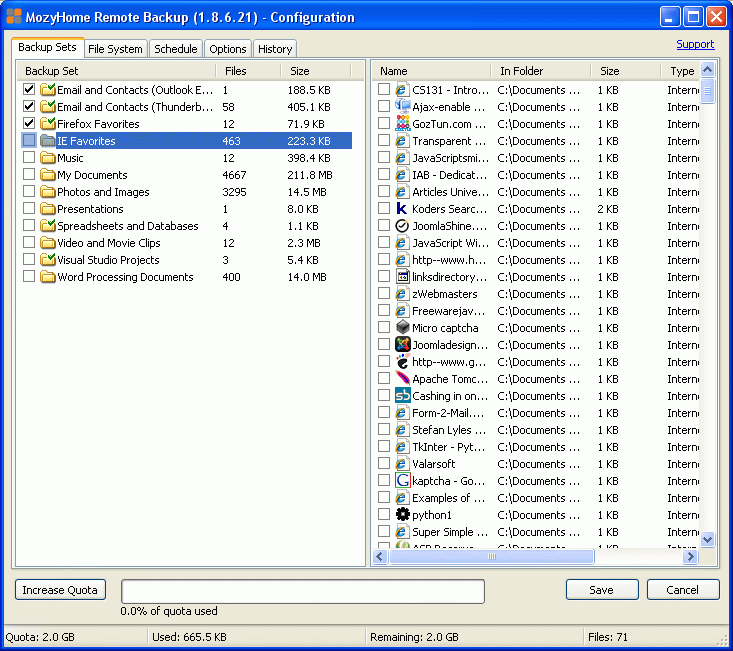
The default encryption mechanism uses a 448-bit encryption key, but it can be changed to a personal symmetric key. In the next step, the wizard will automatically select critical files that should be backed up like email contacts, browsers favorites, MyDocuments folder and more. All initial settings can be changed later through the MozyHome Remote Backup application in advanced mode.
Your Internet connection speed will be tested in order to establish if the required transfer rate exists and then the first backup could be performed. In advanced mode, various supplementary options are available, like backups scheduling, files and directories selection, bandwidth throttling parameters and more. For example, you can switch between automatic and manual backup, manage the impact of the backup process over computer performance or add new files or folders to the backup list.
There are many advantages of using this service, especially when you modify files frequently. You could save a lot of time by replacing the DVD or CD burning practice with this service in order to backup data safe and efficiently.