 14 DAY TRIAL //
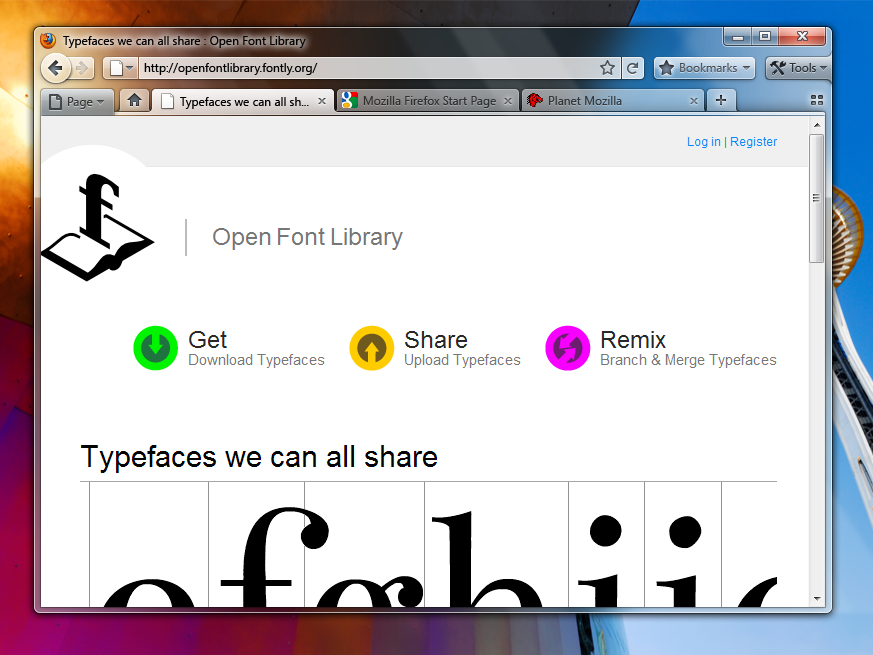
 It has already been confirmed that Mozilla is cooking a redesign of the graphical user interface for the next iterations of its open-source browser. Mockups have already been made public for Firefox 3.7 running on top of the Windows operating system. However, Mozilla has now taken it to the next level and unveiled plans for the GUI overhaul of Firefox 4.0. Of course, just as it was the case for Firefox 3.7, the Firefox 4.0 Windows Theme Mockups are nothing more than drafts at this point in time. “These are not final! They are only for brainstorming/exploration,” reads a message accompanying the new designs.
You will be able to get a taste of what Firefox 4.0 might end up looking like via the images included at the bottom of this article. Obviously, the new graphical user interface of Firefox 4.0 is tailored to Windows 7. While with Firefox 3.7 Mozilla was also exploring an overhaul for Windows XP, version 4.0 of the open-source browser is focused on Windows 7.
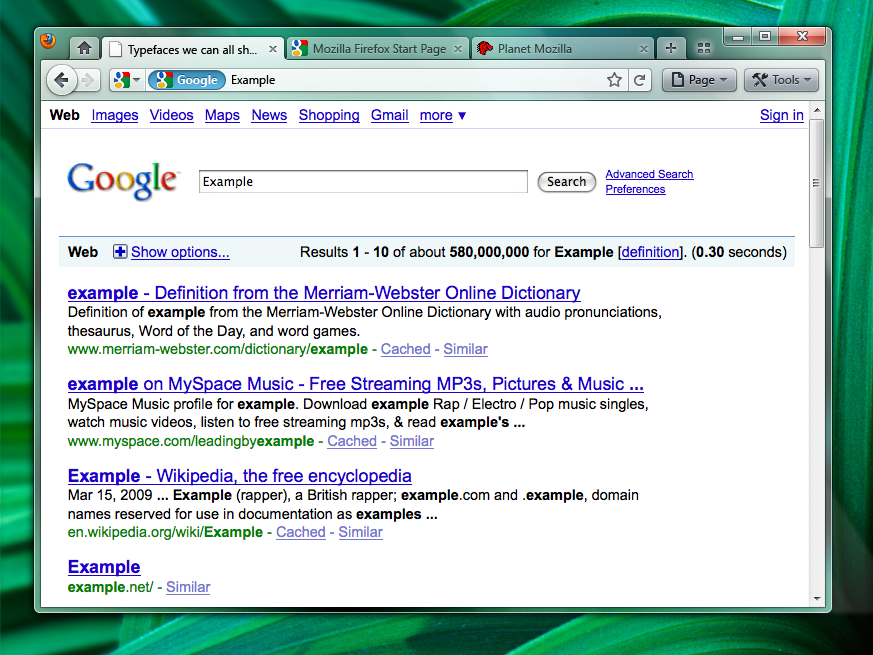
Mozilla plans to “possibly add a Bookmarks widget as an upfront replacement for the Bookmarks menu/Bookmarks toolbar (option to turn those on would remain).” But also to even change the position of the tabs in relation to the address bar. In this respect, Mozilla is planning an approach to the Firefox 4.0 UI similar to that of Google for Chrome.
“The more contentious Tabs-on-Top concept. Positives: Save Vertical Space; Efficiency/Remove Visual Complexity - Right now the tabs have to be connected to something. So we are adding an extra visual element for them to connect to; Shorter Mouse Distance to Page Controls,” Mozilla noted.
But at the same time, it also enumerated the negative aspects: “Breaks Consistency/Familiarity - Moving things confuses existing users; Title is MIA - With the space removed from the titlebar you only get the truncated version in the tab; Longer Mouse Distance to Tabs - Takes longer to mouse to a tab; Lost Space - Sandwiched in between the application icon and the window widgets you lose some space.”
Mozilla has already debuted work on the successor of Firefox 3.5. Firefox 3.6, codenamed Namoroka is planned for availability later this year. Mozilla revealed an initial, also draft, product roadmap for Firefox, noting that Firefox 3.7 could drop in the first half of 2010. There has been little reference to releases of the open-source browser past version 3.7, certainly no deadline was made public as to when to expect Firefox 4.0.
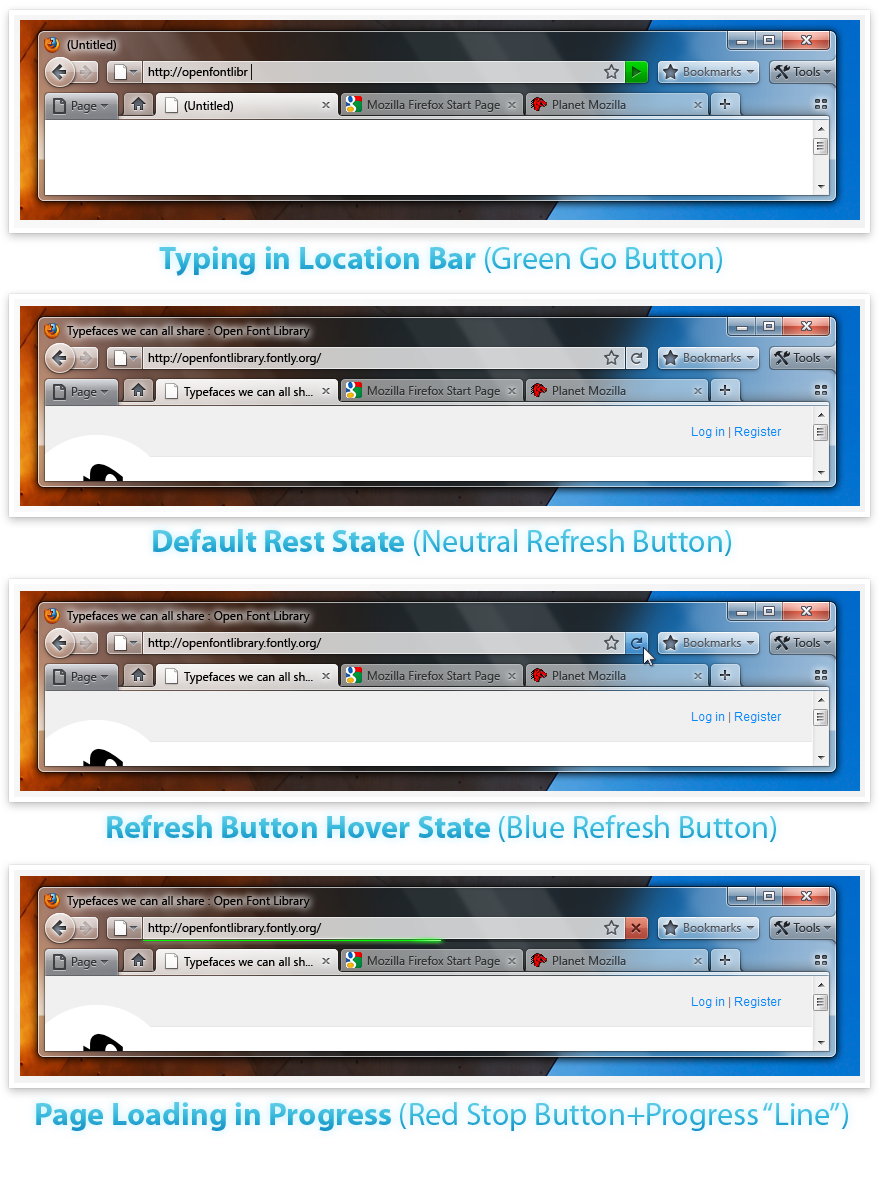
Mozilla is also planning a Combo Stop/Refresh/Go Button “Attached at the end of the location bar. Turns green when you start typing. Blends with the location bar when at rest. Turns blue on hover. Turns red when a page is loading. The proposed iconography is mostly colorless. Adding color to these temporary action driven buttons will make it more obvious something is going on.”
Firefox 3.5.1 for Windows is available for download here.
Firefox 3.5.1 for Linux is available for download here.
Firefox 3.5.1 for Mac OS X is available for download here.