 14 DAY TRIAL //
 The navigation system features and the functionality of websites represent the key to having more visitors and to assuring clear directions of browsing for relevant pages or content. Practically, the menu of every website could be regarded as a "door" opener for visitors who want to get to pages situated on a certain level in the website structure.
Every time you need to build a menu such as simple XHTML, JavaScript, Flash or other menus, a sitemap must exist: the clear hierarchy of pages will help in menu construction when you need to decide the number of sub-menus or the priority for the main navigation links.
Flash menus are characterized by spectacular animation effects determined by the mouse interaction with the navigation links, but this type must be very well optimized in order to have a low file size (to minimize the bandwidth consumption). Usually, you just have to edit only an XML file with the desired links (Flash knowledge is not required).
The most used menus are created based on a combination between XHTML, JavaScript and CSS. Dynamic animation effects could be created only with XHTML and CSS code. The presence of JavaScript code contribution will allow you to increase the complexity of the animation.
In order to implement animation effects based on JavaScript code, you do not have to know programming. There are many ready-made menus (with various effects already included) that can be particularized to the case of any website. If you are not satisfied with them, automatic menu builders or generators can help anyone create a custom (unique) menu for the website navigation system.
Over the Internet, you will find online and desktop based menu generators that allow you to specify the color transition corresponding to "on mouse over", respectively "on mouse out" event types, so that you can select a certain template or include a custom Javascript effect, and more.
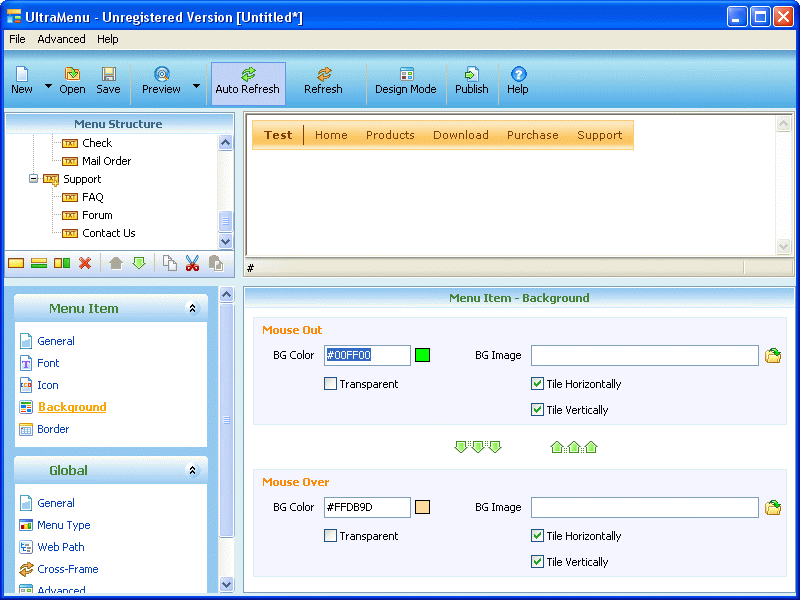
For example, if you are using the Windows operating system on your computer, UltraMenu is a desktop based JavaScript menu generator compatible with Windows. It comes with forty ready-made templates and provides users with the opportunity to control every menu detail, such as width, height, icons, images, background, sub-menus and other aspects.
You should also check out similar applications (web or desktop based) in order to select the one that automatically creates menus with the appearance and functionality required by your website. Finally, you must also check the compatibility of the menu with different web browsers: the animation effects and the menu's functionality respectively must remain the same in all common used modern web browsers.