
Softpedia
 

NEWS CATEGORIES:


NEWS ARCHIVE >>
SOFTPEDIA REVIEWS >>
MEET THE EDITORS >>
TRENDING TODAY
Home > News > Microsoft > Software Blog

December 4th, 2012, 09:09 GMT · By

BLOG

Download the Art of the Everyday Dynamic Theme for Windows

SHARE:

Adjust text size:


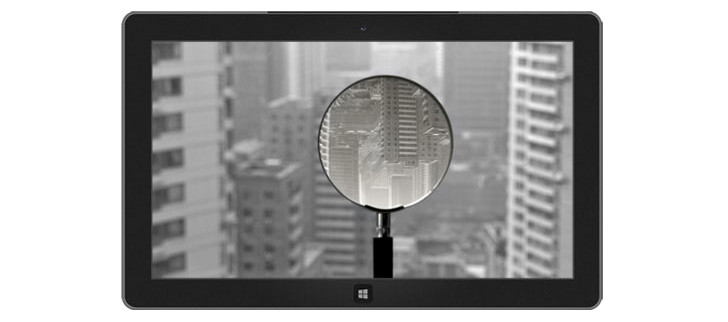
The theme automatically downloads new wallpapers through an RSS feed Enlarge picture - The theme automatically downloads new wallpapers through an RSS feed
If you wish to change your desktop background on a regular basis without actually downloading new wallpapers, the Art of the Everyday Dynamic Theme is exactly what you need.

This new Microsoft theme was designed to automatically take care of your desktop wallpaper by retrieving new ones via an RSS feed, so minimum user input is needed after successfully installing it.

The downside is that an Internet connection is required to download new “everyday” wallpapers, but everything should work pretty smoothly no matter the operating system you’re running.

And speaking of operating systems, this new theme supports both Windows 7 and Windows 8, with compatibility for 32 and 64-bit versions. In addition, it can be deployed on ARM devices too, which include Windows RT and Microsoft’s very own Surface RT.

Download the Art of the Everyday Dynamic Theme from Softpedia

TELL US WHAT YOU THINK:

2,204 hits · 1 comment · Link to this article · Print article · Send to friend · Subscribe to news

MUST-READ RELATED ARTICLES:


Get Ready for Christmas with the Free Sugar and Spice Windows Theme

Download the Free Windows Shadowboxes Theme

Windows 8 Maps Updated with 121 TB of Satellite Imagery

Free Windows Snakes Theme Available to Download

Mozilla Firefox with MSN Released for Download

READER COMMENTS:


Comment #1 by: Irritated to the max on 03 May 2013, 04:53 UTC reply to this comment

I have downloaded this theme and all was well until a week ago when I noticed my desktop background not changing, now I can not change my background for nothing, I have manually tried, tried to install new themes, if anyone can help me it would be great because my background is stuck on a horrible image and this is what I have to look at everyday. The only thing I can think to do is a system restore and I do not want to do that because I have so many files and programs that I have worked with in the past month since my restore point. Some body please help!

Copyright © 2001-2013 Softpedia. Contact/Tip us at

WindowsGamesDriversMacLinuxScriptsMobileHandheldNews

SUBMIT PROGRAM   |   ADVERTISE   |   GET HELP   |   SEND US FEEDBACK   |   RSS FEEDS   |   UPDATE YOUR SOFTWARE   |   ROMANIAN FORUM