
Softpedia
 

NEWS CATEGORIES:


NEWS ARCHIVE >>
SOFTPEDIA REVIEWS >>
MEET THE EDITORS >>
TRENDING TODAY
Home > News > Microsoft > Software Blog

January 15th, 2013, 21:00 GMT · By Bogdan Popa

BLOG

Download Thailand Theme for Windows 7 and Windows 8

SHARE:

Adjust text size:


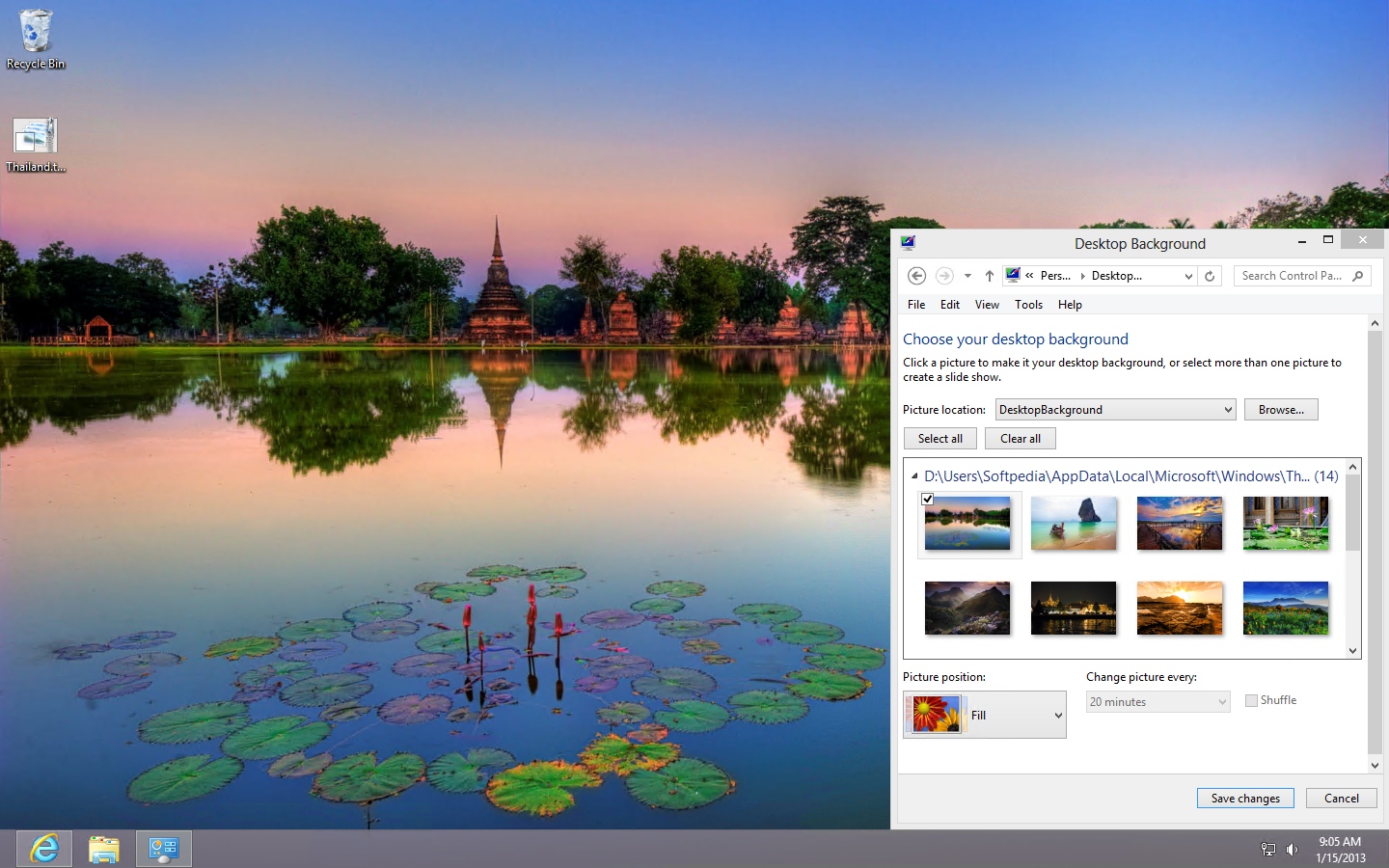
The theme supports all versions of Windows 7 and Windows 8 Enlarge picture - The theme supports all versions of Windows 7 and Windows 8
If you’re looking for new customization options for your Windows computer, search no more because Microsoft has got you covered.

The so-called Thailand Theme allows you to change the desktop background with wallpapers showing beautiful landscapes from Thailand.

The theme comes with a total of 14 different desktop wallpapers and can be used on most versions of Windows 7 and Windows 8, including the tablet-oriented Windows RT running on the Surface RT.

As usual, the installation is piece of cake because users only need to download the themepack file, launch it and choose one of the 14 wallpapers. Both Windows 7 and Windows 8 allow users to automatically change the wallpaper at a user-defined interval with just a few clicks.

Download the Thailand Theme for Windows 7 and Windows 8 from Softpedia

TELL US WHAT YOU THINK:

2,438 hits · Link to this article · Print article · Send to friend · Subscribe to news

MUST-READ RELATED ARTICLES:


Download the African Wildlife Theme for Windows

Get Ready for Christmas with MSN Wallpaper and Screensaver Pack – Download

Mother Tries Windows 8 for the First Time – Video

Download the Jack Reacher Official Windows Theme

Bengal Tigers on Your Desktop with a Free Windows Theme

READER COMMENTS:


No user comments yet.
Be the first to express your opinion!
Copyright © 2001-2013 Softpedia. Contact/Tip us at

WindowsGamesDriversMacLinuxScriptsMobileHandheldNews

SUBMIT PROGRAM   |   ADVERTISE   |   GET HELP   |   SEND US FEEDBACK   |   RSS FEEDS   |   UPDATE YOUR SOFTWARE   |   ROMANIAN FORUM