
Softpedia
 

NEWS CATEGORIES:


NEWS ARCHIVE >>
SOFTPEDIA REVIEWS >>
MEET THE EDITORS >>
TRENDING TODAY
Home > News > Apple > Apple & Mac Blog

September 5th, 2012, 21:31 GMT · By

BLOG

Download Quicksilver ß70 Build 3934

SHARE:

Adjust text size:


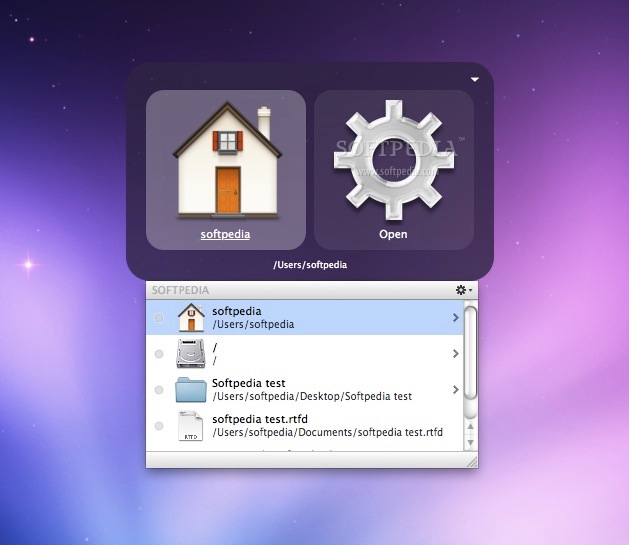
Quicksilver screenshot Enlarge picture - Quicksilver screenshot
Quicksilver, an amazing OS X utility that lets you navigate your system with unprecedented precision, has been promoted to version ß70 Build 3934. The “ß” in the versioning is just a moniker used by the folks at QSApp to designate a beta.

The changelog is huge, and I’m sure whoever is a fan of Quicksilver will undoubtedly want the full scoop. Here it is.

For those of you interested only in the new features, there’s a new option under "Command" preferences that lets you switch keyboard layout when Quicksilver is active.

The program now shows the location for iCloud documents as “iCloud” instead of the actual path, and searching on both filsystem and localized names for files and folders is now permitted.

Quicksilver now sorts files with numbers in their name just like the Finder. The text entry mode now matches the chosen interface more closely. Lastly, text no longer shows in the background as the user types characters.

Download Quicksilver for Mac (Free)

TELL US WHAT YOU THINK:

772 hits · Link to this article · Print article · Send to friend · Subscribe to news

MUST-READ RELATED ARTICLES:


AT&T Now Stocking iPhone 5 Cases

iPad mini to Arrive in WiFi + 3G Configurations [Apple.Pro]

UDID Search Indicates That Obama’s iPad Was Tracked by the FBI

iPhone 5 Has a Lot in Common with iPhone 3GS, Says RepairLabs

Chrome iOS Gets Its First Update

READER COMMENTS:


No user comments yet.
Be the first to express your opinion!
Copyright © 2001-2013 Softpedia. Contact/Tip us at

WindowsGamesDriversMacLinuxScriptsMobileHandheldNews

SUBMIT PROGRAM   |   ADVERTISE   |   GET HELP   |   SEND US FEEDBACK   |   RSS FEEDS   |   UPDATE YOUR SOFTWARE   |   ROMANIAN FORUM