
Softpedia
 

NEWS CATEGORIES:


NEWS ARCHIVE >>
SOFTPEDIA REVIEWS >>
MEET THE EDITORS >>
Home > News > Technology and Gadgets > Storage

January 5th, 2012, 14:49 GMT · By

Crucial Adrenaline Solid State Cache Solution Upgrades Any PC

SHARE:

Adjust text size:


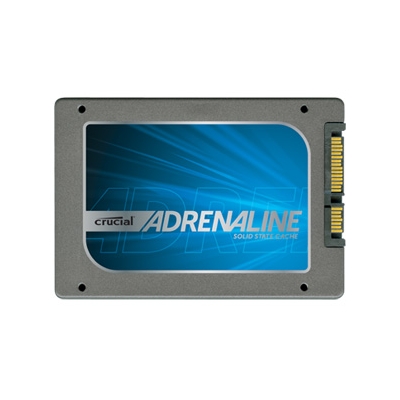
Crucial Adrenaline Solid State Cache Solution
Enlarge picture
People may not be particularly enthusiastic about changing their storage unit, or upgrading to an SSD, but Crucial thinks it has found a suitable compromise.

SSD caching is a method of improving performance that has existed for a while.

Basically, with the right software, an SSD can be allowed to automatically store frequently used files.

Since flash memory is much faster than HDDs, the OS can start much faster and so can applications.

Crucial has just made the official introduction of the Adrenaline Solid State Cache Solution, a kit made of an m4 SSD and a 3.5-inch adapter bracket.

“Many PC users are reluctant to give up their high-capacity hard drives for the performance of a solid state drive,” said Robert Wheadon, worldwide senior product manager, Crucial.

“Crucial Adrenaline offers these consumers an affordable bridge between hard drives and solid state drives, so they won’t be forced to choose capacity over performance, or vice versa.”

The m4 SSD has a capacity of 50GB, more than enough for the operating system and whatever else can benefit from being cached.

“Consumers are storing lots of digital movies, photos, and music on their home PCs, and as the amount of content grows, they want better PC performance for faster access to that content, similar to what SSDs provide,” added Wheadon.

“Crucial Adrenaline uses solid state technology as a cache for an existing hard drive to accomplish this goal, and delivers a compelling and affordable upgrade solution.”

SSD caching works by taking a hard disk drive and a solid state drive and making the operating system treat them as a single partition.

When new files are copied, they are stored on the HDD, but those more commonly used are copied onto the 'invisible' SSD component as well.

That way, the fast read and write speeds of NAND Flash memory can complement the high capacity of whatever HDD the desktop is equipped with.

TELL US WHAT YOU THINK:

1,237 hits · 2 comments · Link to this article · Print article · Send to friend · Subscribe to news

MUST-READ RELATED ARTICLES:


OCZ Deneva 2 SSDs Gain Ultrabook RST Certification from Intel

ADATA Outs 30GB S396 Solid Drive for SSD Caching Duties

Samsung mSATA Solid State Drive Serve Ultra-Thin Notebooks

Logitech HD Pro 920 Full HD Webcam Debuts

AOC Re-Launches 15.6-Inch USB Monitor

READER COMMENTS:


Comment #1 by: fandango on 01 Mar 2012, 18:26 UTC reply to this comment

Thank you for the explanation on how the SSD cache is different than a regular SSD.

I have been looking at SSD's for a while and needed to find a site that would explain what this particular drive does, and how it is differentiated from Crucial's (or any other manufacturer's) 'regular' SSD offerings.

This is the only site I found that explains it. Most other sites have simply copied the 'press blurb' from Crucial without supplying any additional info as to what this drive does or how it can benefit a computing system. It seems as though they think most people would already know.

Thanks again for the info.

Comment #1.1 by: Sebastian on 06 Mar 2012, 14:29 GMT

You're welcome.

Also, technically SSD Caching (Smart Response Technology) is something Intel came up with for its Z68 motherboards. The bottom line is that your motherboard, and the BIOS, has to support it. And the SSD has to be of 64GB or less.

Go here to learn exactly what you should do:

http://www.xtremesystems.org/forums/showthread.php?274398-Step-by-step-guide-to-setting-up-SSD-caching-on-Z68

Copyright © 2001-2012 Softpedia. Contact/Tip us at

WindowsGamesDriversMacLinuxScriptsMobileHandheldNews

SUBMIT PROGRAM   |   ADVERTISE   |   GET HELP   |   SEND US FEEDBACK   |   RSS FEEDS   |   UPDATE YOUR SOFTWARE   |   ROMANIAN FORUM