 14 DAY TRIAL //
 If you want to deploy a free blog, there are many alternatives available on the Internet. Basically, you can choose from many free blogging services available such as Blogger, WordPress and more, or a ready made blog application that you can install on your web server. Even the actual blogging platforms are very powerful regarding the features offered to users and administrators, there could be situations when you need to implement complex functionalities inside your blog and you do not find an adequate plugin to solve the problem.
Practically, the intrinsic functionality of a blog application is one of a close system, which could gain supplementary features (but limited in certain directions) by installing specifically plugins or add-ons. A simple alternative to create an efficient blog, which will have multiple possibilities of further functionalities development is the usage of a CMS (content management system) as a base for your blog.
If you want to rapidly deploy a blog with the help of a CMS, you could select any content management system that offers plugins, add-ons or extensions that will provide you support to develop a full featured blog website. In case of Joomla! CMS there are many possibilities to make a blog in a few easy steps. For example, Joomla! version 1.0.14 has already a blog integrated and available with the default installation. It displays a blog with news (posts) from all sections.
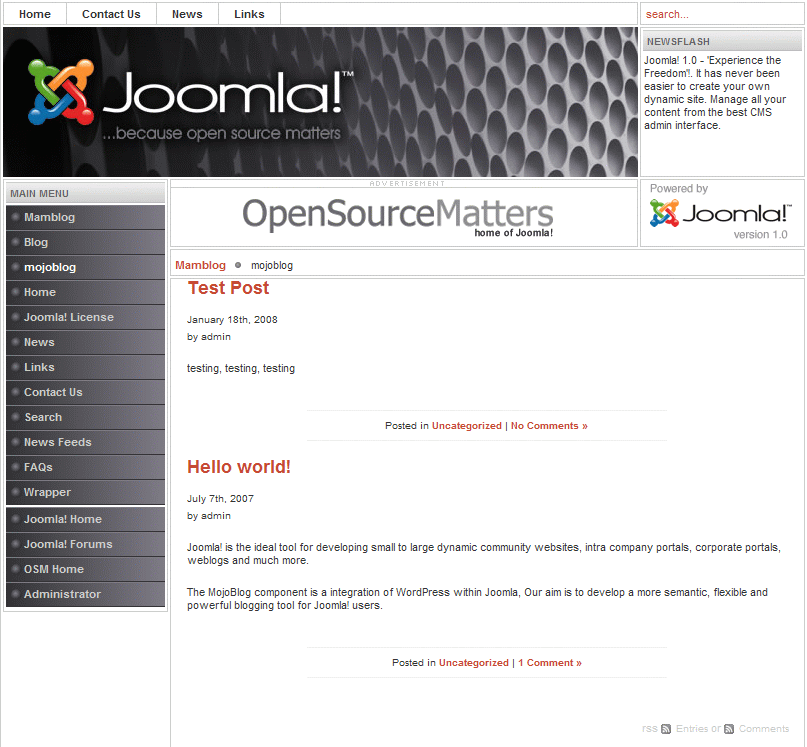
Also, there are complete solutions for implementing a blog in Joomla! CMS. For example, the open source component MojoBlog is developed based on WordPress platform. If you are used to WordPress blogging CMS, then you will find that this component offers similar functionalities and even more, many of the WordPress plugins are compatible with it. The single operation that you need to perform is to associate a new menu to this component, in main Joomla! menu for example. In order to display the blog content on your Joomla! homepage, then you will have to set the position 0 as order number relative to the other menu items.
In conclusion, by deploying a blog with the help of a content management system, the flexibility in further website changes or development will be higher, as compared with the case of a stand-alone blogging application. You could also discover many other possibilities in creating an innovative and original blog, based on the support offered by the content management system.