 14 DAY TRIAL //
 MacPaw, the maker of one of the best cleaning utilities out there, has updated its flagship product to version 1.7.1, fixing most of the user-reported bugs and errors, as well as some issues with popular virtualization programs. The new CleanMyMac also improves performance by reorganizing some code, according to its maker.
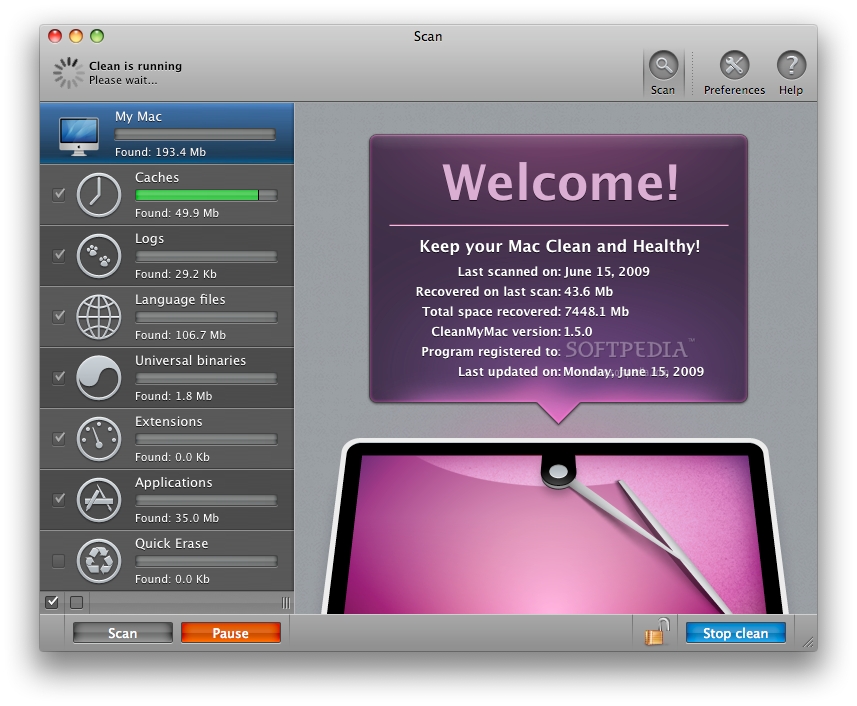
CleanMyMac can delete useless files that pile up over time and waste valuable disk space, as well as slow down the system. Unlike simpler “cleaning” solutions, CleanMyMac combines features such as the ability to slim down Universal Binaries, delete unneeded languages, logs and caches, Quick Erase, application uninstallation, and the ability to fully erase trash left from buried applications. With CleanMyMac installed and run periodically, your computer will work faster and smoother. A complete list of changes made in version 1.7.1 is available below. - Fixed most of the reported bugs and errors. - Enhanced general application stability. - Fixed several bugs in different localizations. - Improved performance by reorganizing some code. - Fixed bug with truncated texts. - Added alert sheet when stop scan clicked. - Fixed some issues with Parallels and VMWare.
Also noteworthy is that CleanMyMac 1.7, released earlier this month, added the ability to automatically scan for application leftovers when an application was moved to Trash. The release also added an Ignore List autoupdate feature so that users always had the latest ignore list of applications that should not be scanned, as well as new uninstallers for Growl, Launch Agents, Daemons and Startup Items.
CleanMyMac requires a computer running Mac OS X 10.4.11 or later. The software is a Universal Binary, good for using on either a PowerPC or an Intel-based Mac. MacPaw is also busy working on CleanMyMac 2, a totally redesigned version of the app, starting from the icon, and ending with the support for third-party plugins. The update will be made available free of charge to all existing CleanMyMac buyers when it’s ready.