14 DAY TRIAL //
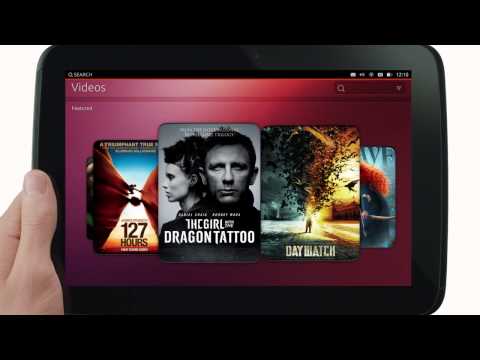
 Canonical has finally made public the rest of their plans to take over the world, which also happens to include the new Ubuntu for tablets.
Mark Shuttleworth has taken upon himself the task of presenting a new product from Canonical, Ubuntu for tablets, which surprised no one. The Mobile World Congress is set to start in Barcelona in a few days and Canonical had to show up with more than what was presented so far.
As far as we can tell from the limited information made available, its looks and behaves pretty much like its phone counterpart, but with one important addition. The OS is able to run two applications side by side.
Users can watch a movie or engage in a video conference with someone and reply to some Twitter messages at the same time. It's not a new concept, but if it works half as efficiently as it was presented in the video, it's going to be quite a useful feature.
Canonical calls it “Multi-tasking Mojo.” “Ubuntu’s unique side stage places a phone and a tablet app on the same screen at the same time for amazing tablet productivity. True multitasking comes to the table,” states the official announcement.
Another cool feature that has been introduced in Ubuntu for tablets is one of the best login screens we've seen so far. It looks a little like the LightDM login manager for the Ubuntu desktop and provides multiple login accounts, including one for guests.
Just like Ubuntu for phones, all four edges are used to perform the necessary task and the operating system doesn't seem to need any actual buttons, which is a really good idea because it needs to differentiate from the other OSes out there.
One last feature is worth mentioning. Ubuntu desktop users have had for some time now a useful way of selecting the appropriate command in a situation right from the HUD.
This function was also added on Ubuntu for tablets, but with a twist. It's voice-activated. When the user is in a picture, for example, just say Darken and the option will be presented, without having to search for it.
More details about the new Ubuntu experience can be found on the official website.