 14 DAY TRIAL //
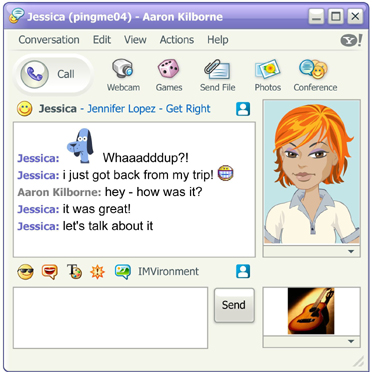
 The Yahoo Messenger avatars are often used to display a picture with the user but some of them are encountering several problems with this function. One of the most common issues which occur while using the instant messaging client is that the avatars are not appearing at all even if the consumer selects a picture from his computer. First of all, there is one important thing that you should know and especially have: Macromedia Flash Player 6.0 or higher, a special software solution that helps Yahoo Messenger display the avatars. Supposing that you already installed Flash Player, here's what you must do in order to fix the avatar issue:
Go over to the folder where you installed Yahoo Messenger (usually C:/Program Files), and look for the "Yahoo/Messenger/cache/Avatars" and "Yahoo!/Messenger/cache/Icon"" folders. As you can see, there are several files into these folders so all you need to do next is to delete all of them.
Please keep in mind that you have to close Yahoo Messenger before you remove the files and, after the entire process is complete, open the instant messaging client again.
Yahoo Messenger is one of the most advanced instant messaging applications at this time, having more than simple communication features. For example, Yahoo Messenger bundles file support, conference chatting, emoticons and audibles. Moreover, Yahoo Messenger comes with well-developed VoIP capabilities, allowing the consumers to communicate on the Internet using a simple microphone.
The Sunnyvale company wants to improve Yahoo Messenger even more and recently it implemented the chatting solution in the mail product. That's why you're now able to talk with your friends connected on Yahoo Messenger using the interface of the mail technology.
If you want to download the latest version of Yahoo Messenger, you can take it straight from Softpedia.