 14 DAY TRIAL //
 Blogger may be the biggest blog hosting platform out there, but it has been lacking some very much needed features. Blog Pages aren't crucial by any means, but WordPress, for example, has had the feature for years. The fact that such a simple yet powerful feature was missing from Blogger has frustrated quite a lot of users over the years. Finally, Google relented and introduced support for blog pages. The feature had been in testing over at Blogger in Draft, the platform's testing grounds program, similar in a way to the Labs feature other Google services get.
"Another top user-requested feature has just graduated from Blogger In Draft! Blogger now makes it easy to create Pages linked from your blog," Sean McCullough, software engineer at Google, wrote. "This feature lets you easily publish static information on stand-alone pages. For example, you can create an About This Blog page that discusses the evolution of your blog, or a Contact Me page that provides directions, a phone number, and a map to your location," he exemplified.
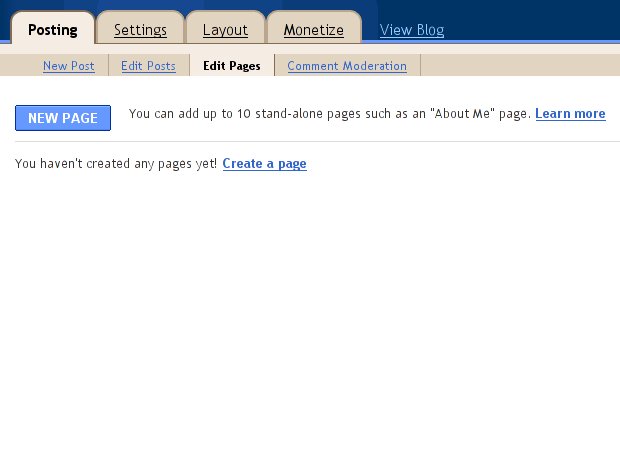
A new, Edit Pages tab is now available in the Posting section. From there, you can create a new page or edit existing ones. Other than that, everything works just like writing a regular blog post. Google says you can create up to 10 pages for your blog.
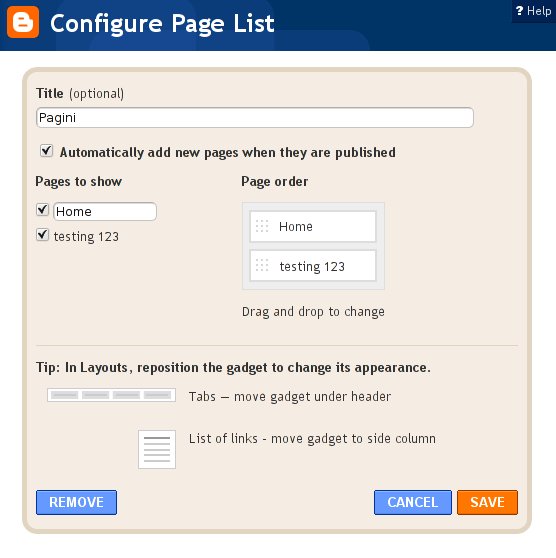
The feature can come in handy in a number of ways, the most obvious of which is the About Me page. Blogger already has a dedicated profile page and widget you can embed, but a lot of people preferred to have a personal page set up. To help you display the pages, Google has also created a new Pages widget. Its use is obvious from the name, it enables you to add links to the newly created pages either as a top menu bar or in the sidebar, just like the Blog Lists widget. You can customize the list with a usual set of options for the widget. If you like to get your hands dirty and start hacking the HTML template for your blog, Google also provides you with the necessary code snippets.