 14 DAY TRIAL //
 Deciding which text messages to delete and which to keep can be a major drag, especially when you have a lot of friends. Tansee iPhone Transfer SMS to the rescue! This small application can back up the text messages on your iPhone in no time, in both ANTS and txt format, right on your computer. You can even set a password to protect ANTS-saved text messages. A trial version of the program is available right HERE (Windows version only).
Tansee's utility also allows iPhone users to choose whether to back up all the text messages on their phone, or only the ones from a specified contact. So, here's how you're supposed to use Tansee iPhone Transfer SMS:
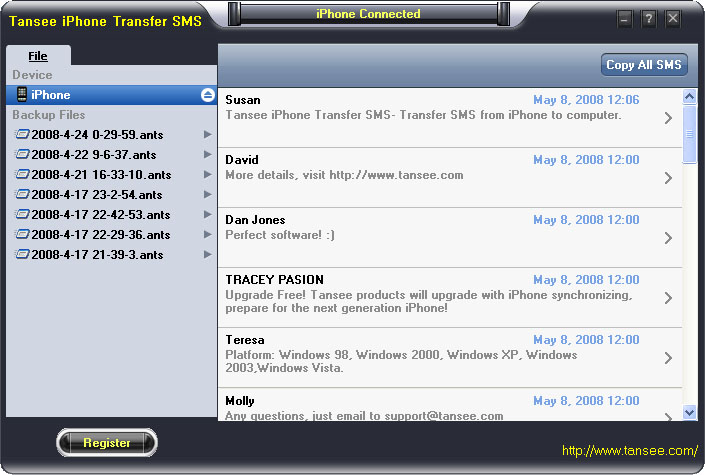
1 - First and foremost, you definitely need to connect the iPhone to your computer. 2 - Launch Tansee iPhone Transfer SMS. 3 - The SMS contacts info will display exactly as it is shown on your iPhone. 4 - Hit the "Copy ALL SMS" button to copy text messages from all iPhone contacts, or select a contact to back up the text messages received only from that contact.
You have a few options for this step as well, such as Choose File Type (back up to TXT file or ANTS file), Choose File Path (determine where to store the backup file; it will do nothing if you choose default path), Advanced Option (if you choose ANTS format in step 1, you can add a password to protect the file).
5 - After going through the motions, just hit OK to finish the Copy. Those who decide to try out the trial version first should note that it will only copy the first 100 items for each contact. So don't rely on the free download to back up your text messages. Also note that Tansee iPhone Transfer SMS works only on Windows-running platforms.