
NEWS CATEGORIES:


NEWS ARCHIVE >>
SOFTPEDIA REVIEWS >>
MEET THE EDITORS >>
Home / News / Apple / Mac

Mac


Apple Fails to Fix 'Incoming Mail Sound' Issue

10.5.3 users are experiencing a problem present even with Mac OS X 10.5.2

By Filip Truta, Apple News Editor

4th of June 2008, 21:06 GMT

Adjust text size:


Enlarge picture
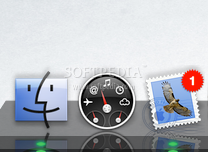
Apple Discussions is filled with complaints about how upgrading to Mac OS X 10.5.3 Leopard kills the "Incoming Mail Sound." Seemingly, not only those upgrading to the latest version of the OS are having this issue. Also, the problem is tied to more e-email protocols than just the POP, as the thread reveals.

Thread starter Real Max says "Incoming mail sound STILL NOT fixed" and asks for an Apple-script free solution.

"SAME issue here," another clearly upset user writes. "Have called
Apple support twice about this (I have brand new white MacBook)... They say they have heard of NO other reports of this problem. Hmmmmm... I commented to the technician that there were numerous documentations of said 'incoming mail alert sound' problems referenced right here in this forum. That comment was completely ignored. Therefore, I have come to the conclusion that if Apple says there is no issue, then (according to them) there is nothing to fix and all of us who happen to have this nonexistent problem are just nuts," the disappointed MacBook owner ends his post.

At a first glance, it seems only users with a POP mail account are having the issue. That's false, as MacTimelord reveals in the post I'm about to paste for you right below. Also, the problem isn't tied to the latest maintenance update for Leopard, as previously thought. Mac users running earlier versions of Leopard (below 10.5.3) are also having trouble with the incoming mail sound:

"Several weeks ago we took delivery of a new MacBook (with OSX 10.5.2), the 'New Mail Sound' has never worked on this computer. There are no third party applications installed. The email account setup on the MacBook uses a .Mac address." He goes on to explain how he created several new user accounts using a .Mac address for the Mail setup. "Still no 'New Mail Sound'," he claims.

After trashing the preferences, he got on the phone with Apple Care, trashed and reinstalled the Mail application, trashed caches too, but still "no New Mail Sound." Later on, the guy decided to use another email address and setup a POP account, which proves the issue isn't tied to this e-mail protocol and, "instead of setting up a new user with a .Mac address" he went with another e-mail address. "The 'New Mail Sound' played!!!'," the guy happily told his fellow Discussion-ers. "But it only played once and once only."

The last guy writing about his Apple Mail experience says he couldn't find a solution either. According to his post, however, Apple is "aware" of the problem and working on a fix.

Are you having any "incoming mail sound" issues?

TAGS:

Apple | sound failure | incoming mail sound | POP account | bug
Read by 4,446 user(s) | Add comment | Link to this article TWEET THIS


Article rating:
Good (3.8/5) 5 vote(s)    

Subscribe to news | Print article | Send to friend

© Copyright 2001-2009 Softpedia
Contact:


SEARCH THE NEWS ARCHIVE :


Today's News
| Yesterday's News | News Archive


MORE RELATED ARTICLES:


sipgate - First Official VoIP App for iPhone. Free Download!

Forget 10.6, Mac OS X 10.5.4 Is Even Closer

Mac OS X 10.6 to Be Seeded to Devs at WWDC '08

Mac vs PC Study Shows Macs Have 1/3 Fewer Problems

10.5.3 'Broke' AirPort Extreme Base Station

Net Applications' Stats Show Safari Hit Record Market Share in May 2008

NeoOffice Patch 5 Is Here. Download Now

User opinions:


Comment #1 by: Ryan Fitz Gibbon on 05 Jun 2008, 20:05 GMT reply to this comment

Count me among the multitudes: I am not getting a new mail sound on my Apple Mail either. I've decided to do a little test to see just how many people are having this problem. Check it out, pass it along, and maybe we can get Apple to pay attention.

http://gimmemyalert.blogspot.com/


Comment #2 by: Michael on 20 Nov 2008, 21:35 GMT reply to this comment

I have a new MacBook and have had it for 3 weeks - no incoming mail sound and it is driving me NUTZ - spoke to apple care in Sydney and they are 'aware' of the issue nd are working on a resolution....I hope they find one as it's bugging me no end!


Comment #3 by: joe Ramos on 08 Jan 2009, 20:00 GMT reply to this comment

osx no new mail sound fixed! This worked for me.

check system pref/sound/sound effects....they were reset somehow when i installed 10.5.
make sure "alert volume" is up and "play user sound effects" is checked.
weird, now my email "new mail" and other sounds work!


Comment #4 by: pete on 26 Jan 2009, 10:19 GMT reply to this comment

Volume control for all Mail alerts in Leopard are not adjustable via the 'Alert Volume' control in preferences. If you're playing music, or listening to video content (YouTube) at normal volume via external speakers then the mail alerts are deafening. Even when the You Tube window volume is at max a new mail alert almost causes a heart attack. Is there a workaround other than recording new alerts at low volume in Garageband?


Comment #5 by: smerx on 24 Apr 2009, 11:58 GMT reply to this comment

Go to Mail->Preferences->Accounts->Advanced and deselect "Use IDLE command if server supports it"

Worked for me.


Comment #6 by: Jan-Emmanuel De Neve on 17 May 2009, 16:57 GMT reply to this comment

Did all of the above and still no incoming Mail sound.....


Comment #7 by: Wils on 11 Jun 2009, 00:47 GMT reply to this comment

I simply logged into my system preferences/sounds/sound effects and deselected and reselected my mail sound. Closed preferences and incoming mail sounds now work (for the time being).


Comment #8 by: Darren Baker on 21 Aug 2009, 11:19 GMT reply to this comment

Hi, their i was wanting to know how to get a sound up on my windows vista laptop for incoming E-Mails please let me know urgently i'll be very gratefull

Share your opinion:

Your Name:
Your Email Address:
(will not be used for commercial purposes)
Solve this to prove you're not a bot: =
Your review/opinion:


Windows tabGames tabDrivers tabMac tabLinux tabScripts tabMobile tabHandheld tabGadgets tabNews tab

SUBMIT PROGRAM   |   ADVERTISE   |   GET HELP   |   SEND US FEEDBACK   |   RSS FEEDS   |   ENTER NEWS SITE   |   ENGLISH BOARD   |   ROMANIAN FORUM