 14 DAY TRIAL //
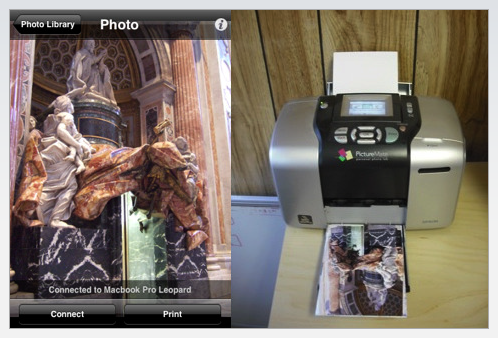
 TUAW points out to a useful iPhone application currently available in the iTunes App Store called Air Photo. Developed by River Past Corporation, the program enables easy and fast wireless photo printing to any printer on a local Wi-Fi network.
Basically, the folks at River Past Corporation wanted to create the easiest way possible for iPhone / iPod touch users to print their pictures. And they've done it, apparently. Users simply run Air Photo, browse to the photos they like, and tap "Print." The company also jokes, saying “Load up on the photo paper. You will need it.”
According to the iTunes App Store description, key features and benefits include:
1. Auto-rotation. You don't need to configure whether you want to print landscape or portrait. 2. Scaling options - crop or white space. 3. Printer is configured with Air Photo Server, with complete control. The printer settings are persistent. 4. Simple and seamless interface. Single tap to print. 5. Auto connect if only one Air Photo Server running on the network. If multiple are running, choose which one to connect to. 6. Compatible with all wifi environments. 7. Compatible with all printers. 8. Air Photo Sever compatible with both Mac (Leopard, PowerPC or Intel) and Windows (XP/Vista, 32-bit or 64-bit).
Interested parties should note that an additional download is required for Air Photo to work - Air Photo Server. Air Photo Server is free to download and must be installed and running on the desktop computer while attempting to print. Windows users must also make sure it is added to the exception list of their firewall.
Air Photo Server works with all printers and it automatically connects if only one server is present. It boasts the simplest UI and has settings on the server for cropping/white space control. Air Photo Server also enables automatic portrait/landscape adjustment.
Air Photo is compatible with iPhone and iPod touch and requires iPhone 2.0 Software Update. The iPhone client costs $1.99 to buy.
Download Air Photo – iPhone Client – via iTunes App Store ($1.99) Download Air Photo Server for Mac OS X (Free)