 14 DAY TRIAL //
 Poland’s CERT has released a great advisory to teach users how to remove pieces of malware that block computers and request money on behalf of law enforcement agencies.
Ransomware is an ever growing problem that affects Internet users worldwide, many being tricked into handing over certain amounts of money to the cybercriminals that run such campaigns.
As we’ve mentioned on numerous occasions, the worst thing to do in case your computer is infected with such malicious elements is to pay up. On the other hand, there aren’t many internauts skilled enough to perform the cleaning process.
This is where the advisory published by CERT Poland steps in. It provides two methods that can be utilized to clean up a computer.
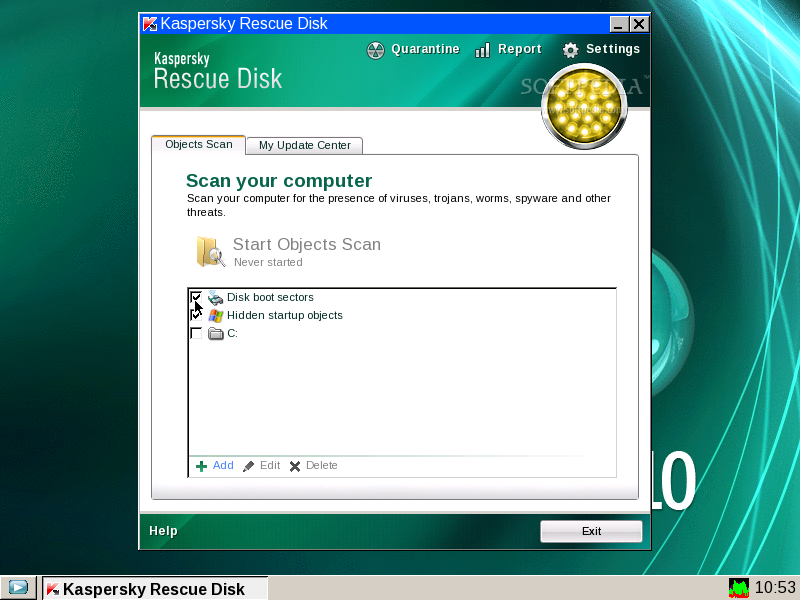
First, the easy one, which we recommended in the past: the use of rescue disks. Each antivirus vendor provides rescue software that’s designed to remove malware infections in a few relatively easy steps.
The most popular such applications are BitDefender Rescue CD, F-Secure Rescue CD, Kaspersky Rescue Disk, Avira AntiVir Rescue System, and AVG Rescue CD.
They all pretty much work on the same principle. The user must simply download the ISO image and burn it to a CD (or an USB drive) using appropriate software.
Note: if the computer is locked by the ransomware, this part of the process must be performed on another, clean, computer.
Once this task is completed, the infected computer must be started with the rescue CD or USB stick inserted. Then, make sure that the machine boots from this drive.
After the software is executed, the system scan and the malware removal process are fairly easy, no matter which Rescue CD you are using.
The second method is more complex but, on the positive side, it works even if the computer doesn’t boot.
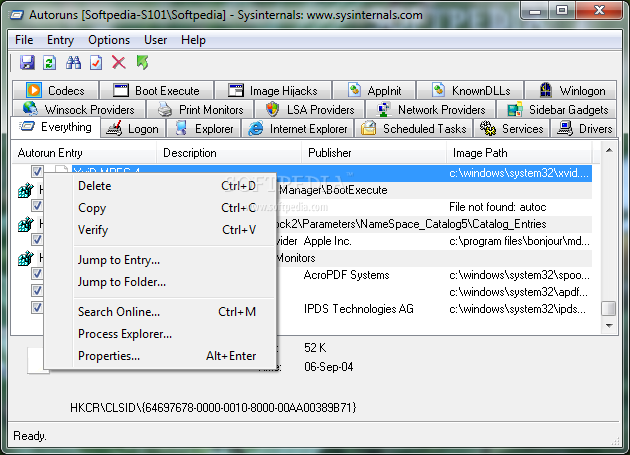
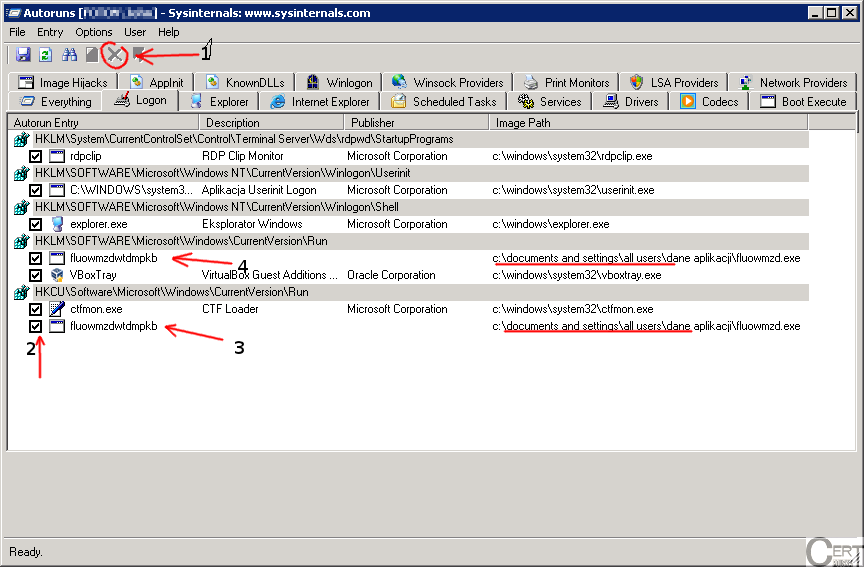
Experts recommend the use of a piece of software called SysInternals Autoruns, an application available here, that must be run from an USB drive in “Safe Mode with Command Prompt.”
Autoruns lists all the applications that start along with the operating system. By allowing the customer to filter out Microsoft and Windows, it can aid in pinpointing the malicious elements that affect the system.
Suspicious entries can be deactivated or removed, depending on how certain the user is that he/she can positively identify the culprit.
For additional details, check out CERT Poland’s advisory.