
Softpedia
 

NEWS CATEGORIES:


NEWS ARCHIVE >>
SOFTPEDIA REVIEWS >>
MEET THE EDITORS >>
TRENDING TODAY
Home > News > Microsoft > Software Blog

March 8th, 2012, 18:41 GMT · By

BLOG

Add Start Button to Windows 8

SHARE:

Adjust text size:


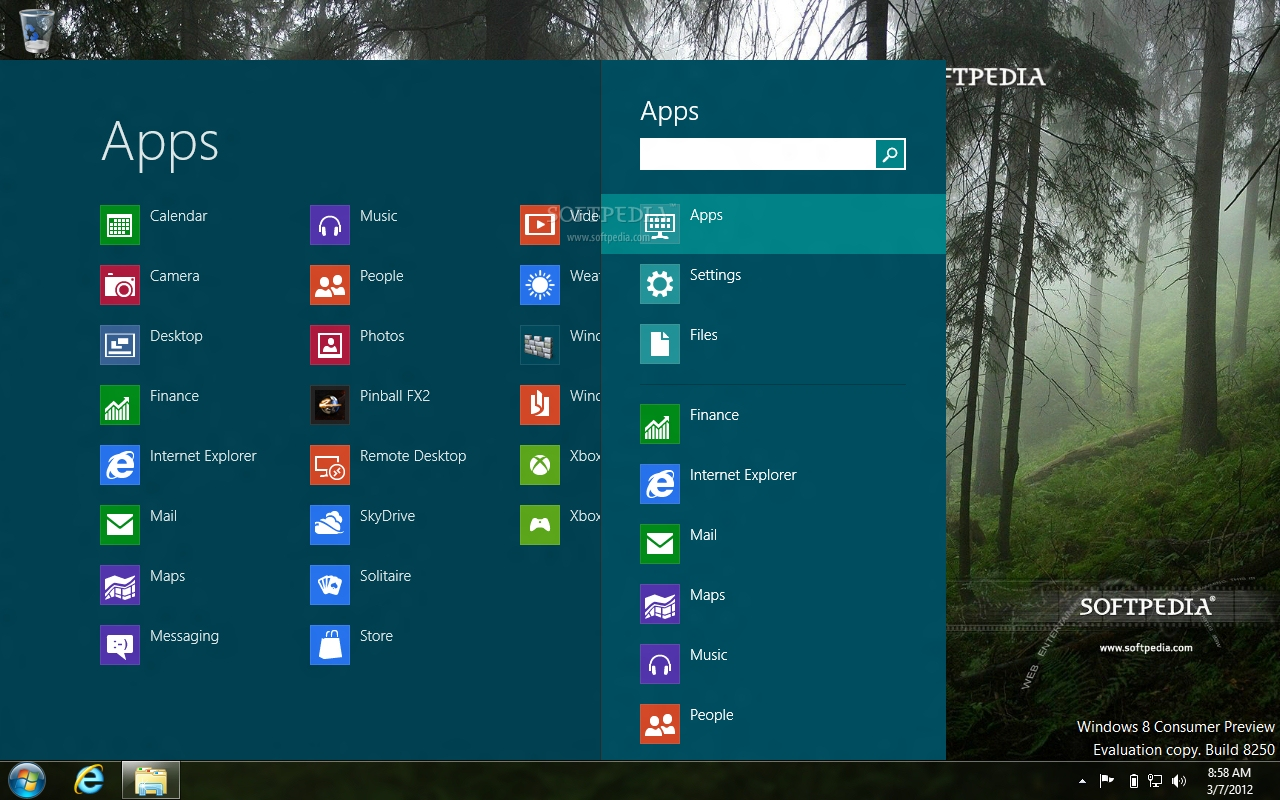
Quick access to installed applications Enlarge picture - Quick access to installed applications
As Windows 8 no longer features the iconic “Start” button it fell into the hands of third-party developers to come up with a substitute.

Stardock seems to be the first company to tackle the problem as they released Start8, an application specially designed to bring back the Start orb from Windows Vista and 7. However, its functionality is not the same, as it does not provide the menu you’re accustomed to in previous versions of Windows.

That is not to deny its benefits altogether because Start8 enables quick access to installed programs and search function. Additionally, it can help you turn off the computer in fewer clicks by making the Shutdown option available in the context menu of the button.

The program is free of charge and it is in beta stage of development at the moment, so some quirks may still be present.

Download Start8

TELL US WHAT YOU THINK:

11,428 hits · 5 comments · Link to this article · Print article · Send to friend · Subscribe to news

MUST-READ RELATED ARTICLES:


The Menu Hidden in Start Button in Windows 8

Total Commander 7.57a RC2

Download SUPERAntiSpyware 5.0.1146

Maxthon 3.3.6.600 Beta Released

Miranda IM 0.9.46 Updates zlib Library

READER COMMENTS:


Comment #1 by: Lootyhoof on 08 Mar 2012, 19:10 UTC reply to this comment

Personally, ViStart is better.

Comment #1.1 by: unknown on 10 Mar 2012, 11:26 GMT

ViStart eats 10/20% CPU resources and keeps opening its homepage every boot up, and you can't add your own applications there or remove stuff, so I rather modify win8 built in start page, I use 3 columns. And to get options to restart system you need to use shortcut Win key + I key


Comment #2 by: Cyreef on 08 Mar 2012, 19:28 UTC reply to this comment

ViStart 2.0 Build 3807 was the first to fix the start menu in windows 8

Comment #2.1 by: unknown on 10 Mar 2012, 11:26 GMT

ViStart eats 10/20% CPU resources and keeps opening its homepage every boot up, and you can't add your own applications there or remove stuff, so I rather modify win8 built in start page, I use 3 columns. And to get options to restart system you need to use shortcut Win key + I key


Comment #3 by: Brownrabbit596 on 13 Jun 2012, 14:51 UTC reply to this comment

Awesome soft just download can,t wait to us it.

Copyright © 2001-2013 Softpedia. Contact/Tip us at

WindowsGamesDriversMacLinuxScriptsMobileHandheldNews

SUBMIT PROGRAM   |   ADVERTISE   |   GET HELP   |   SEND US FEEDBACK   |   RSS FEEDS   |   UPDATE YOUR SOFTWARE   |   ROMANIAN FORUM